- Age rating4+
- CategoryPhoto & Video
- DeveloperNodal Film Systems LLC
- LanguagesEnglish
- Size1.1 MB
Links to the official App Store page
Download.org hosts no file of GYRO CTRL. The button opens its official App Store page, published by Nodal Film Systems LLC. Listing last checked on Nov 20, 2026.
Screenshots
About
Control NODO TORQ head with iOS Gyro via TAMBR protocol.
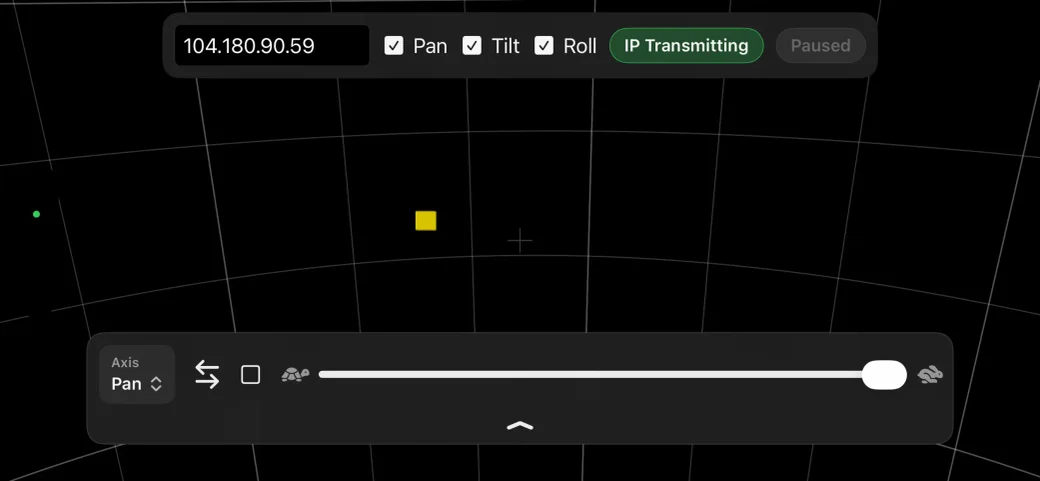
Enter the IP address of TORQ's Ethernet Injector.
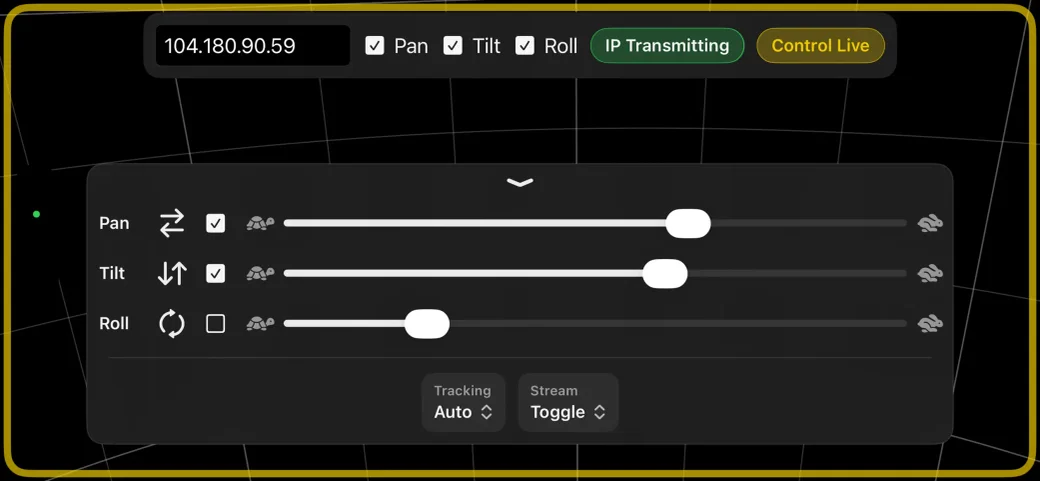
Select which axes you want to control.
Scale the speeds per axis.
Reverse directions if necessary.
Activate or deactivate augmented reality assistance to assist with gyro drift.
And tap the screen to enable control.
Yellow border indicates realtime control.
Then TORQ will follow the movements of the iOS device.
Requires Screen Orientation Lock for consistent orientation on iPads. On screen guide will direct proper orientation before lock.
What’s new
Version 1.7 · Aug 11, 2026
Added support for RED camera’s live preview in app.
App privacy
What Nodal Film Systems LLC declares on the App Store about how this app handles data.
-
Data not linked to you
May be collected but is not linked to your identity.
- Usage data
- Diagnostics
- Surroundings
- Body
Privacy practices may vary, for example with the features you use or your age.
Information
- Seller
- Nodal Film Systems LLC
- Category
- Photo & Video
- Version
- 1.7
- Updated
- Aug 11, 2026
- Released
- Mar 27, 2026
- Size
- 1.1 MB
- Requires
- iOS 18.6 or later
- Age rating
- 4+
- Price
- Free
- Languages
- English
- Copyright
- © 2026 Nodal Film Systems LLC
You might also like
-
 HulkaPhoto & Video
-
 SlideKitPhoto & Video
-
 Curtis Salinger PhotographyPhoto & Video
-
 LCminiNDWireless control for KipperTie
-
 Ant CineKit14-in-1 Camera & Lens Toolkit
-
 Trexo Wheels GoPhoto & Video
-
 AKASO NVGPhoto & Video
-
 Distort by Search and DistortPhoto & Video
-
 Useful Zoom V-PlayerZoomable Video Player
-
 Collage Cam-PhotoEditor&LayoutLayout,Photo Grid,Design