- Age rating4+
- CategoryProductivity
- DeveloperGennadiy Zakharov
- LanguagesEnglish+ 2 more
- Size65.7 MB
Links to the official App Store page
Download.org hosts no file of GZ Whisper. The button opens its official App Store page, published by Gennadiy Zakharov. Listing last checked on Nov 24, 2026.
Screenshots



About
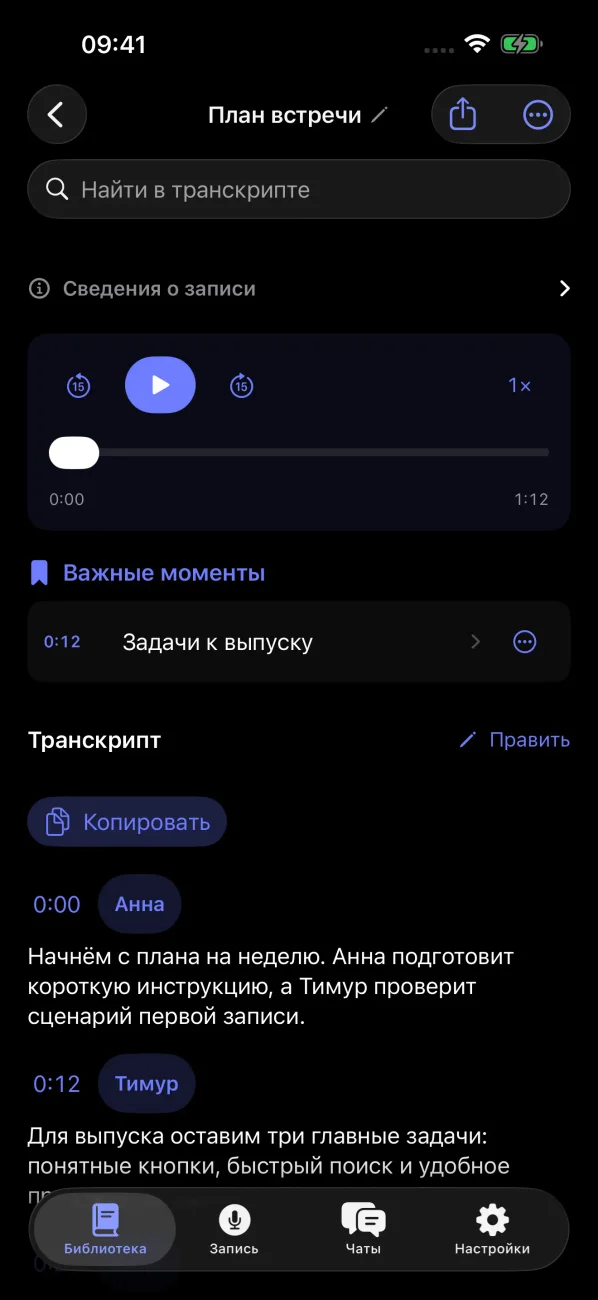
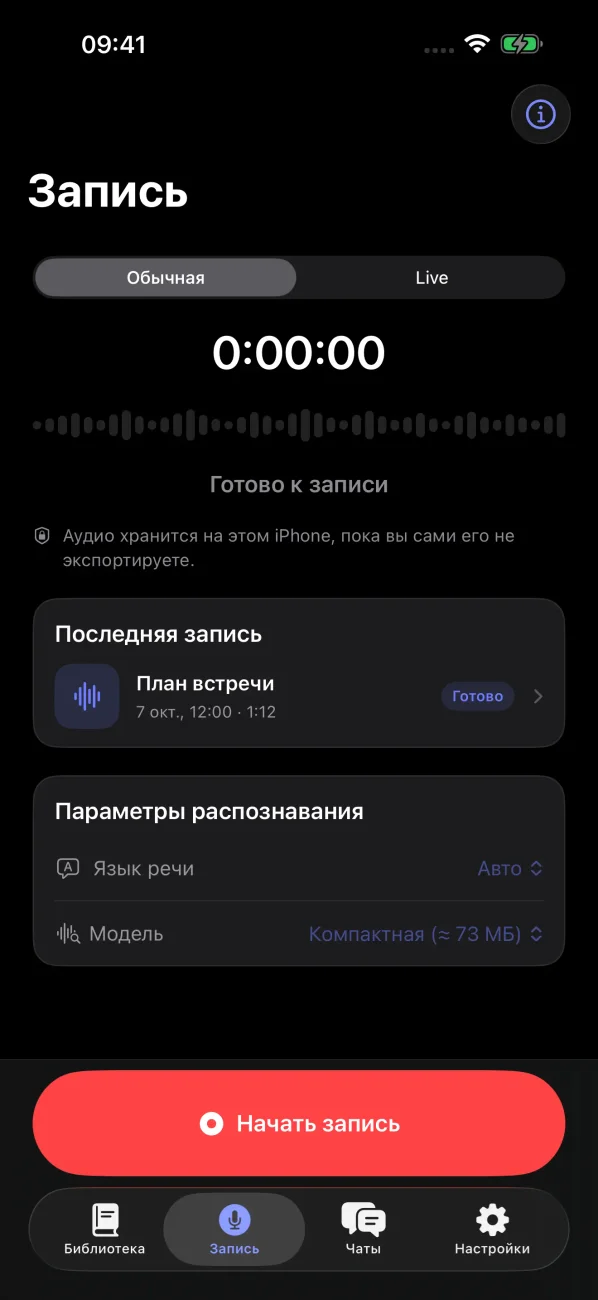
GZ Whisper records audio, transcribes speech on device and helps you work with the resulting text on iPhone and Apple Watch.
Features:
• record your voice, pause and add markers;
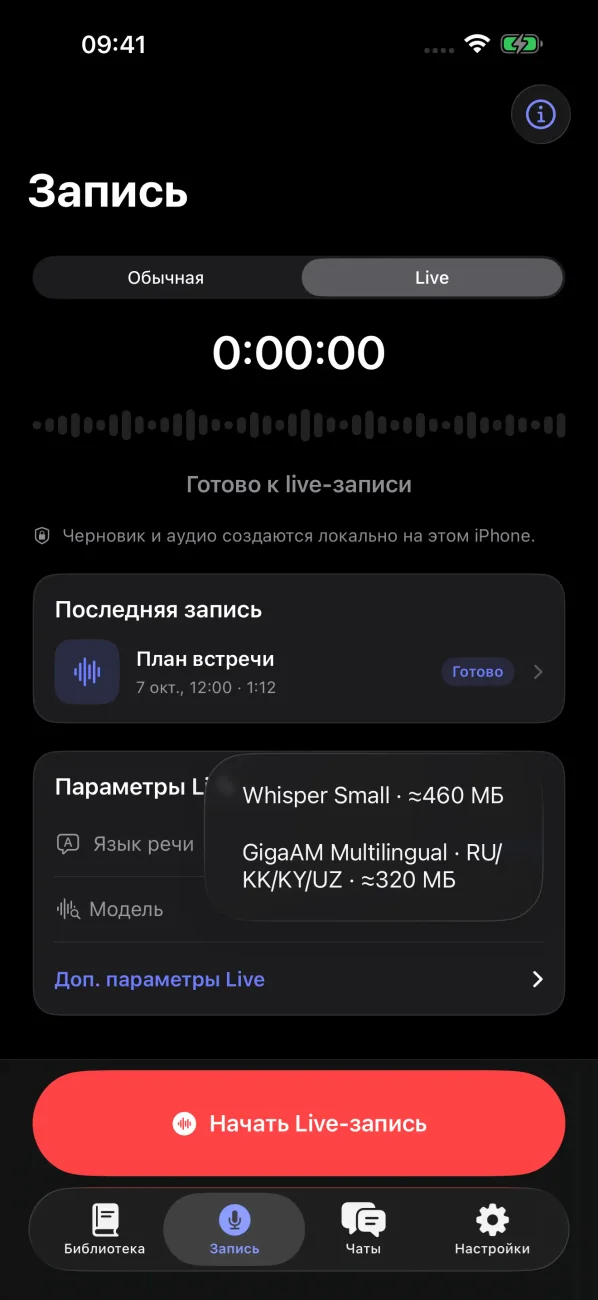
• get text while recording with Live: Whisper Small (≈460 MB) or GigaAM (≈320 MB) for Russian, Kazakh, Kyrgyz and Uzbek;
• choose a model for finished recordings and import audio or video;
• try experimental models for Kazakh and Azerbaijani speech;
• detect speakers, name them, correct lines and merge speakers right in the transcript;
• search words with highlighting and jump between matches;
• listen to recordings with seeking and playback speed control;
• create short summaries and discuss the text with an optional on-device AI assistant;
• work with photos and recognize text with Qwen and Apple Vision;
• organize recordings into collections, edit text and return to earlier versions;
• translate with built-in Apple system translation;
• export audio and text as TXT, JSON, SRT and VTT.
Apple Watch:
Record audio with the watch microphone, with pause and markers. A saved recording is sent to the paired iPhone for transcription; the watch receives the status and a text snippet. Listen to saved audio on the watch with speed control and 15-second skips. Available audio output depends on watchOS and the watch model; Bluetooth headphones may be required. Add a button that opens the recorder to a watch face or the Smart Stack, open it with Siri and Shortcuts, then start recording with a tap. From iPhone you can explicitly save up to 8 favorite text snapshots and summaries to read on the watch without the phone. Without a connection, transfers wait until the devices reconnect.
On iOS 27 and later:
• you can turn on experimental meeting recording through the system screen content picker in Settings; it is off by default;
• create a summary with Apple Intelligence on device when the device, the system model and the text language are supported;
• send the full transcript with a prompt to an AI app of your choice or to your own iOS shortcut after reviewing it and granting separate permission. Processing by the recipient is governed by its own terms.
Meeting recording captures the entire selected screen, including notifications. Obtain participants' consent and the right to save the content. Audio from third-party apps and calls may be missing or interrupted; reliable call recording is not supported. Experimental actions are hidden on earlier iOS versions.
Privacy:
Audio, transcripts, chats and selected photos are stored and processed on the device. The developer has no access to your library. Internet access is needed to download the models you choose and system language packs, and to send optional usage statistics. On iPhone, Apple Watch and Mac, statistics are enabled independently after you confirm a notice. They are offered as enabled, but nothing is collected or sent before you confirm; an earlier opt-out is kept. Only limited feature counters, model and error categories, outcomes and duration ranges, platform and version are sent. A random code changes every day and does not link different days or devices. Audio, text, photos, chats and file names are never sent in statistics. You can turn statistics off in Settings; the unsent queue and the daily code are deleted.
Models are downloaded separately; availability depends on device resources. Background processing depends on the time allowed by the system. Local AI models can make mistakes: check important facts against the original recording.
What’s new
Version 0.4.4 · Nov 22, 2026
• New assistant model, LFM3: faster and more accurate answers about long recordings and documents in Russian. Qwen remains available for photos and Kazakh.
• Documents: open .md and .txt files in GZ Whisper, read them with formatting, summarize them and ask questions — answers point to the document's sections.
• Assistant replies now render full formatting: headings, lists, tables and code.
• Summaries pick the key sentences of a recording more accurately.
• Apple Watch: recordings reach iPhone faster (compressed before sending), transfer progress is visible, and you can play a recording through the watch speaker.
• Bug fixes and stability improvements.
App privacy
What Gennadiy Zakharov declares on the App Store about how this app handles data.
-
Data not linked to you
May be collected but is not linked to your identity.
- Identifiers
- Usage data
- Diagnostics
Privacy practices may vary, for example with the features you use or your age.
Information
- Seller
- Gennadiy Zakharov
- Category
- Productivity
- Version
- 0.4.4
- Updated
- Nov 22, 2026
- Released
- Sep 25, 2026
- Size
- 65.7 MB
- Requires
- iOS 17.0 or later
- Age rating
- 4+
- Price
- Free
- Languages
- English, Kazakh, Russian
- Copyright
- © 2026 Gennadiy Zakharov
You might also like
-
 Soniox - Speech to Text AITranscribe, Notes, Translation
-
 Google AI Edge EloquentUnlimited, no cost dictation
-
 Google AI Edge GalleryPrivate, Fast, Offline AI
-
 HitWaveProductivity
-
 Locally AI by LM StudioLocal & Private AI Assistant
-
 Yandex MailSecure inbox for work & life
-
 f3 vpn - simple VPNVPN Proxy for traffic
-
 PocketPal AIProductivity
-
 Alice: AI assistantChat with AI-assistant Alice
-
 NextcloudPrivate cloud storage