
Haiku Ring: Visual Schedule
Time Blocking Clock
Designed for iPhone, iPad
Free · In-app purchases
- Age rating4+
- CategoryProductivity
- DeveloperRESWIN BIJU KANDATHIL
- LanguagesEnglish
- Size18.8 MB
Links to the official App Store page
Download.org hosts no file of Haiku Ring: Visual Schedule. The button opens its official App Store page, published by RESWIN BIJU KANDATHIL. Listing last checked on Nov 23, 2026.
Screenshots

About
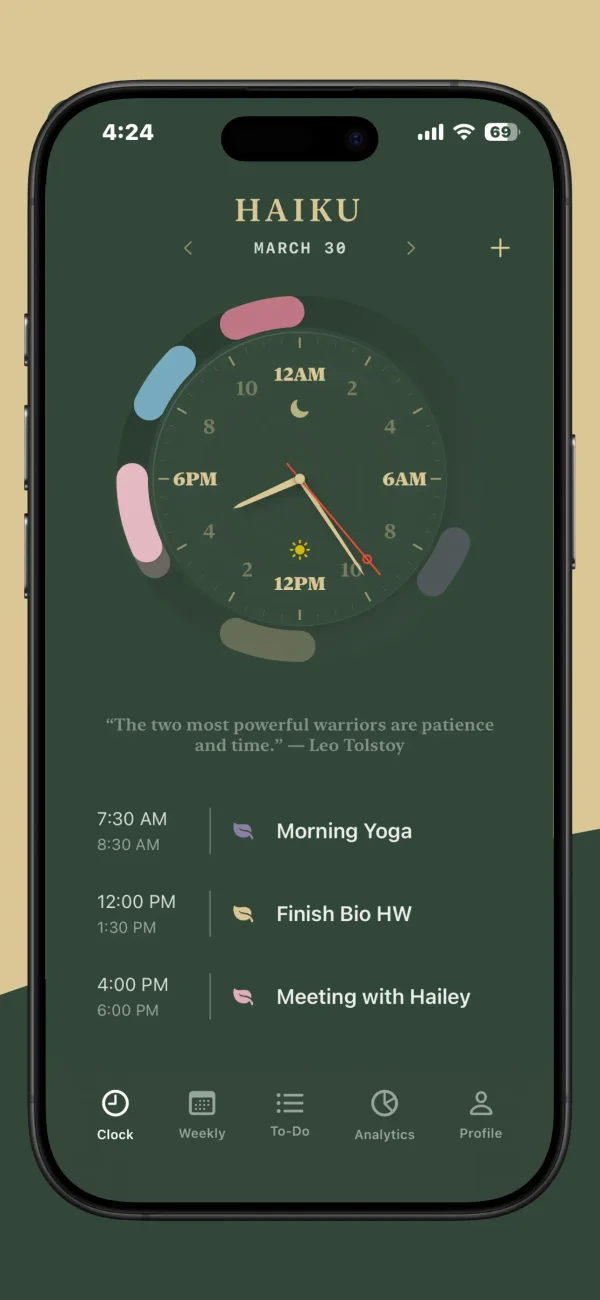
Haiku is a calm visual planner that turns your day into a 24-hour clock.
Instead of juggling crowded calendar grids and long task lists, Haiku helps you see your time as a clear visual flow. Plan tasks, capture loose thoughts, review your week, and understand your schedule at a glance.
VISUAL DAILY PLANNING
- Organize your day on a 24-hour clock
- See tasks as color-coded arcs around your schedule
- Move and adjust tasks to better fit your day
- View your current and upcoming time blocks more clearly
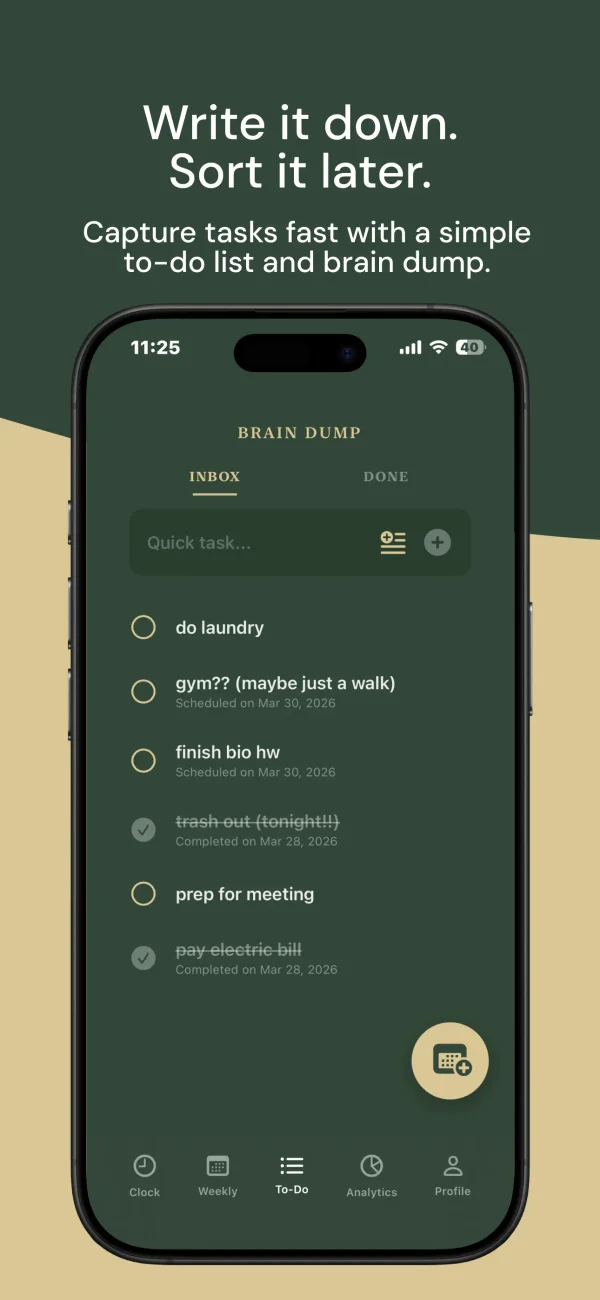
BRAIN DUMP
- Quickly capture unscheduled tasks in one place
- Keep ideas, reminders, and to-dos out of your head
- Schedule tasks later when you’re ready
WEEKLY VIEW
- Review your week in a visual clock layout
- Switch to a calendar-style weekly view
- Spot open days, busy blocks, and patterns across the week
GENTLE REMINDERS
- Get optional notifications before tasks begin
- Use simple reminder offsets in the free version
- Unlock custom reminder times with Haiku Pro
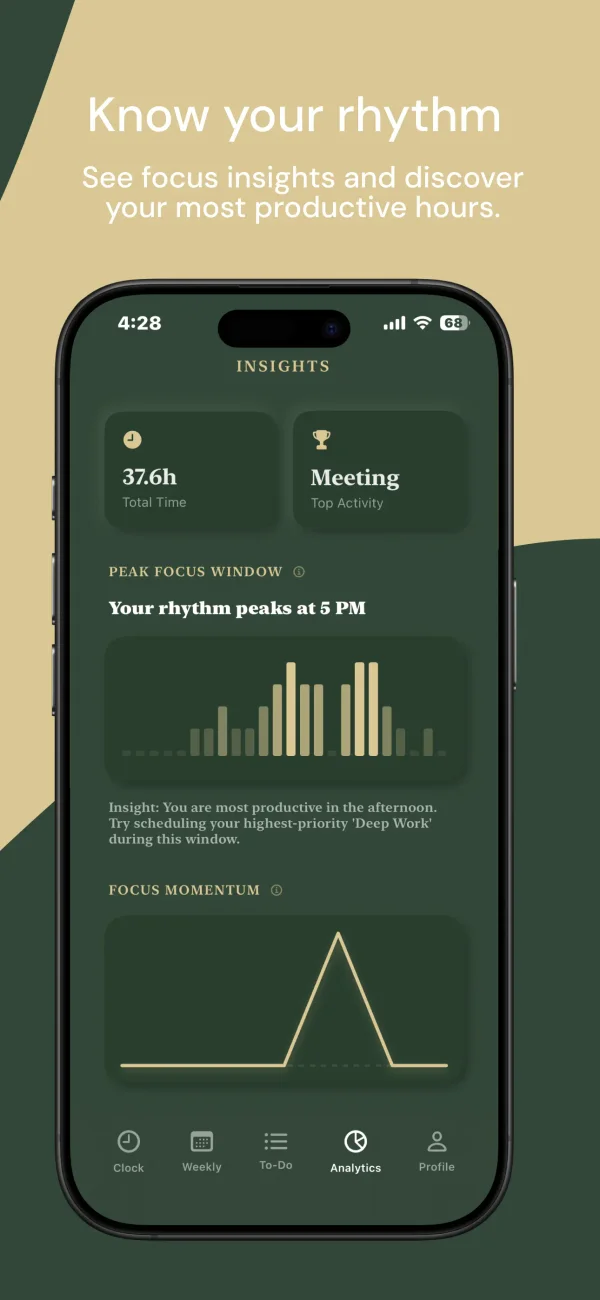
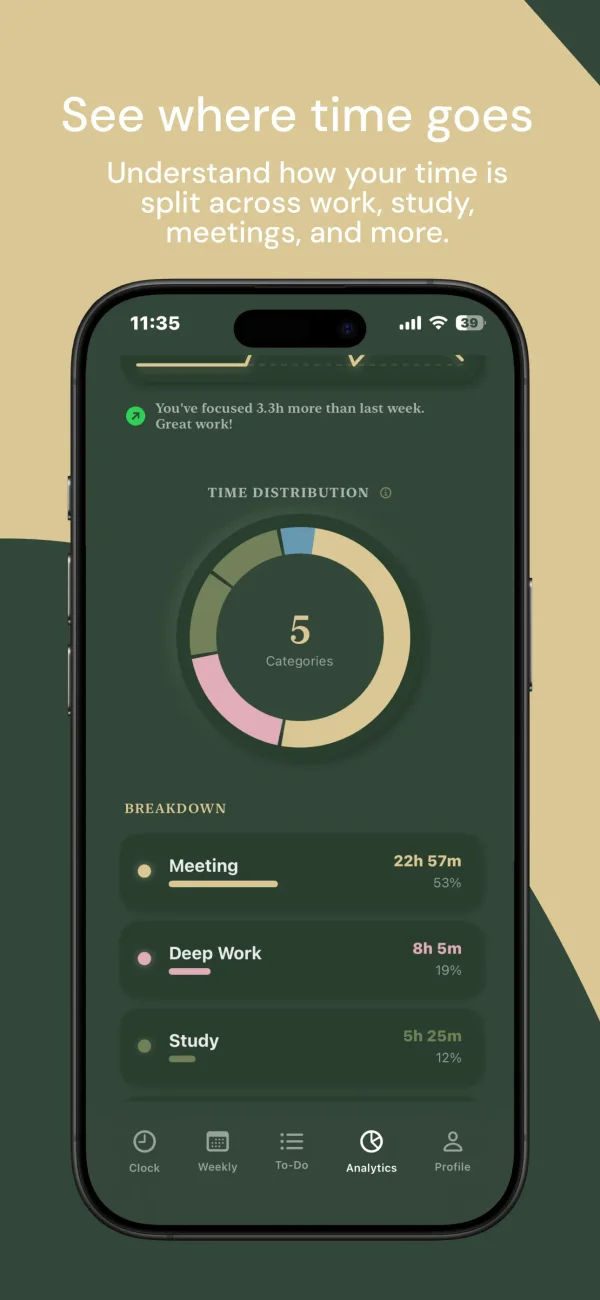
INSIGHTS
- Track your total planned time
- See top activities and category breakdowns
- Discover your peak focus window and weekly momentum with Haiku Pro
SYNC AND PERSONALIZATION
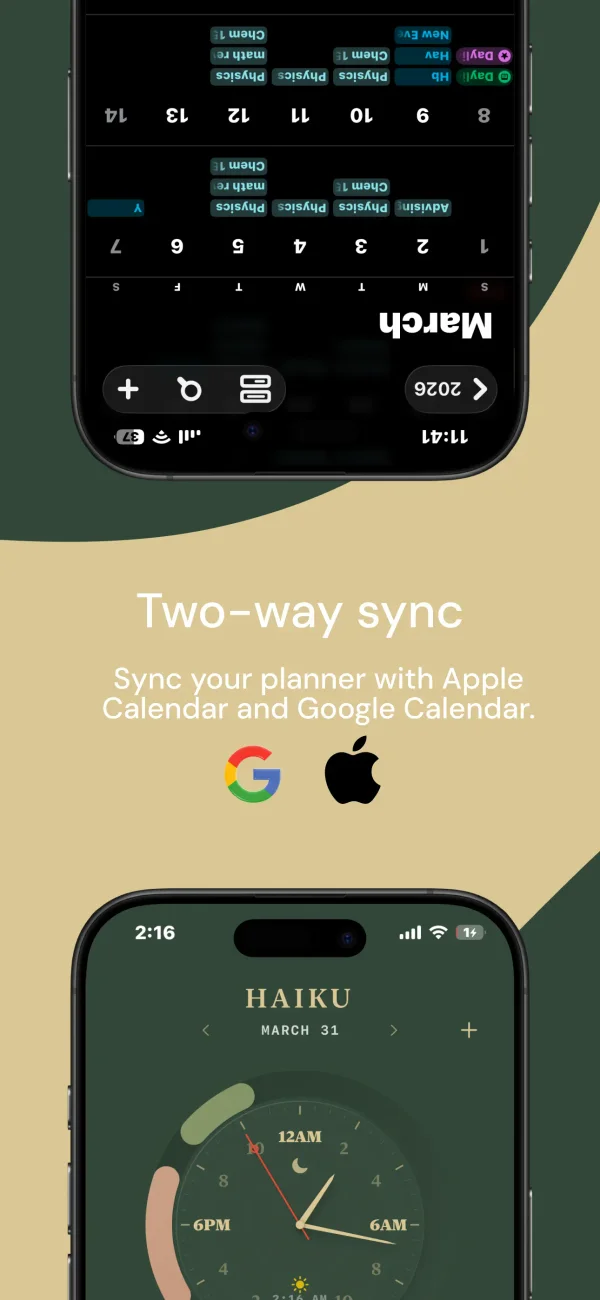
- Optional sync with Apple Calendar and Google Calendar through Haiku Pro
- iCloud sync for your Haiku task data when available
- Choose from multiple themes
- Switch between 12-hour and 24-hour time
HAIKU PRO
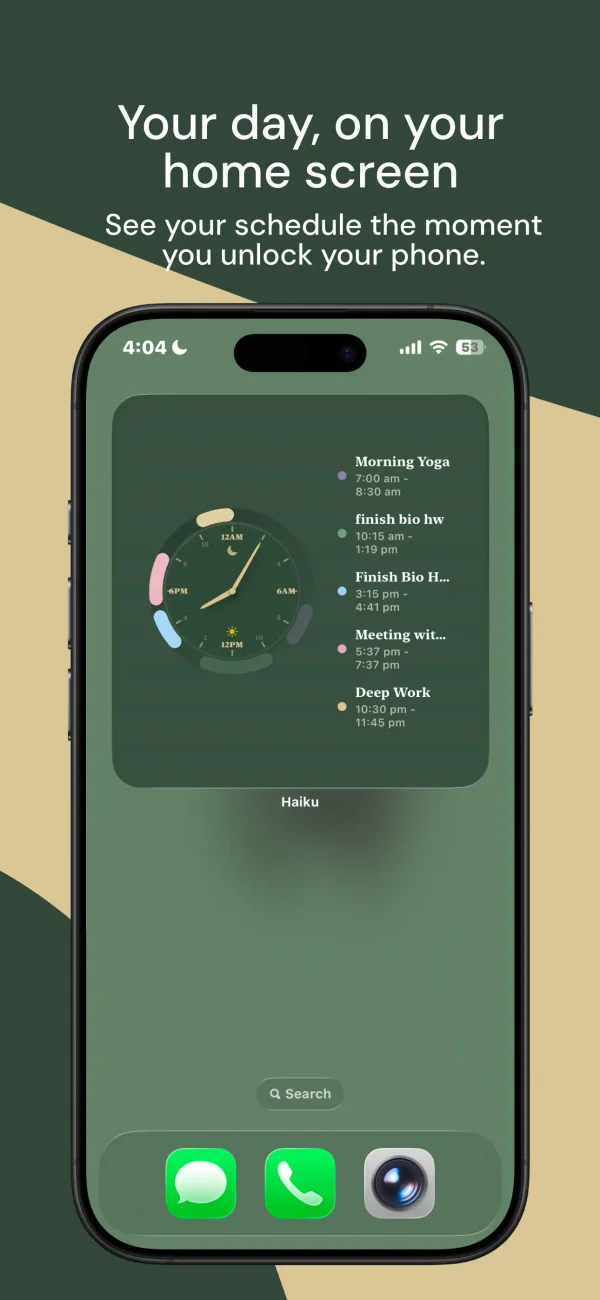
Haiku Pro unlocks advanced insights, custom reminder times, two-way calendar sync, and Home Screen widgets.
PRIVATE BY DESIGN
Haiku works without creating an account. Calendar access is optional and only requested if you choose to connect a calendar. Google Sign-In is only used if you choose Google Calendar sync.
Terms of Use: https://www.apple.com/legal/internet-services/itunes/dev/stdeula/
Privacy Policy: https://haikuapp.xyz/privacy.html
What’s new
Version 2.3 · Nov 21, 2026
bug fixes
App privacy
What RESWIN BIJU KANDATHIL declares on the App Store about how this app handles data.
-
Data not linked to you
May be collected but is not linked to your identity.
- Usage data
Privacy practices may vary, for example with the features you use or your age.
Information
- Seller
- RESWIN BIJU KANDATHIL
- Category
- Productivity
- Version
- 2.3
- Updated
- Nov 21, 2026
- Released
- Apr 1, 2026
- Size
- 18.8 MB
- Requires
- iOS 18.0 or later
- Age rating
- 4+
- Price
- Free
- In-app purchases
- Yes
- Languages
- English
- Copyright
- © 2026 Reswin Kandathil
You might also like
-
 Pala: ADHD Planner & CalendarAI Daily Routine & Focus Timer
-
 DayZen: Visual Time PlannerADHD Schedule & Task Manager
-
 Offload ADHD OrganizerAI To Do List from Brain Dump
-
 Weel Planner: ADHD CalendarVisual 24-Hour Daily Schedule
-
 FlowSavvy: AI Calendar & TasksAuto-schedule tasks & habits
-
 Visual Schedule Daily RoutineADHD, Autism & Kids Organizer
-
 TimeFinder: Schedule PlannerDaily & Hourly Time Blocking
-
 Finalist: Daily PlannerYour Whole Day on One Page
-
 Lil Planner: Visual ScheduleRoutine for kids, ADHD, autism
-
 TimeBloc - Daily PlannerTime Block, To-Do & Routines