
Hale Studio
The Complete Mobile Studio
Designed for iPhone, iPad
Free · In-app purchases
- Age rating4+
- CategoryMusic
- DeveloperBERKAY SONER COBAN
- LanguagesEnglish+ 10 more
- Size91.6 MB
Links to the official App Store page
Download.org hosts no file of Hale Studio. The button opens its official App Store page, published by BERKAY SONER COBAN. Listing last checked on Nov 15, 2026.
Screenshots


About
Hale brings recording, editing, vocal production, spatial mixing, stem separation, and mastering together in one touch-first mobile studio.
SHAPE — PROFESSIONAL EQ
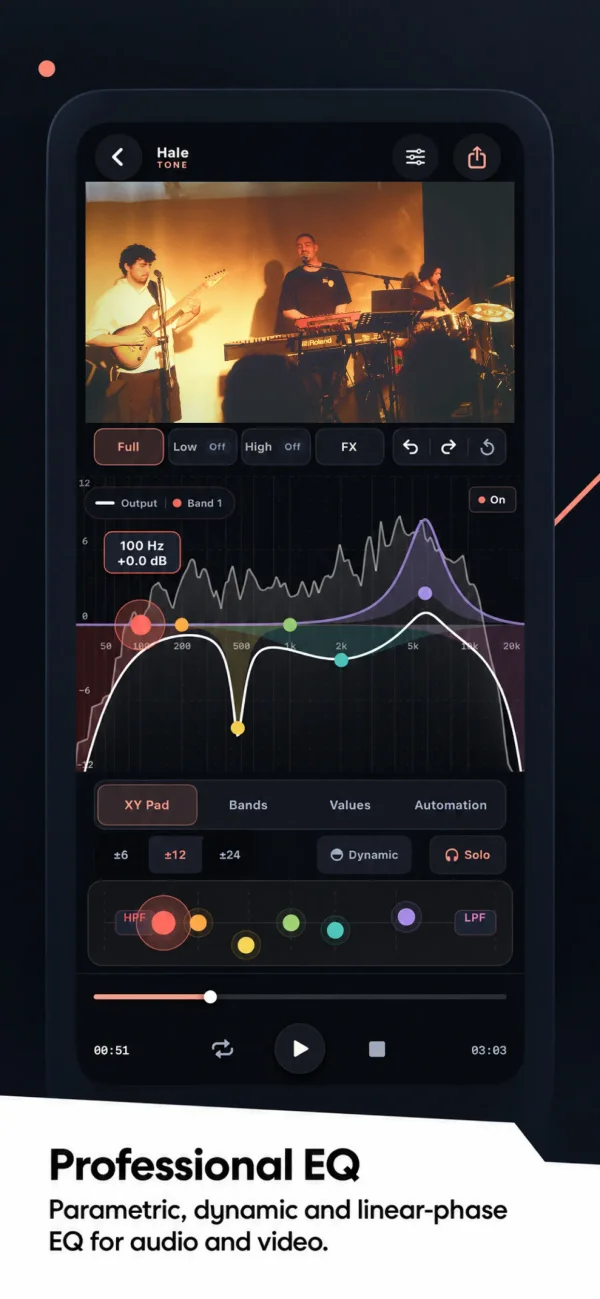
Shape is a real-time tone-shaping environment for audio and video.
Use an 8-band parametric EQ with precise frequency, gain, and Q controls. Solo a frequency range, apply Dynamic EQ only when needed, or use Linear Phase mode for phase-sensitive work.
Build up to three independent EQ stages, add integrated effects, and switch to a landscape workspace for detailed control. Shape processes video directly while keeping sound and picture synchronized.
MASTERING — LOUDNESS-AWARE FINISHING
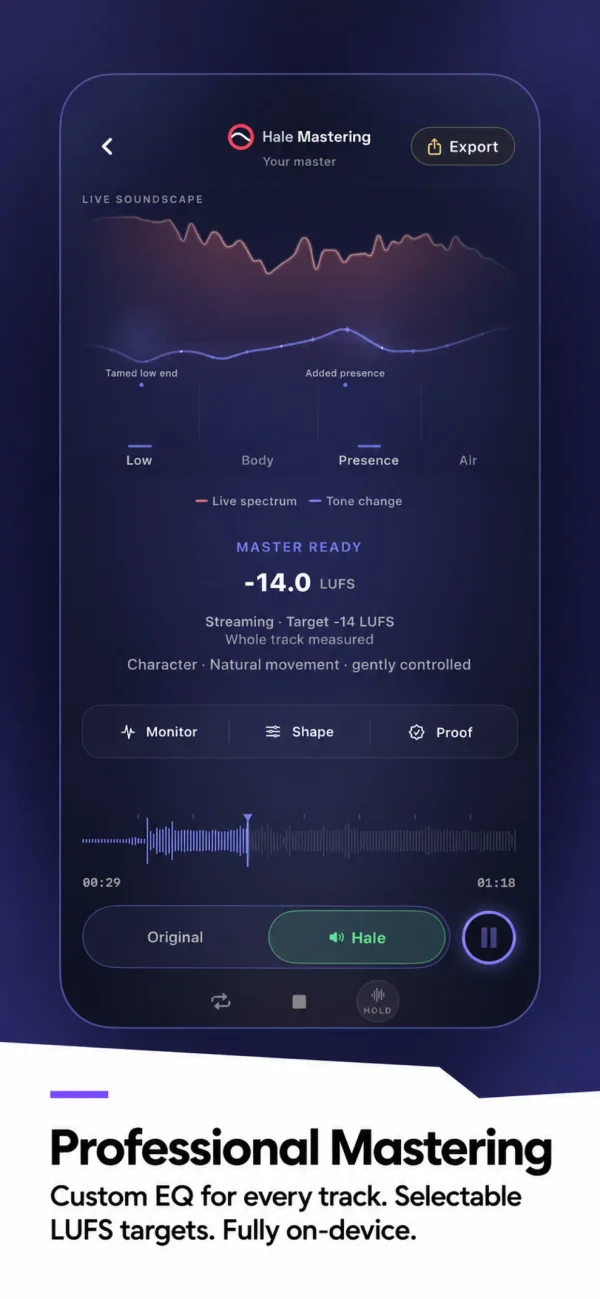
Hale Mastering starts with your delivery target—not a fixed preset.
Choose a target LUFS level, then let Hale analyze the track and create a source-specific Polish profile. Adjust its intensity and character while keeping the selected loudness target stable.
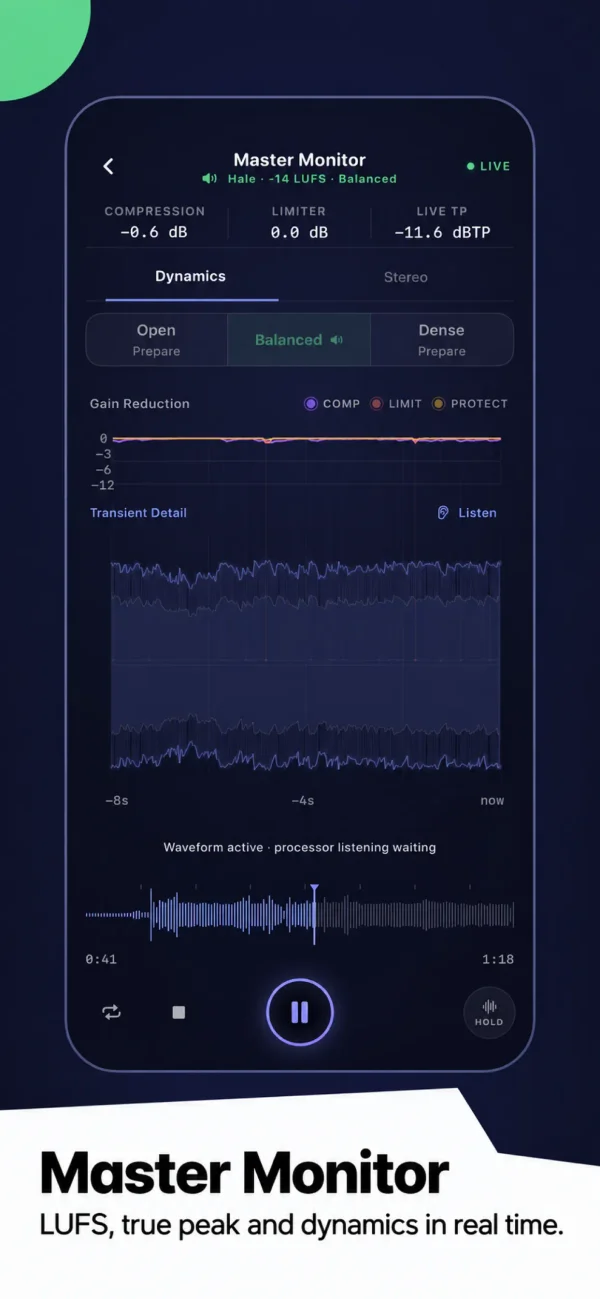
Shape compressor and limiter behavior for a more open, controlled, or dense result. Mastering Monitor helps you inspect tonal balance, dynamics, and limiting in real time.
HALE PITCH — NOTE-LEVEL VOCAL CONTROL
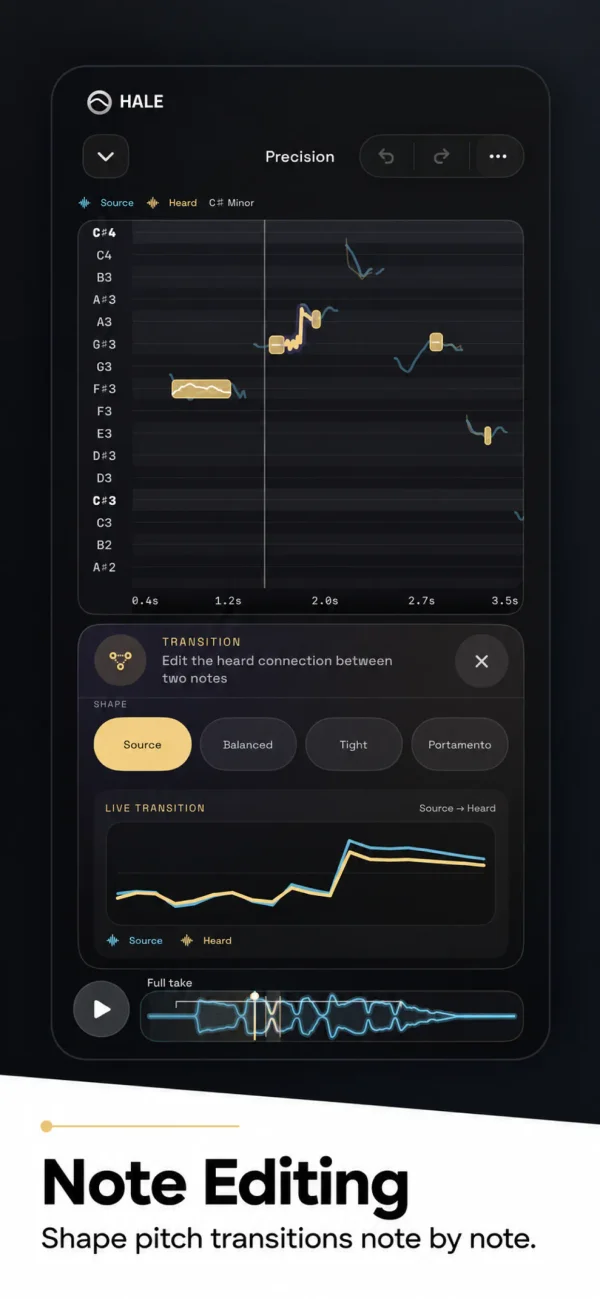
Hale Pitch combines fast automatic correction with detailed vocal editing.
Work with detected notes, adjust their targets, and refine transitions. Preserve the natural movement of a performance or create a deliberate pitch effect. Key, scale, tonal-center, and automatic correction controls provide a fast starting point, while note-level editing provides deeper control.
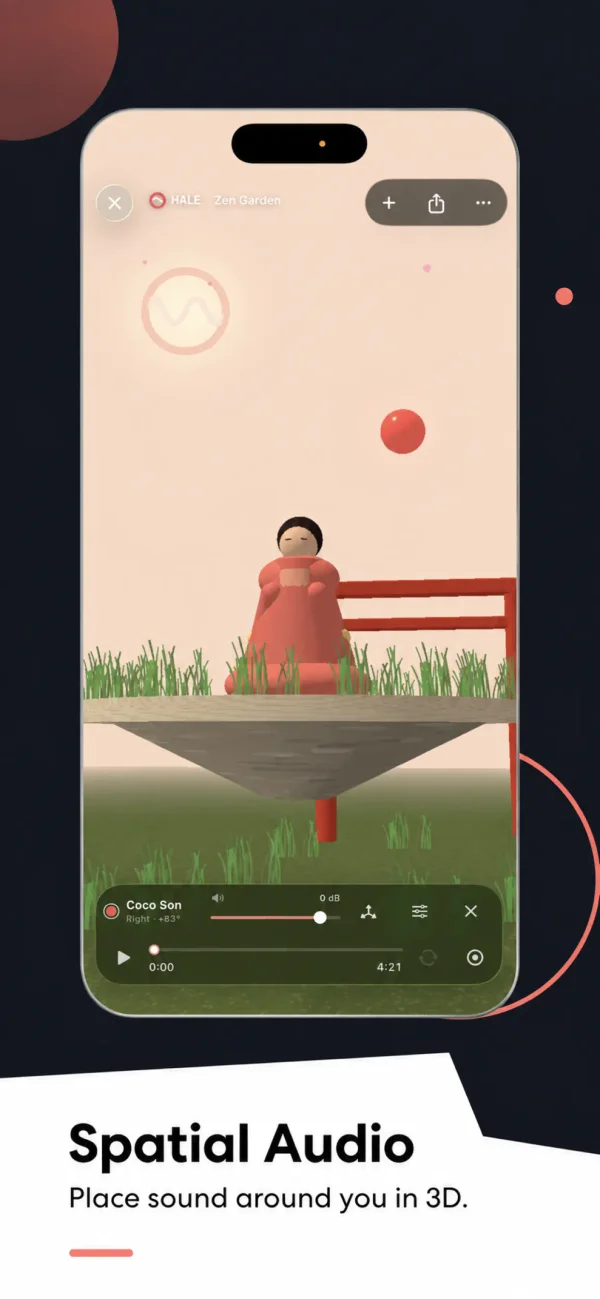
HALESPHERE — SPATIAL MIXING AS PERFORMANCE
HaleSphere turns spatial mixing into a visual, performable experience.
Treat vocals, drums, effects, and samples as objects placed around the listener. Move them in real time and record spatial automation. Bring a sound from behind the listener to the front, rotate it around their head, or guide it along a custom path. Headphone monitoring supports placement and motion decisions, and binaural WAV export preserves the spatial mix for headphone playback.
CREATE SESSION — MULTITRACK PRODUCTION
Create Session is a multitrack workspace for recording, arranging, editing, and mixing.
Record audio, split and reposition regions, organize tracks, and build a session. Each channel can have its own EQ, effects, level, and processing chain. Create Session brings essential DAW structure to an interface designed for touch.
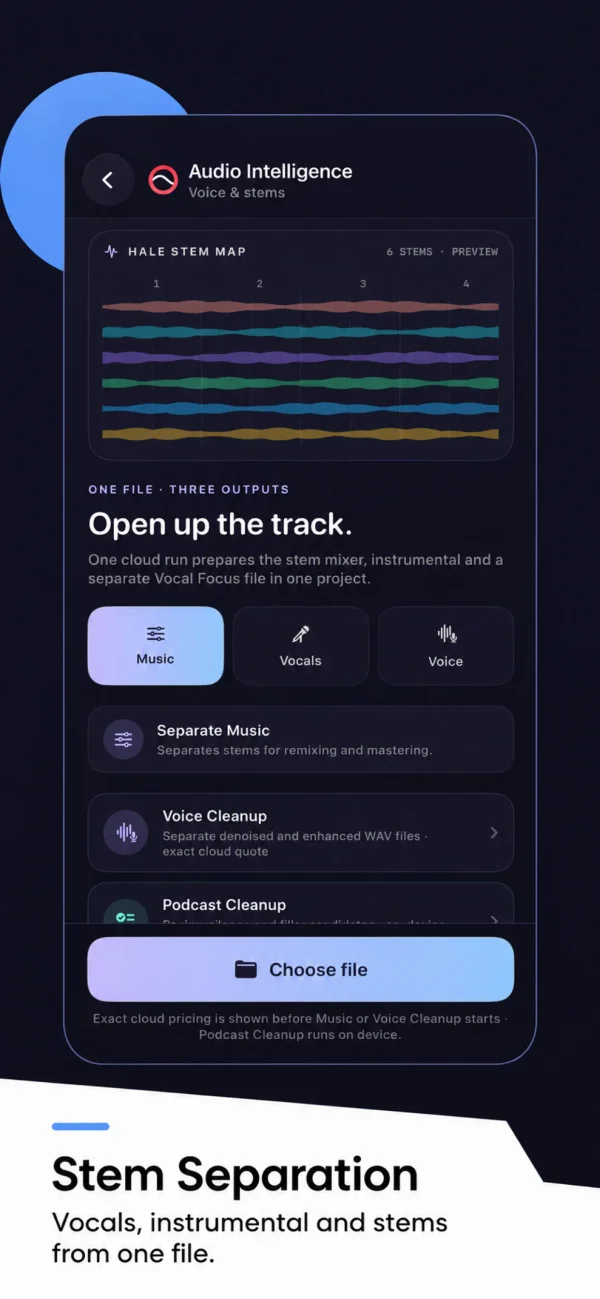
AUDIO INTELLIGENCE — STEM SEPARATION
Audio Intelligence turns a completed mix into flexible production material.
Separate vocals and instrumental elements into independent stems for remixing, editing, analysis, and rearrangement. Choose efficient delivery for faster workflows or lossless WAV output for maximum fidelity.
Before account-based cloud processing begins, Hale displays the estimated cloud-processing unit cost and waits for confirmation. A Hale account is required only for this cloud processing. Purchasing, restoring, editing, previewing, playing, and exporting do not require a Hale account.
Separated material remains connected to the studio: edit vocals in Hale Pitch, arrange stems in Create Session, shape them with EQ, or turn them into moving spatial objects in HaleSphere.
ONE CONNECTED STUDIO
• Record and arrange with Create Session.
• Separate editable stems with Audio Intelligence.
• Refine vocals with Hale Pitch.
• Shape tonal balance with Shape.
• Create spatial motion with HaleSphere.
• Complete the track at a defined loudness target with Mastering.
Creation, editing, preview, and playback are available without a subscription. Hale Signature is required for final export and account-based cloud processing, and includes a monthly cloud-processing allowance. Monthly and Annual subscriptions provide the same access and differ only in Apple billing period.
Terms of Use (EULA):
https://www.apple.com/legal/internet-services/itunes/dev/stdeula/
App privacy
What BERKAY SONER COBAN declares on the App Store about how this app handles data.
-
Data linked to you
May be collected and linked to your identity.
- Purchases
- Contact info
- User content
- Identifiers
- Usage data
- Diagnostics
-
Data not linked to you
May be collected but is not linked to your identity.
- Purchases
Privacy practices may vary, for example with the features you use or your age.
Information
- Seller
- BERKAY SONER COBAN
- Category
- Music
- Version
- 1.0
- Updated
- Oct 29, 2026
- Released
- Oct 29, 2026
- Size
- 91.6 MB
- Requires
- iOS 18.0 or later
- Age rating
- 4+
- Price
- Free
- In-app purchases
- Yes
- Languages
- English, Arabic, French, German, Hindi, Japanese, Portuguese, Russian, Simplified Chinese, Spanish, Turkish
- Copyright
- © 2026 Berkay Soner Çoban
You might also like
-
 AhengoTuner and metronome
-
 Hana360Local Player · Spatial Audio
-
 New Music FeedThis Week's Albums & Singles
-
 soundsalad.a new way to share music
-
 BandCutStem splitter & practice tool
-
 TrackID - Pro Music WorkflowsMaking music is a process
-
 Vorbia: 3D Audio StudioMove Sound · ASMR & VR Video
-
 DawcadePocket music studio
-
 CroonFind songs by humming
-
 Music ModePlay your music, your way