Halloween 3D
Dress up a 3D scarecrow
Designed for iPhone, iPad, iPod touch
Free · In-app purchases
- Age rating4+
- CategoryEntertainment
- DeveloperGraphics Software Labs
- LanguagesEnglish
- Size21.5 MB
Links to the official App Store page
Download.org hosts no file of Halloween 3D. The button opens its official App Store page, published by Graphics Software Labs. Listing last checked on Nov 23, 2026.
Screenshots

About
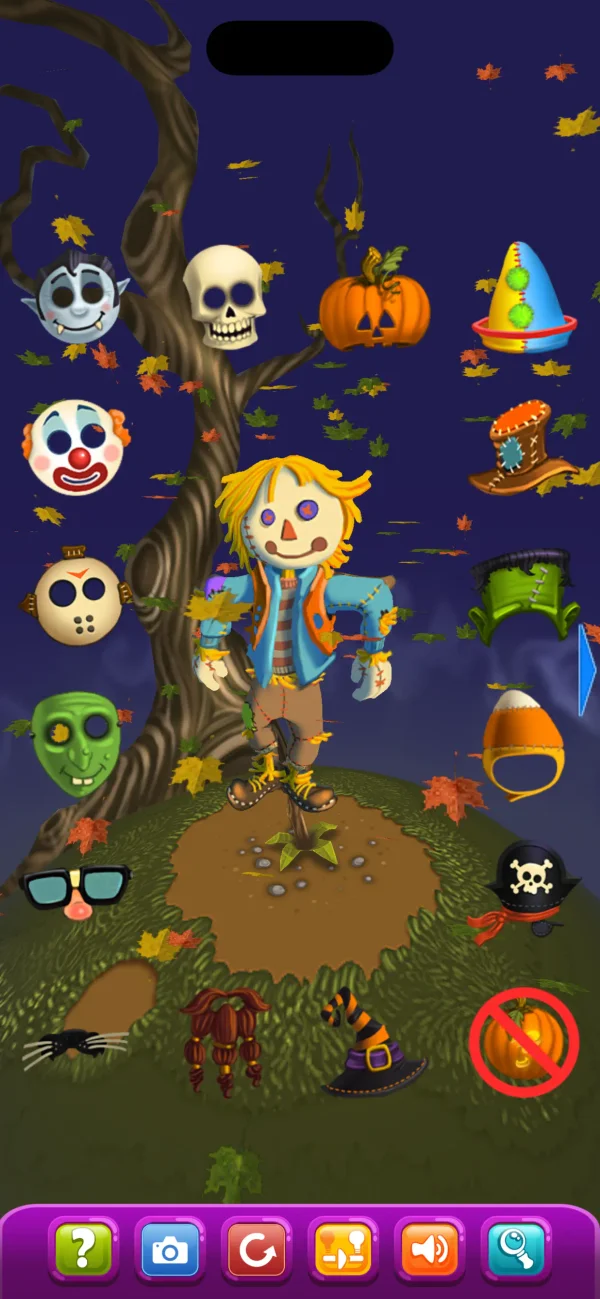
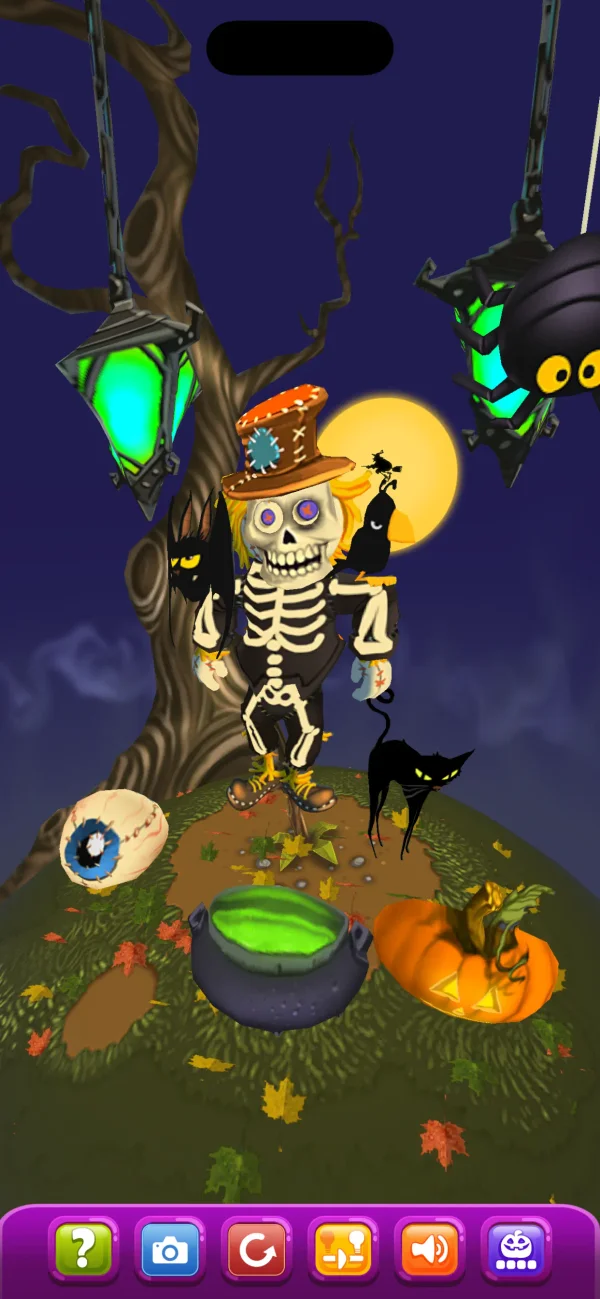
Halloween 3D is a playful dress-up scene for iPhone and iPad. A scarecrow stands on a hill under a drifting ring of clouds and a gnarled old tree; you decide what it wears, what surrounds it, and how the night looks.
DRESS THE SCARECROW
• Six pages of decorations around the edge of the screen: masks and heads, hats, shirts, pants and dozens of props.
• Tap an item to put it on the scarecrow, tap again to take it off. Picking a new hat or mask swaps the old one out for you.
• Pumpkins, lanterns and other lights glow on their own; pick a moon to hang in the sky.
• Three hills to stand on: grass, stone, or snow with real snowflakes instead of leaves.
• Clear All puts everything back to the bare scarecrow in one tap.
SET THE SCENE
• Lights on or off: turn the room lights down and the sky, clouds and tree fade so the glowing props stand out.
• Shake the device for a flurry of autumn leaves (or snow on the snow hill) that spiral down around the scene.
• Reset brings the camera, lights and decorations back to the start.
LOOK AROUND
• View mode hides the menu so you can drag to orbit the scarecrow and pinch to zoom; double tap to recenter.
• Save a picture of your scene straight to your photo library.
• Halloween music and sound effects, with a one-tap mute.
Your scarecrow is saved when you leave and is waiting when you come back. No account needed. Halloween 3D is free and supported by a small banner ad that appears only while the decorations menu is showing; a one-time Remove Ads purchase takes it away for good.
Happy Holidays!
Art and game design by Miguel. Programming by George.
Music by Carey James.
What’s new
Version 3.1 · Oct 23, 2026
• Remove Ads: a one-time purchase that takes the banner away for good, offered under the banner and below the decorations menu, with Restore for reinstalls and new devices.
• Ad consent form shown where the law requires it before any ad is requested, with a Privacy settings link to change the choice later.
App privacy
What Graphics Software Labs declares on the App Store about how this app handles data.
-
Data not collected
The developer does not collect any data from this app.
Privacy practices may vary, for example with the features you use or your age.
Information
- Seller
- Graphics Software Labs
- Category
- Entertainment
- Version
- 3.1
- Updated
- Oct 23, 2026
- Released
- Oct 30, 2009
- Size
- 21.5 MB
- Requires
- iOS 15.6 or later
- Age rating
- 4+
- Price
- Free
- In-app purchases
- Yes
- Languages
- English
- Copyright
- © Graphics Software Labs
You might also like
-
 iHalloween CountdownSpooky Countdowns & Themes
-
 Halloween Countdown 2026!Spooky Horror & Scary stories
-
 Halloween Voice TransformerChanges voices for Halloween!
-
 Happy Halloween DayHalloween Witches,Jokes & More
-
 InstaGourd Halloween CarvingInstaGourd: Pumpkin Carving
-
 Halloween Costume AIHalloween Color & Wallpapers
-
 Halloween Monster DetectorEntertainment
-
 Halloween countdown games 3+Kids coloring book & puzzle
-
 Halloween Countdown Spooky Music & Wallpaper
-
 Spooky Halloween MakeoverDress Up, Hair & Makeup Fun