
- Age rating4+
- CategoryEducation
- DeveloperYousif AL Balushi
- LanguagesEnglish
- Size3.9 MB
Links to the official App Store page
Download.org hosts no file of Ham Training. The button opens its official App Store page, published by Yousif AL Balushi. Listing last checked on Nov 23, 2026.
Screenshots




About
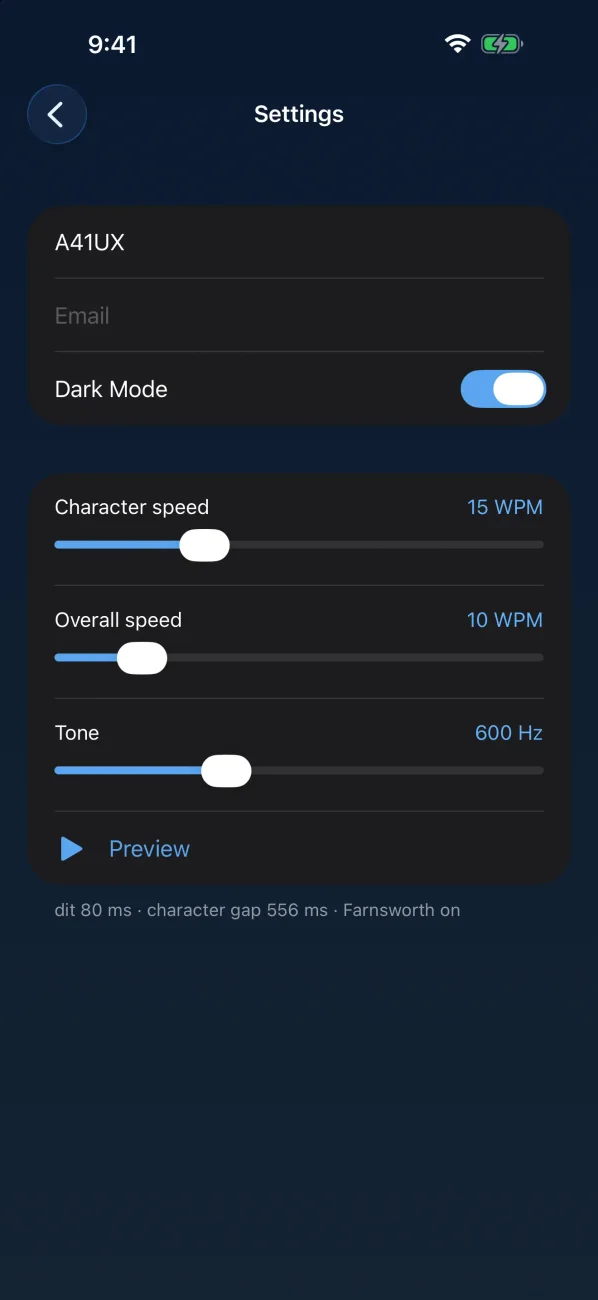
Ham Training is an offline trainer for amateur radio operators: a straight key with Send Practice and a Morse chart, the phonetic alphabet, Q-codes, and your Maidenhead locator — on Apple Watch and on iPhone.
A REAL STRAIGHT KEY
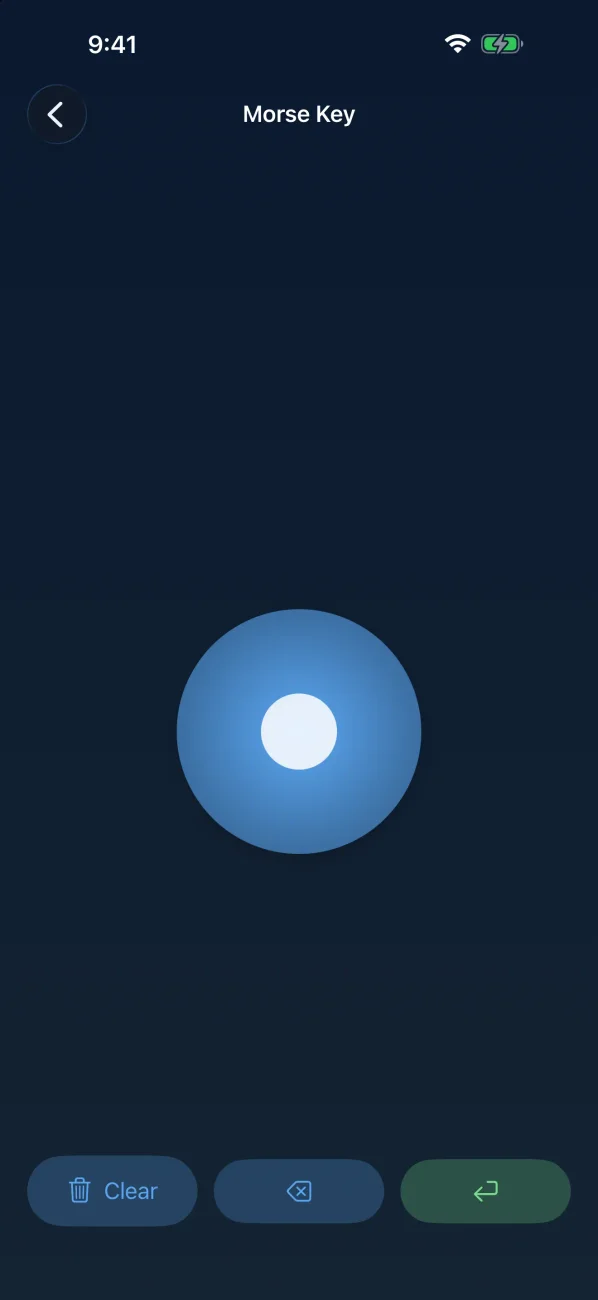
One round key you press and hold, not two buttons that pick the symbol for you. A short hold is a dit, a long hold is a dah, so the app grades your fist rather than your aim — then decodes what you actually sent.
TIMING THAT MATCHES THE BOOKS
Standard ARRL timing throughout: dit = 1200 / WPM, with proper Farnsworth spacing that stretches the gaps between characters and leaves the characters themselves at full speed. Character speed, overall speed and sidetone pitch are all yours to set, and every screen reads them live.
A SIDETONE THAT DOESN'T CLICK
The tone is generated in code rather than played from a clip, with a five-millisecond raised-cosine ramp at each end — so releasing the key never produces the click that spoils most practice apps.
SEND PRACTICE
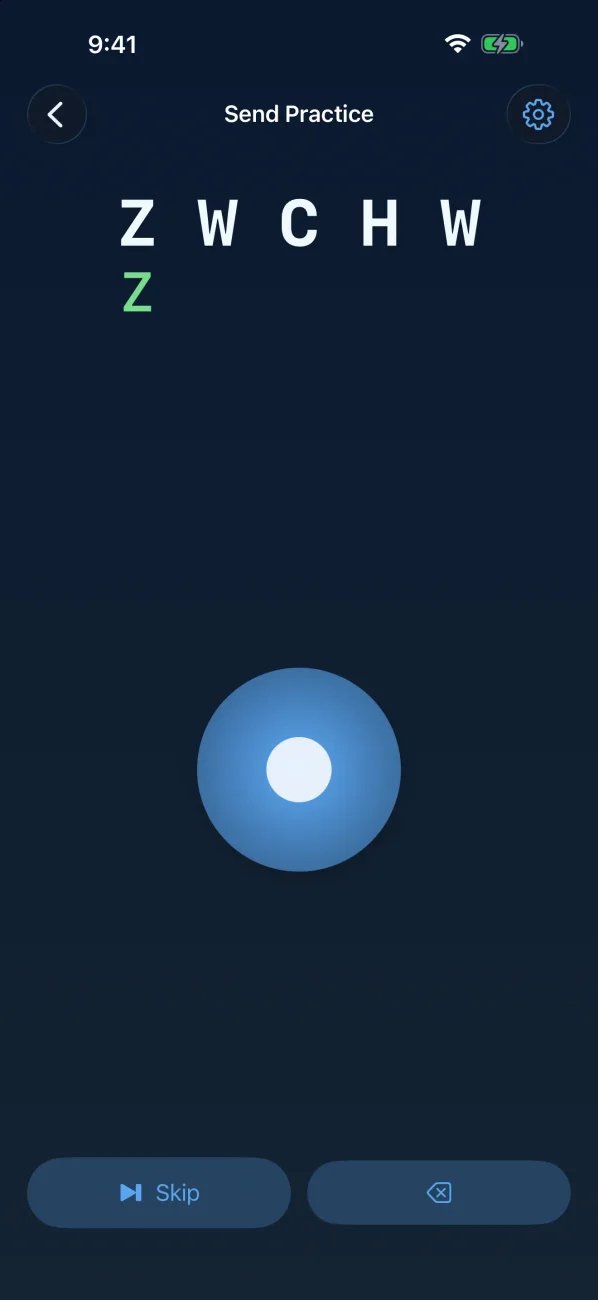
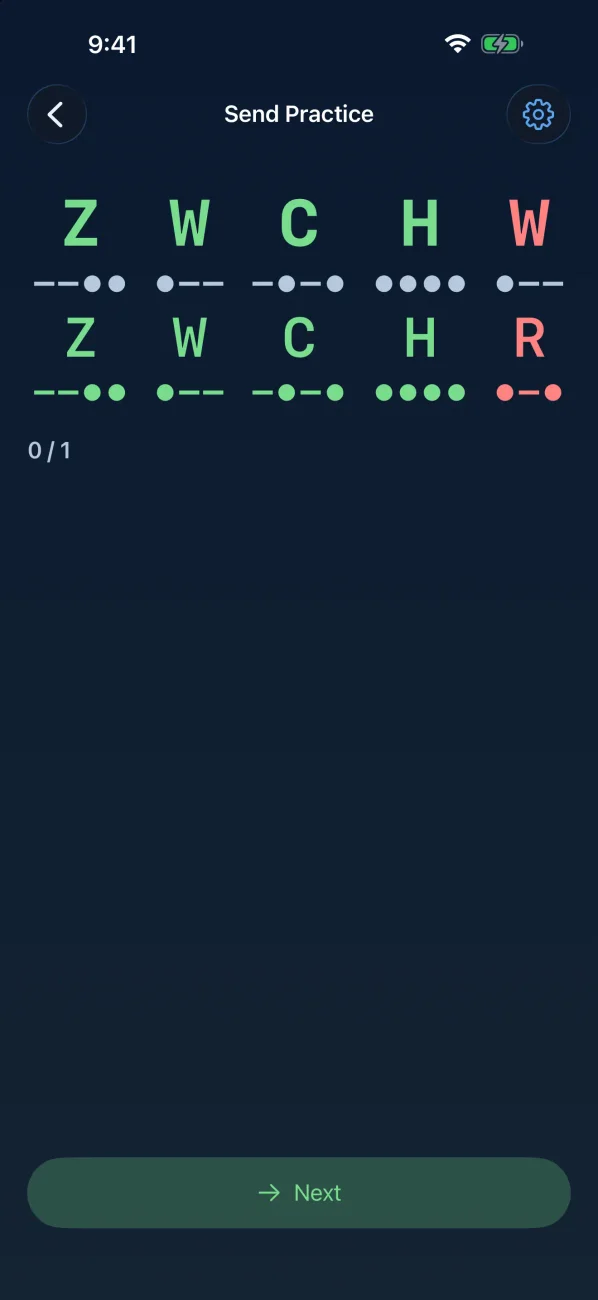
The app sets you a challenge and you key it on the same straight key: random letters and digits mixed with what you meet on the air — Q-codes, CQ, DE and 73, callsigns and prosigns. A right answer turns green; a wrong one shows your code beside the right one, character by character. Tap the challenge to hear it first. A timer runs for each try, your score for the session is on the page, and the characters you miss most come back more often until you get them right. The page has its own keying speed and options behind its gear button.
MORSE CHART
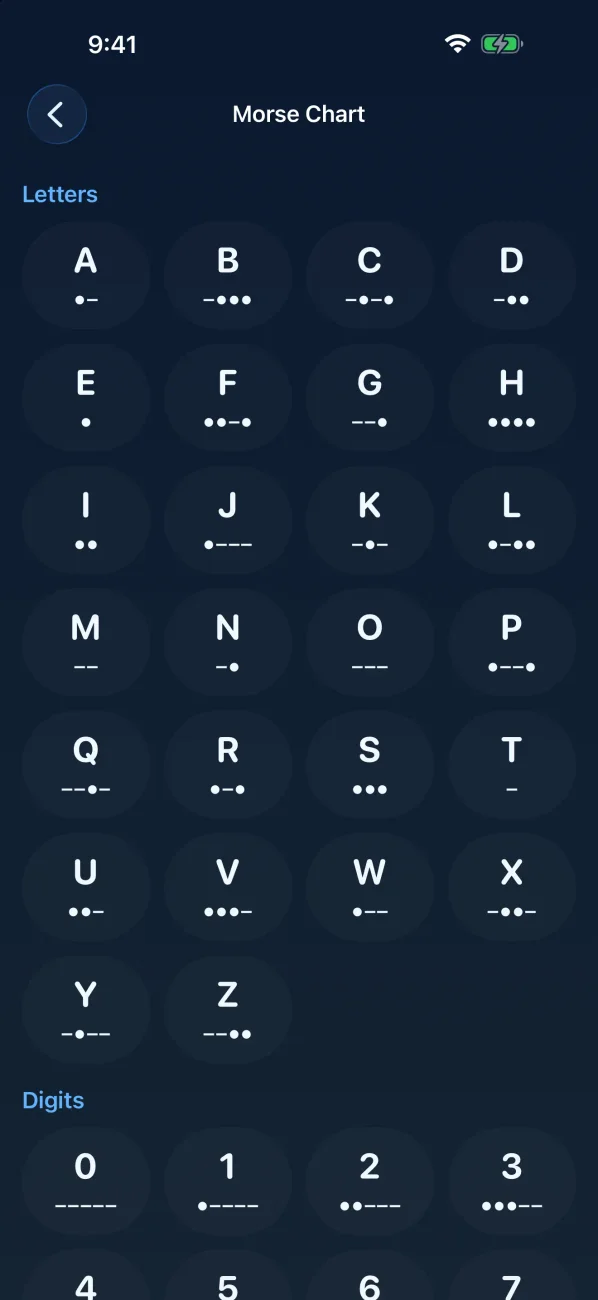
Every letter, digit, punctuation mark and prosign with its dots and dashes. Tap any of them to hear it at your own speed and tone.
PHONETIC ALPHABET
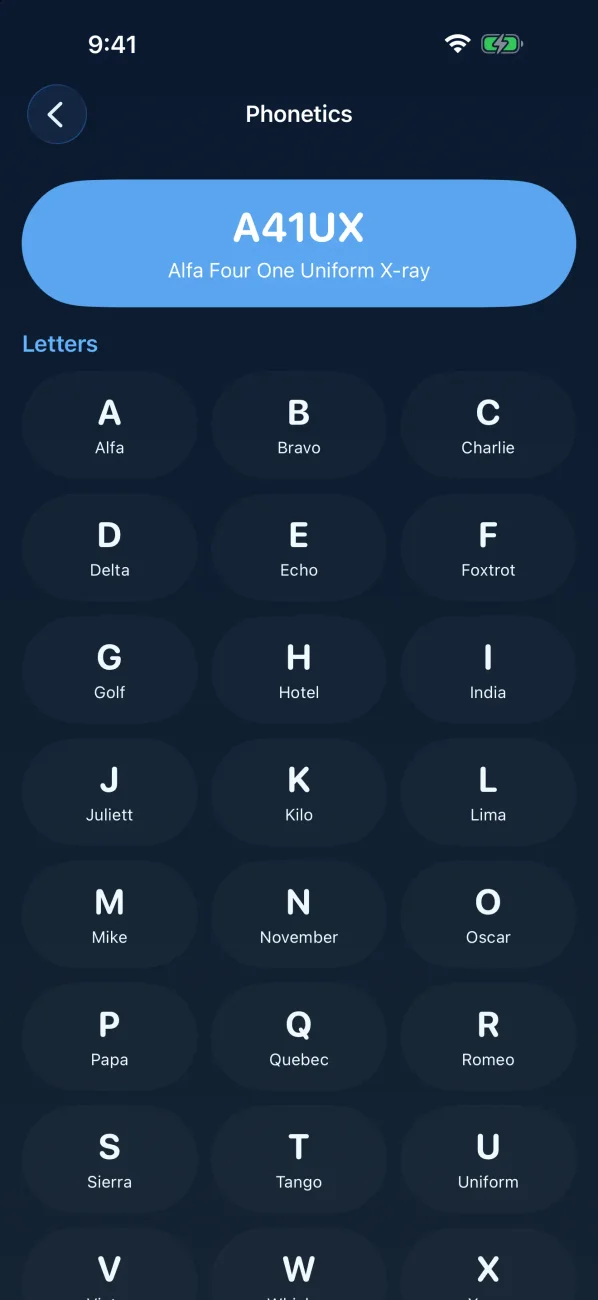
Every ICAO/NATO letter and number, spoken on tap. One tap spells your own callsign aloud, which is the pre-QSO warm-up you will actually use.
52 Q-CODES AND 18 ABBREVIATIONS
Each Q-code with its question form, its statement form, and a note on how it is really used on air — including that QRZ means "you are being called", not "what is your callsign". Hear the meaning spoken, or hear the code itself sent in Morse at your own speed. On iPhone, search by code or by meaning.
YOUR GRID SQUARE, TO EIGHT CHARACTERS
All four Maidenhead levels — field, square, subsquare and extended square — computed on the device, and kept up to date as you move while the Grid screen is open. A level-four square is roughly 850 by 460 metres, comfortably inside GPS accuracy, so the extra digits carry real information.
RAISE YOUR WRIST
Add the Grid complication to a watch face and your last locator is there at a glance, with how old the fix is. A complication cannot run GPS, so the app never pretends the reading is live: it says "You are here" while the fix is fresh, and "You were here" once it is not. A second complication shows your callsign.
For a summit or a drive, turn on Keep Grid Current in the watch's Settings: the square on your watch face then stays right as you move, without opening the app. It is off by default, because continuous GPS uses the battery the way a workout does.
BOTH, AND EITHER
The Apple Watch app runs independently — once installed it works with your iPhone switched off or left at home. The iPhone app is a full trainer in its own right, with the same key, Send Practice, Morse Chart, phonetics, Q-codes and grid on a larger screen, plus the user manual, a support form and the version history.
FULLY OFFLINE
No account. No sign-up. No logging. No analytics. The app contains no network code and sends nothing anywhere — the support form opens an email in your own Mail app, for you to send. Your coordinates are never stored or transmitted; only the latest grid square is kept on the device, for the watch-face complication. Send Practice keeps its practice counts on the device until you reset them.
de A41UX 73
What’s new
Version 2.1.0 · Nov 22, 2026
The About page's links, in one row.
- About: User Manual, Support, Version History and Privacy Policy now sit in one row under the version, the way they do in the other Unixeer apps.
73 de A41UX
App privacy
What Yousif AL Balushi declares on the App Store about how this app handles data.
-
Data not collected
The developer does not collect any data from this app.
Privacy practices may vary, for example with the features you use or your age.
Information
- Seller
- Yousif AL Balushi
- Category
- Education
- Version
- 2.1.0
- Updated
- Nov 22, 2026
- Released
- Oct 31, 2026
- Size
- 3.9 MB
- Requires
- iOS 16.0 or later
- Age rating
- 4+
- Price
- Free
- Languages
- English
- Copyright
- © 2026 Unixeer™. All rights reserved.
You might also like
-
 HamBeacon: Ham Radio Exam PrepTechnician, General & Extra
-
 Ham ShackEducation
-
 HamOperatorsReference
-
 MTP Morse MachineAdaptive CW morse code drills
-
 MorseForgeForge your Morse code mastery!
-
 MorseCode MentorLearn Translate Morse Code
-
 Morse ICRInstant Character Recognition
-
 GHEDEX Hub AppGHEDEX Hub 2023
-
 CNC CodeCodici G e M e non solo
-
 Tree Identifier : Plant UP AppPlant Disease Identifier Care