
- Age rating4+
- CategoryUtilities
- DeveloperJinwoo Park
- LanguagesEnglish+ 2 more
- Size35.0 MB
Links to the official App Store page
Download.org hosts no file of Hangul Moment. The button opens its official App Store page, published by Jinwoo Park. Listing last checked on Nov 27, 2026.
Screenshots
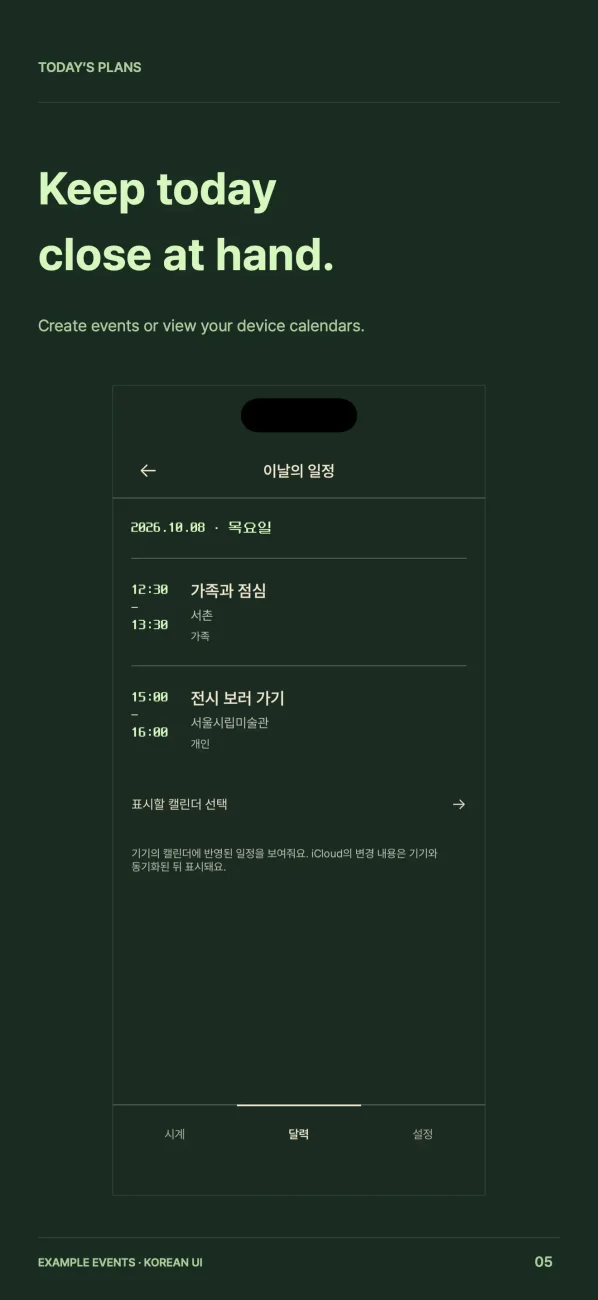
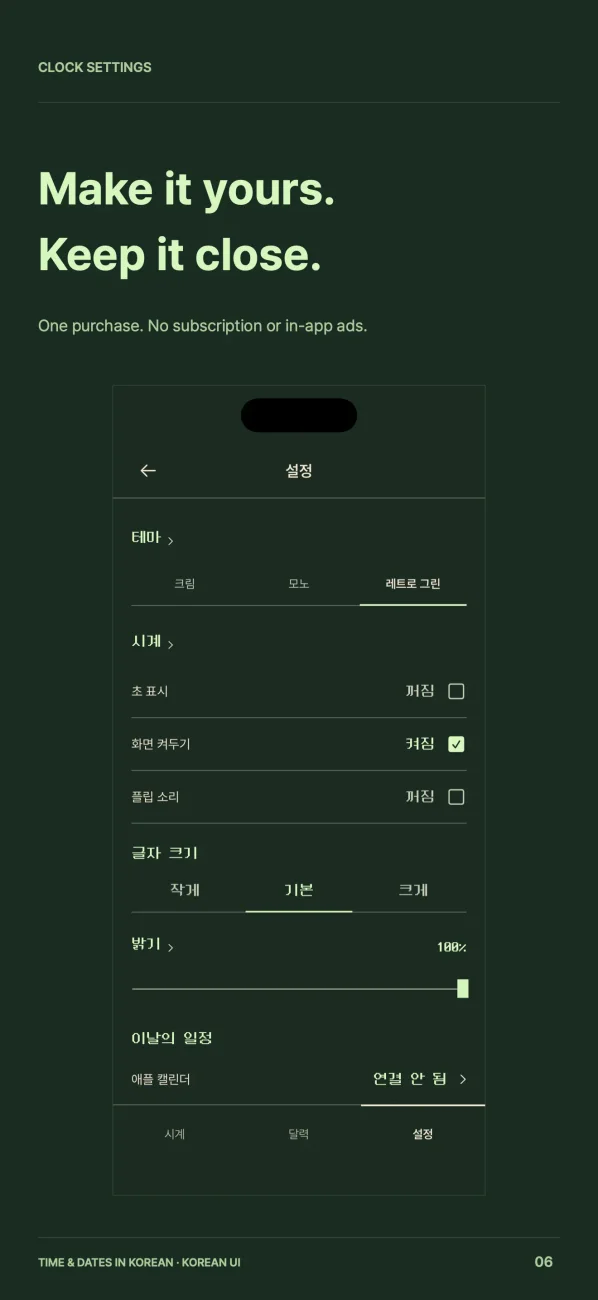
About
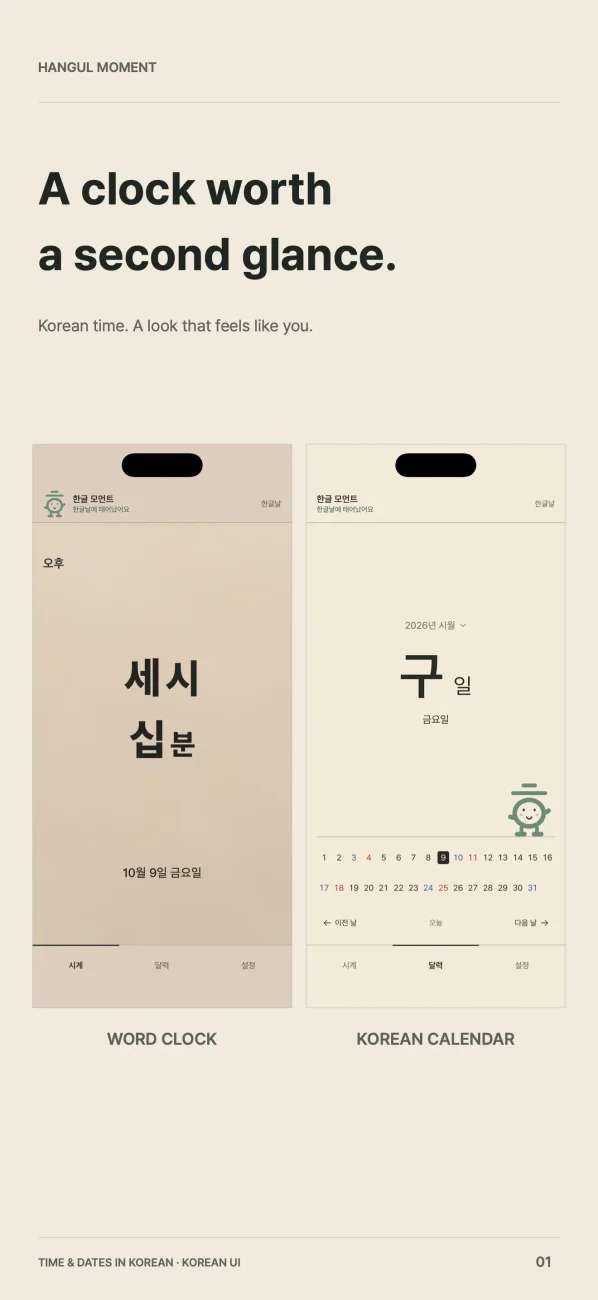
A little clock worth a second glance.
A clock to keep beside your book. A widget that feels at home on your screen.
Hangul Moment brings Korean lettering and considered colors to the time and date. Choose a look you love, and make an everyday glance a little more enjoyable.
One purchase. No subscription, account or in-app ads.
Time and dates appear in Korean; menus and guidance are available in English, Japanese and Korean.
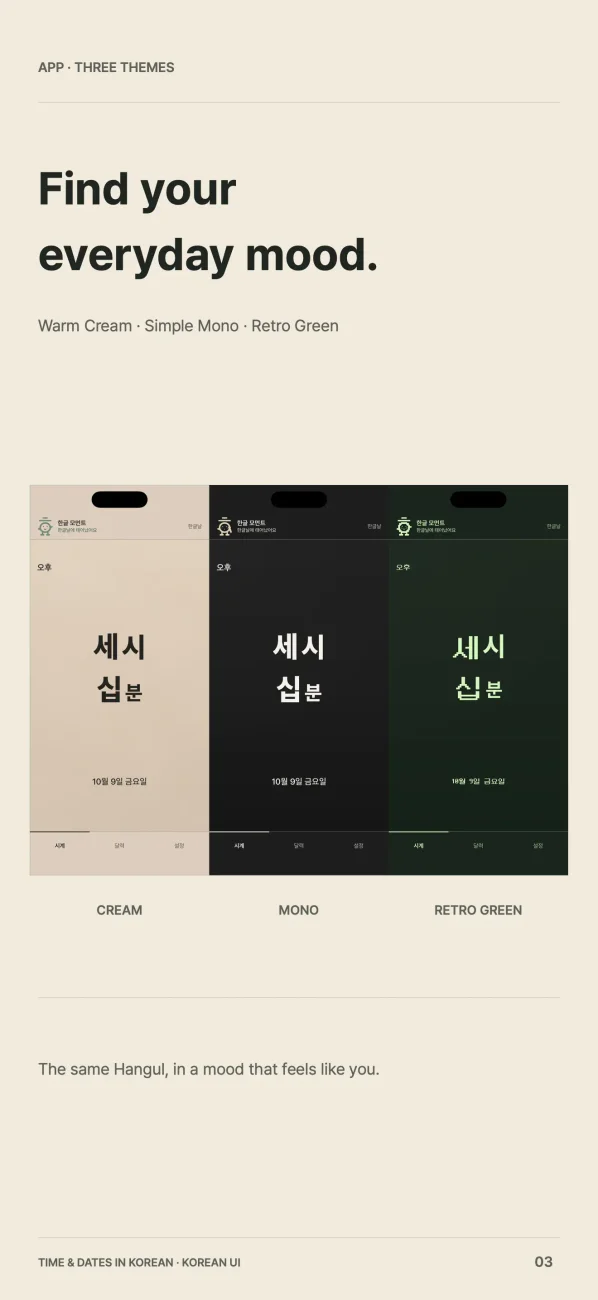
THREE WAYS TO MAKE IT YOURS
Warm Cream, simple Mono or Retro Green. Find a look for your Hangul flip clock and calendar, in portrait or landscape.
FROM YOUR DESK TO YOUR HOME SCREEN
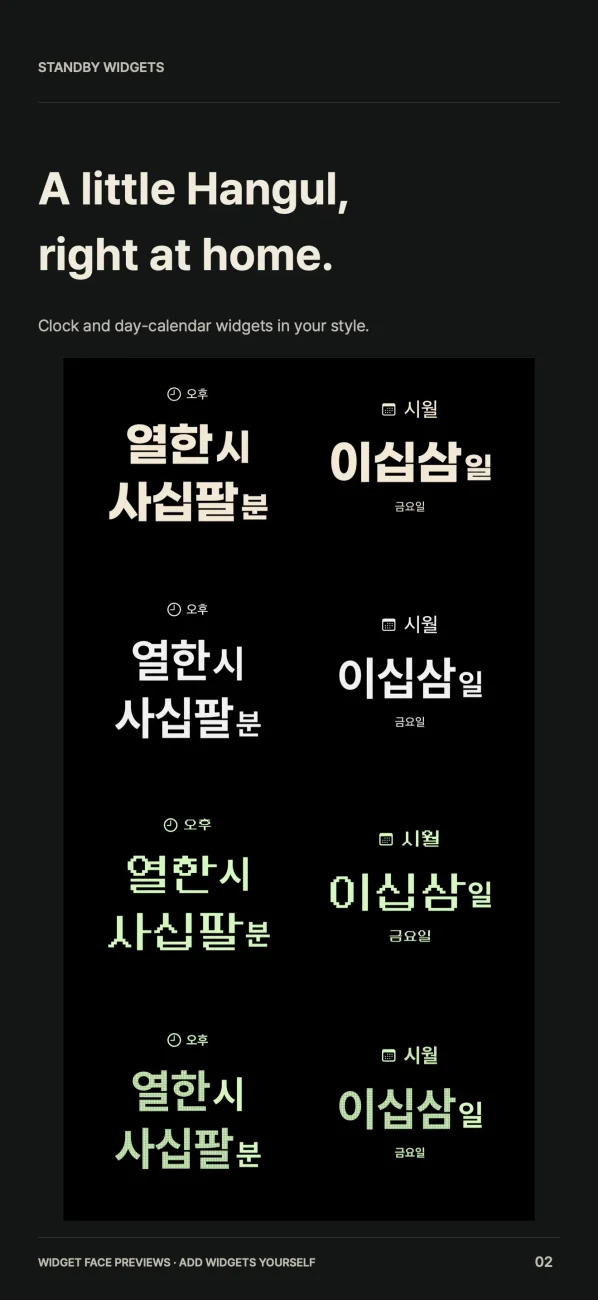
Keep the app open as a desk clock, or add clock and day-calendar widgets to your Home Screen and StandBy. There is a Hangul clock widget for your Lock Screen, too. Choose from four widget looks: Cream, Mono, Green Digital and Green Dots.
A PLACE FOR TODAY
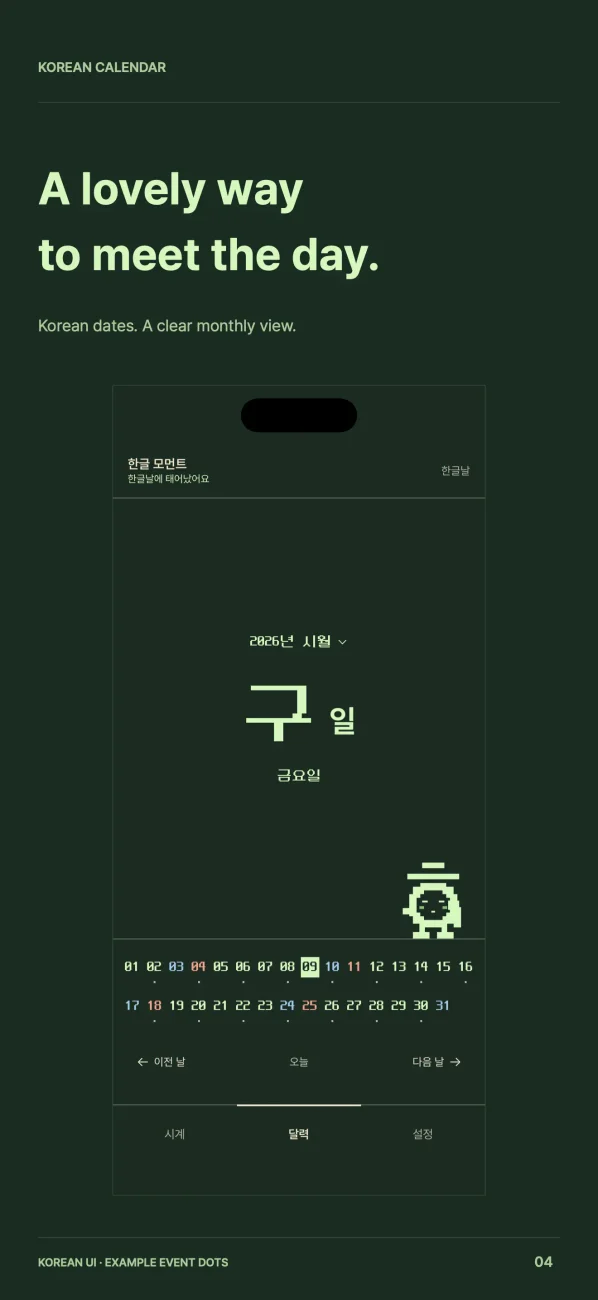
See a large Korean date alongside a numeric month calendar. Tap a date to jump to it, or choose another month and year. Create events in the app and view calendars you select from your device.
SMALL DETAILS, YOUR WAY
Adjust text size, date and seconds display, dimming, flip effects and sounds. Keep the screen awake when you need it. On Hangul Day, a little friend named Hieut makes an appearance.
GOOD TO KNOW
• Requires iOS 17 or later. The clock follows your iPhone's local time.
• The clock, calendar and events created in the app work offline.
• Widgets must be added manually. iOS controls when they refresh.
• App-created events are stored on your device first. If you enable calendar sync, the app requests iOS access and writes existing app events and later changes to your device's default calendar. Choosing external calendars to display is separate.
• Ordinary connected events can be edited. Recurring, meeting and read-only events are view-only. Reminders are optional, and events can be saved without notification permission. Sync to other devices and notification delivery depend on iOS and calendar settings.
• Usage sharing is off by default. If enabled, it includes usage statistics and widget refresh signals. A widget may send a signal during a natural refresh even while the app is closed; this does not measure views or watch time. Selected dates, event content, presence or counts, and calendar names or identifiers are not sent for analytics.
• Advertising performance is measured only with tracking permission. Declining usage sharing or tracking does not affect the basic clock and calendar features.
Privacy policy: https://gring2.github.io/retro-korean-clock/en/#privacy
Contact: pjw6454@hotmail.com
What’s new
Version 1.5.1 · Nov 25, 2026
A refreshed App Store introduction and preview make it easier to explore Hangul Moment’s three themes and widgets.
App privacy
What Jinwoo Park declares on the App Store about how this app handles data.
-
Data used to track you
May be used to track you across apps and websites owned by other companies.
- Location
- Identifiers
- Usage data
- Other data
-
Data linked to you
May be collected and linked to your identity.
- Location
- Identifiers
- Usage data
- Diagnostics
- Other data
Privacy practices may vary, for example with the features you use or your age.
Information
- Seller
- Jinwoo Park
- Category
- Utilities
- Version
- 1.5.1
- Updated
- Nov 25, 2026
- Released
- Oct 15, 2026
- Size
- 35.0 MB
- Requires
- iOS 17.0 or later
- Age rating
- 4+
- Price
- $1.99
- Languages
- English, Japanese, Korean
- Copyright
- © 2026 gring
You might also like
-
 대충시계 - 한글에 시간을 녹이다Utilities
-
 HangulClock - Time in KoreanWhere Time Becomes Words
-
 nakayoshiUtilities
-
 Rigwise: Rigging CalculatorSling Angle, Crane, WLL & Load
-
 Apps Block – Focus ModeBeat Phone Addiction and Focus
-
 DateTimeAtIslandUtilities
-
 Magnetic SensorCompass • Detector • Logger
-
 K-Card ReaderT-money, EZL, NAMANE reader
-
 Taime: Overtime Hours TrackerTimesheet & pay for shift work
-
 Watch Sensor LoggerLog motion & GPS from Watch