- Age rating4+
- CategoryEducation
- DeveloperStefan Geens
- LanguagesEnglish
- Size22.5 MB
Links to the official App Store page
Download.org hosts no file of Hanzi Helper. The button opens its official App Store page, published by Stefan Geens. Listing last checked on Nov 16, 2026.
Screenshots


About
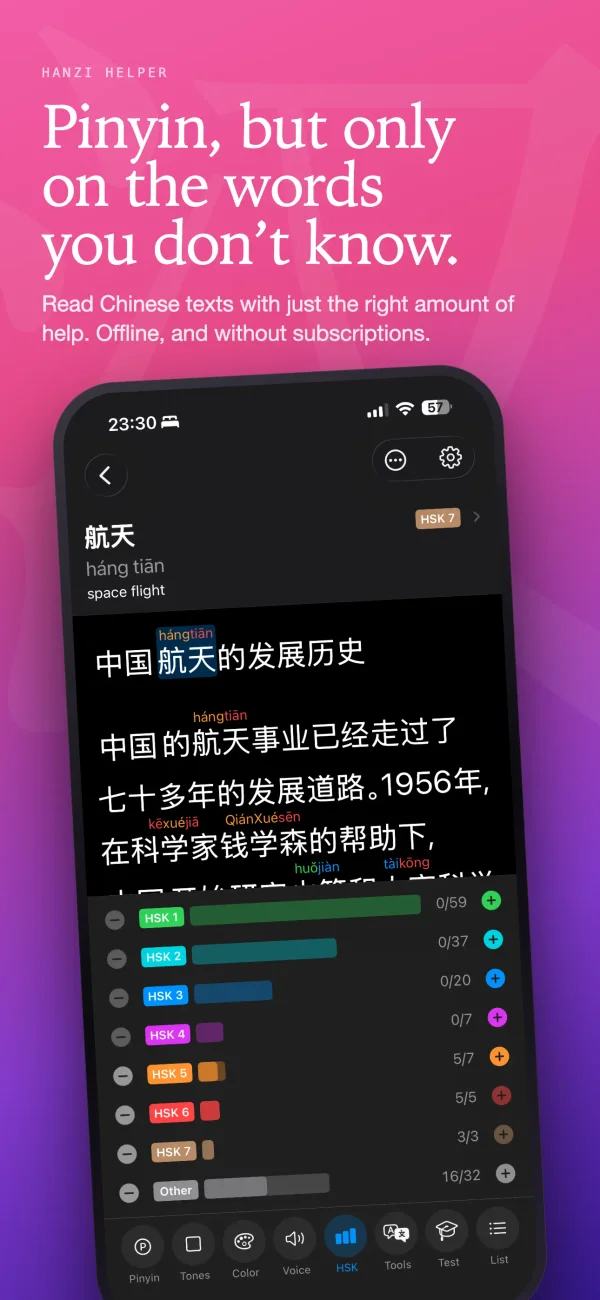
Hanzi Helper lets you add pinyin transcription to just the difficult words in any Chinese text, so that you can focus on fluency and comprehension without the distraction or temptation of pinyin above every word.
The user experience is simple and built for speed: Add a text, and start reading. Touch a word to toggle pinyin. Words with pinyin are added to a word list that can be studied, tested or exported.
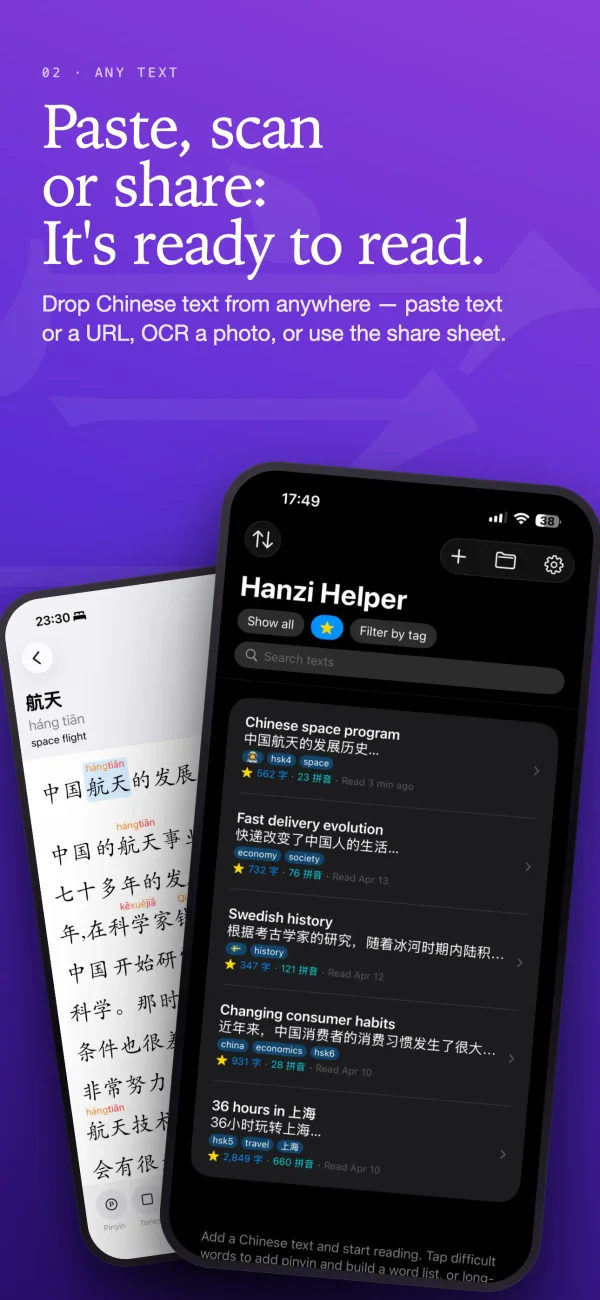
Save as many texts as you like: Sort, search, tag, star and filter texts so you can easily find and study them.
There are many ways to add a text to Hanzi Helper:
- Copy Chinese text from any app and paste it into Hanzi Helper
- Paste a URL — Hanzi Helper will extract the text content
- Scan an image or photo to add text via optical character recognition (OCR)
- Use Hanzi Helper's share sheet from your browser or another app
Voice features:
- Listen to a voice read the text aloud, with karaoke-style highlighting of phrases
- Toggle between speaking modes: continuous mode or single step mode
Word study features:
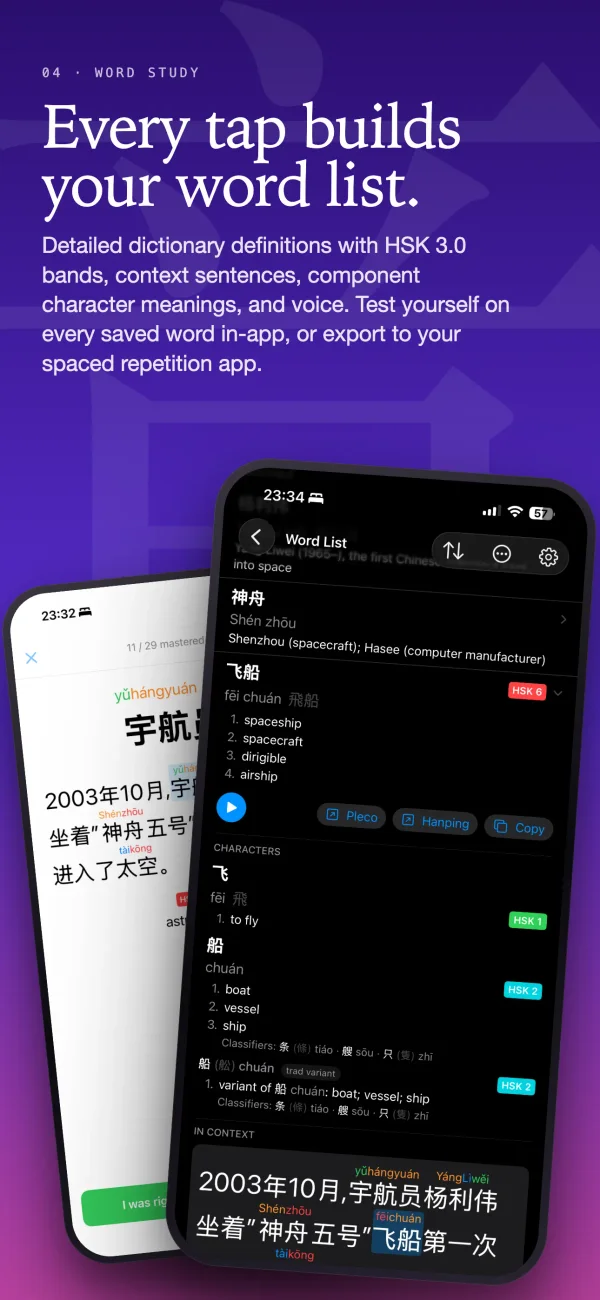
- Detailed dictionary definitions, with pronunciation, context sentences, and component character definitions
- Test your recognition of difficult words by cycling through a text's selected words until all words are mastered
- Word difficulty tags show the newest HSK 3.0 bands (1-6 and 7+)
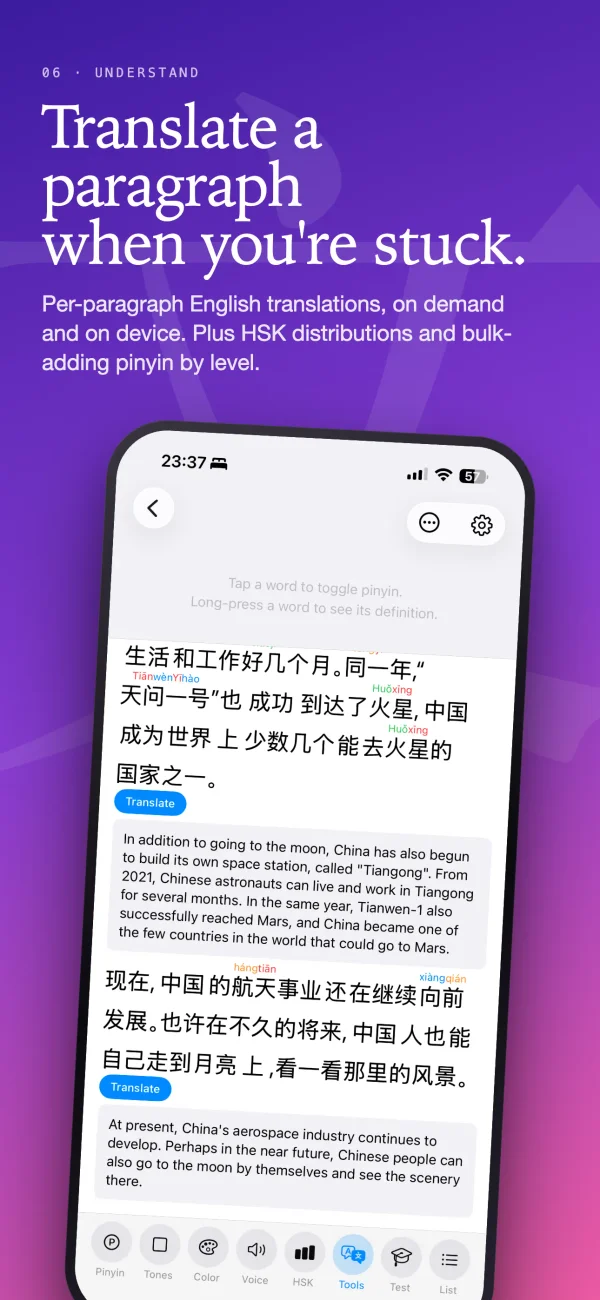
- See HSK word distributions for a text; bulk-add pinyin for any level
- Toggle pinyin and tone mark visibility independently to test your learning
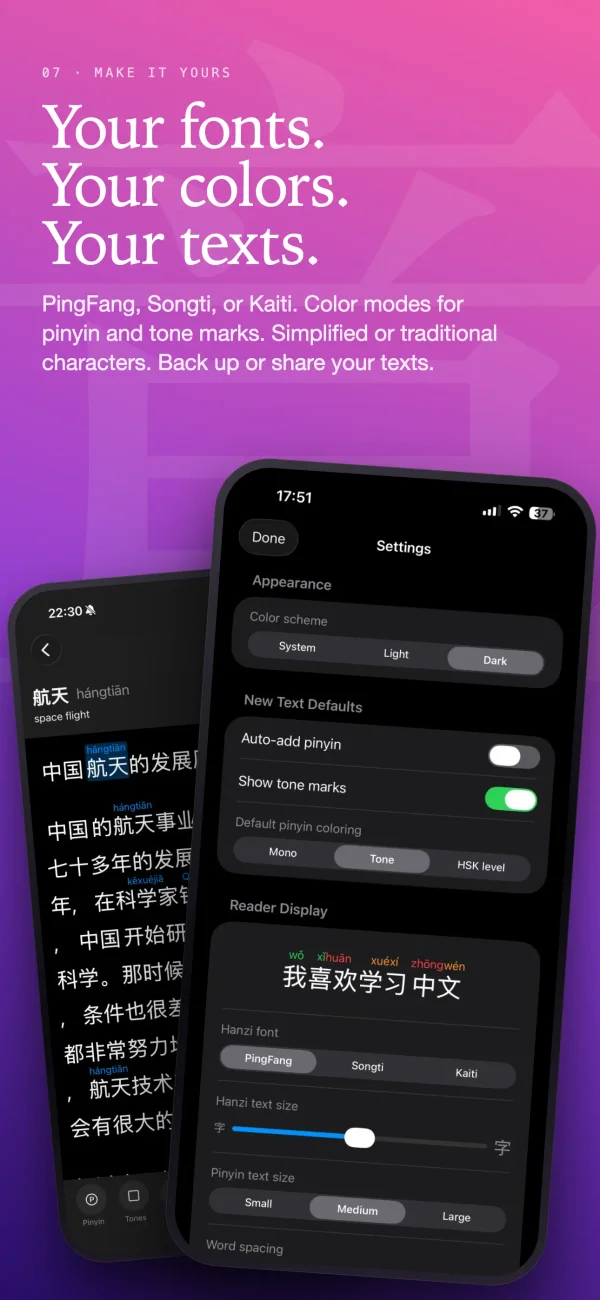
- Choose your pinyin and tone mark colors: Switch between monochrome, character tones or HSK word level
- Auto-add pinyin to new texts for words from a specific HSK level and up
Additional features:
- Per-paragraph translation into English
- Switch between Simplified and Traditional Chinese characters
- Switch between Apple's Chinese system font (PingFang) or Apple's downloadable Songti (serif) and Kaiti (standard script) fonts
- Export and import texts for backup, to sync with other devices, or to share texts with others
What’s new
Version 27 · Nov 4, 2026
iPhone Duo support and bugfixes.
App privacy
What Stefan Geens declares on the App Store about how this app handles data.
-
Data not collected
The developer does not collect any data from this app.
Privacy practices may vary, for example with the features you use or your age.
Information
- Seller
- Stefan Geens
- Category
- Education
- Version
- 27
- Updated
- Nov 4, 2026
- Released
- Mar 7, 2026
- Size
- 22.5 MB
- Requires
- iOS 18.0 or later
- Age rating
- 4+
- Price
- Free
- Languages
- English
- Copyright
- © 2026 Stefan Geens
You might also like
-
 Learn Chinese: HanziVocabulary, Writing, HSK 3.0
-
 HanlyChinese characters decoded
-
 Chinese Writer by trainchineseLearn to write Chinese
-
 Speak Chinese: Learn MandarinAI Tutor, Vocab & Test Prep
-
 Chinese Hanzi DictionaryStudy Chinese Hanzi is so easy
-
 Daily HanziDaily Chinese on Lock Screen
-
 Hanzii: Learn Chinese & HSKAI Tutor, Flashcard, Translate
-
 Du Chinese: Read&Learn ChineseRead Mandarin at any level
-
 Laoshi: Learn Chinese & HSKFlashcards, HSK 3.0 & Writing
-
 Learn Chinese Chinesimple HSK1Your beginner Chinese course