Haru Danim: Time Tracker
Habit streaks & daily journal
Designed for iPhone, iPad
In-app purchases
- Age rating4+
- CategoryProductivity
- DeveloperYECHAN SONG
- LanguagesKorean+ 2 more
- Size31.5 MB
Links to the official App Store page
Download.org hosts no file of Haru Danim: Time Tracker. The button opens its official App Store page, published by YECHAN SONG. Listing last checked on Nov 22, 2026.
Screenshots
About
Haru Danim — a visit to your day
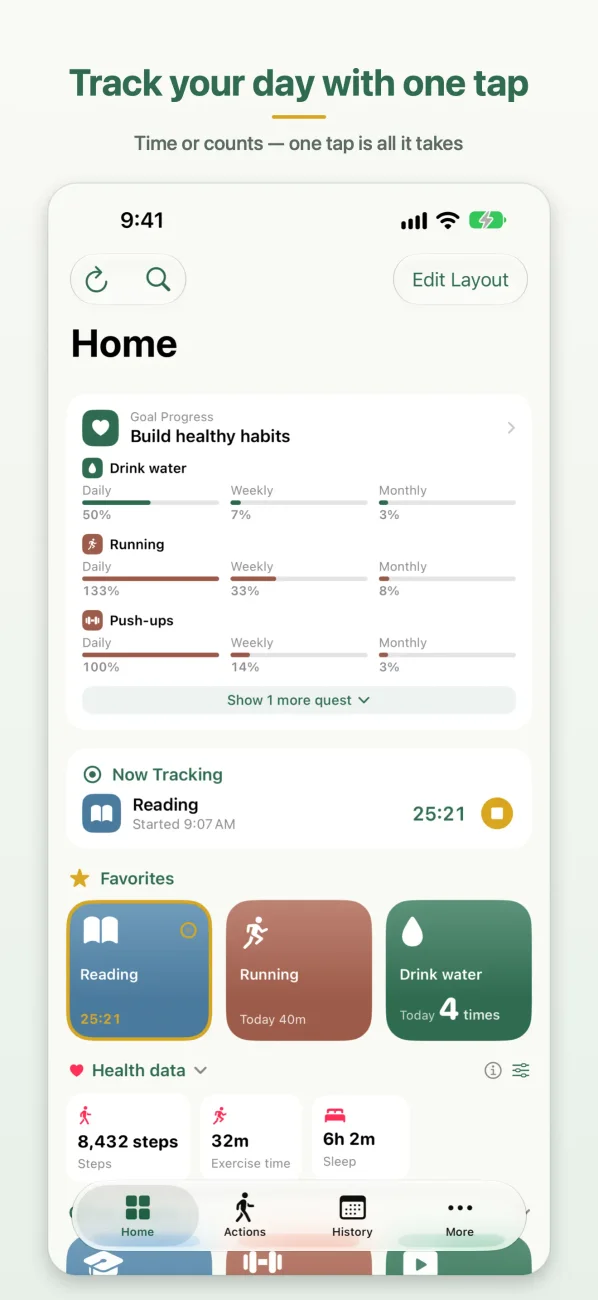
A habit and time tracker: log time and counts with a single tap, and shape your day with goals and quests.
■ How it works
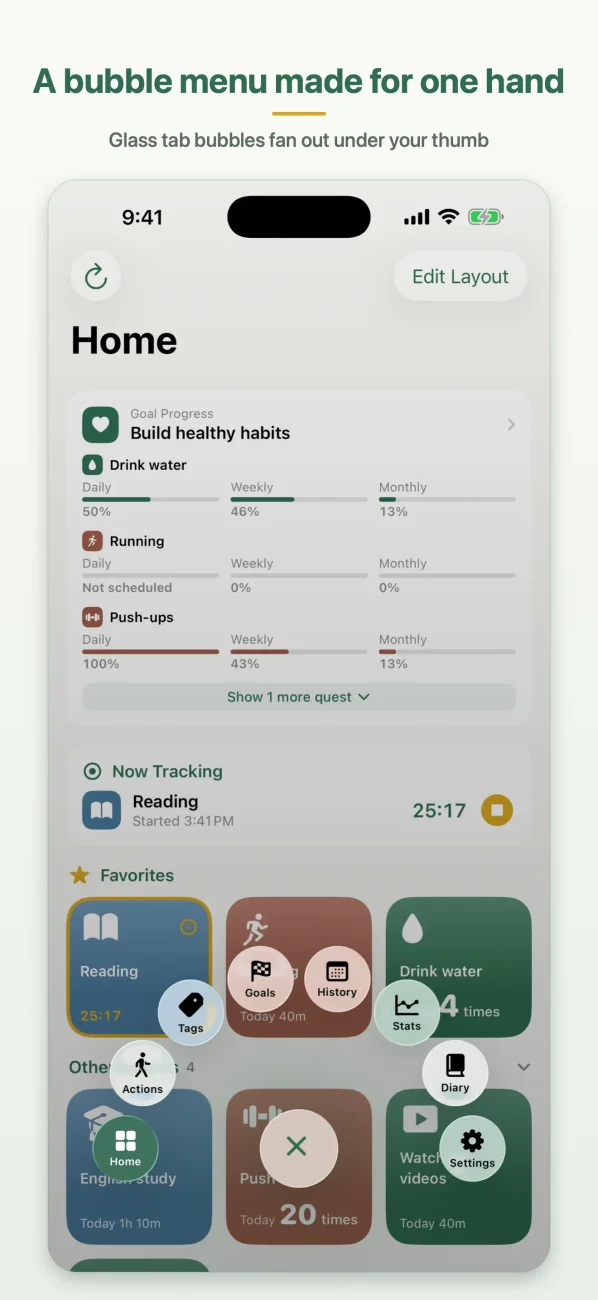
• Create an "action" and tap once — time tracking (start/stop toggle) or count logging (+1), recorded instantly
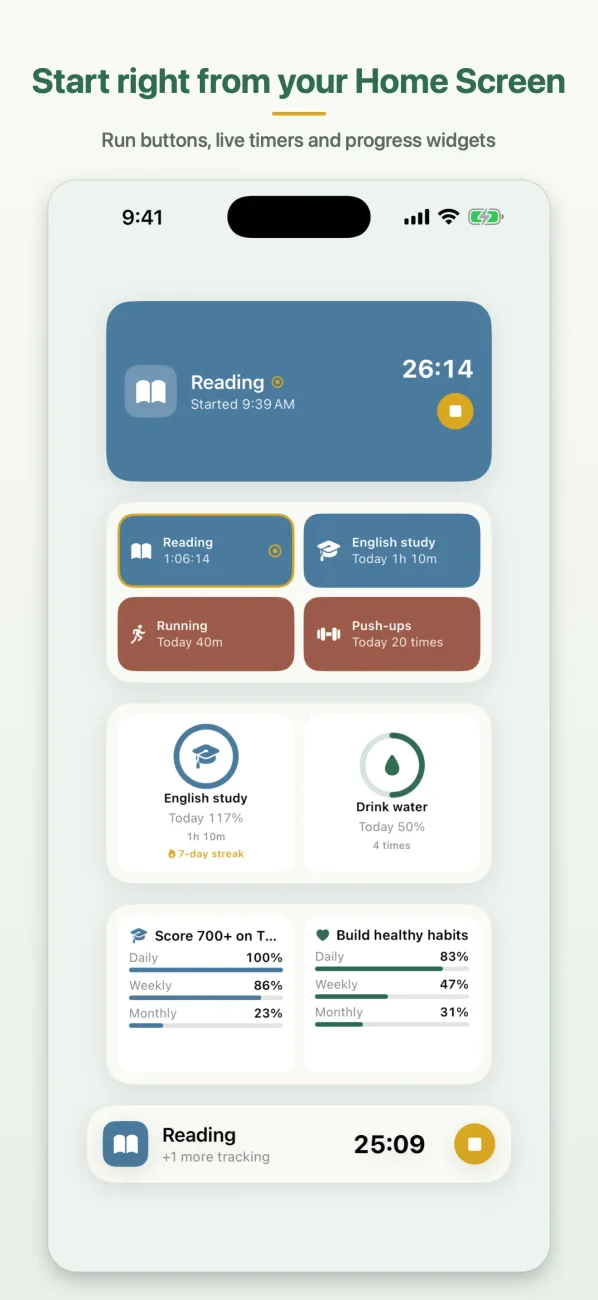
• Track several actions at once; while tracking, see it live in the Dynamic Island and on the Lock Screen
• Organize actions with color-coded tags, find any action by name, and automatically ignore accidental short sessions and double-tapped counts
■ Goals & quests
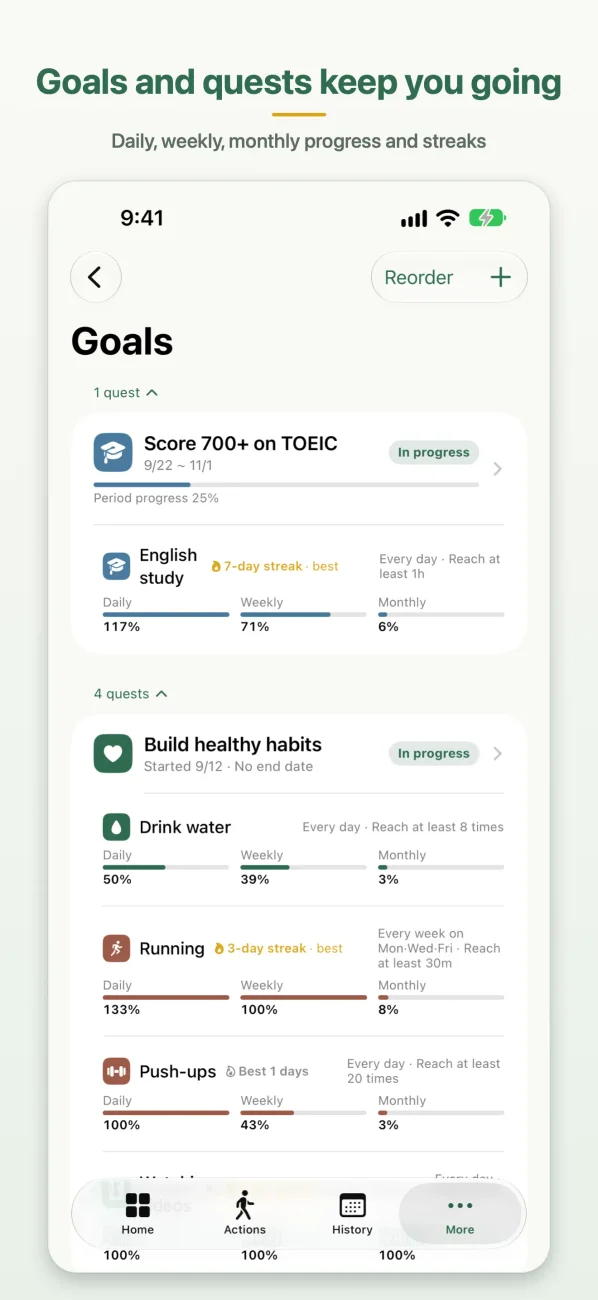
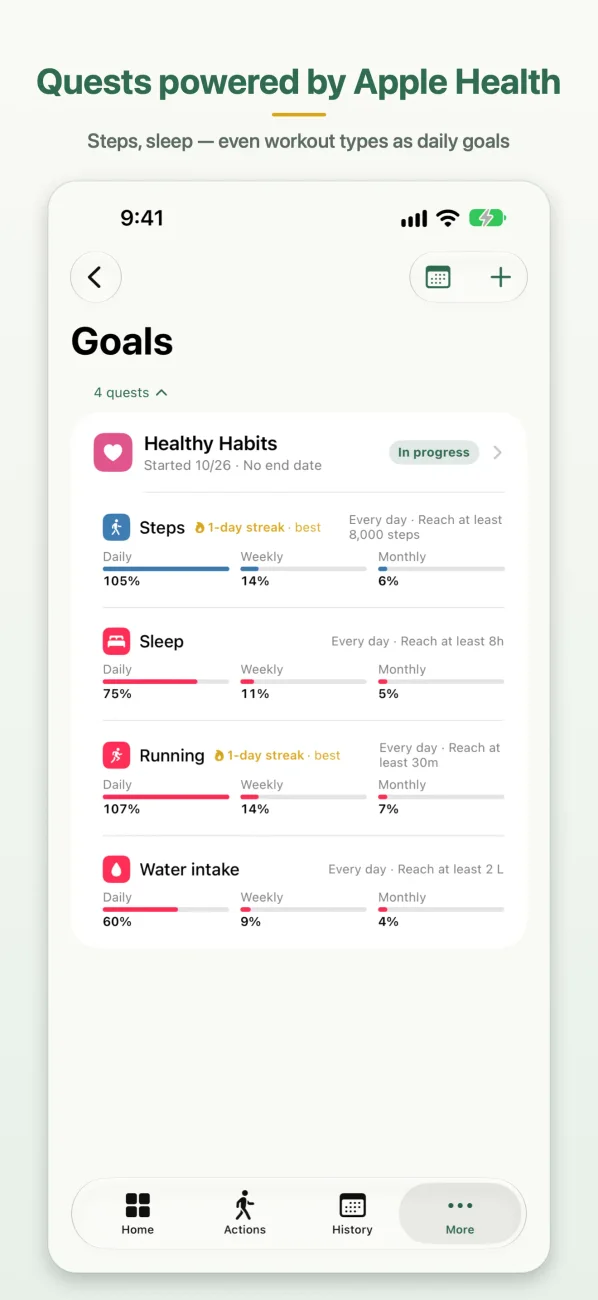
• Under a big "goal", create actionable "quests" — daily, weekly, monthly, or a custom period
• Fine-grained rules: every day / specific weekdays or dates / reach-at-least or stay-under / count only until a daily deadline
• Daily, weekly and monthly progress plus streaks and your best streak so far; goals are judged automatically when their end date passes
• Goal Calendar — see which days you kept your quests on a monthly calendar or weekly table, for the whole goal or a single quest
• Set your own achievement threshold from 10–100%
■ History & stats
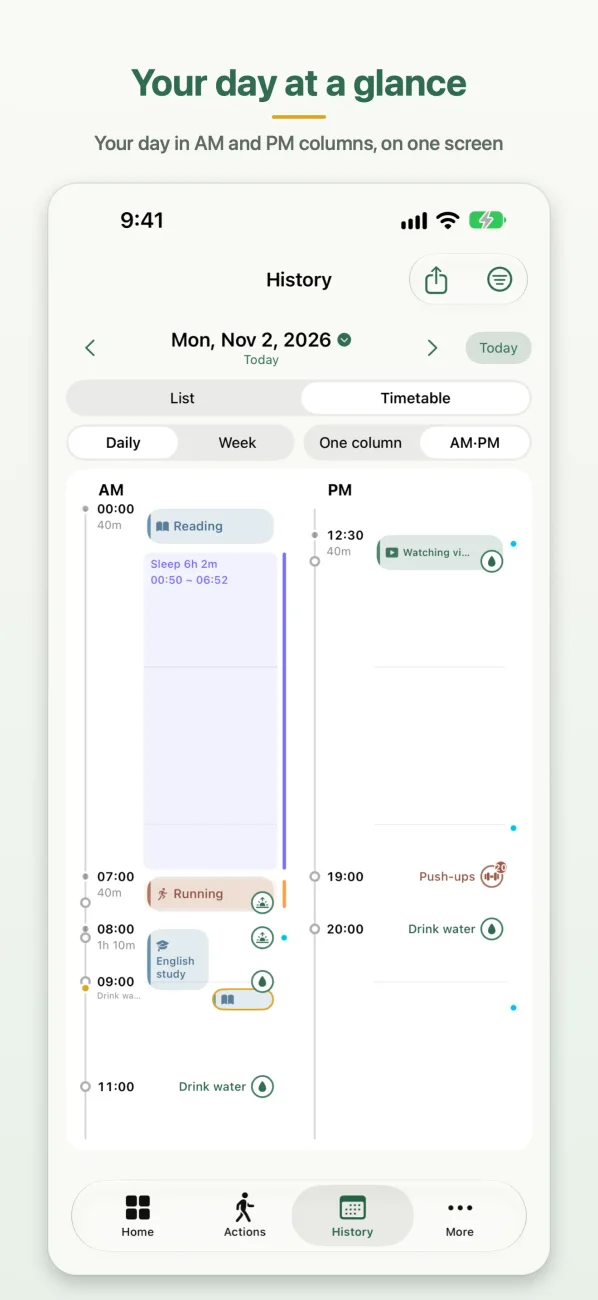
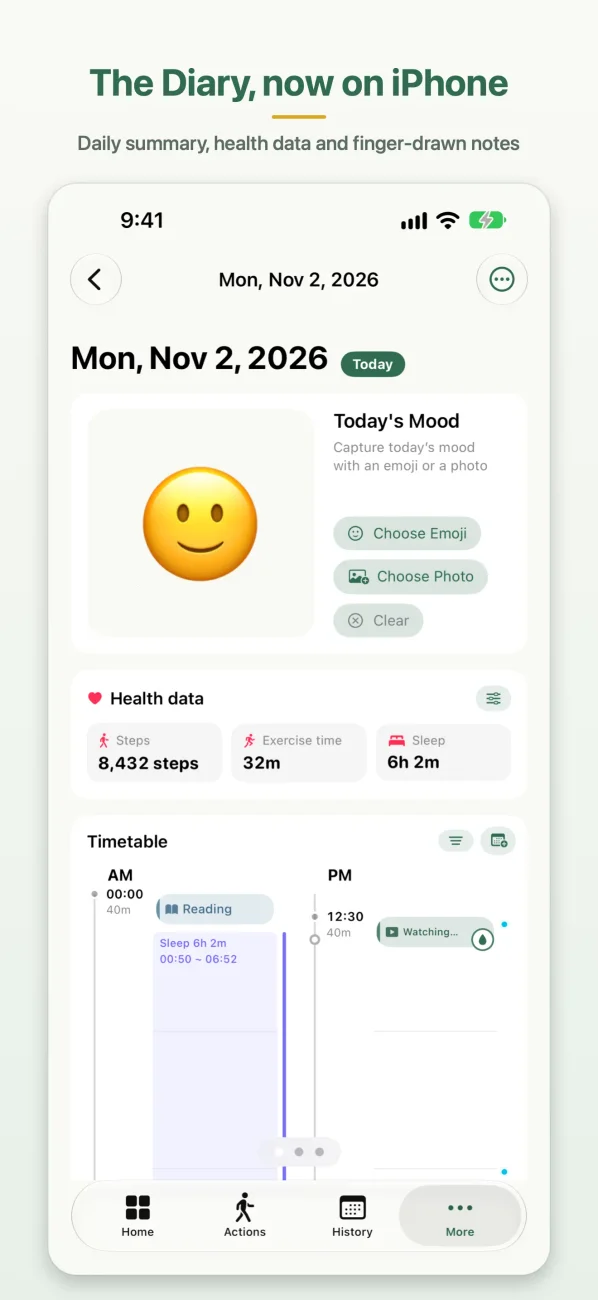
• A daily list and a timetable show your records at a glance — the day in one column or in AM·PM columns, the week as a 24-hour grid. Time records are tag-colored capsules with start time and duration on the axis, simultaneous sessions sit side by side, and Apple Health sleep (with fall-asleep and wake-up times), workouts and water intake are laid in
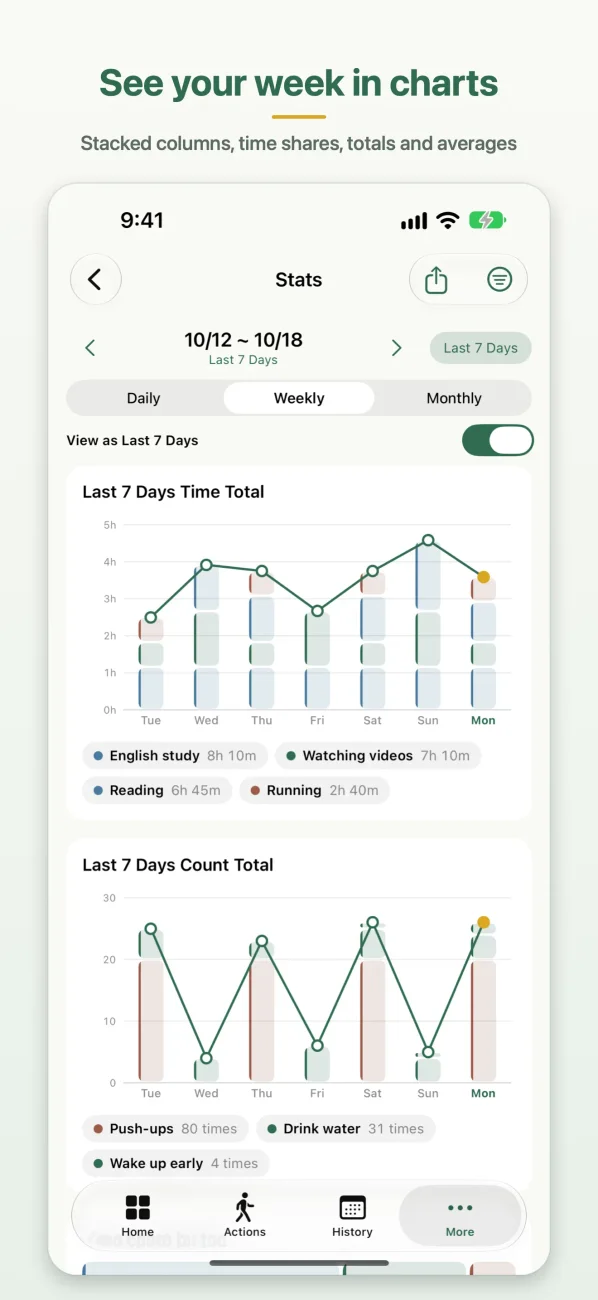
• Day/week/month stats: shares by tag, columns stacked by action with a total line, totals and averages
• When charts feel empty early in a week or month, switch to a rolling last-7/30-days view
• Export exactly what you see as a high-resolution image report
• Back up all data to CSV files (free plan included) — Premium adds CSV import to restore records
• Clear out long-accumulated records with Data Cleanup & Reset — with a CSV backup and a keepsake summary report before deleting
• See today's Apple Health data (steps, exercise, sleep and more) as tiles on the Home tab, and workout time by type in the Stats tab — values never leave your device
■ Go further with Premium
• Unlimited actions, goals and quests
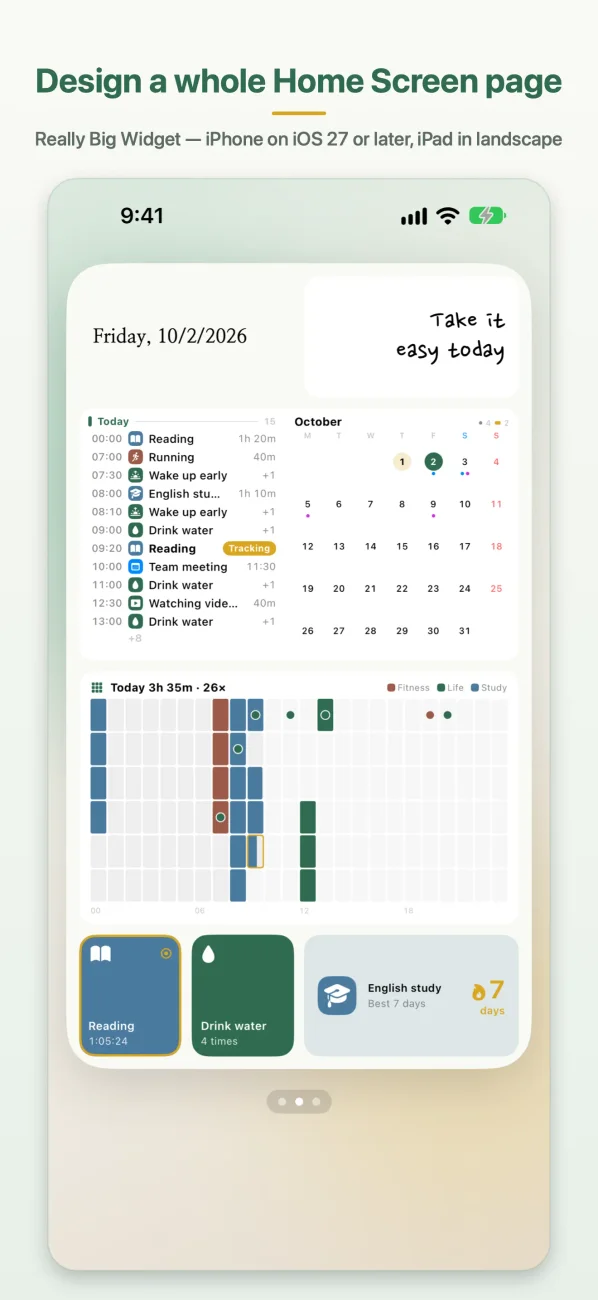
• Home Screen & Lock Screen widgets — run and stop right from the widget, progress rings and charts
• Really Big Widget — design a full-page widget block by block — actions, goals, a goal calendar (days you kept a goal), a calendar (events + records), a 24-hour day grid, photos and more; date and text blocks come with fonts like serif and handwriting (iPhone on iOS 27+, iPad in landscape; building presets is free)
• Launch from Control Center and the Action button
• Apple Watch app and complications — track from your wrist, with an Action Log complication showing totals on your watch face
• Siri Shortcuts — "Hey Siri, start tracking Reading in Haru Danim"
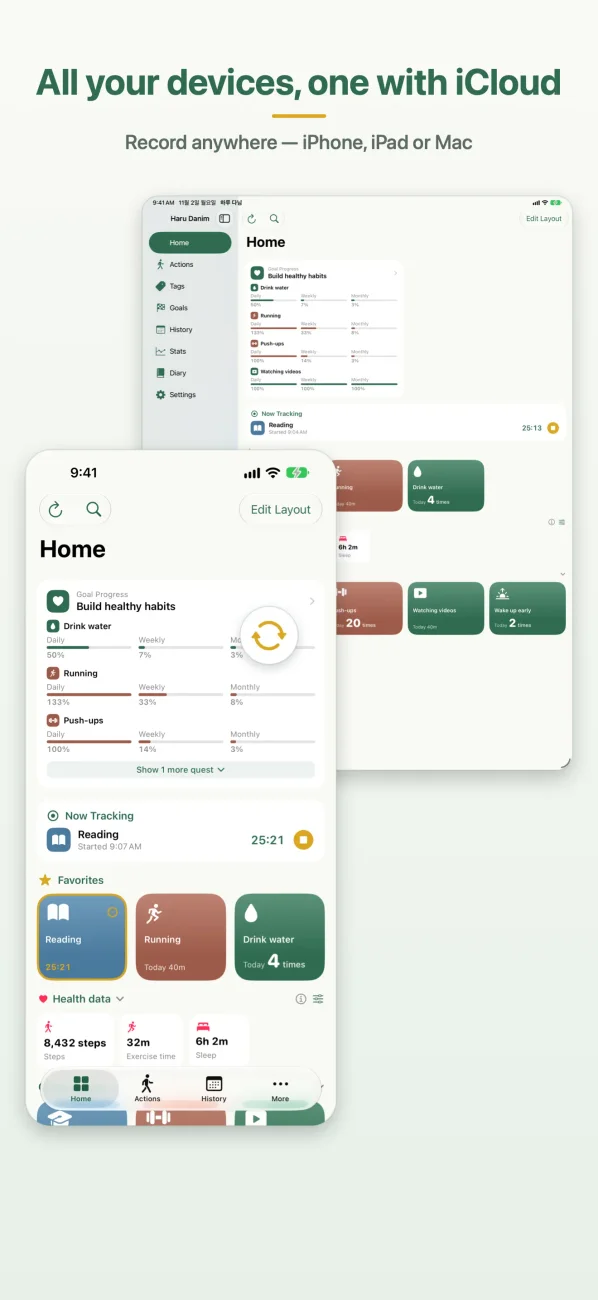
• iCloud sync across iPhone, iPad and Mac
• Diary on iPhone, iPad and Mac — a daily summary page plus free-form notes (Apple Pencil on iPad, finger drawing on iPhone, mouse and keyboard on Mac), with your own PDF page templates. The summary includes a health-data card and a timetable with your sleep and workouts laid in
• CSV import — bring actions and records back from your exported CSVs
• Health quests — goals from Apple Health data like steps, sleep and workout types ("8,000 steps a day," "8 hours of sleep")
■ Privacy
This app collects no personal data. Everything stays on your device and (if you turn on sync) in your own iCloud.
Privacy Policy: https://github.com/notalentprogrammer/HaruDanim/blob/main/PRIVACY.md
Terms of Use (Apple standard EULA): https://www.apple.com/legal/internet-services/itunes/dev/stdeula/
■ About subscriptions
Premium is available as a monthly/yearly auto-renewing subscription or a one-time lifetime purchase. Payment is charged to your Apple Account, and subscriptions renew automatically unless canceled at least 24 hours before the end of the period. You can cancel anytime in App Store subscription settings.
What’s new
Version 1.7.4 · Nov 19, 2026
A small update that smooths out a few rough edges.
• Diary Lock: fixed a blank screen with a yellow warning sign that appeared when you left the app with a diary day open and came back. The lock screen now shows in its place and asks for Face ID or Touch ID right away, then returns you to the same day and page. Coming back to the diary calendar prompts right away too
• Choosing health metrics (Home tab and Diary): a metric you add from the lower list now gets its reorder handle immediately
• If the day changes while the app stays open, today's values and goal gauges on the Home tab, and the dates on the History and Stats tabs, now follow the new day
• Diary: if a date ends up with two entries (created separately on different devices), you can now switch between them and delete the one you don't need
• If you use multiple devices, please update the app on all of them
App privacy
What YECHAN SONG declares on the App Store about how this app handles data.
-
Data not collected
The developer does not collect any data from this app.
Privacy practices may vary, for example with the features you use or your age.
Information
- Seller
- YECHAN SONG
- Category
- Productivity
- Version
- 1.7.4
- Updated
- Nov 19, 2026
- Released
- Jul 27, 2026
- Size
- 31.5 MB
- Requires
- iOS 18.0 or later
- Age rating
- 4+
- In-app purchases
- Yes
- Languages
- Korean, English, Japanese
- Copyright
- © 2026 Yechan Song. All rights reserved.
You might also like
-
 Not To Do - Break Bad HabitsFocusing on what NOT to do!
-
 유월의 토마토Productivity
-
 Spread PlannerWeekly & monthly paper planner
-
 다짐 - todo,투두,루틴,데일리 앱Productivity
-
 Rotio - Routine PlannerBuild Your Flow with Routines
-
 GoldTime Shield: App BlockerStop Doomscrolling & Brainrot
-
 HASH - #memo, alarm, calendarMake notes easily and effect
-
 ToDoD: ToDo List + Focus TimerPlan tasks with your AI Mate
-
 Gluon - Calendar & PlannerPlan, Focus & Sync with cloud
-
 PING - Shared To-Do ListShared To do & Lock Widgets