
Headtable: Seating Chart Maker
Wedding guest & table planner
Designed for iPhone, iPad
Free · In-app purchases
- Age rating4+
- CategoryLifestyle
- DeveloperEvatech Innovations,TOO
- LanguagesEnglish+ 20 more
- Size17.2 MB
Links to the official App Store page
Download.org hosts no file of Headtable: Seating Chart Maker. The button opens its official App Store page, published by Evatech Innovations,TOO. Listing last checked on Nov 23, 2026.
Screenshots

About
Design your floor plan to scale, collect RSVPs online and seat every guest — in one app, for one price.
Headtable is the seating chart planner for weddings, receptions, banquets and parties, from a dinner party to 100 tables. Lay out the room, seat guests on the floor plan or table by table, plan with your partner and print a chart worthy of the day — offline, with no account.
THE FLOOR PLAN
• Enter your room's size and plan to scale — Headtable flags tables that sit too close
• Set up the whole room in one step, up to 100 tables, and save a room to reuse for your next event
• Round, oval, square, head and sweetheart tables, banquets up to 60 chairs, one-sided or joined tables
• Dance floor, DJ booth, bar, cake and gift tables, stage; your venue's floor plan, to scale
SEATING
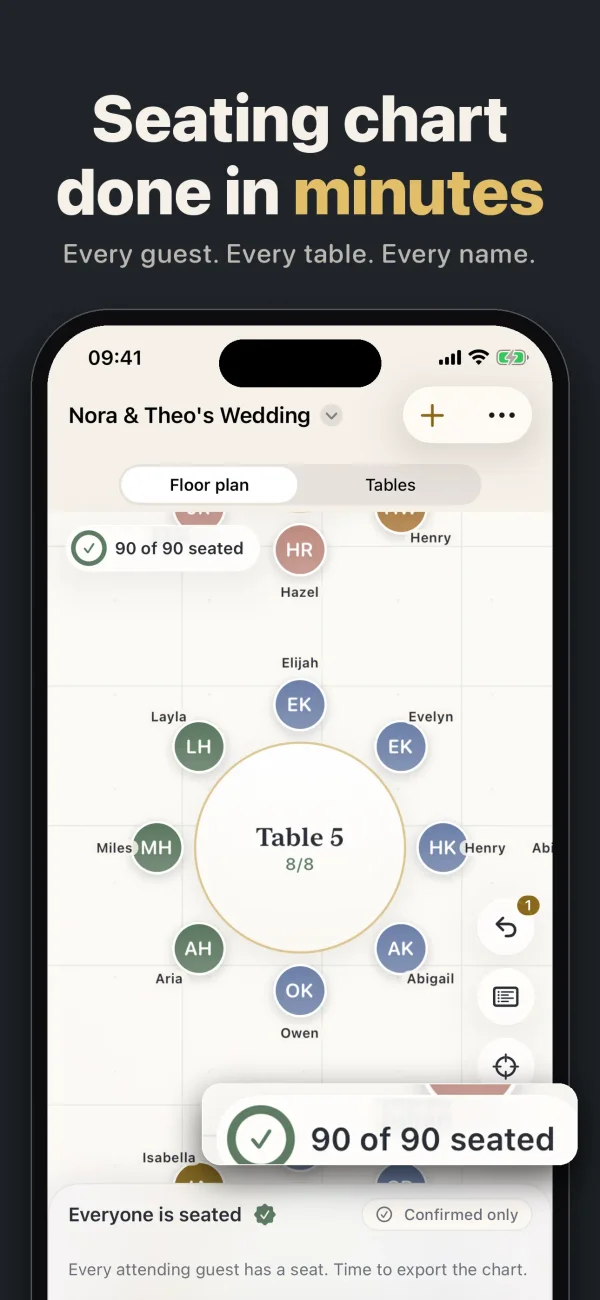
• Switch between the floor plan and a grid of every table, each chair where it really is
• Drag a guest onto any seat, or tap them to pick a table
• Color-code guests by group, with a ring for whose side they're on, in colors you choose
• Search any guest or table, and tap anyone to edit their group, meal, dietary needs or note
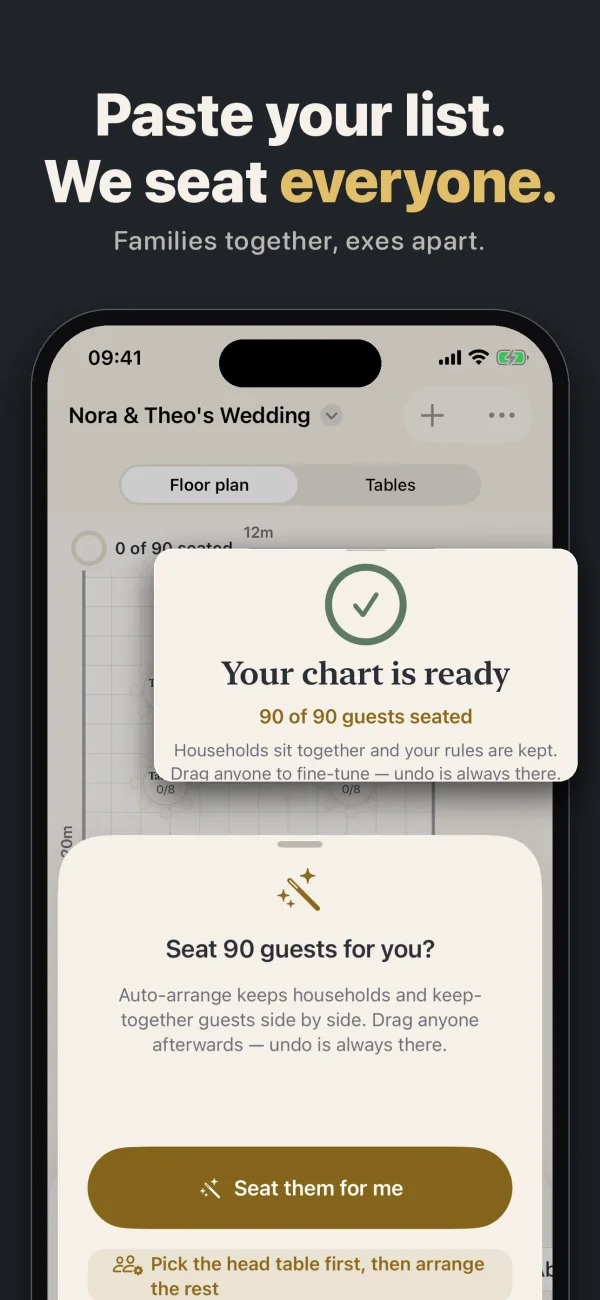
• Seat the head table first; Auto-arrange fills the rest, keeps families together and follows your rules
• Keep-together and keep-apart rules that nudge you, and never block you
• Lock finished tables, shuffle a dinner party, undo anything, and keep unseated guests in a tray
• No list yet? Type the names you know and each takes a seat
GUEST LIST
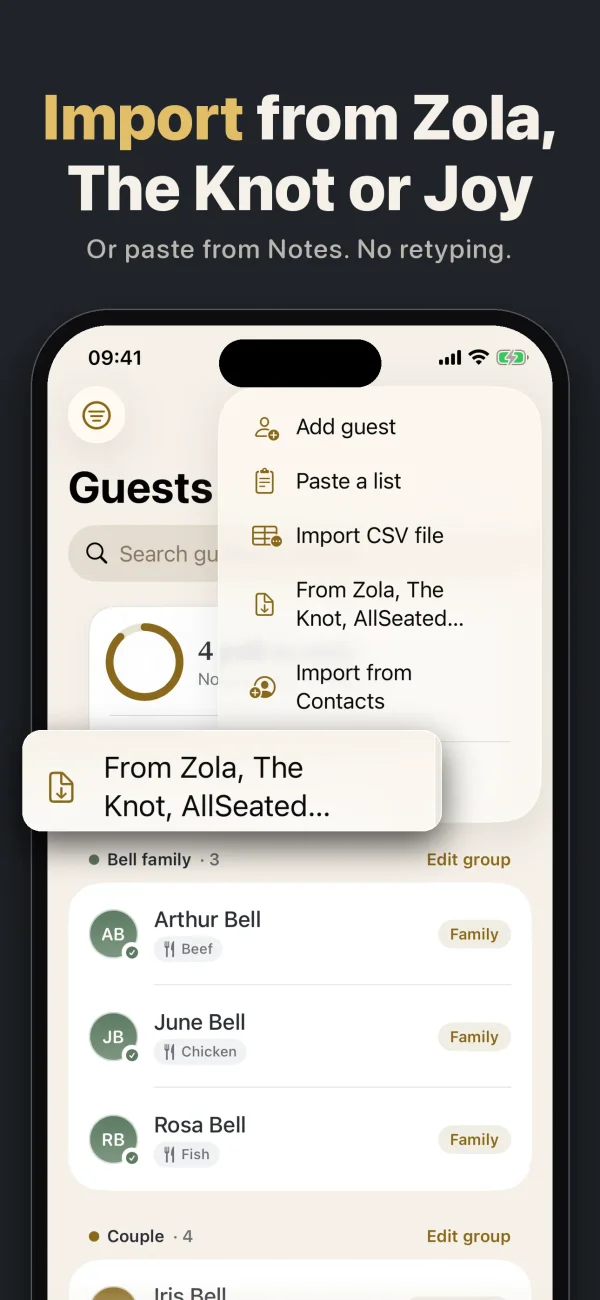
• Groups you can fold away (the Smiths +2), sides, RSVP status, meal choice, dietary needs, VIPs, kids' meals and a note on any guest
• Paste a whole list, import from Contacts, or open a CSV or Excel file, including exports from Zola, The Knot and Joy
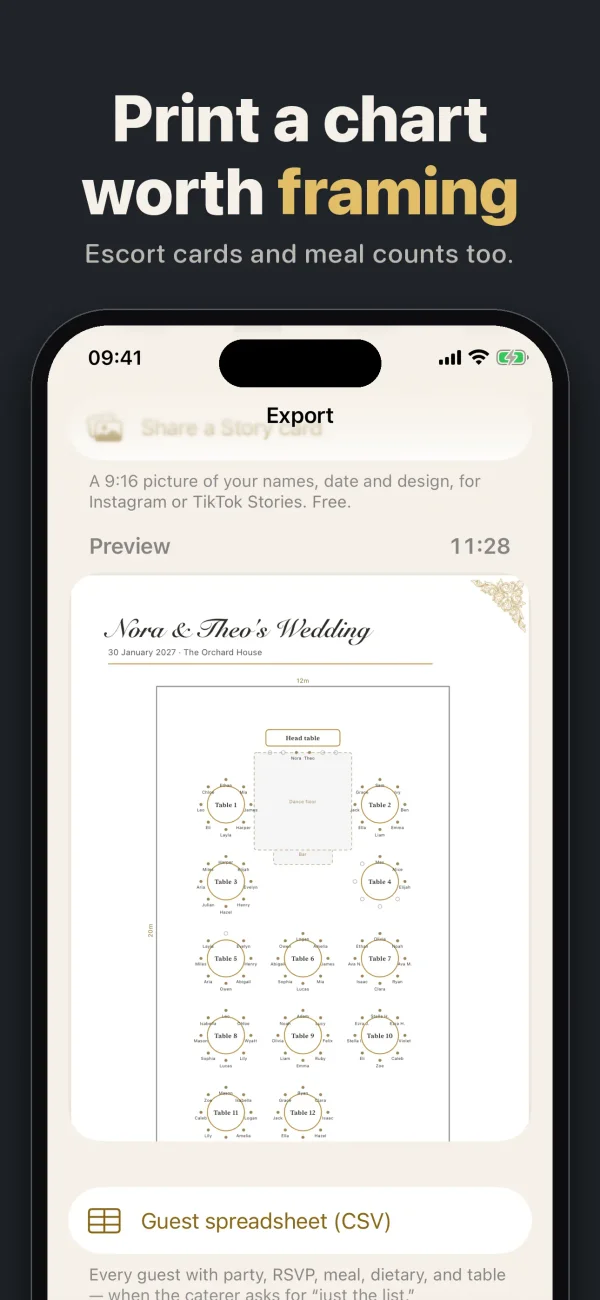
• Export your guest list as a CSV at any time, free
PLAN TOGETHER
• Up to four people — your partner, a parent, your planner — edit the same plan from their own phones, and changes appear in seconds. Inviting needs Pro; joining is free
INVITATIONS & RSVP
• One link for everyone, even a group chat: the date, each venue with its time and map, and Add to Calendar — no app needed
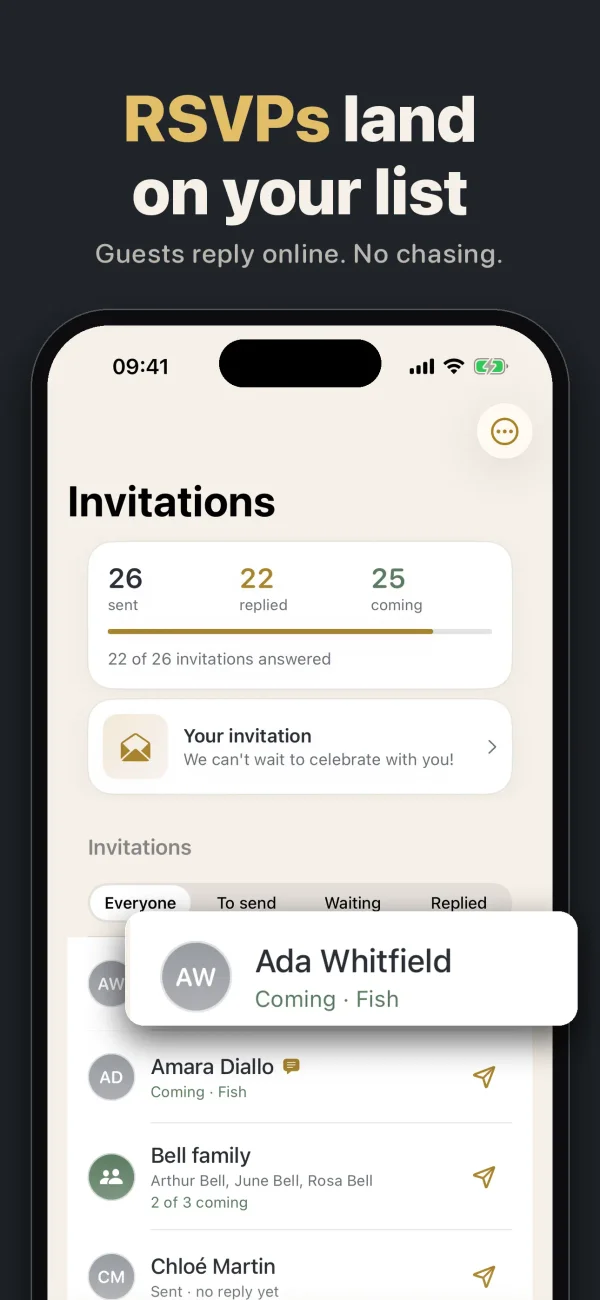
• Want replies? A private link per guest or household: coming or not, meal, allergies and a plus-one
• Replies land on your guest list and free the seats of anyone who can't come
FOR THE CATERER AND THE DAY
• Per-table view with meal counts, and a printed chart color-coded by meal
• A web page for your venue and caterer with every table, meal and dietary need, updated as you change seats (Pro)
• One tap turns the finished chart into a PDF for Messages, WhatsApp or Mail
• Send each guest their seat in a personal text or email: "You're at Table 4"
• Day-of check-in at the door
• Quiet reminders 8, 4 and 2 weeks out
PRINT & SHARE
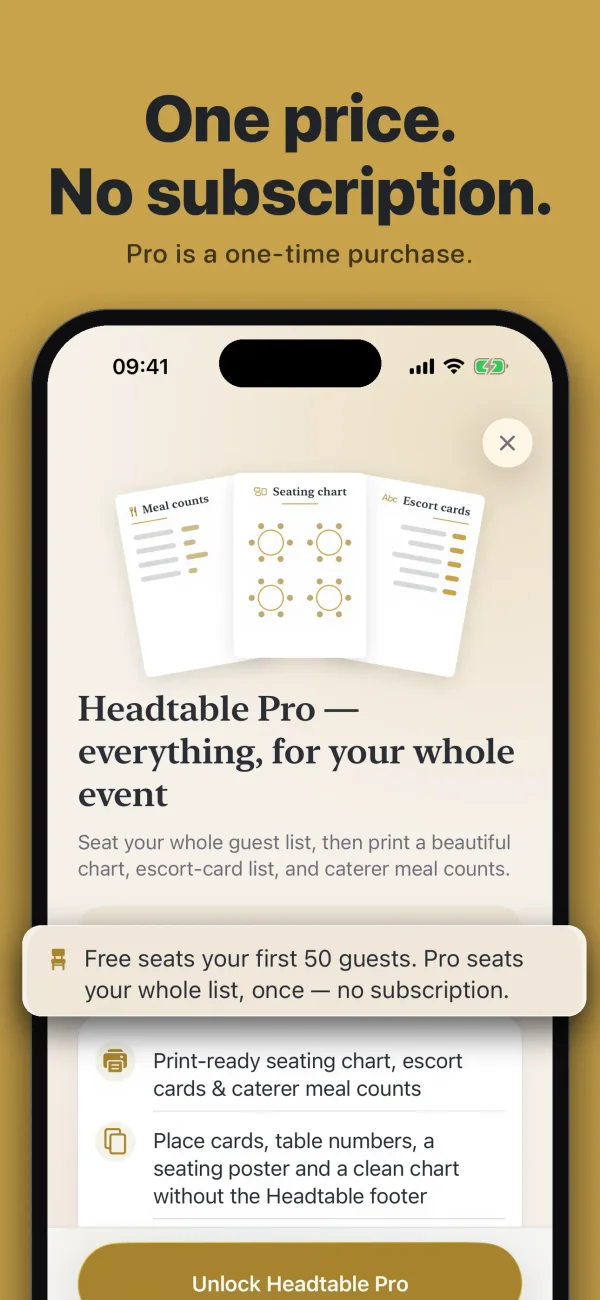
• The full print pack (Pro): a clean seating chart, per-table lists, an alphabetical escort list and a caterer meal summary in eight designs, plus place cards and table-number cards
• A find-my-seat QR code (Pro): guests scan it at the door, type their name and see their table
• Your own look (Pro): paper, accent color, font and art on every chart, card and invitation
• A free Story card: your names, date and design as a picture for Instagram or TikTok
• Several events, and Duplicate to try a second seating plan (Pro)
WORKS OFFLINE, PRIVATE BY DESIGN
Your guest list and chart live on your iPhone or iPad, so Headtable works with no connection. Invitation links, the find-my-seat and venue pages and a shared plan upload only what they need — never phone numbers or emails — and are deleted 30 days after the event. No account, no ads, no tracking.
HONEST PRICING
Free: your whole guest list, unlimited tables and rules, up to 50 seated guests, invitations with your first 8 replies, your chart as a PDF, and joining a shared plan. Headtable Pro, one purchase with Family Sharing, seats everyone and adds every reply, the full print pack, the QR code, the venue page, planning together and extra events. No subscription, ever.
What’s new
Version 1.6.2 · Nov 20, 2026
What's new in 1.6.2
• One invitation link for everyone: send it to the group chat, and guests get the date, the place, a map and Add to calendar — no app, no account. You see how many opened it, and private RSVP links are still there when you want replies.
• Reminders that know your event: they carry its name, arrive when it matters — including a final check three days before the day — and a tap opens the right screen.
• When your chart is finished, invite your partner to plan with you, or set up a QR code that shows guests their table, in one tap.
• A quicker start: skip the room step and add names and the date later.
• Importing lists, planning together, exports and guest pages are more reliable, with many small improvements.
Also new in 1.6.1, if you're updating from an earlier version:
• See every table as it sits in your room: Tables now draws each one like the floor plan, with every chair where it really is. Hold a guest to drag them to another chair or table, or tap an empty chair to fill it.
• Color-code your guests: each seat is filled with the guest's group color, and at a wedding a ring shows whose side they're on (at other events, VIPs get a gold ring). Tap a group or side in the color key to pick your own color.
• Ceremony and reception in different places? Add up to 10 venues to your invitation, each with its time and a map for your guests.
• Your invitation page now wears your chosen design, and guests can add the day to Apple or Google Calendar before they reply. Any of the eight designs works on your invitations.
• Make it yours with Pro: choose the paper, accent color, title font and corner art once, and your printed chart and cards, Story card, find-my-seat page and invitation all match. Try it before you upgrade.
• A tidier guest list: fold groups away, see everyone under whose side they're on, and put the head of each group first. Paste “Ann & Ben Lee” and they join as one family.
• Paste your guest list right on the canvas as soon as you create your event.
• Planning together keeps everyone's work: Undo never overwrites a change your partner has just made, and if you both edit the same guest, you see who changed it.
Headtable is made by one person — if it helps, a rating helps other couples find it.
App privacy
What Evatech Innovations,TOO declares on the App Store about how this app handles data.
-
Data not linked to you
May be collected but is not linked to your identity.
- User content
- Identifiers
- Usage data
Privacy practices may vary, for example with the features you use or your age.
Information
- Seller
- Evatech Innovations,TOO
- Category
- Lifestyle
- Version
- 1.6.2
- Updated
- Nov 20, 2026
- Released
- Sep 16, 2026
- Size
- 17.2 MB
- Requires
- iOS 17.0 or later
- Age rating
- 4+
- Price
- Free
- In-app purchases
- Yes
- Languages
- English, Arabic, Czech, Dutch, French, German, Hindi, Indonesian, Italian, Japanese, Korean, Polish + 9 more
- Copyright
- © 2026 Evatech Innovations
You might also like
-
 Seatful: Wedding Seating ChartTable plans, guest list, RSVP
-
 Seated: Wedding Seating ChartTable planner for any event
-
 Tablee: Wedding Seating ChartGuest list & table plan maker
-
 Wedding Planner AI AssistantSeating Chart, Guests & RSVP
-
 Wedding Seating Planner: LilyTable Plan, Chart & Guest List
-
 Wedding Planner - Seat MakerSeating Charts & Event Layouts
-
 Wedding Planner & InvitationsRSVP, Guests, Budget & Website
-
 Wedding Seating Chart PlannerEvent Template Table Plan Tool
-
 Event Planner: Birthday, PartyEvents Organizer & Countdown