
- Age rating4+
- CategoryHealth & Fitness
- DeveloperILHYUN KOH
- LanguagesEnglish+ 1 more
- Size5.2 MB
Links to the official App Store page
Download.org hosts no file of Heart Matter. The button opens its official App Store page, published by ILHYUN KOH. Listing last checked on Nov 18, 2026.
Screenshots
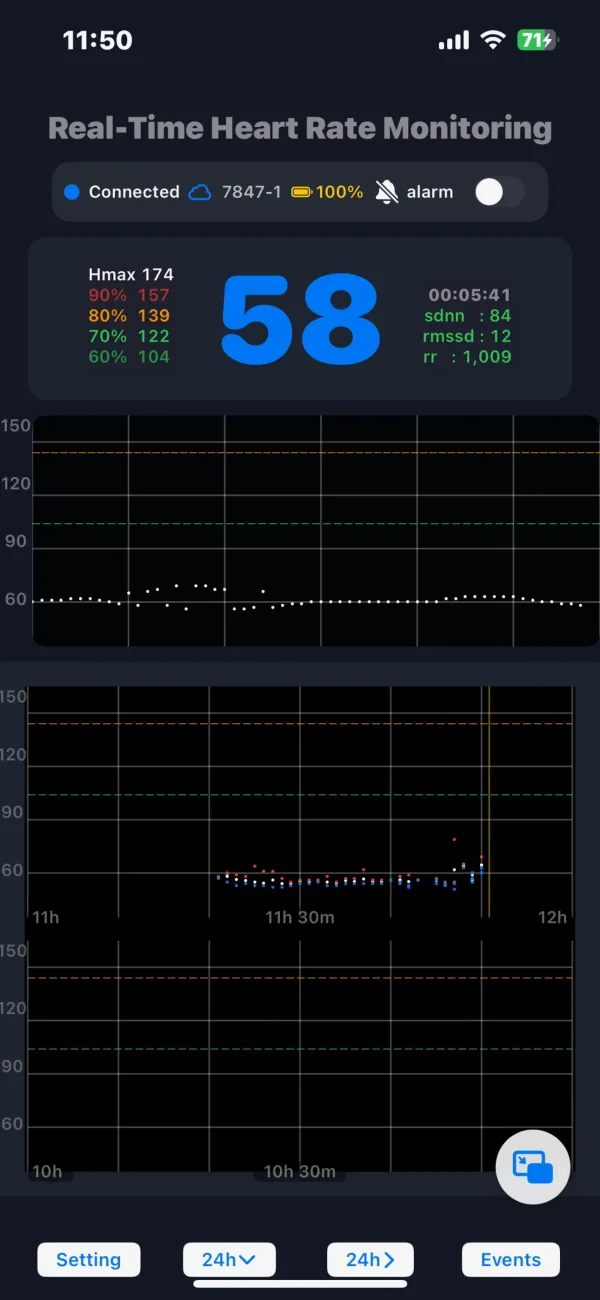
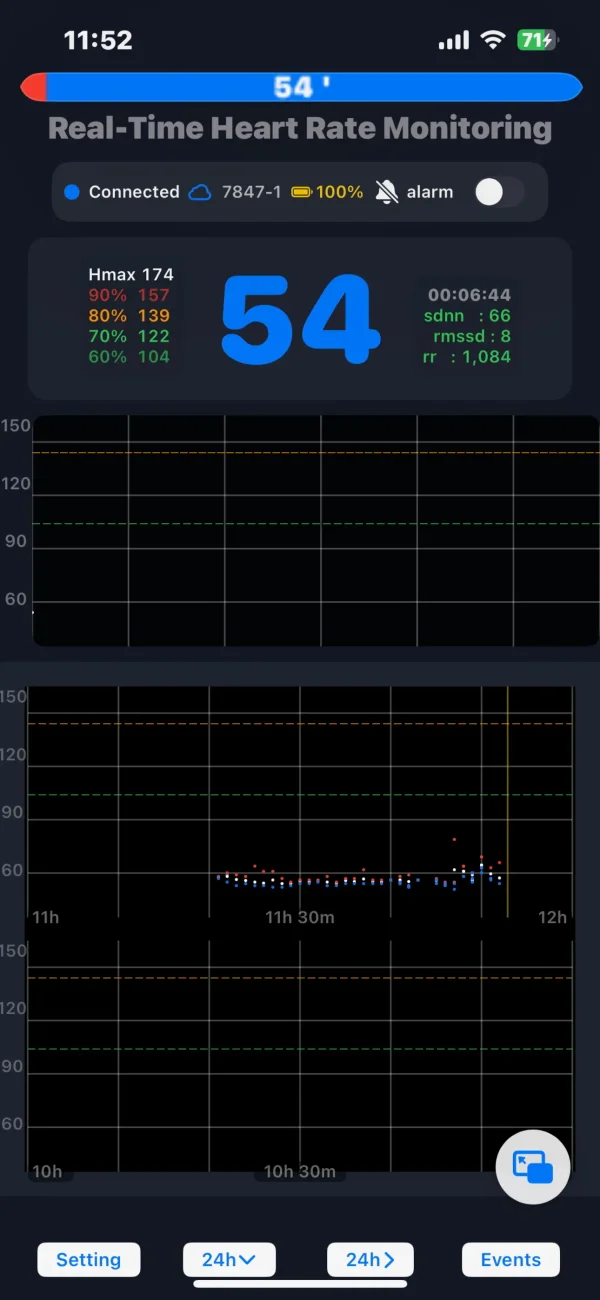
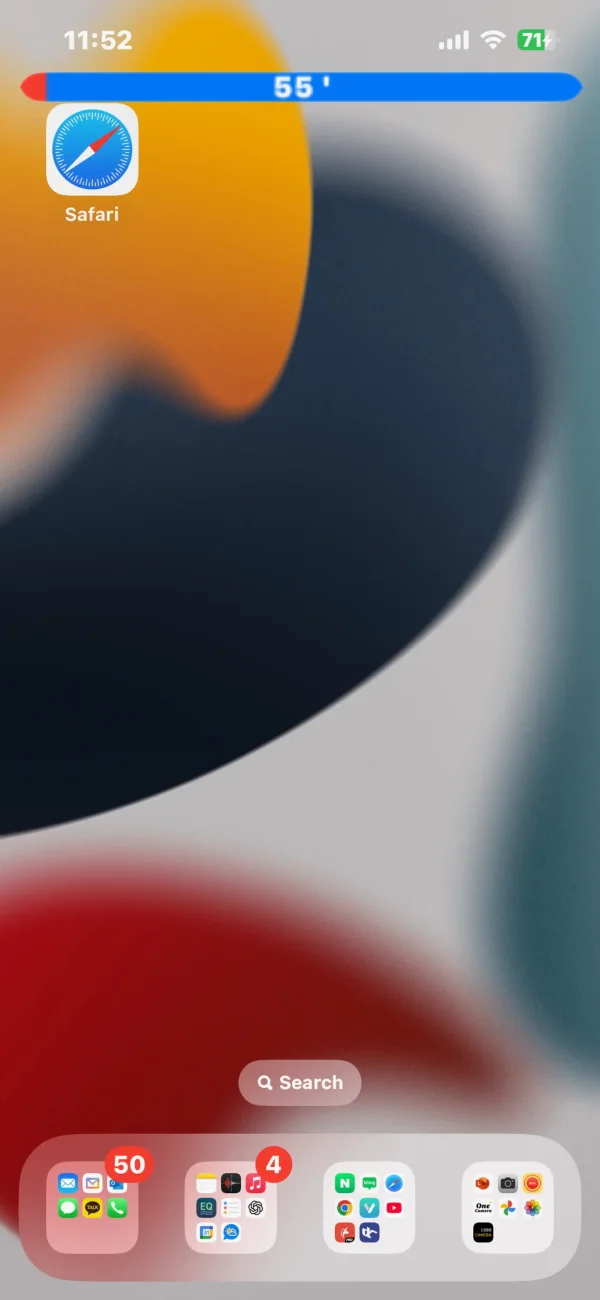
About
Tracks real-time heart rate with most BLE chest strap heart rate sensors. Some smartwatches and wrist-worn devices may not connect because they do not support the standard BLE Heart Rate profile.
Whether you’re aiming for fitness or endurance, effective aerobic exercise means keeping your heart rate at 60–80% of your maximum for at least 15 minutes. Simply set your age, and the app automatically calculates your maximum heart rate and key target zones (60%, 70%, 80%), then shows them on a real-time graph—helping you avoid slowing down or pushing too hard, for safer, more effective workouts.
When you press the PiP button, a small window appears. The color on the left side of the window indicates system status: green means normal, red indicates overheating, and gray shows delay. The blinking dot next to the number confirms that heart rate is being measured and updated continuously. The background color of the number on the right side represents heart rate zones: below 60% of maximum is blue, up to 80% is green, up to 90% is orange, and above 90% is red.
Features:
• Real-time heart rate and RR interval tracking with most BLE chest-strap monitors (smartwatches and wrist devices not supported)
• Continuous background heart rate collection—even with the screen off
• Automatic reconnection to your last paired device, with alerts if the connection drops
• Full connection event logging for reliable monitoring
• Customizable high heart rate alerts
• Seamless data sync with Apple Health
What’s new
Version 29 · Oct 26, 2026
• Data protection: fixed a bug that could erase earlier workout records and heart rate graphs.
• New storage layout: records are saved in one file per day, so they stay put across restarts and day changes, and the app starts faster.
• Battery: a new Connectivity setting (Enhanced/Standard) lets you choose how the app reconnects after the strap disconnects and how much battery it uses. Screen and background keep-alive are reduced when not measuring.
• Picture in Picture: frames are drawn only when values change, the window's side bar and text follow your current zone color, and a bug that kept PiP from starting is fixed.
• Graph improvements: the horizontal 24-hour graph shows 2 hours per screen with a full-day overview at the top, 10 bpm gridlines, workout start/end markers, and a calendar that highlights days with data. Graphs roll over exactly on the hour and at midnight.
• The heartbeat sound now changes pitch with your zone (C below 50%, D–A for Zone 1–5).
• Disconnected time is excluded from the workout total, and after 30 minutes disconnected a notification asks whether to end the workout.
• Added workout type and notes, optional workout saving to Apple Health, and a collapsible per-day analysis screen.
App privacy
What ILHYUN KOH declares on the App Store about how this app handles data.
-
Data not collected
The developer does not collect any data from this app.
Privacy practices may vary, for example with the features you use or your age.
Information
- Seller
- ILHYUN KOH
- Category
- Health & Fitness
- Version
- 29
- Updated
- Oct 26, 2026
- Released
- Jul 7, 2025
- Size
- 5.2 MB
- Requires
- iOS 17.6 or later
- Age rating
- 4+
- Price
- Free
- Languages
- English, Korean
- Copyright
- © ILHYUN KOH
You might also like
-
 Heart Safe AlertsReal-time heart rate warnings
-
 Nova Sport: fitness trackerAthlete pulse tracking
-
 PulseGuard: Heart RateLive BPM overlay & zone alerts
-
 Ascent Dive LogBeautifully logged dives
-
 PostureLens: Posture CoachFix your posture with AI
-
 Stride: Walk & Run TrackerShoe Mileage, Steps & GPS Log
-
 Vital Eye HealthHands Free Alert System
-
 AntheartideMonitoraggio Cardiaco Smart
-
 SWR: 러닝 코스·크루Health & Fitness
-
 SPINE: Tech Neck Posture FixForward Head Scan in 60 Sec