
HeatWave: Smart Window Alerts
Open windows at the right time
Designed for iPhone, iPad
In-app purchases
- Age rating4+
- CategoryWeather
- DeveloperChristopher Hefferman
- LanguagesEnglish
- Size28.6 MB
Links to the official App Store page
Download.org hosts no file of HeatWave: Smart Window Alerts. The button opens its official App Store page, published by Christopher Hefferman. Listing last checked on Nov 12, 2026.
Screenshots
About
A heat wave's worst trick is making you feel powerless. HeatWave is the simple, beautiful way to take back control of your home's temperature — without an air conditioner.
Most of us already know the trick: open the windows when it's cooler outside, shut them when it gets hotter. The problem is knowing exactly when. HeatWave watches the weather forecast for your location and your indoor temperature, then quietly pings you 30 minutes before the air outside is about to cross the air inside.
Open up just before it gets cool. Shut up just before it gets warm. That's it.
HOW IT WORKS
HeatWave uses Apple Weather to fetch a fresh, accurate forecast for your exact location. It uses your HomePod's built-in temperature sensor via Apple's Shortcuts app to know how warm it is inside. A guided setup wizard walks you through everything in under five minutes — tap the shortcut once, point it at your HomePod, then schedule when it runs.
The more often the shortcut runs, the more precise your alerts become. HeatWave suggests a sensible minimum (hourly between 7–10am and 6–9pm) and tells you how to fine-tune it further.
ON THE DASHBOARD
A single screen tells you everything you need to know:
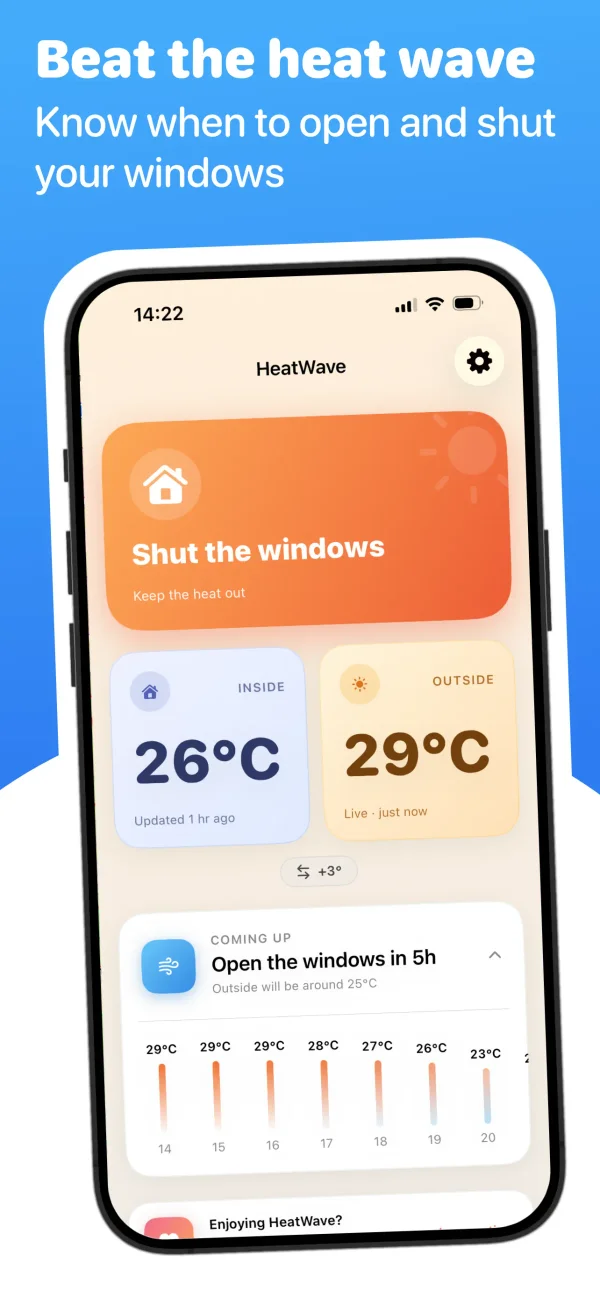
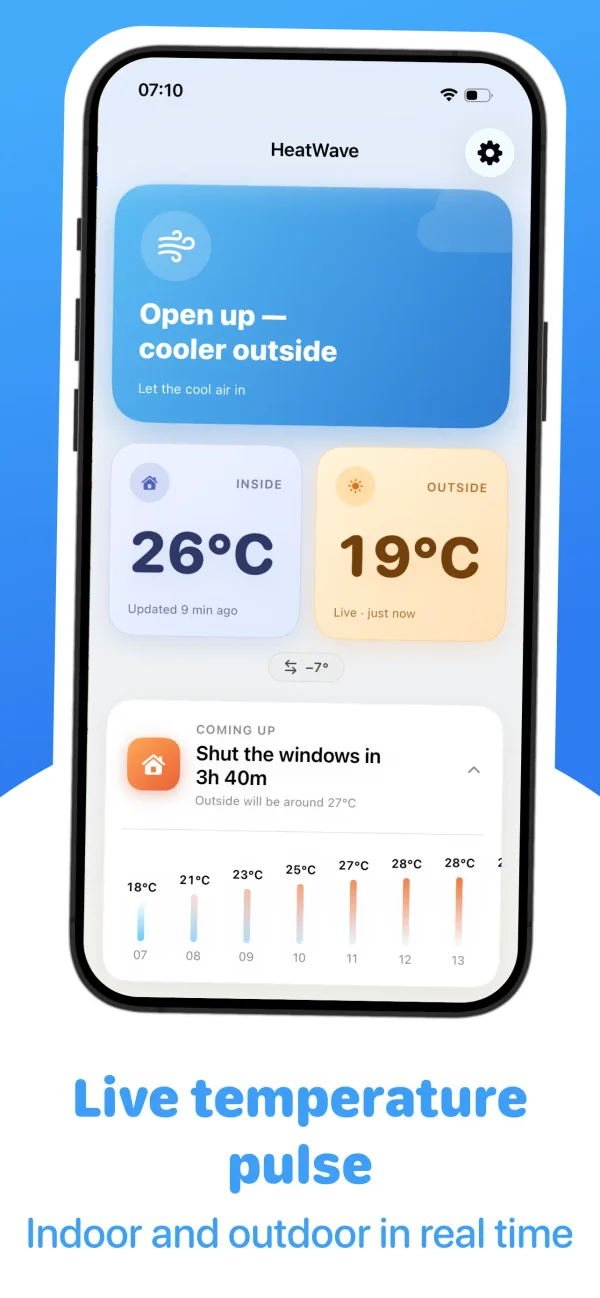
• A bold status card that says "Open the windows" or "Shut the windows" right now.
• Side-by-side cards showing your live indoor and outdoor temperatures, with timestamps so you always know how fresh the data is.
• A countdown to the next change — "Open in 1h 24m" — with the forecast temperature at that moment.
• A 12-hour bar chart of upcoming outdoor temperatures so you can plan your day at a glance.
WIDGETS FOR YOUR HOME SCREEN
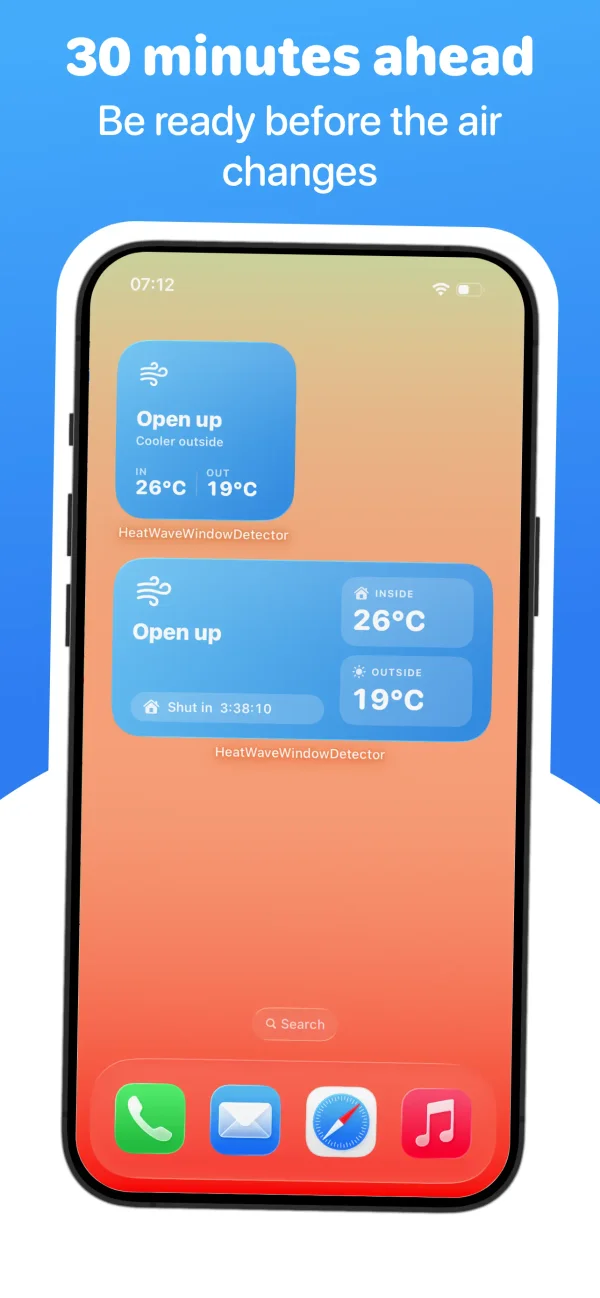
Add HeatWave to your home or lock screen and you may never need to open the app. Small, medium, and large widgets show the current recommendation, your inside/outside temperatures, and a live countdown to the next window change. Lock-screen accessory widgets (circular, rectangular, inline) keep an eye on things at a glance.
NOTIFICATIONS THAT FIRE 30 MINUTES AHEAD
Get a gentle ping half an hour before each crossover, with the projected outdoor temperature so you can decide if it's worth getting up for. A built-in buffer prevents flip-flop alerts when temperatures wobble.
WHY HEATWAVE
• No air conditioner needed — works with the windows you already have.
• Saves electricity and protects you from heat exhaustion in countries unprepared for high temperatures.
• Beautiful, friendly UI with subtle haptics and warm gradients.
• Privacy-first: everything lives on your device. No accounts, no servers, no tracking.
• Fully localised in six languages.
REQUIREMENTS
• HomePod mini or HomePod 2nd generation (for indoor temperature)
• iPhone running iOS 17 or later
• Apple Weather (WeatherKit) for outdoor forecasts
A heat wave doesn't have to leave you sweating. With HeatWave, your home gets a head start every time the air outside changes.
Terms of Use (EULA): https://www.apple.com/legal/internet-services/itunes/dev/stdeula/
What’s new
Version 1.0.4 · Jul 11, 2026
New: pin the weather to your home
The forecast can now stay locked to your house instead of following your phone — so you get the right window advice even when you're out. Set it up during onboarding or in Settings.
Plus a refreshed setup flow and design polish throughout. Thanks for using HeatWave!
App privacy
What Christopher Hefferman declares on the App Store about how this app handles data.
-
Data not collected
The developer does not collect any data from this app.
Privacy practices may vary, for example with the features you use or your age.
Information
- Seller
- Christopher Hefferman
- Category
- Weather
- Version
- 1.0.4
- Updated
- Jul 11, 2026
- Released
- May 28, 2026
- Size
- 28.6 MB
- Requires
- iOS 17.6 or later
- Age rating
- 4+
- In-app purchases
- Yes
- Languages
- English
- Copyright
- © HefferApps 2026
You might also like
-
 CoolhouseOpen or close the windows
-
 Window SeasonWhen to open your windows
-
 Weather: Smart AlertsWeather that comes to you
-
 Aerzeit: Pollen & Heat WindowsOpen up at the right time
-
 Woofly - Dog Weather & WalksSafe paws, rain or shine
-
 Sunwise: Golden Hour, Sun PathSun Path, Moon & Golden Hour
-
 WeatherFloWeather as experience.
-
 Open Window: Weather & AirWeather decisions and alerts
-
 Humidity Window: Air TrackerWhen to Open & Prevent Mold
-
 Drizzo: Weather & Rain RadarRain alerts & road conditions