
- Age rating4+
- CategoryProductivity
- DeveloperAmandeep Thakral
- LanguagesEnglish
- Size9.3 MB
Links to the official App Store page
Download.org hosts no file of Hello Hillside. The button opens its official App Store page, published by Amandeep Thakral. Listing last checked on Nov 20, 2026.
Screenshots


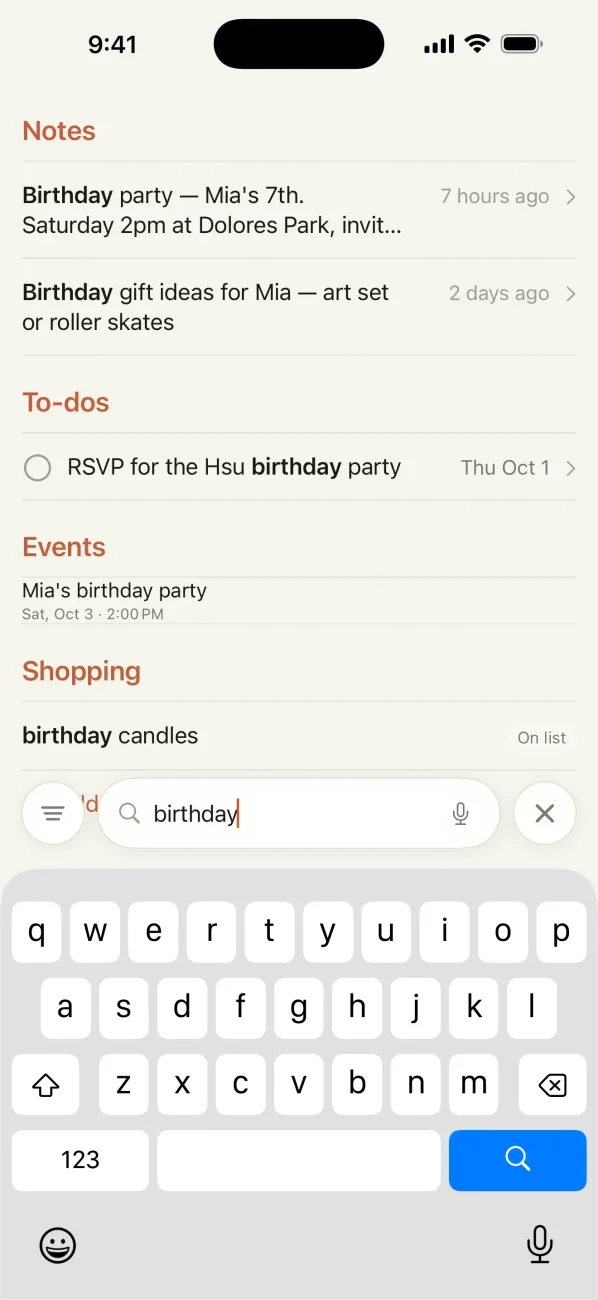
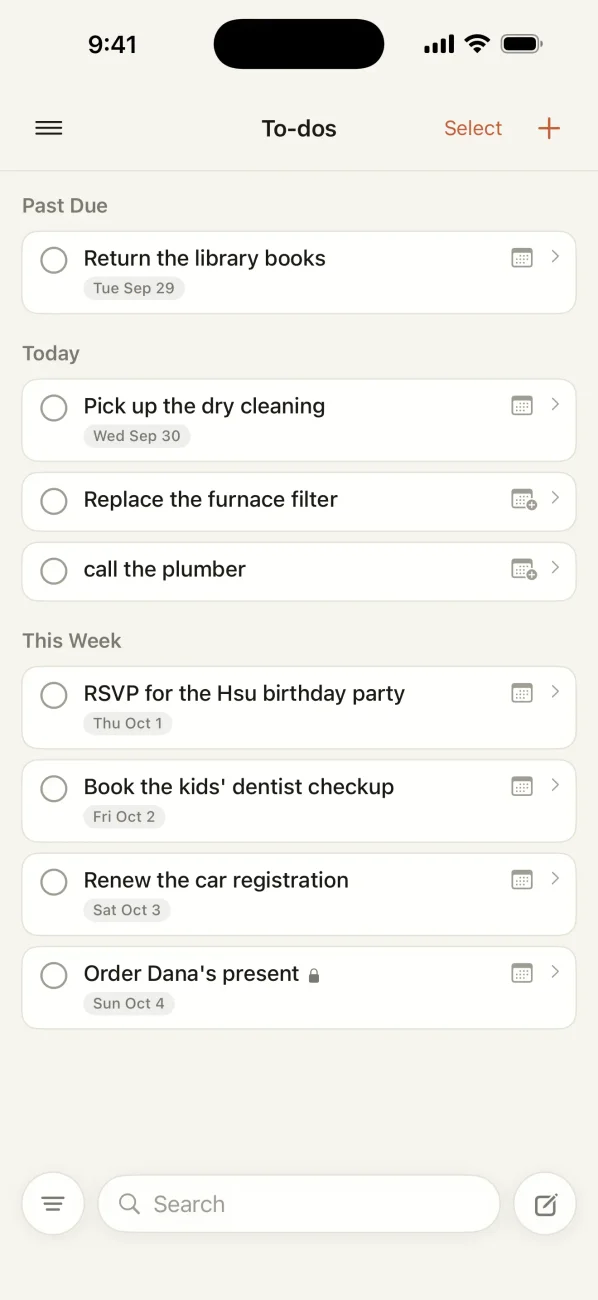

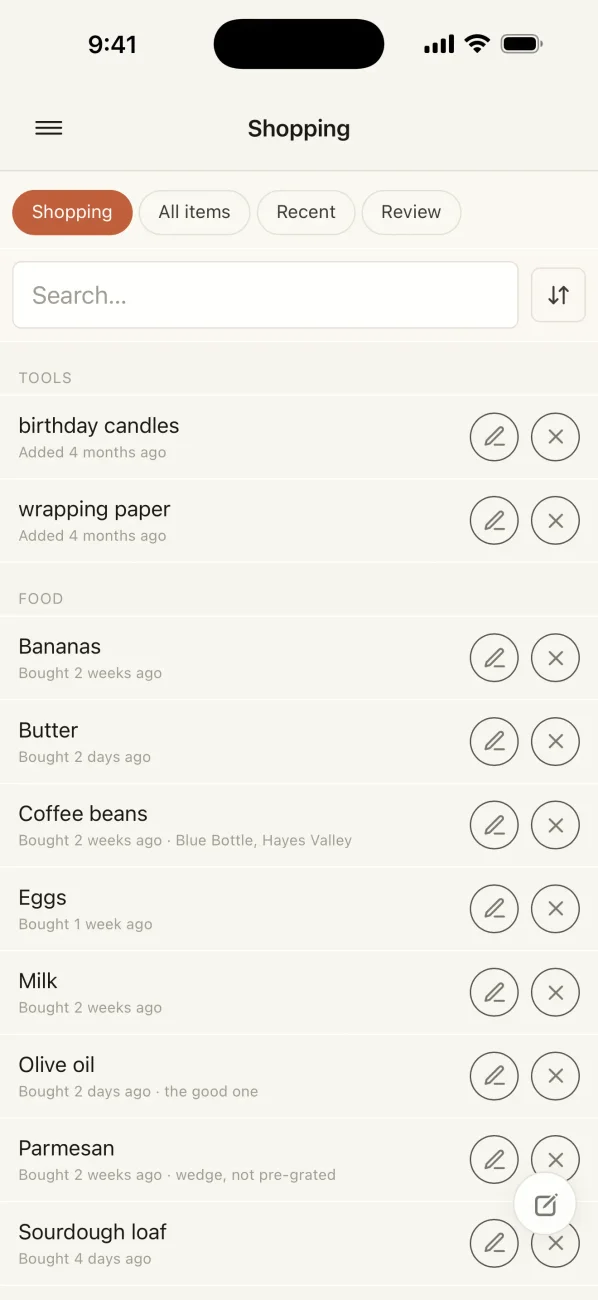
About
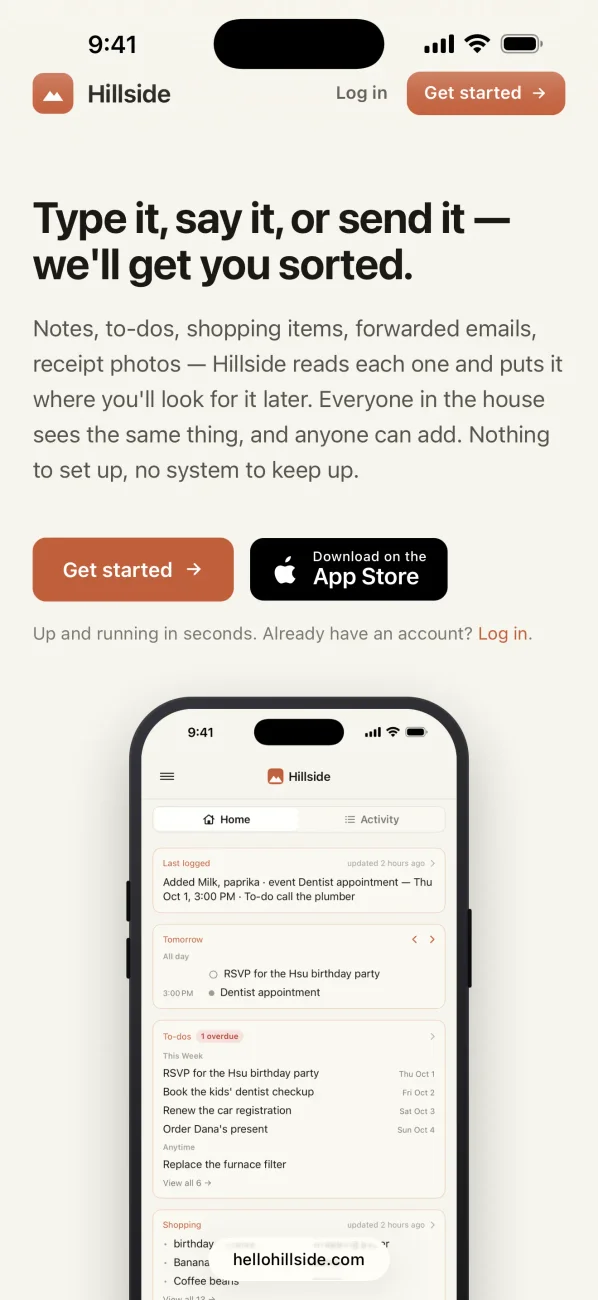
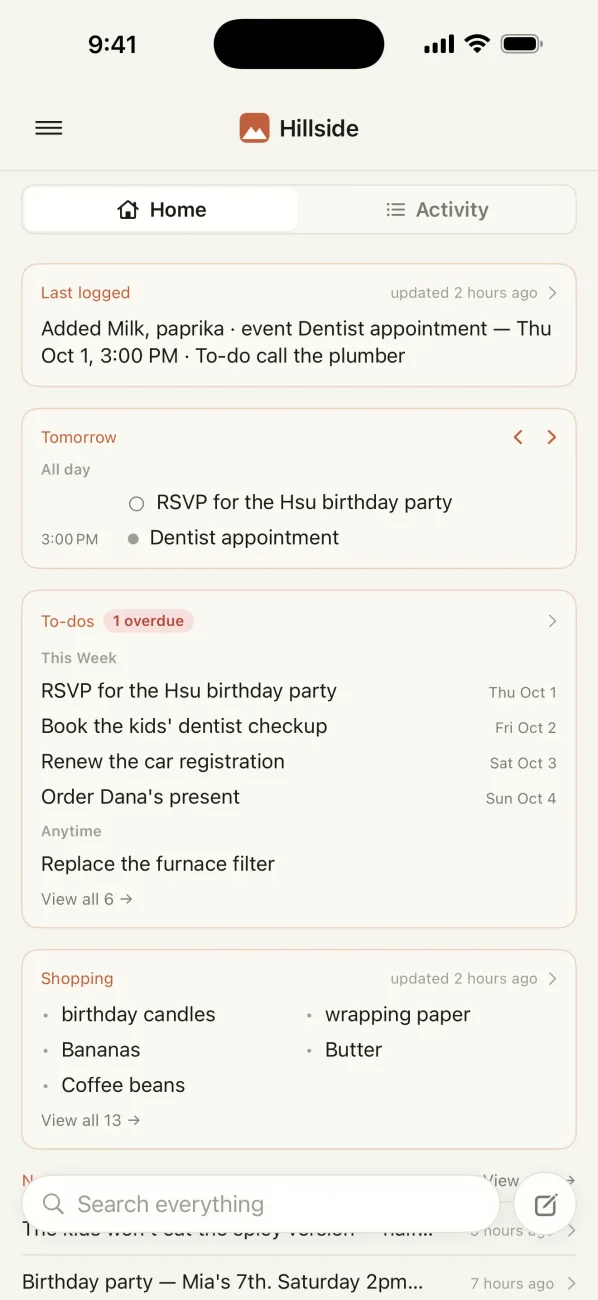
Think of the notepad on the fridge, if it organized itself and lived in everyone's pocket. Jot something down, say it out loud, or snap a photo of a receipt, and Hillside sorts it onto the right list — so anyone at home can find it later.
CAPTURE HOW YOU THINK
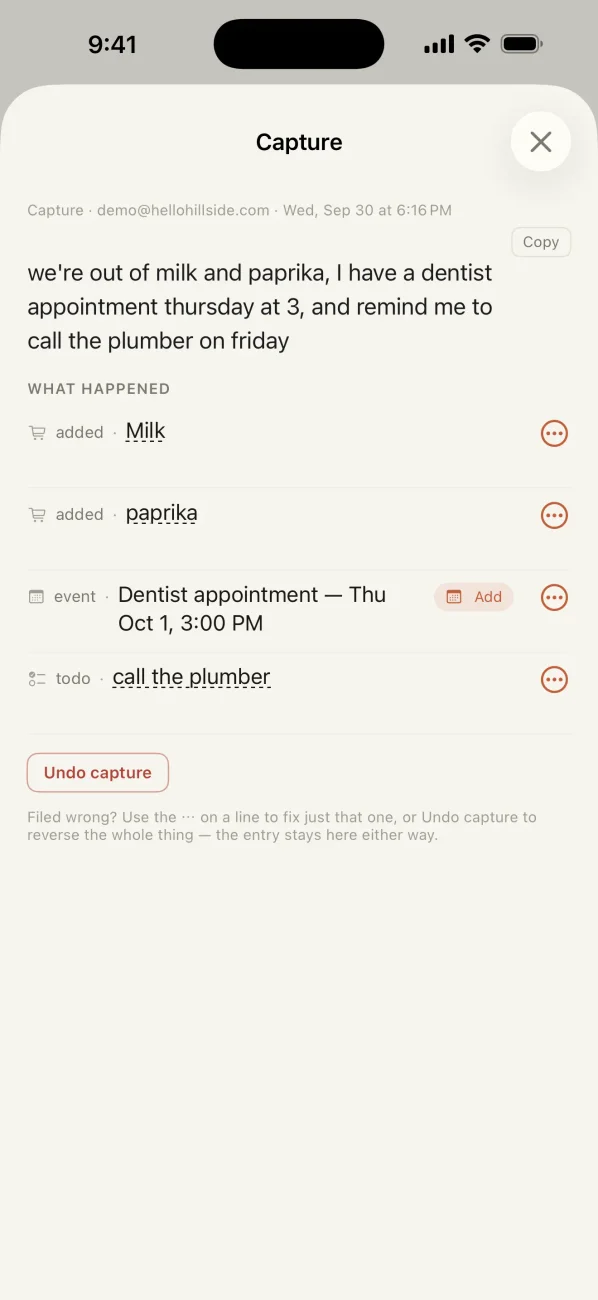
• Type a quick brain-dump and Hillside automatically splits it into groceries, to-dos, notes, and events.
• Talk to it — say what's on your mind and it lands on the right list, hands-free.
• Snap a receipt or a handwritten note and Hillside reads the text for you.
ONE PLACE THE WHOLE HOUSE SHARES
• A shopping list everyone keeps current — no more "did you already buy that?"
• What's in your fridge, freezer, and pantry, so you stop buying doubles.
• Household notes and to-dos, from "call the plumber" to "tacos Thursday."
• A shared feed so everyone can see what's been added, and what's been done
CALM BY DESIGN
• No buzzing, no streaks to keep. Hillside doesn't nag — you glance at it when you need it.
• It remembers, so you don't have to.
Or just ask Siri: "Capture to Hillside," and brain-dump without opening the app.
Hillside is for the things a household would otherwise forget — kept in one calm, shared place.
What’s new
Version 1.3.4 · Nov 7, 2026
Projects
• Plan a trip, a party or a renovation in one place. A project brings together the to-dos, notes, events and groceries that belong to it. Tick a to-do there and it's ticked everywhere.
Capture, faster
• "Hey Siri, Hillside" now starts a capture. "Capture to Hillside" works too.
• New Capture widget, a Control Center control, and Capture / Voice Capture when you long-press the app icon.
• Capture by voice from the Action button without opening the app.
• Check before sending: spoken captures wait in a new Outbox so you can fix anything Siri misheard.
• Nothing you type gets lost. Drafts are kept, Cancel can be undone, and captures made without a signal send when you're back online.
• Add up to ten photos at once; links are saved under the page's real name; shared recipe links are saved as recipes.
A calmer Home
• Cards that fold, a busy day grouped by morning / afternoon / evening, Mine / Everyone, and finished items kept under "Earlier."
Notes, search and more
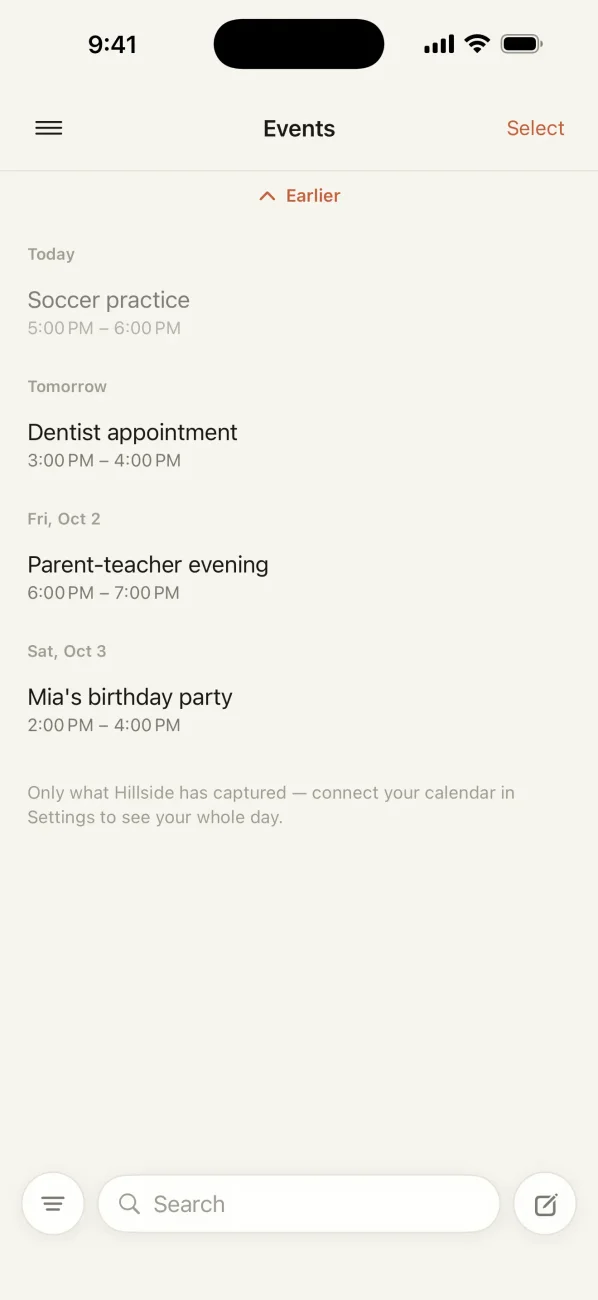
• Notes open instantly, a Recipes filter, better search with a Top hit, lists that keep loading as you scroll, a photo Library, Undo from Activity, your next calendar event on the Lock Screen, and duplicate calendar events shown once.
App privacy
What Amandeep Thakral declares on the App Store about how this app handles data.
-
Data not collected
The developer does not collect any data from this app.
Privacy practices may vary, for example with the features you use or your age.
Information
- Seller
- Amandeep Thakral
- Category
- Productivity
- Version
- 1.3.4
- Updated
- Nov 7, 2026
- Released
- Jun 30, 2026
- Size
- 9.3 MB
- Requires
- iOS 17.0 or later
- Age rating
- 4+
- Price
- Free
- Languages
- English
- Copyright
- © 2026 A. Thakral
You might also like
-
 The Village WorksProductivity
-
 Veryon Flight OperationsVeryon Tracking Flight Ops
-
 Tempo Calendar: Daily PlannerSchedule organizer & reminders
-
 DRIVNProductivity
-
 Athena Eye Control - ReaderRead easier, focus better.
-
 Chillio Cleaning AppSmart Home Cleaning Planner
-
 Mesh: Contacts + CRMPowerful Contacts Manager
-
 FlightSafety InternationalProductivity
-
 Bee - Your Personal AIProductivity
-
 QuarkPDFProductivity