
- Age rating4+
- CategoryBusiness
- DeveloperHerdHR Private Limited
- LanguagesEnglish
- Size46.2 MB
Links to the official App Store page
Download.org hosts no file of Herd+ : Easy Attendance!. The button opens its official App Store page, published by HerdHR Private Limited. Listing last checked on Nov 17, 2026.
Screenshots
About
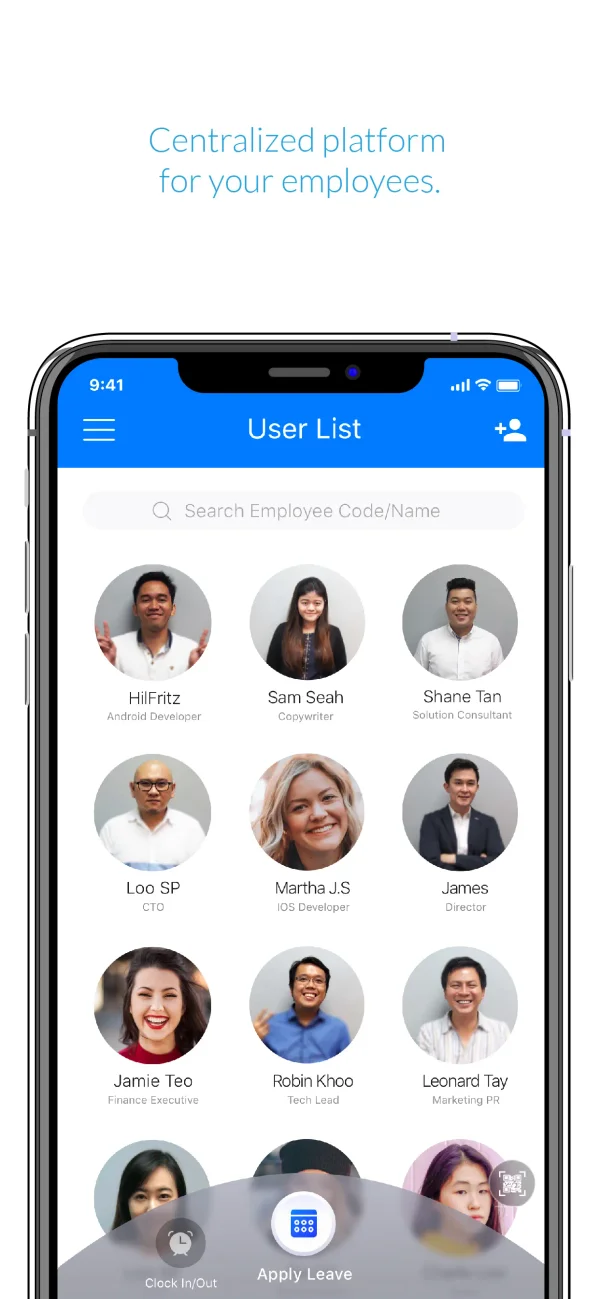
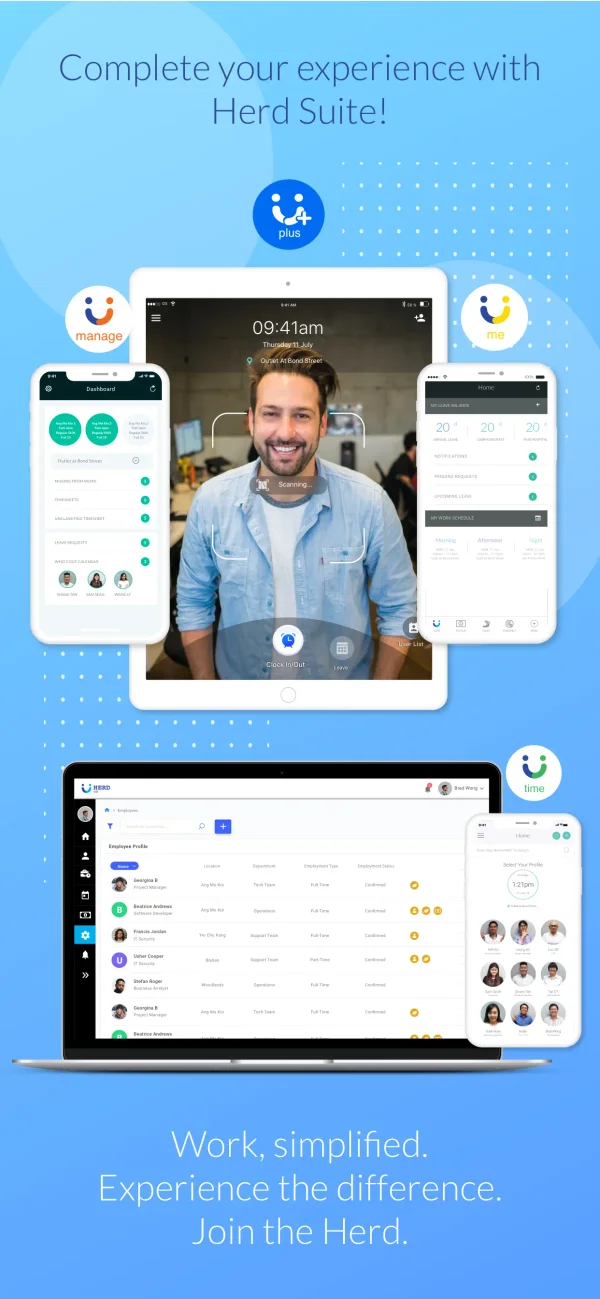
Herd+ : Easy Attendance! Transform your device into both a Time attendance and a Leave application Kiosk.
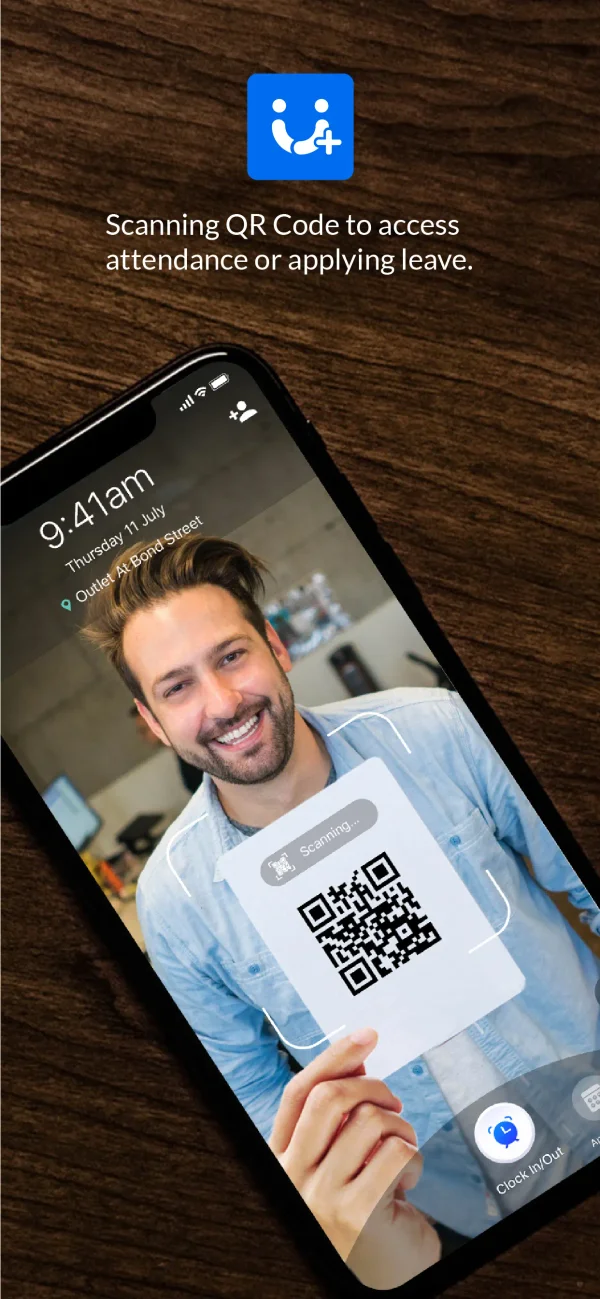
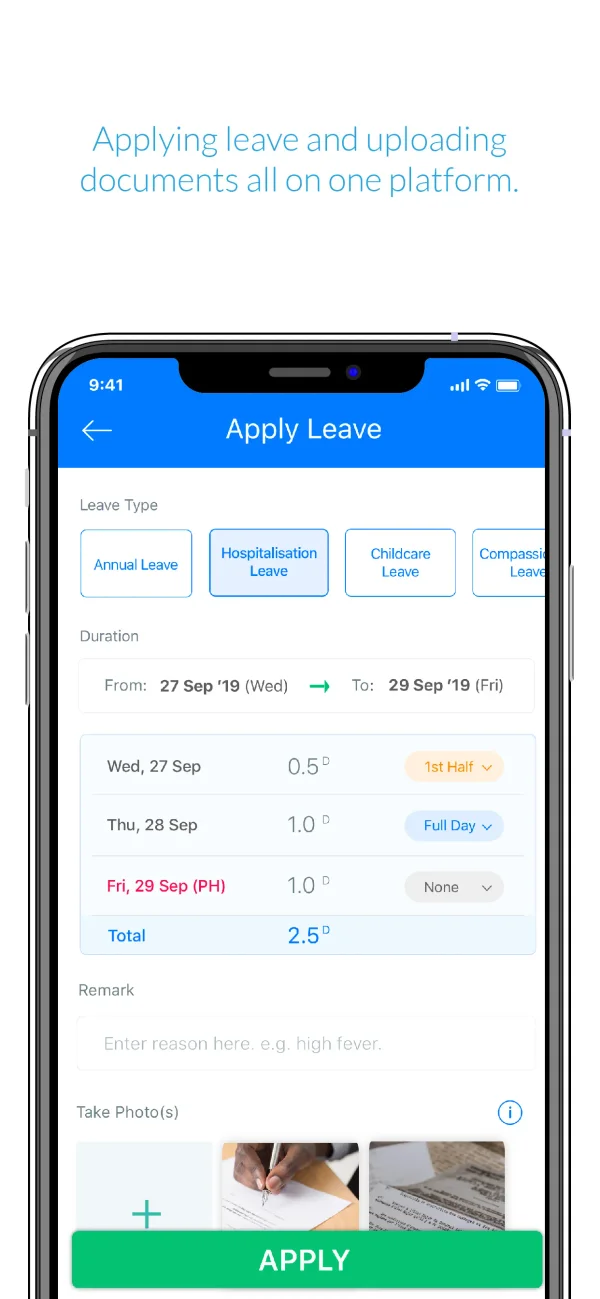
Capturing attendance is now fast and simple with QR code scanning. Simply Scan, Tap and Go. Leave applications can also be submitted by scanning your QR code to reach your profile, select leave type, leave date and submit.
All attendance data captured is available on Herd Web for payroll processing. Leave application is also sent to Herd Manage for approval from the manager.
What can Herd+ do for me?
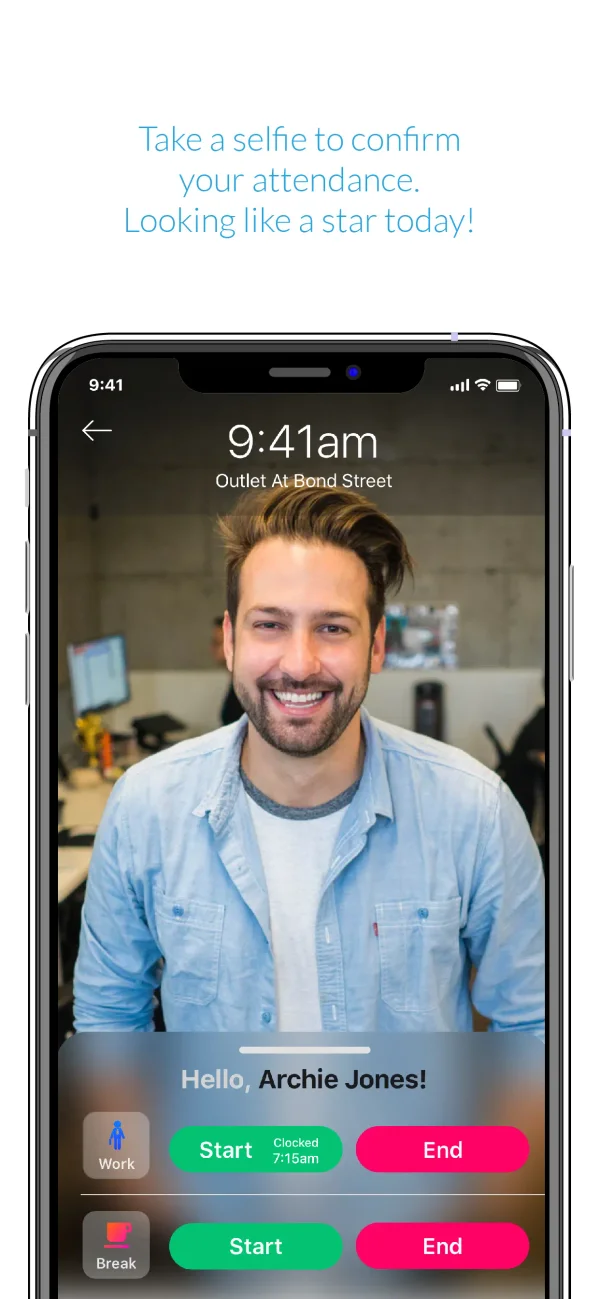
Capturing Time attendance
• QR code scanning for quick identification
• Adding new employees on the go
• Facial recognition for accurate attendance management
• Quicker attendance taking process
Leave application
• Application of leave through QR code scanning
• Uploading of supporting documents such as medical certification
Getting Started:
To start using Herd+, you must be an authorised user to access the app and have an account with HerdHR.
Download the app now to experience what we can do for you. Why spend time when you can save it for us to do the work?
We welcome comments, feedback and suggestions. Contact us at help.ios@herdhr.com
To restrict your iOS device to run Herd+ solely as a time clocking device, please follow the instructions below to set up Guided Access:
How to Set Up Guided Access
To set up Guided Access, follow these steps:
1. Tap on Settings > General Accessibility
2. Look for Guided Access under LEARNING
3. Enable Guided Access
4. Tap on Passcode Settings to Set Guided Access Passcode to prevent anyone from leaving an active session.
How to Start a Guided Access Session
To start a Guided Access session, follow these steps:
1. Open the Herd+ App
2. Triple-click on the Home button
3. Guided Access started
How to End a Guided Access Session
To end a Guided Access session, follow these steps:
1. Triple-click on the Home button
2. Enter the Guided Access Passcode
3. Tap on End
4. Guided Access ended
What’s new
Version 1.4.6 · Sep 22, 2026
We update the app regularly to make it better for you. Get the latest version for the all the available feature and improvements!
App privacy
What HerdHR Private Limited declares on the App Store about how this app handles data.
-
Data used to track you
May be used to track you across apps and websites owned by other companies.
- Diagnostics
-
Data not linked to you
May be collected but is not linked to your identity.
- Location
- User content
- Diagnostics
Privacy practices may vary, for example with the features you use or your age.
Information
- Seller
- HerdHR Private Limited
- Category
- Business
- Version
- 1.4.6
- Updated
- Sep 22, 2026
- Released
- Oct 29, 2019
- Size
- 46.2 MB
- Requires
- iOS 13 or later
- Age rating
- 4+
- Price
- Free
- Languages
- English
- Copyright
- HERDHR Private Limited © 2019