
Hermes: AI Coding Remote
Run AI coding agents remotely
Designed for iPhone, iPad, iPod touch
Free · In-app purchases
- Age rating4+
- CategoryDeveloper Tools
- DeveloperSeve Api SRL
- LanguagesEnglish
- Size51.0 MB
Links to the official App Store page
Download.org hosts no file of Hermes: AI Coding Remote. The button opens its official App Store page, published by Seve Api SRL. Listing last checked on Nov 23, 2026.
Screenshots
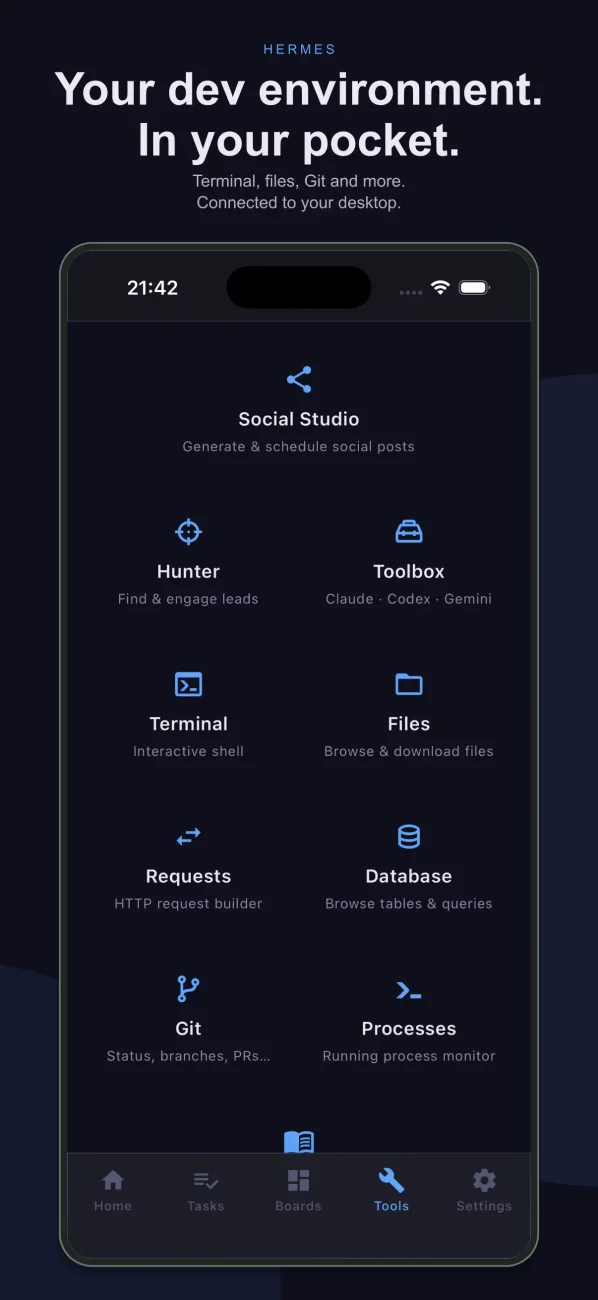
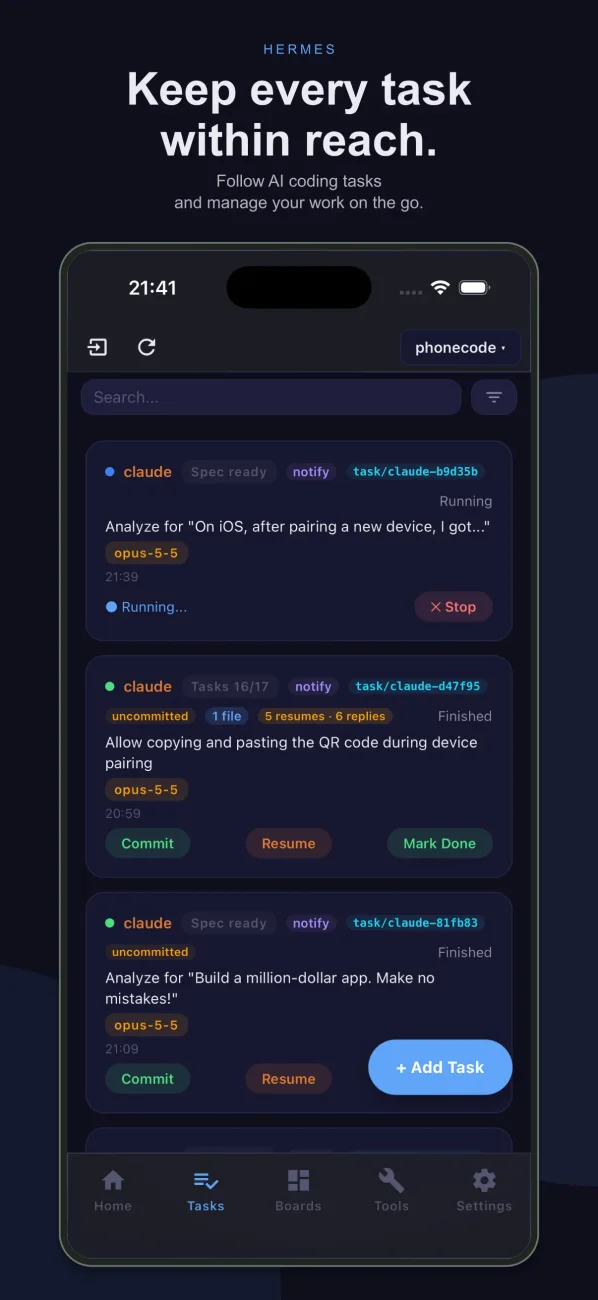
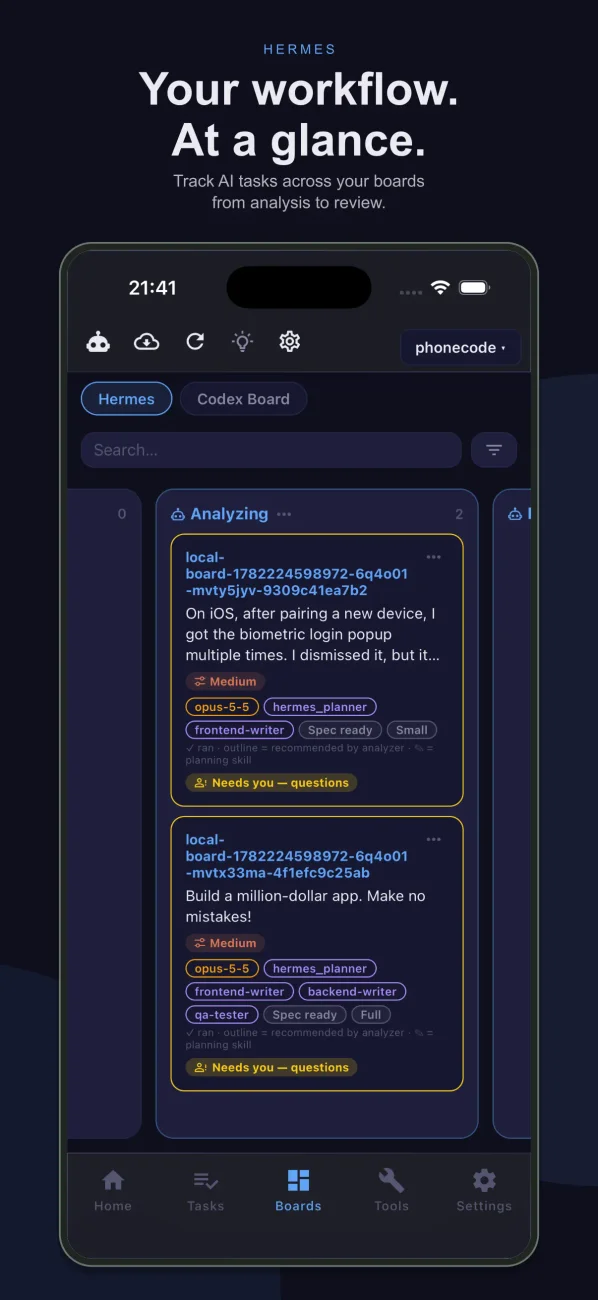
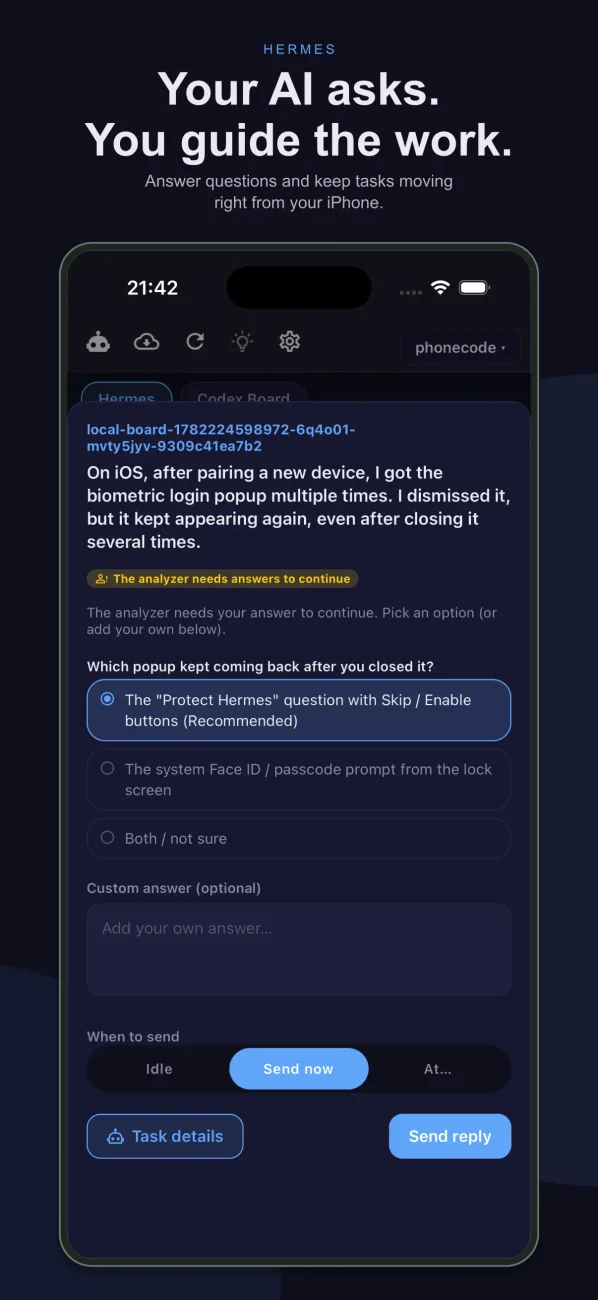

About
RUN AI CODING AGENTS FROM ANYWHERE
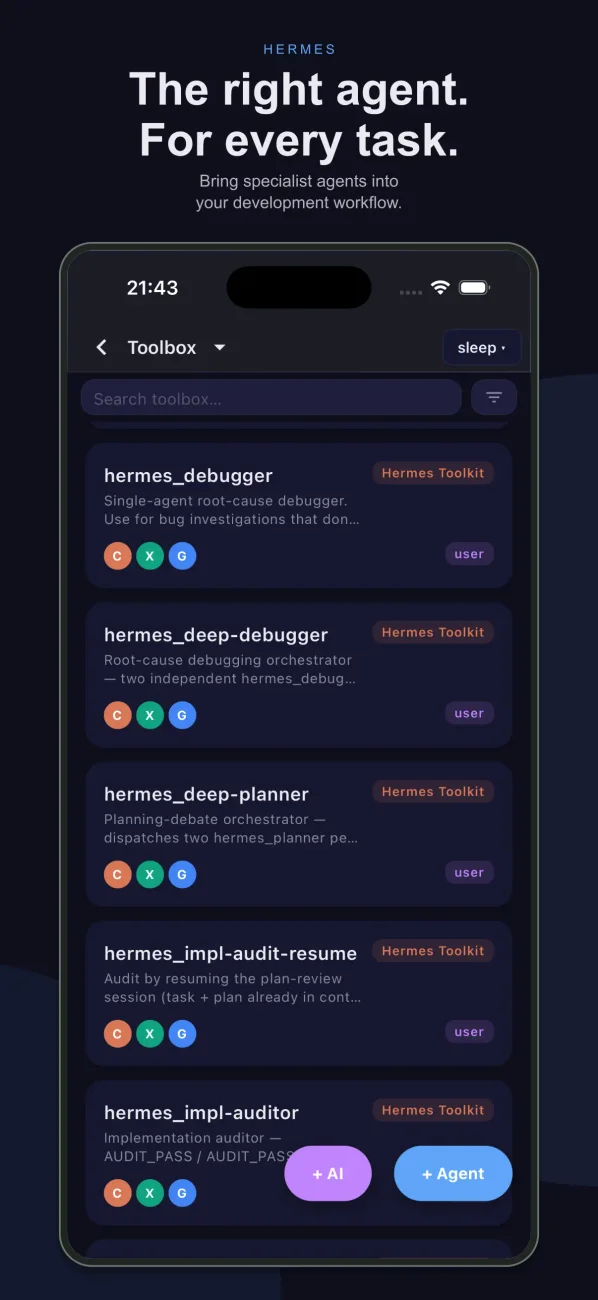
• Queue tasks for Claude Code, Codex or Gemini CLI on your desktop
• Watch output stream live, reply, resume or stop a run
• Approve plans before any code changes
• Schedule tasks to run later or every day
• Each task can run in its own git worktree, so parallel work never collides
BOARDS AND AN AI CONVEYOR
• Kanban boards: local, Jira or Linear
• Drop a card into "Ready for AI" and the conveyor analyzes, plans, implements, reviews and tests it
• Answer the agent's questions from a notification
• Commit, merge or open a pull request when it is ready
GIT AND PULL REQUESTS
• Browse changes and diffs, commit, merge and create pull requests
• AI reviews of pull requests that ask for your review, with follow-up re-reviews
• Read bot review comments and ask AI how to fix them
A REAL TERMINAL
• Full terminal on your desktop, with sticky Ctrl/Alt keys and command shortcuts
• Browse project files and download them to your phone
MORE TOOLS
• Spec-driven development with GitHub Spec Kit
• Manage skills, agents, MCP servers and rules for every CLI in one place
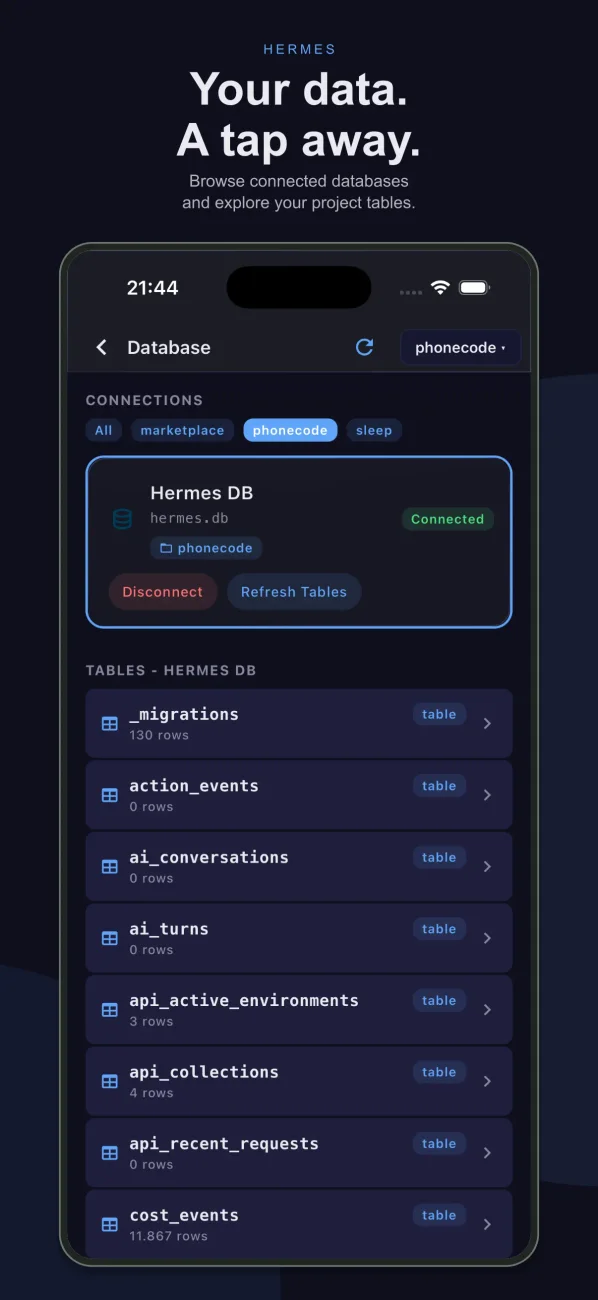
• Database browser, API requests and more
PRIVATE BY DESIGN
Your code stays on your computer. Hermes only relays encrypted messages between your phone and your desktop, over your local network or through our relay.
Requires the Hermes desktop app: gethermesapp.com
HERMES PRO
Hermes Pro is an optional auto-renewable subscription that unlocks Pro features. Payment is charged to your Apple ID at confirmation of purchase. The subscription renews automatically unless cancelled at least 24 hours before the end of the current period; your account is charged for renewal within 24 hours before the period ends. Manage or cancel any time in your App Store account settings.
Terms of Use: https://gethermesapp.com/terms/
Privacy Policy: https://gethermesapp.com/privacy/
What’s new
Version 1.0.12 · Nov 17, 2026
- Usage limit reached? Tasks now wait and continue by themselves
- Select and copy text in the terminal
- Save installers and archives from the terminal to your phone
- Terminal keys in each task's Terminal tab
- New step-by-step setup for new projects
- Update the desktop app and AI tools from your phone
- Add Codex accounts and API keys on your phone
- Daily activity grid in Cost Analytics
- Fewer crashes after waking from the background, plus fixes for app unlock and Tasks refresh
• Turn off phone terminal: a new desktop setting blocks terminal access from your phone. CLI sign-in still works.
• Send Review & Approve: post your PR review and approve it in one step. An "Approved" pill shows on the card.
• New project setup wizard: add and configure a project right from your phone.
• Add CLI accounts from your phone, including Codex profiles and API keys.
• Select text in the terminal and send files from your phone.
• Task Terminal tab now has the full terminal key box.
• Cost per stage: see what the Spec, Plan and Implement stages of a task cost.
• "Start when free": if a project folder is busy, queue the task to start as soon as it frees up.
• Mark Done asks what to do with the task's worktree. Set Active brings it back.
• Worktree clean-up shows real folder sizes, dates per row and a scrolling list, and you can now dismiss the clean-up banner.
• Imported Jira/Linear cards show live subtasks, parent issue and comments.
• App lock now protects notifications too, with a catch-up strip that shows what happened while you were away.
IMPROVED
• Tapping a task notification always opens the right task, including from a cold start.
• iOS: reconnects wait while the app is in the background, and you get a visible notification instead.
• Task output on the phone repairs itself if it drifts out of sync with the desktop.
• Editing a task never overwrites the full prompt with a preview.
• Running a scheduled task early now uses up that run or skips that day.
• Tasks working in a worktree can no longer change your main checkout, and you can restore it if they did.
• Safer relay connections: join token and message size limits.
• Phone file browsing stays inside your configured Phone access folder.
FIXES
• Modal screens respect the safe area and the image editor is easier to use.
• Collapsing the header now hides the task setting chips too.
• Fixed queued replies that stayed "running" after the run ended.
• Many stability fixes.
App privacy
What Seve Api SRL declares on the App Store about how this app handles data.
-
Data not collected
The developer does not collect any data from this app.
Privacy practices may vary, for example with the features you use or your age.
Information
- Seller
- Seve Api SRL
- Category
- Developer Tools
- Version
- 1.0.12
- Updated
- Nov 17, 2026
- Released
- Nov 6, 2026
- Size
- 51.0 MB
- Requires
- iOS 15.1 or later
- Age rating
- 4+
- Price
- Free
- In-app purchases
- Yes
- Languages
- English
- Copyright
- © 2026 Seve Api SRL
You might also like
-
 Shahi: AI Coding AgentsYour coding agents, on the go
-
 Hermes HQYour Hermes agent, anywhere
-
 ServerGlance: SSH MonitorReal-time SSH Server Monitor
-
 BotBus: AI Coding Agent RemoteApprove, chat & open terminal
-
 DeepCode: Code with AIAI Chat for Your Code
-
 TraycerYour coding agents, anywhere
-
 Unofficial OpenCode ClientRemote AI coding agent client
-
 Sesori: Remote AI Coding AgentOpenCode, Codex & Claude Code
-
 QuickTUI: AI Agent TerminalClaude, Codex, herdr & tmux
-
 Cosyra: AI Coding AgentsCloud for Claude Code & Codex