
HexHive Launcher
Gesture Smart Panels One Tap
Designed for iPhone
Free · In-app purchases
- Age rating4+
- CategoryProductivity
- Developer忠 张
- LanguagesEnglish+ 1 more
- Size16.2 MB
Links to the official App Store page
Download.org hosts no file of HexHive Launcher. The button opens its official App Store page, published by 忠 张. Listing last checked on Nov 18, 2026.
Screenshots



About
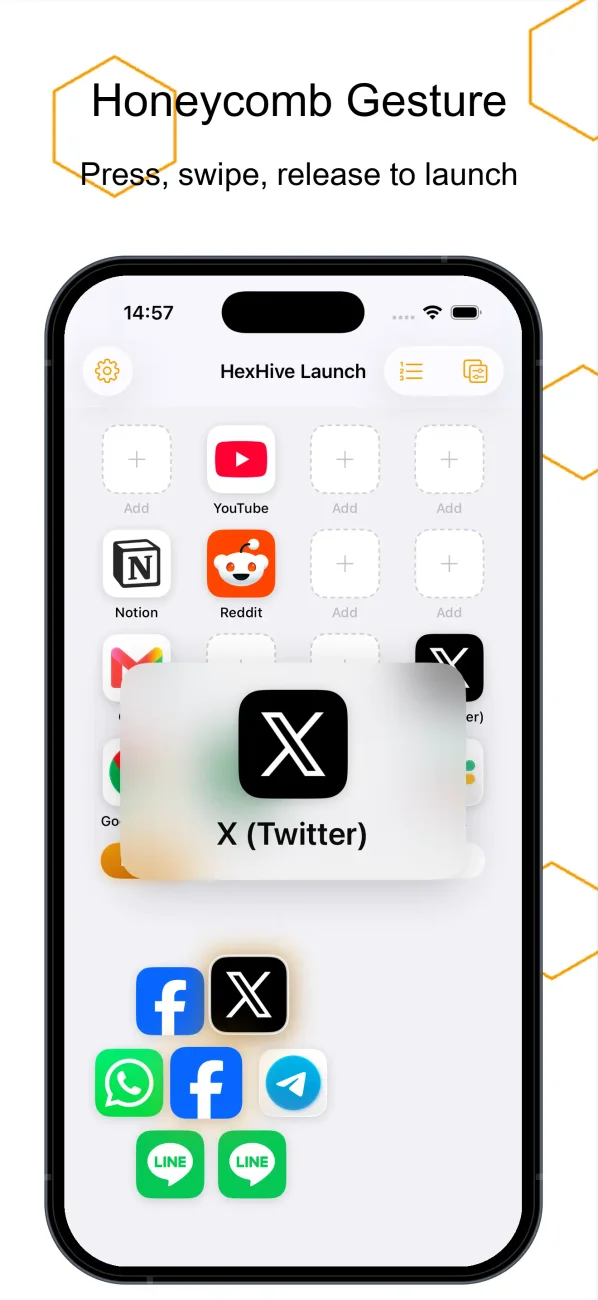
Honeycomb Launcher is an innovative iOS quick-launch tool that redefines "one-tap launch" with its unique honeycomb gesture.
No more searching through screens full of icons, no more swiping between pages. Press the honeycomb center, slide to your target, and release to launch — one fluid motion, faster than you can imagine.
【KEY FEATURES】
■ Honeycomb Gesture Launch
Press the center slot to reveal six surrounding slots, slide to the target slot and release to execute. 3 honeycomb groups with 21 launch slots in total — your most-used actions are always one touch away.
■ Four Launch Panels
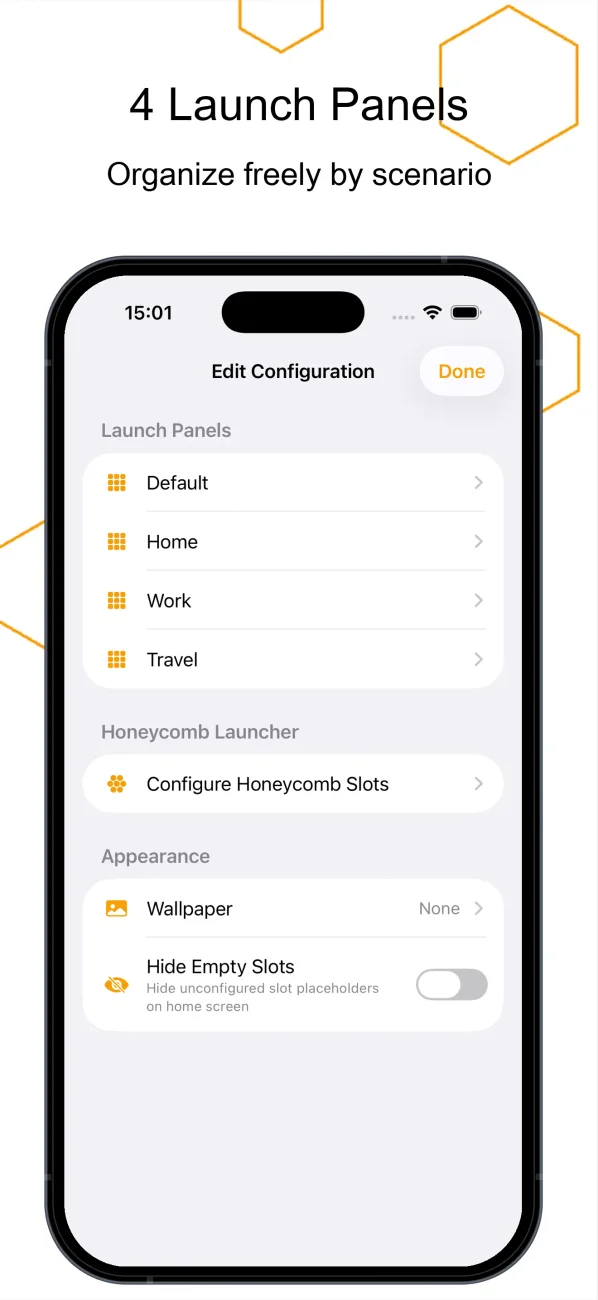
Default / Home / Work / Commute — 12 launch slots per panel. Freely organize by scenario, everything in its place.
■ Smart Time & Location Switching
Panels can be linked to time rules and geofences. The work panel appears automatically when you arrive at the office, and the home panel takes over when you're back. The right panel, at the right time, in the right place.
■ Rich Launch Types
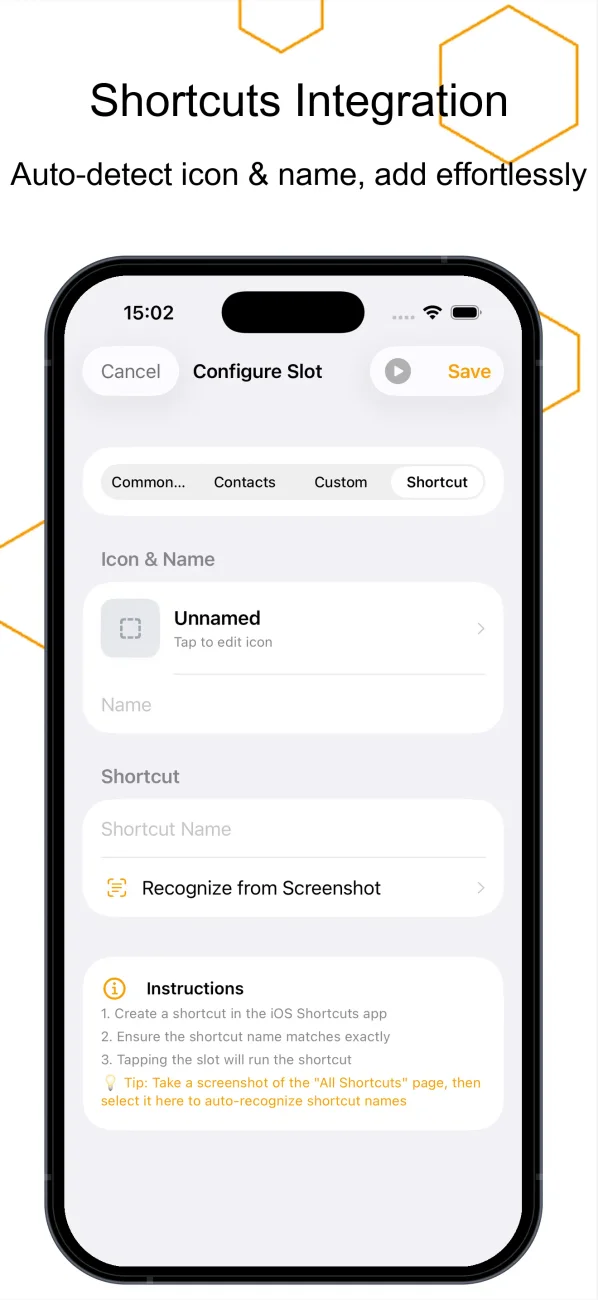
Supports system apps, third-party apps, Shortcuts, and custom URL Schemes — make calls, scan QR codes, open websites, run Shortcuts, all with one tap.
■ Deep Shortcuts Integration
Automatically detects Shortcut icons and names for effortless setup, and runs your carefully crafted automation workflows directly.
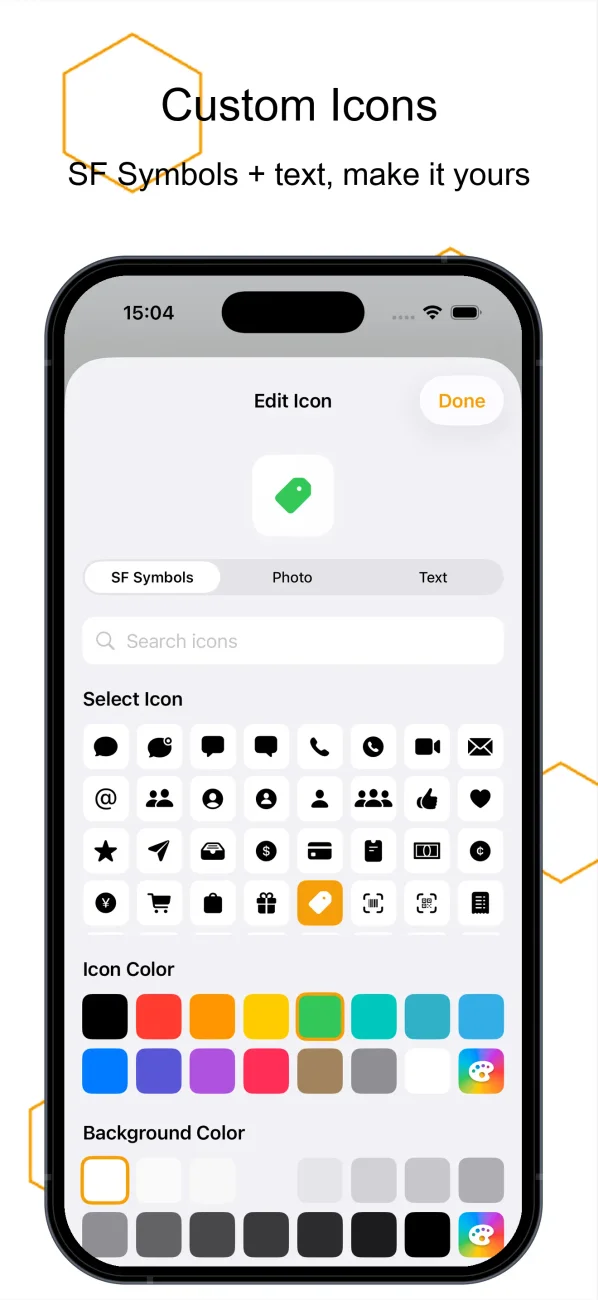
■ Custom Icons
Freely combine SF Symbols with text, adjust icon color and background color as you like, to create launch slots that are uniquely yours.
■ Six Curated Presets
Built-in templates for six user types (productivity pros, home living, navigation, and more). Ready to use out of the box, or fully customizable on top of that.
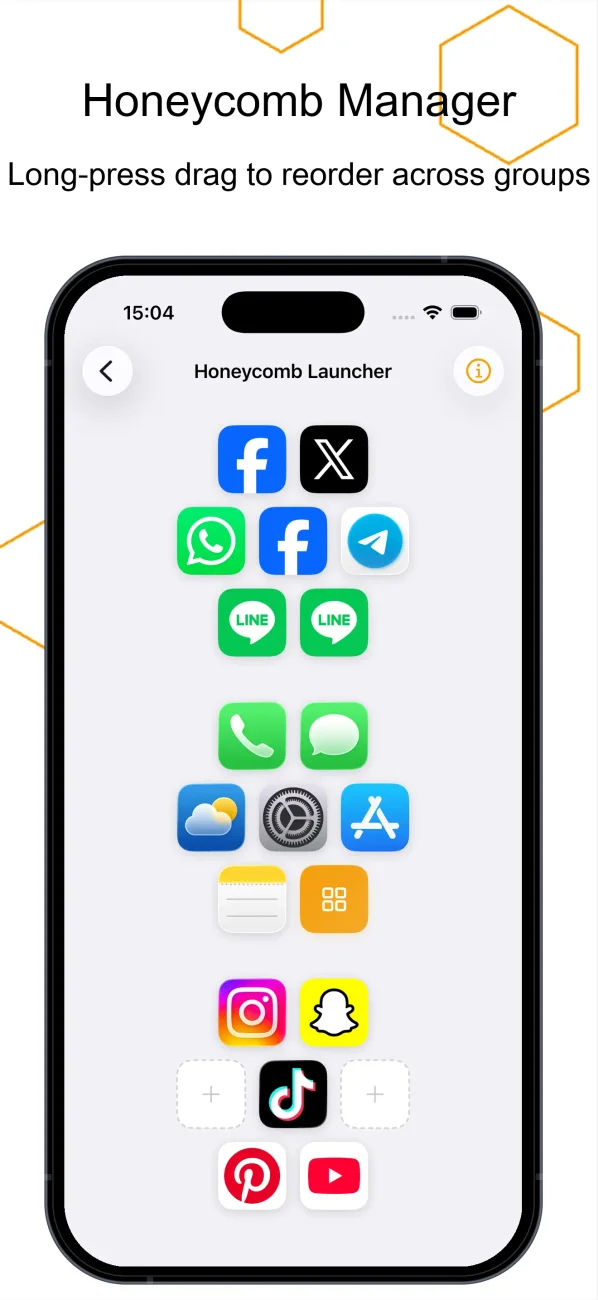
■ Centralized Honeycomb Management
Manage all honeycombs on a single screen. Long-press and drag to freely move and reorder across groups — efficient and intuitive organization.
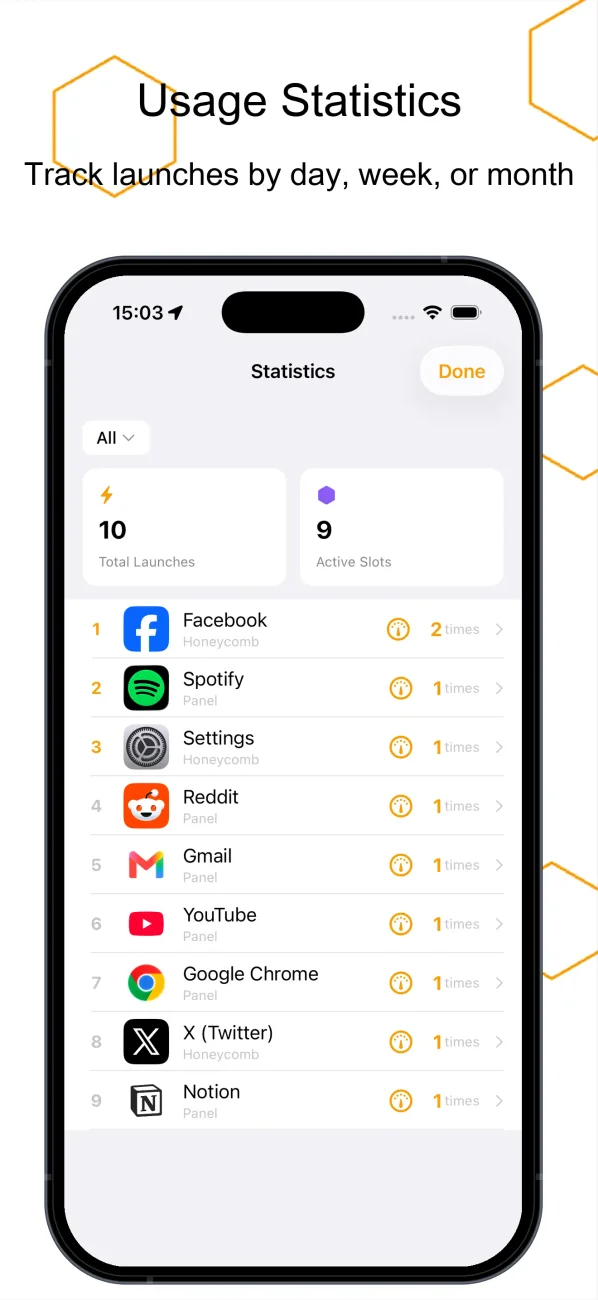
■ Usage Statistics
View launch counts by day / week / month. Understand your usage patterns and see which features you use most at a glance.
■ Usage Limits & Reminders
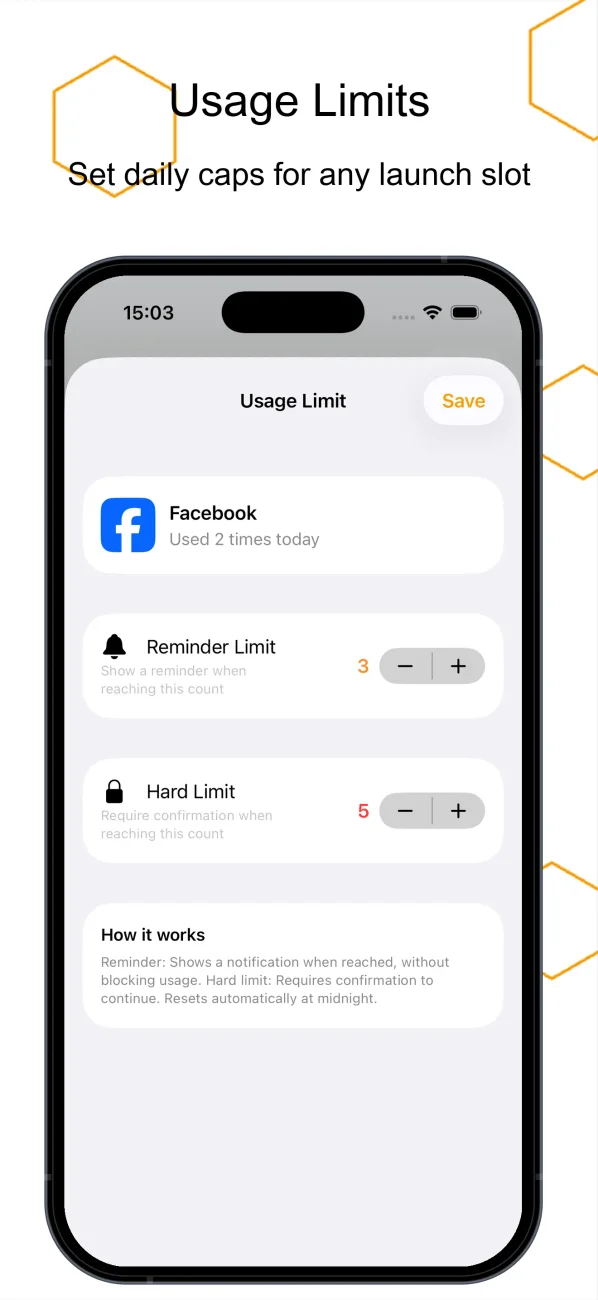
Set daily caps for any launch slot, with smart reminders when the limit is reached. Helps you control how often you use certain apps, so you can spend time on what matters more.
【WHY HONEYCOMB LAUNCHER】
• Original honeycomb gesture — launch speed far exceeds traditional icon tapping
• Smart panels auto-switch by time and location — scenario-based management, well organized
• Pure native development, no third-party libraries — fast launch, small size, more stable
• 100+ built-in app presets, ready to use out of the box
Make every launch, one step ahead.
Terms of Use: https://www.apple.com/legal/internet-services/itunes/dev/stdeula/
App privacy
What 忠 张 declares on the App Store about how this app handles data.
-
Data not collected
The developer does not collect any data from this app.
Privacy practices may vary, for example with the features you use or your age.
Information
- Seller
- 忠 张
- Category
- Productivity
- Version
- 1.0
- Updated
- Sep 20, 2026
- Released
- Sep 20, 2026
- Size
- 16.2 MB
- Requires
- iOS 17.0 or later
- Age rating
- 4+
- Price
- Free
- In-app purchases
- Yes
- Languages
- English, Simplified Chinese
- Copyright
- Copyright © 2026 Zhong Zhang
You might also like
-
 CumuloSyncCloud File manager
-
 Activity Self-TrackerProductivity
-
 Time Tracking - TimenessPersonal Activity Tracker
-
 muxd AI AgentAI agent for all your machines
-
 Project Manager Track ActivityEfficient Task Time Organizer
-
 Glass Notes: Private NotepadTo-Do, Widgets & Reminders
-
 Universal LauncherProductivity
-
 Alarm Clock: Wake Up Timer.Perfect Waking Up - Alarms
-
 TimeByte - Minimal Time LogTime Management & Analysis
-
 90s Phone: dumb phone launcherMinimalist App Blocker & Focus