
Hidden Camera Detector RTA
Lens, Wi-Fi and magnetism
Designed for iPhone, iPad, iPod touch
In-app purchases
- Age rating+4
- CategoryUtilities
- DeveloperMateus Polonini Cardoso
- LanguagesPortuguese+ 71 more
- Size39.3 MB
Links to the official App Store page
Download.org hosts no file of Hidden Camera Detector RTA. The button opens its official App Store page, published by Mateus Polonini Cardoso. Listing last checked on Nov 23, 2026.
Screenshots
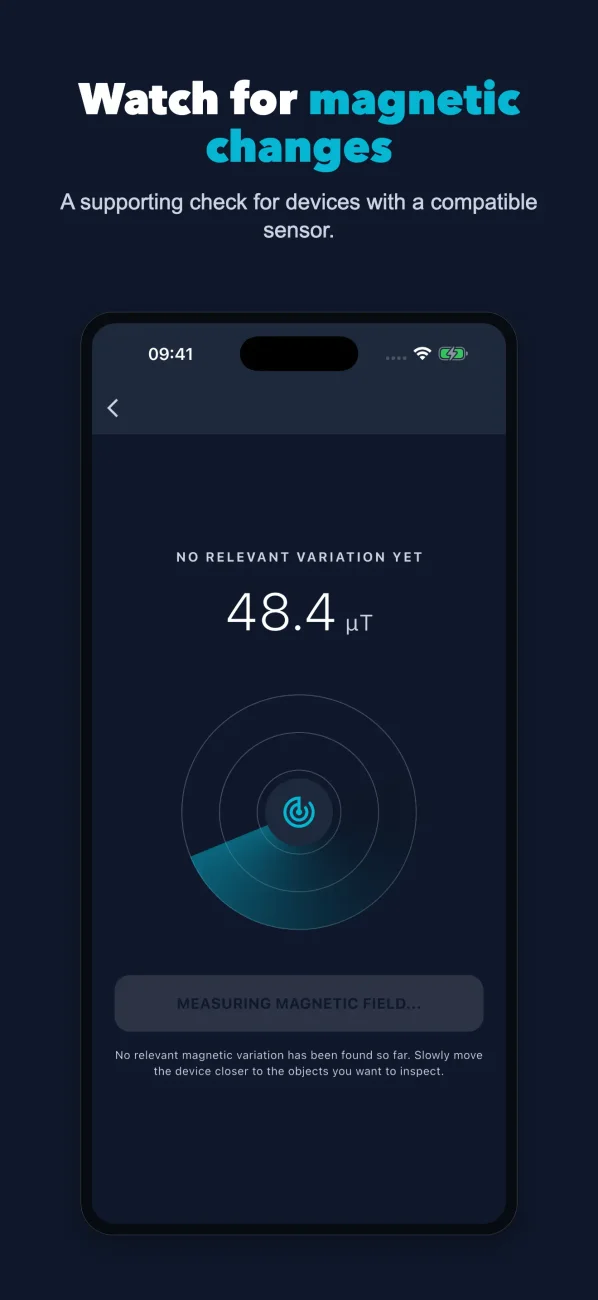
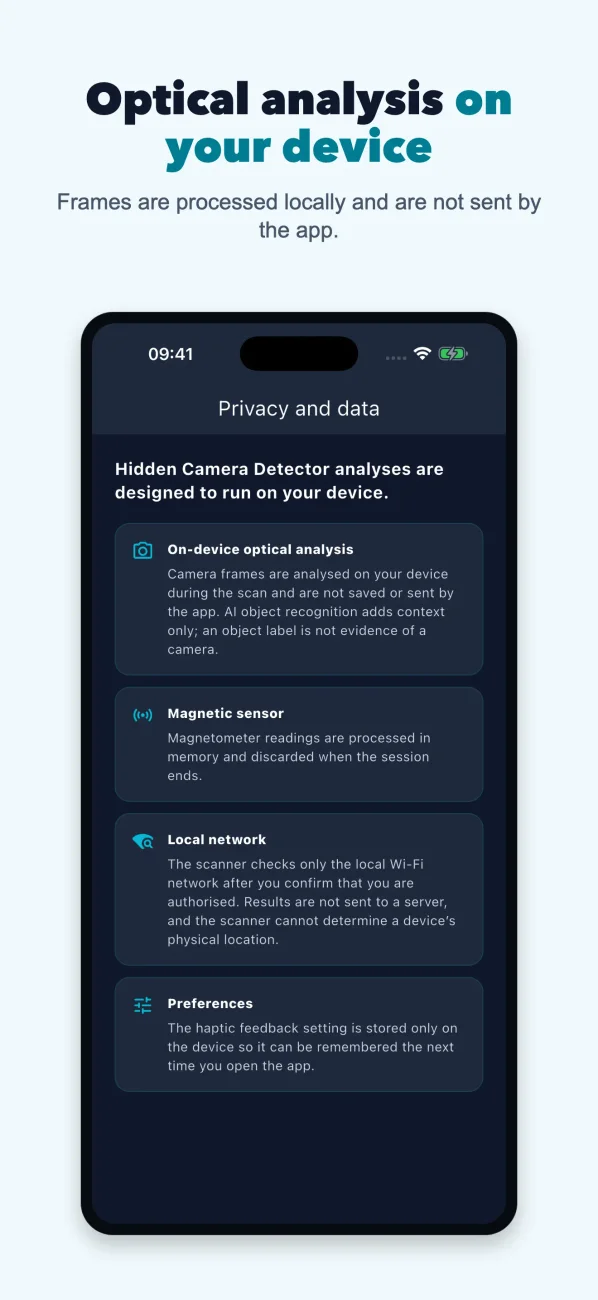
About
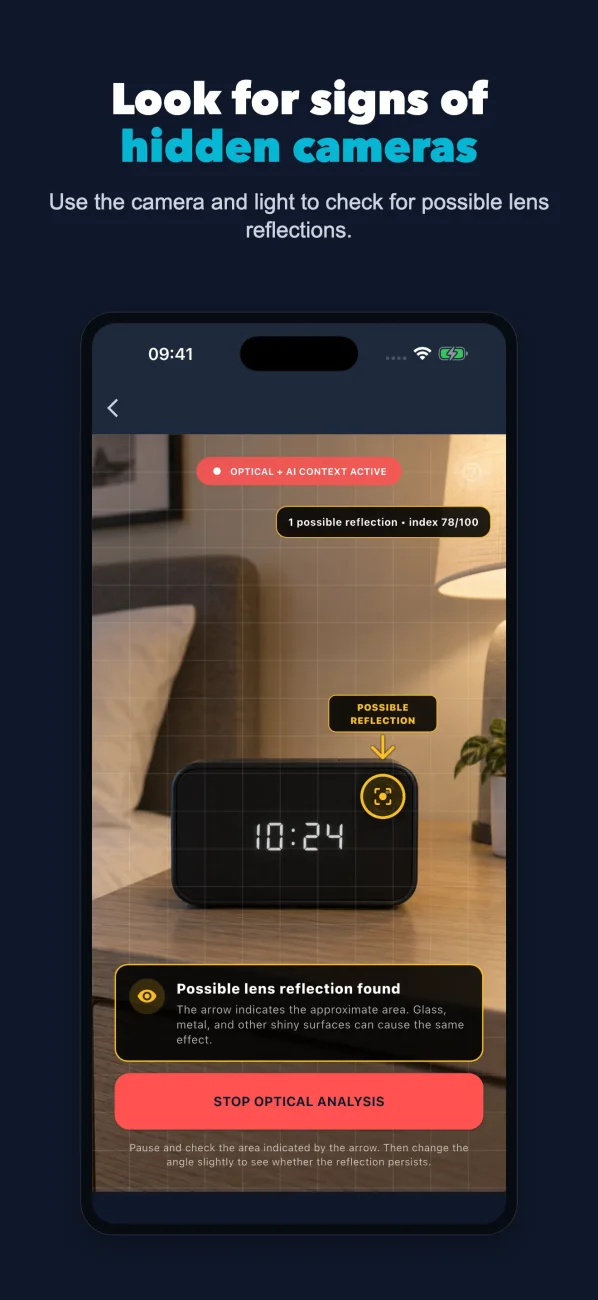
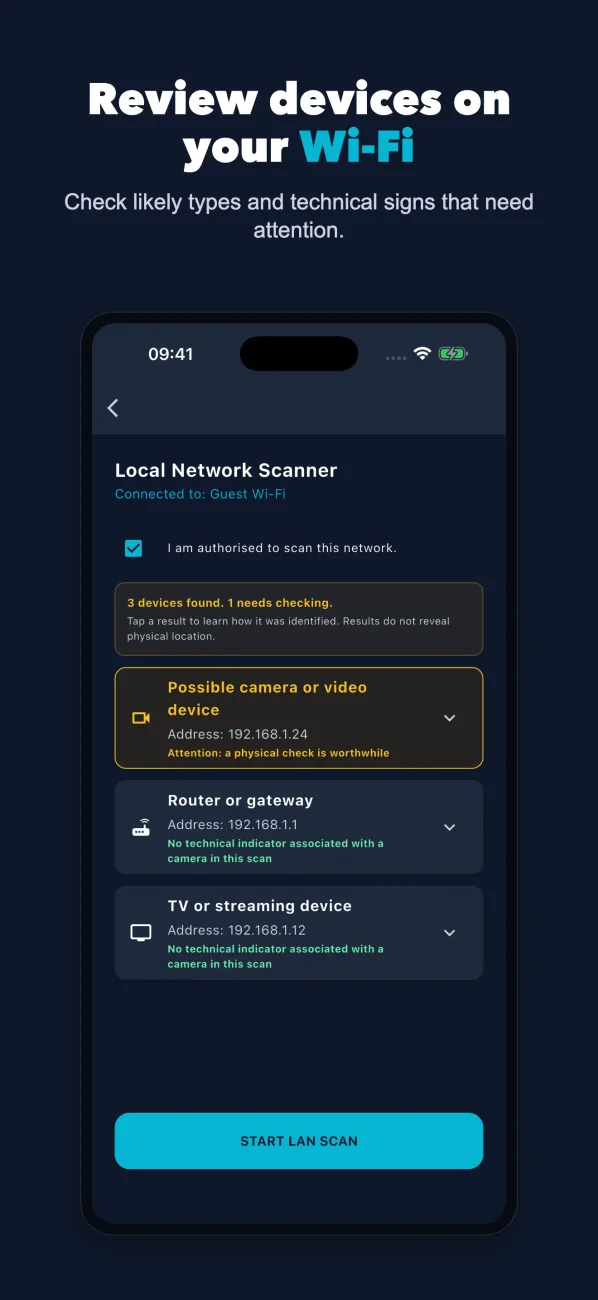
Inspect an unfamiliar space with clear guidance. Hidden Camera Detector helps you look for possible lens reflections, review devices responding on an authorised local Wi‑Fi network and observe magnetic changes when your device has a compatible sensor.
OPTICAL INSPECTION
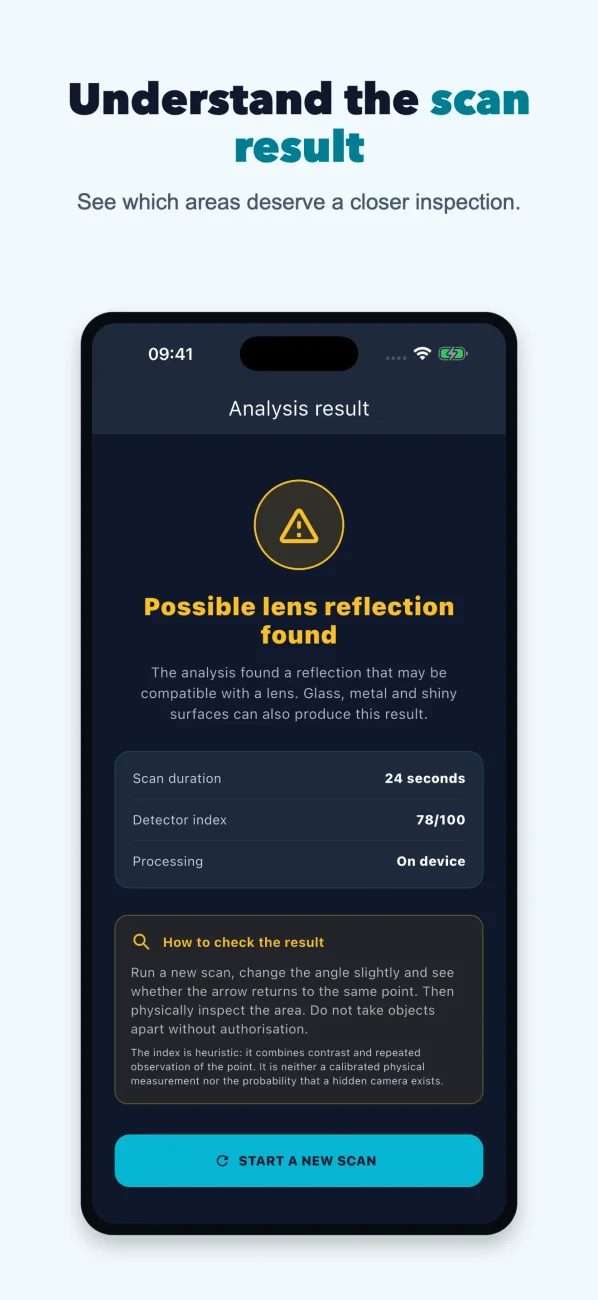
Use your phone’s camera and pulsing light to look for reflections that might come from a lens. An arrow marks an approximate area for closer inspection. The result explains the observed signs and possible next steps. Glass, metal and other shiny surfaces can produce similar reflections.
LOCAL WI-FI NETWORK
Review devices that respond on the network, their likely types and the available technical signs. A television, router or video service does not prove that a hidden camera is present. The scan may not find every device and cannot show its physical location. Inspect only networks you are authorised to check.
MAGNETIC CHANGES
With a compatible magnetic sensor, observe changes in the surrounding field. Cables, magnets and ordinary electronics also affect readings. This indication alone does not identify a camera. The feature is unavailable without the required sensor.
STEP-BY-STEP GUIDANCE
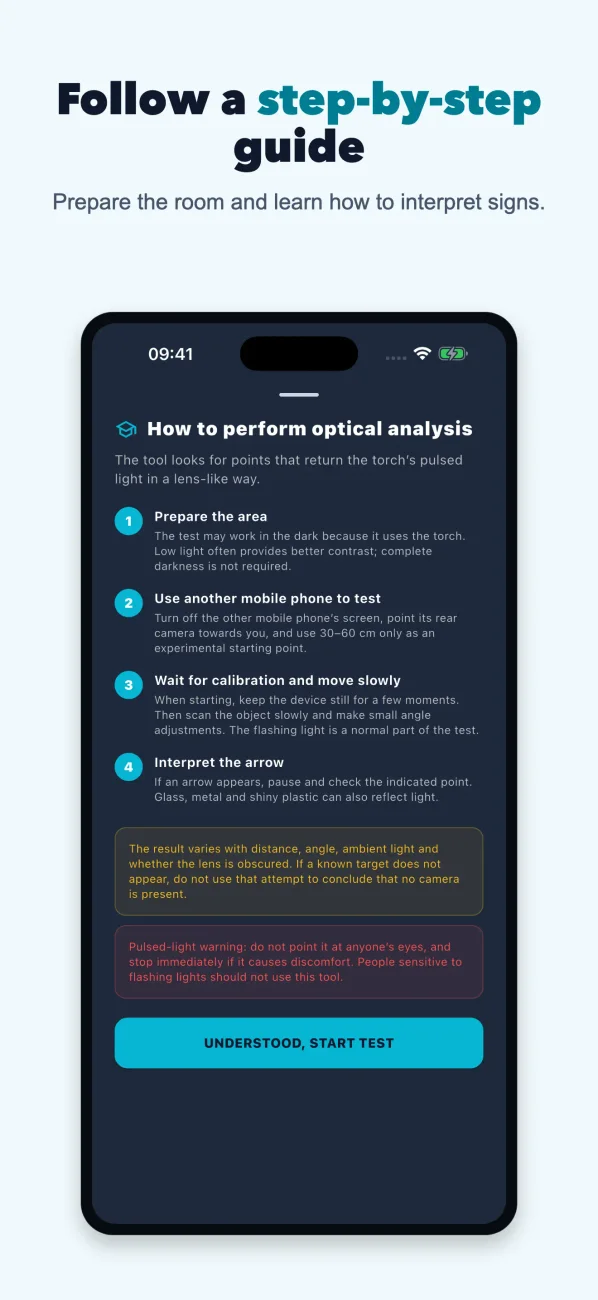
Prepare the room, test with a known camera, change the angle and learn how to interpret possible signs. Finding no sign does not guarantee that no camera is present. Physically inspect suspicious areas and consider the surrounding context.
ON-DEVICE PROCESSING
Camera frames are analysed on your device; the app does not save or send them. Offline AI object recognition provides general context only: an object label is not evidence of a camera. Local network scan results are not sent to a server either.
LIMITATIONS AND SAFETY
Optical results depend on distance, angle, lighting and whether the lens is covered. Use these tools only in spaces and on networks you have permission to inspect. Do not point the pulsing light towards anyone’s eyes. Stop if it causes discomfort, and do not use the optical tool if you are sensitive to flashing lights.
What’s new
Version 1.0.2 · Nov 8, 2026
Try one complete optical scan for free. Pro unlocks unlimited optical scans and the Wi-Fi scanner with a one-time purchase.
App privacy
What Mateus Polonini Cardoso declares on the App Store about how this app handles data.
-
Data not linked to you
May be collected but is not linked to your identity.
- Purchases
Privacy practices may vary, for example with the features you use or your age.
Information
- Seller
- Mateus Polonini Cardoso
- Category
- Utilities
- Version
- 1.0.2
- Updated
- Nov 8, 2026
- Released
- Oct 5, 2026
- Size
- 39.3 MB
- Requires
- iOS 15.0 or later
- Age rating
- +4
- In-app purchases
- Yes
- Languages
- Portuguese, Afrikaans, Albanian, German, Amharic, Armenian, Azerbaijani, Basque, Belarusian, Bengali, Bulgarian, Burmese + 60 more
- Copyright
- © 2026 Mateus Polonini Cardoso
You might also like
-
 Ivuta: Hidden Camera DetectorSpy Cam Finder & Lens Scanner
-
 Hidden Camera Detector CamCluespy camera detector & camfind
-
 Hidden Camera Detector SpyLensFind Spy Device & Bug Finder
-
 Hidden Camera Detector: Spy AIBug, Tracker & Device Finder
-
 Hidden Camera Detector: WiFiSpy Cam Finder & Bug Detect
-
 Intelligent City LarissaUtilities
-
 Hidden Camera Detector SweepWi-Fi, Lens, Infrared, Magnet
-
 Seeko: Hidden Camera DetectorSpy Cam, IR & Tracker Finder
-
 SixthSense: EMF RadarReal-time EMF Meter & Radar
-
 PrivacyScan: Room DetectorHidden Camera & Device Finder