HintApp - Cue Cards & Notes
For a Speech or Presentation
Designed for iPhone, iPad, Mac, iPod touch
$2.99
- Age rating4+
- CategoryProductivity
- DeveloperFedor Guryanov
- LanguagesEnglish
- Size17.0 MB
Links to the official App Store page
Download.org hosts no file of HintApp - Cue Cards & Notes. The button opens its official App Store page, published by Fedor Guryanov. Listing last checked on Nov 12, 2026.
Screenshots


About
Never lose your place on stage.
Hintapp turns your speech into simple cue cards, one clear idea at a time. Write your talk on your iPhone, iPad or Mac, then present from big, high-contrast cards with a stopwatch in the corner to keep you on schedule.
Perfect for wedding toasts, business pitches, school presentations, conference talks and any moment when you want to speak with confidence.
HOW IT WORKS
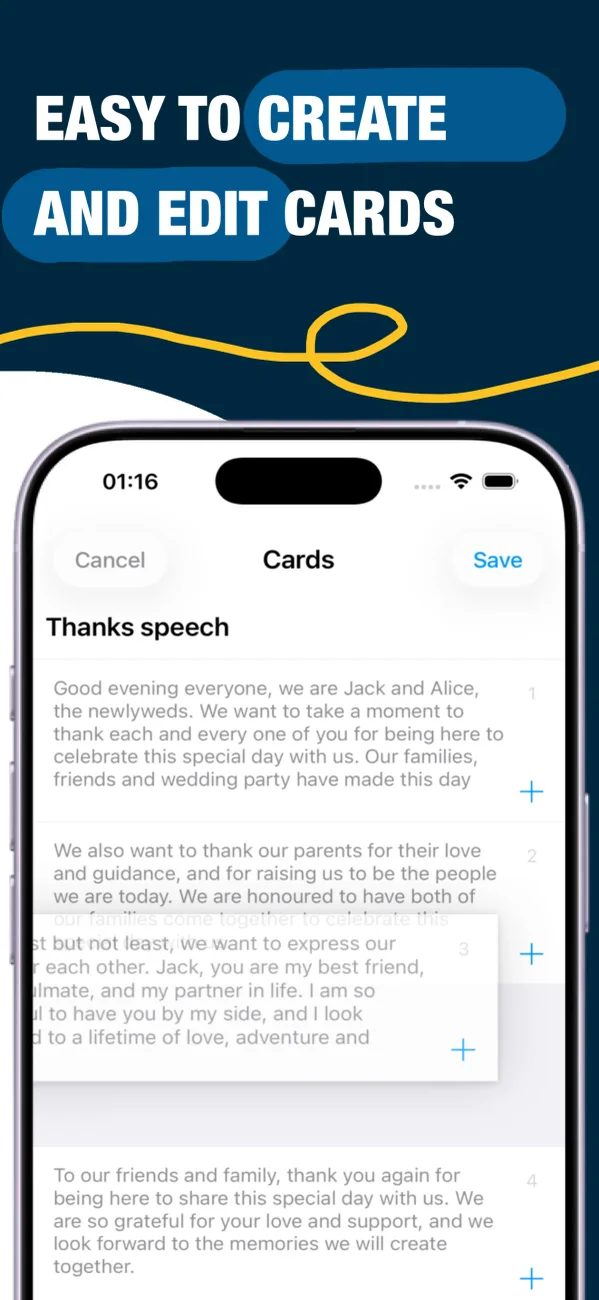
1. Create a set of cards. Write your whole speech, or just the key phrases.
2. Present. Tap or swipe to move from card to card.
3. Keep an eye on the stopwatch to finish on time.
MADE FOR THE STAGE
• Large, high-contrast text on a dark background, easy to read from a distance
• Choose the text size and the stopwatch size in Settings
• The screen stays awake while you present
• Stopwatch and card counter show where you are and how long you have been talking
• Color your cards (red, blue, green or yellow)
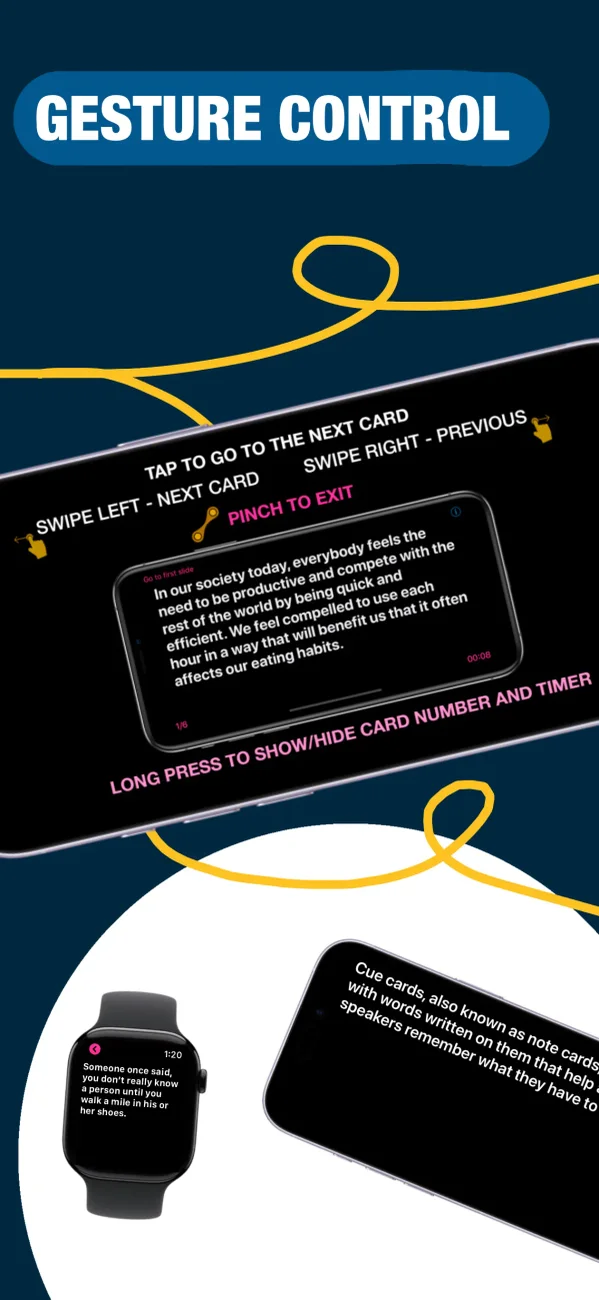
• Simple gestures: tap or swipe for the next or previous card, pinch to exit, long-press to hide the stopwatch and controls
• Optional double-tap to advance, so a stray touch never skips a card
• Landscape, portrait or automatic orientation
YOUR CARDS, ON ALL YOUR DEVICES
• Create and edit cards on iPhone, iPad or Mac
• Apple Watch: read your cards from your wrist (cards from your iPhone appear automatically)
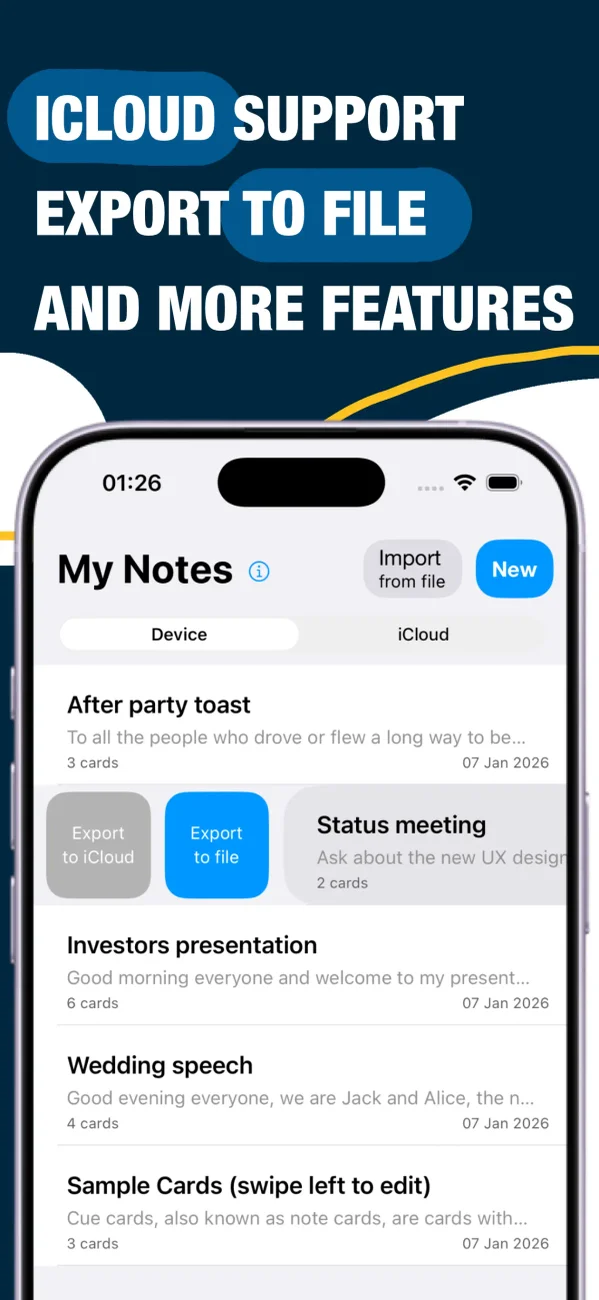
• iCloud: save your sets of cards to iCloud and bring them to your other devices
• Share a speech as a file: export and import cards with friends or colleagues
SIMPLE AND PRIVATE
• Clean, minimal design that keeps the focus on your words
• Light and Dark Mode support
• No account or sign-up needed. Your cards stay on your device or in your own iCloud.
TIPS
• Write the whole speech as a series of short cards and read it card by card, or jot down only short hints to stay on your key ideas.
• Reorder cards by drag and drop, and swipe to edit or delete.
• Want web links or text selection while presenting? Turn them on in Settings > Hintapp.
What’s new
Version 3.4 · Nov 5, 2026
Icon redesign, UI updates, small fixes and iOS 27 support.
App privacy
What Fedor Guryanov declares on the App Store about how this app handles data.
-
Data not collected
The developer does not collect any data from this app.
Privacy practices may vary, for example with the features you use or your age.
Information
- Seller
- Fedor Guryanov
- Category
- Productivity
- Version
- 3.4
- Updated
- Nov 5, 2026
- Released
- Dec 6, 2018
- Size
- 17.0 MB
- Requires
- iOS 15.6 or later
- Age rating
- 4+
- Price
- $2.99
- Languages
- English
- Copyright
- © Fedor Guryanov
You might also like
-
 Cue CardsProductivity
-
 Qards - Note CardsEveryday Note Cards
-
 Cue Cards: AI Speech NotesPodcast, Toast & Presentation
-
 Presentation Timer PlusPresentation Practice Tool
-
 Speaker Notes: Cue CardsSpeech cue cards & prompter
-
 SpeakerViewYour speech, card by card.
-
 Speaker AidProductivity
-
 Color Cam: The Color FinderUncover Unique Colors
-
 Float - Brain Dump & FocusSimple To-Do List & Planner
-
 CueCard: Lock Screen PromptsProductivity