
HiveCard PH
Know what to pay this payday
Designed for iPhone, iPad, iPod touch
In-app purchases
- Age rating4+
- CategoryFinance
- Developermidybeesolutions opc
- Size219.7 MB
Links to the official App Store page
Download.org hosts no file of HiveCard PH. The button opens its official App Store page, published by midybeesolutions opc. Listing last checked on Nov 18, 2026.
Screenshots

About
Know exactly what to pay this payday. Every Philippine credit card, one private app.
HiveCard reads your card statements for you and turns them into one calm answer: what is due, what is safe to spend, and which card to pay first. Your data stays on your phone. No bank login, no cloud, no server.
TRY IT BEFORE YOU IMPORT ANYTHING
On an empty Home, tap "See it with a sample" to explore two example cards with balances, due dates and spending. Remove the sample any time; it clears itself when you import your own statement.
WORKS WITH YOUR BANKS
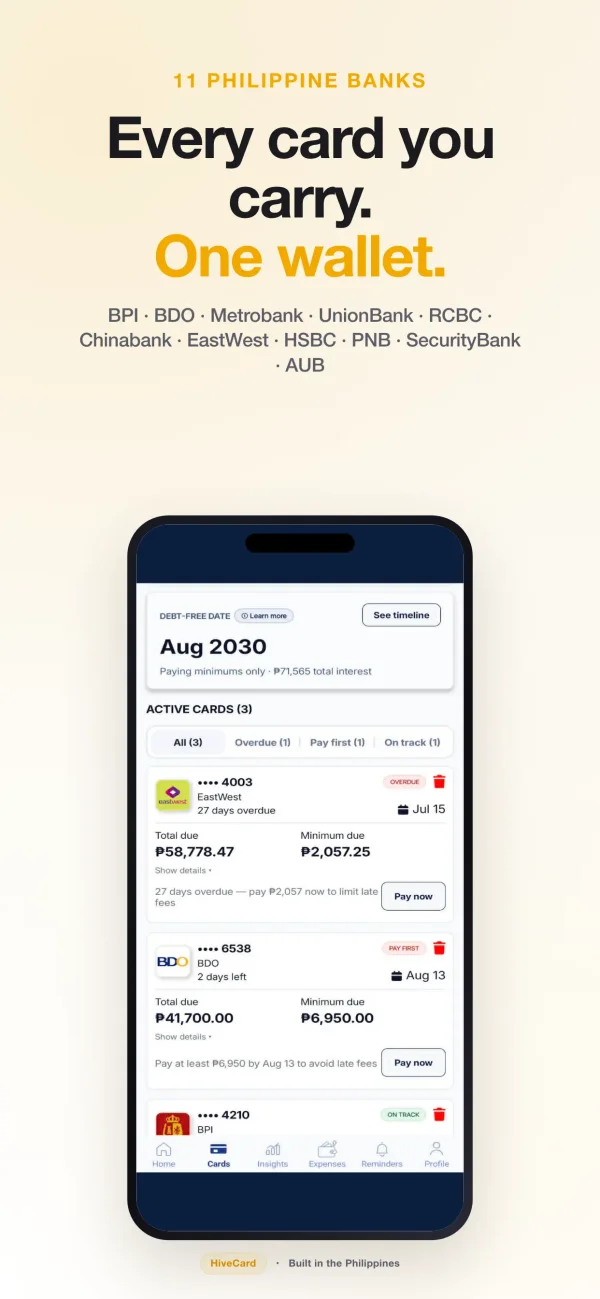
BPI, BDO, Metrobank, UnionBank, RCBC, EastWest, Security Bank, China Bank, HSBC, PNB and AUB. Password-protected and scanned statements included.
IMPORT A STATEMENT IN SECONDS (Free)
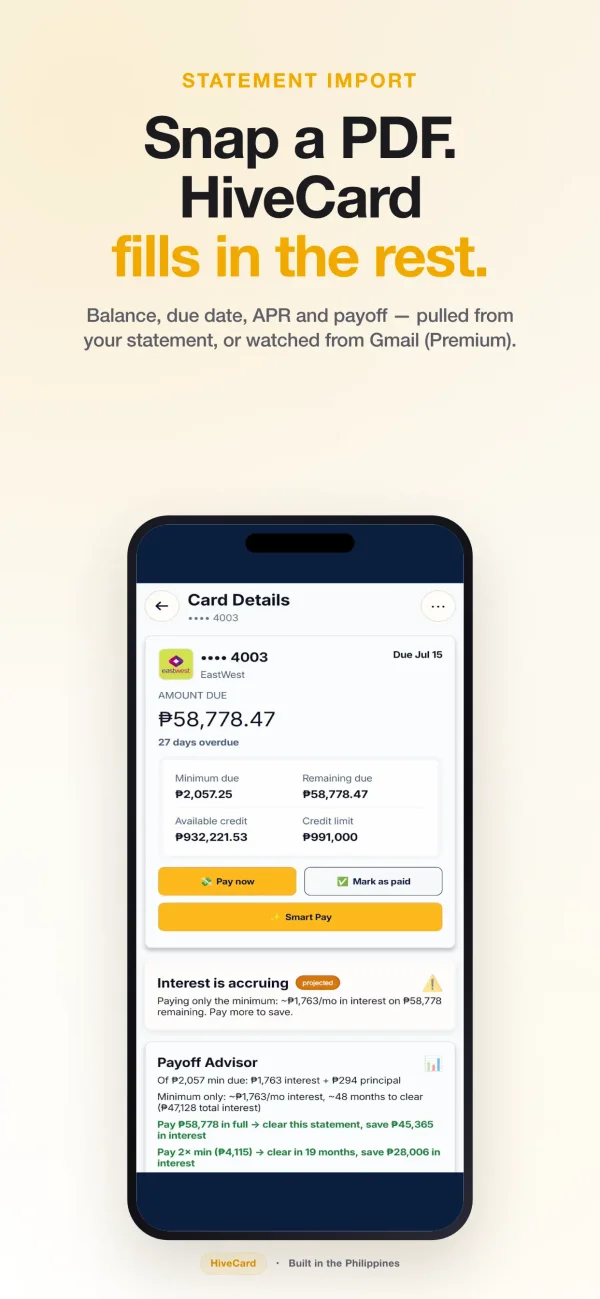
Open the statement PDF, or share it to HiveCard straight from your email app. HiveCard detects the bank, pulls out every transaction and sets your statement and due dates. You review before anything is saved. Prefer typing? Add a card by hand.
OR LET STATEMENTS IMPORT THEMSELVES (Premium)
Connect Gmail once. HiveCard looks for new e-statements from your banks, downloads the PDF and tells you when one is ready to review. It remembers each card's PDF password, so the next statement opens on its own. Switch on auto-import and statements HiveCard is sure about go straight to the card, no tap needed.
HiveCard only reads statement emails from known bank senders. It never sends, moves or deletes mail, and nothing from your inbox leaves your phone.
KNOW WHAT TO PAY THIS PAYDAY
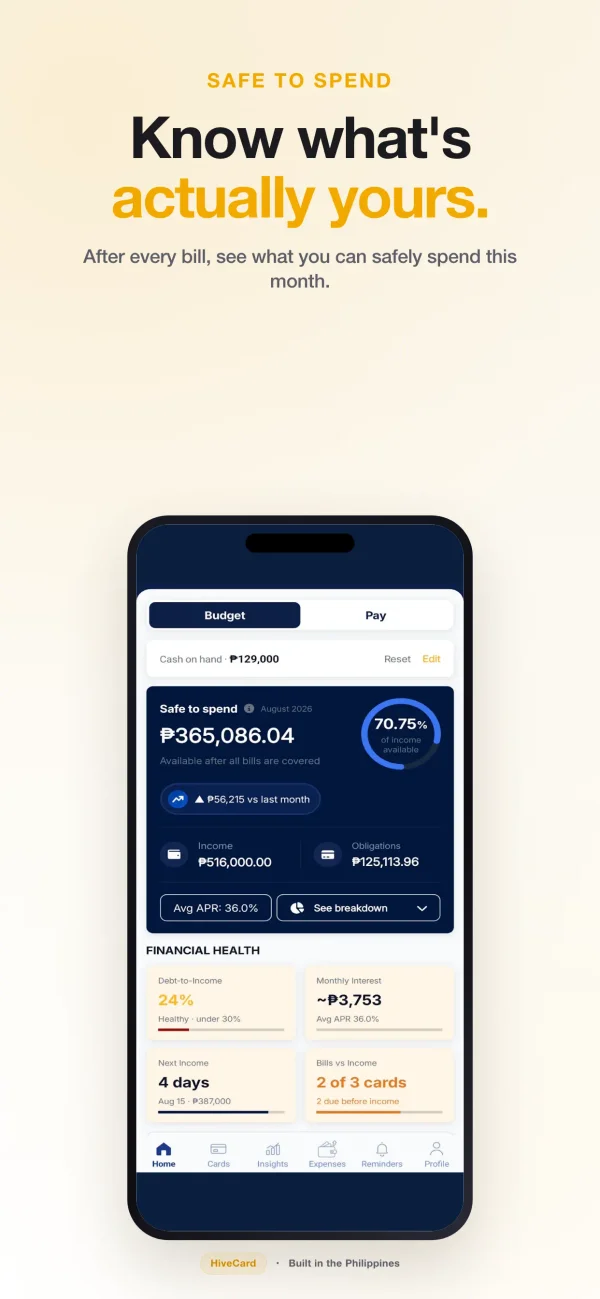
• Safe-to-Spend: what is left after dues, bills and your reserve, built around 15th and 30th pay dates
• Smart Payment Plan (Premium): what to pay now, what can wait for income, what is uncovered, and which card to pay first to lose the least to interest
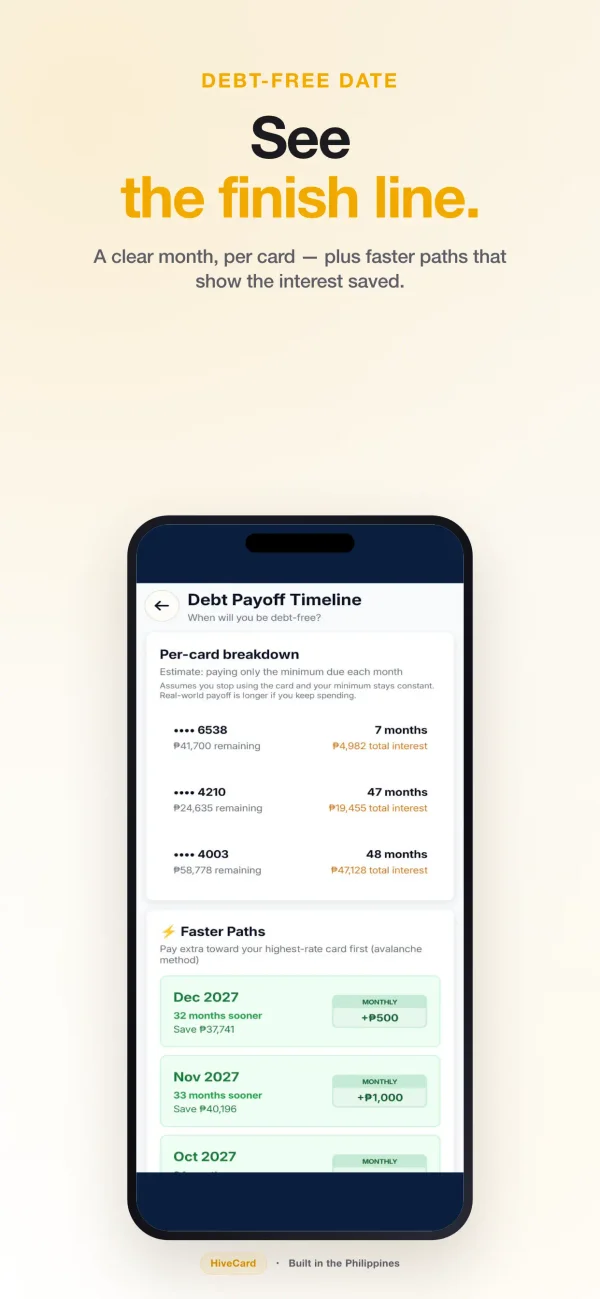
• Debt payoff timeline with interest-savings projections (Premium)
• Next-bill widget on your home screen
NEVER MISS A DUE DATE
Reminders for statement closing, due dates, utilization and overdue, timed to Philippine banking days so a holiday or weekend never catches you out. One tap opens your bank app, GCash or Maya to pay.
SEE WHERE THE MONEY GOES
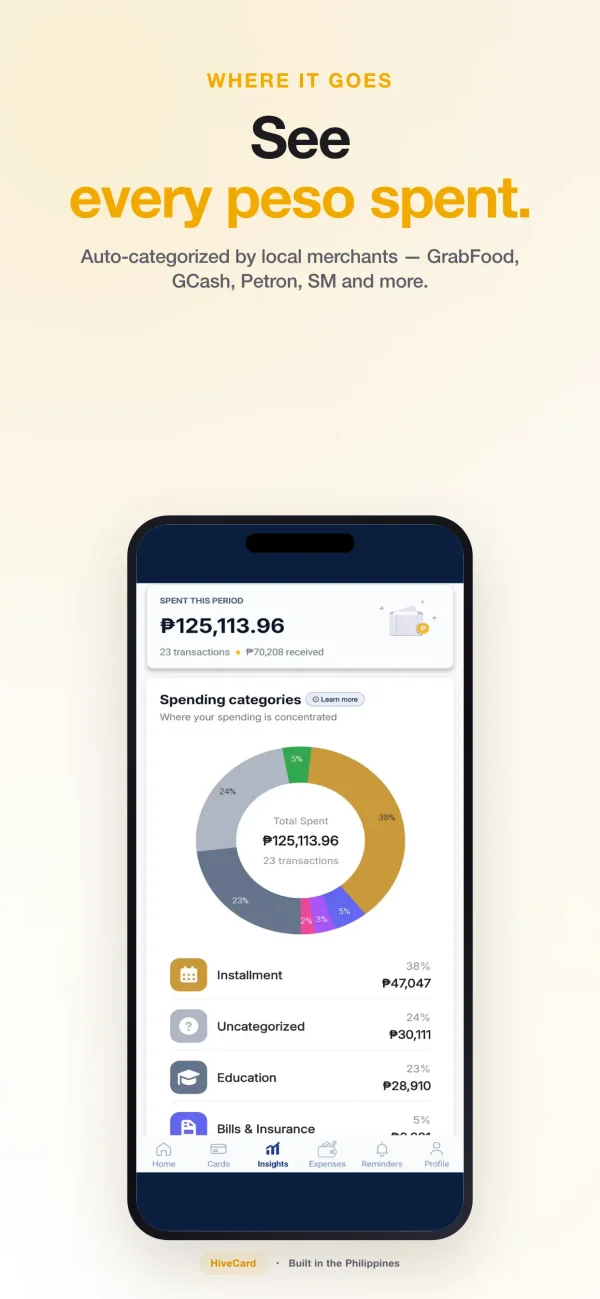
• Auto-categorization that knows local merchants: GrabFood, Foodpanda, beep, MRT/LRT, NLEX/SLEX, Petron, Shell, SM, Robinsons, Mercury Drug and more
• Spending across all your cards, by category and by month
• Anomaly alerts when a charge does not fit your own pattern (Premium)
• Per-bank fees and card perks, so you know what each card really costs
• Multi-currency: foreign charges (USD, EUR, SGD and others) on your PH cards shown in both the original currency and the settled peso amount
• Cash bills too (Meralco, internet, rent), so Safe-to-Spend reflects real life
PRIVATE BY DESIGN
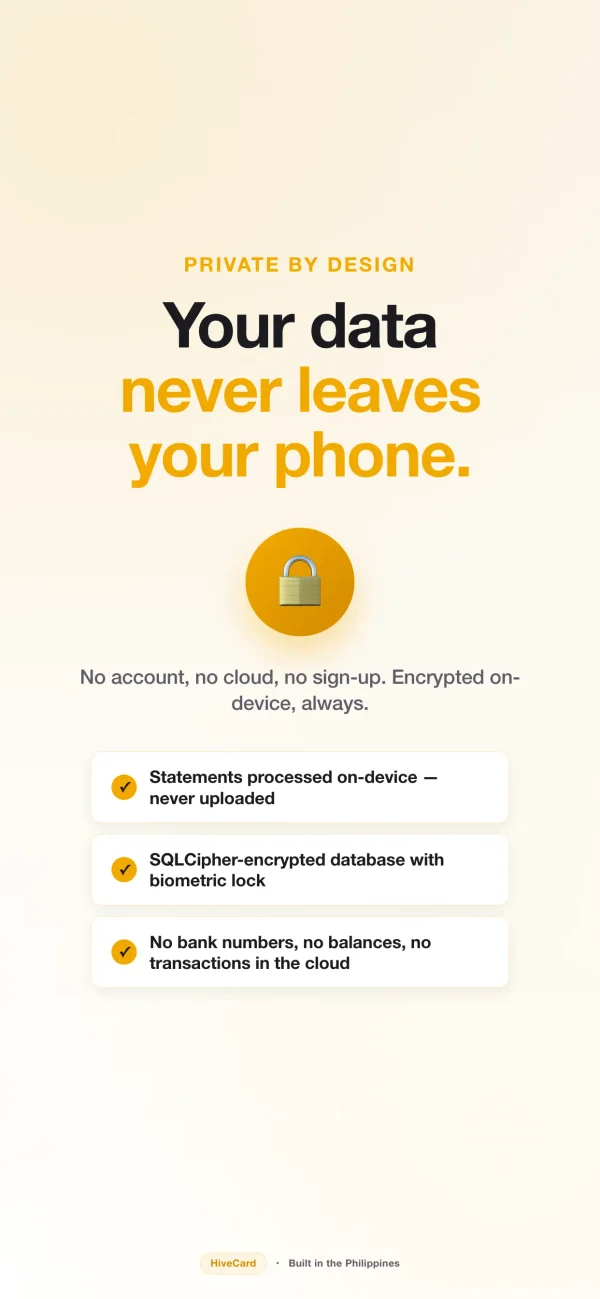
Everything lives in an encrypted database on your phone. No cloud sync, no server, nobody reading your spending. Lock with PIN or Face ID. Back up to an encrypted file you control. Export every transaction to CSV or delete everything, any time.
FREE AND PREMIUM
Free: 2 cards, PDF import, categorization, due-date reminders, Safe-to-Spend.
Premium: unlimited cards, Gmail auto-import, Smart Payment Plan, payoff timeline, anomaly alerts and full history CSV export. 14-day free trial. Manage or cancel any time in the App Store.
BUILT IN THE PHILIPPINES
Made by a solo Filipino developer tired of finance apps that do not understand pesos, semi-monthly pay or holiday-shifted due dates. Got a statement that will not parse? Tell us in the app. Every message is read.
Terms of Use (EULA): https://www.apple.com/legal/internet-services/itunes/dev/stdeula/
What’s new
Version 3.7.0 · Nov 14, 2026
Smart Plan now understands installments and one-off bills.
Log a 0%-promo or BNPL plan on any card's Details and Smart Plan protects that monthly payment as a floor — it will never advise a minimum that pretends the installment isn't there.
Log auto, housing or personal loans in Expenses and their amortization lowers Safe-to-Spend. Smart Plan then compares each loan's APR to your card's: when the loan is cheaper, HiveCard tells you NOT to prepay it — keep the money on the higher-APR card instead.
One-time expenses with a due date. Log insurance, car service, property tax or any other one-off bill and Safe-to-Spend counts it only in the month it actually hits.
Fixes: the Rate HiveCard dialog no longer appears during app launch and is never spent silently in the background.
Your card numbers, balances, transactions and statement PDFs never leave your phone.
Thanks for using HiveCard. — midybee
App privacy
What midybeesolutions opc declares on the App Store about how this app handles data.
-
Data not linked to you
May be collected but is not linked to your identity.
- Purchases
- Identifiers
- Usage data
- Diagnostics
Privacy practices may vary, for example with the features you use or your age.
Information
- Seller
- midybeesolutions opc
- Category
- Finance
- Version
- 3.7.0
- Updated
- Nov 14, 2026
- Released
- Jul 15, 2026
- Size
- 219.7 MB
- Requires
- iOS 15.0 or later
- Age rating
- 4+
- In-app purchases
- Yes
- Copyright
- © 2026 midybee studio
You might also like
-
 MothCard: Crypto Card & PayTop up USDT, spend anywhere
-
 SuperCash: QR Pay with CryptoSpend USDT & USDC in Real Life
-
 KasCash: Credit Card TrackerPromos & Due Date Reminders
-
 uAgreedLoans, Rentals & Agreements
-
 Utang Free PHDebt payoff plan on your phone
-
 DueNaPhilippine credit card SOA
-
 DueDate: Credit Card ReminderCard & Loan Payment Tracker
-
 Cashee CostScopeFinance
-
 Utang: Credit & Debt TrackerTrack Debts and Credits
-
 KiroLoansKiroLoans: Smart, Profitable