
Holiday Messenger
Send personalized messages
Designed for iPhone, iPad
Free · In-app purchases
- Age rating12+
- CategoryUtilities
- DeveloperMichael Ladd
- LanguagesEnglish
- Size4.4 MB
Links to the official App Store page
Download.org hosts no file of Holiday Messenger. The button opens its official App Store page, published by Michael Ladd. Listing last checked on Nov 23, 2026.
Screenshots


About
Send personalized holiday greetings to everyone you care about — without the chaos of group texts!
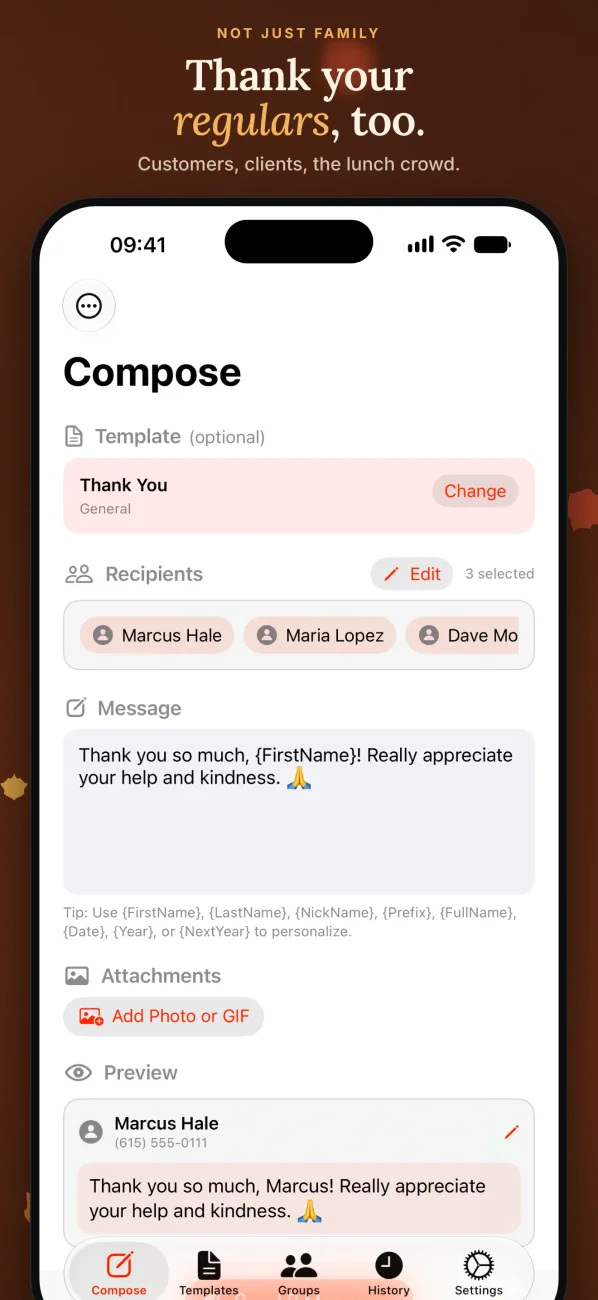
HolidayMessenger lets you write your message once, choose your recipients, and send individual personal texts to each person. Each message is sent separately (not a group chat), so replies stay private. Create templates, personalize with names, add a photo or GIF, and send manually (free) or one click with Pro.
Now with iPhone Duo support, iPad support, photo/GIF attachments, and rebuilt Compose, Templates, Groups & History screens.
---
DETAILED FEATURES
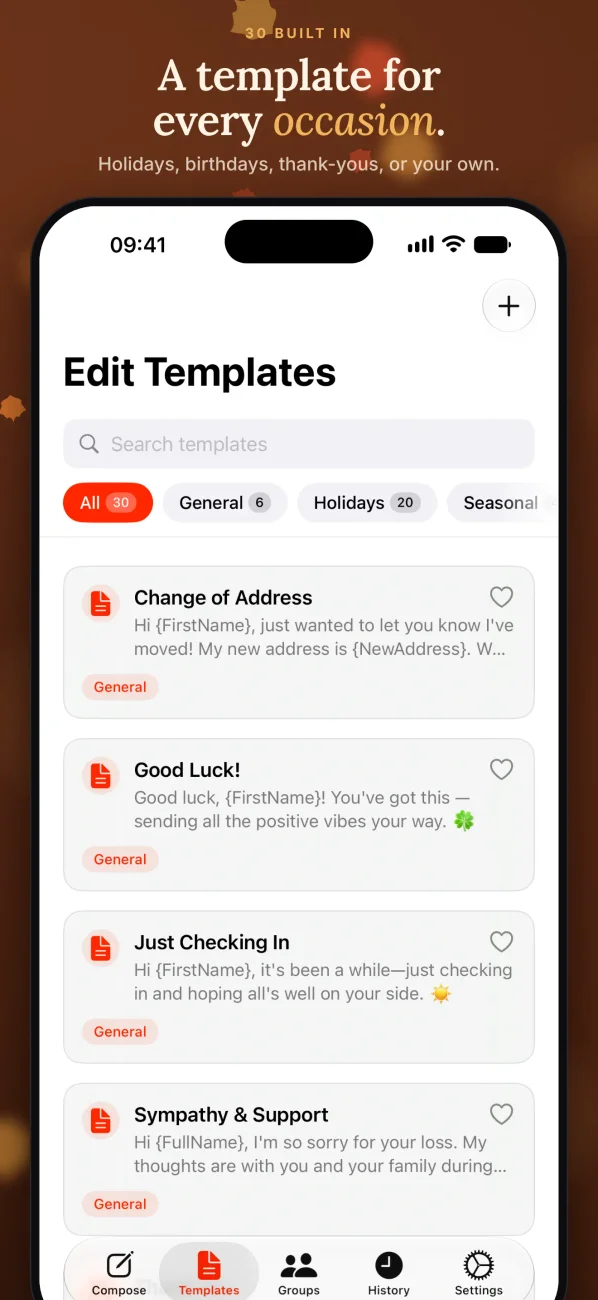
Message Templates
• Create and save custom templates for any occasion
• Pre-loaded templates for holidays, birthdays, and special events
• Personalize with {FullName} and {FirstName} placeholders
• Organize by category: Holidays, General, Seasonal, or your own custom categories
• Edit, favorite, and manage your templates
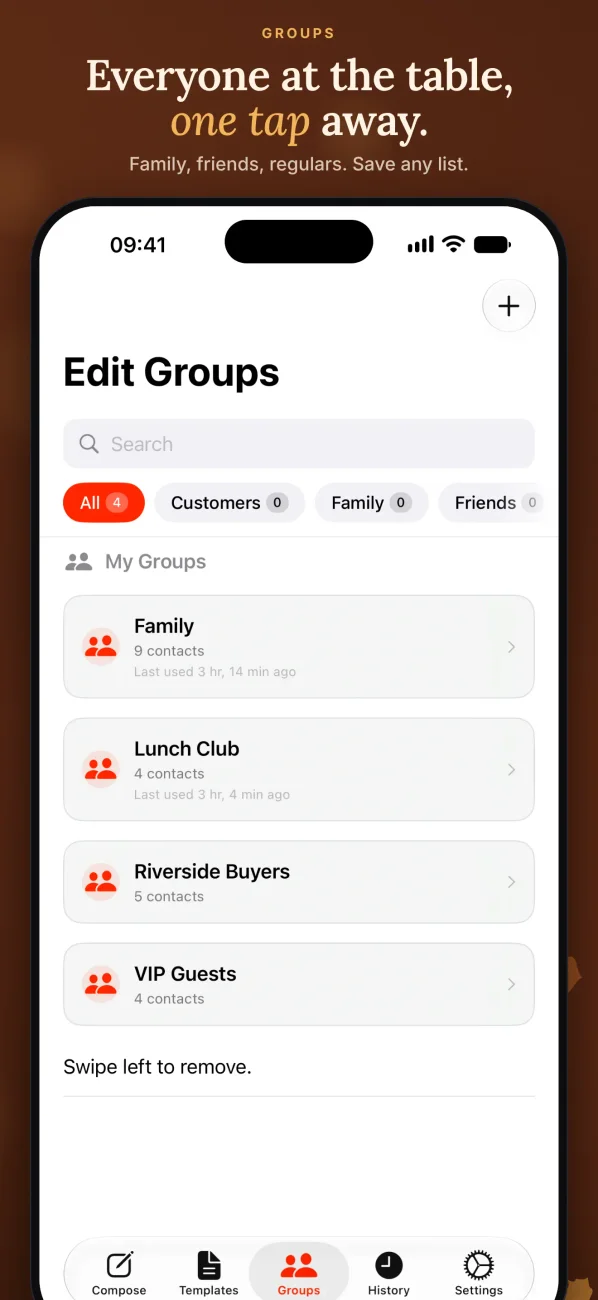
Smart Contact Selection
• Native iOS contact picker with built-in search
• Multiple phone number support
• Create custom recipient groups and edit them anytime
• Combine saved groups with one-time picks
• Access existing groups from your Contacts app
Photo & GIF Attachments
• Attach a photo or GIF to your message
• Pick from your library or paste from the clipboard
• Sent as a true iMessage attachment, not a link
Built for Every Device (new in 3.0)
• Full iPhone Duo support — folded, unfolded, and split
• iPad layouts in portrait and landscape
• Adaptive Compose screen that uses every inch of screen you give it
Two Ways to Send
FREE VERSION:
• Compose your message and select recipients
• Send manually through Apple's Messages app
• Each message requires a quick tap to send
• Perfect for smaller lists or one-off messages
• Free messages end with a short "-Sent using HolidayMessenger" signature (removed in Pro)
PRO VERSION ($3.99 one-time purchase):
• Automated sending via Apple Shortcuts
• Send to all recipients with one tap — no per-message interaction
• No signature appended to your messages
• Secure token-based system keeps your data private
Message History
• See all your sent messages in one place
• View personalized messages for each recipient
• Track when messages were sent
• Delete individual or all history entries
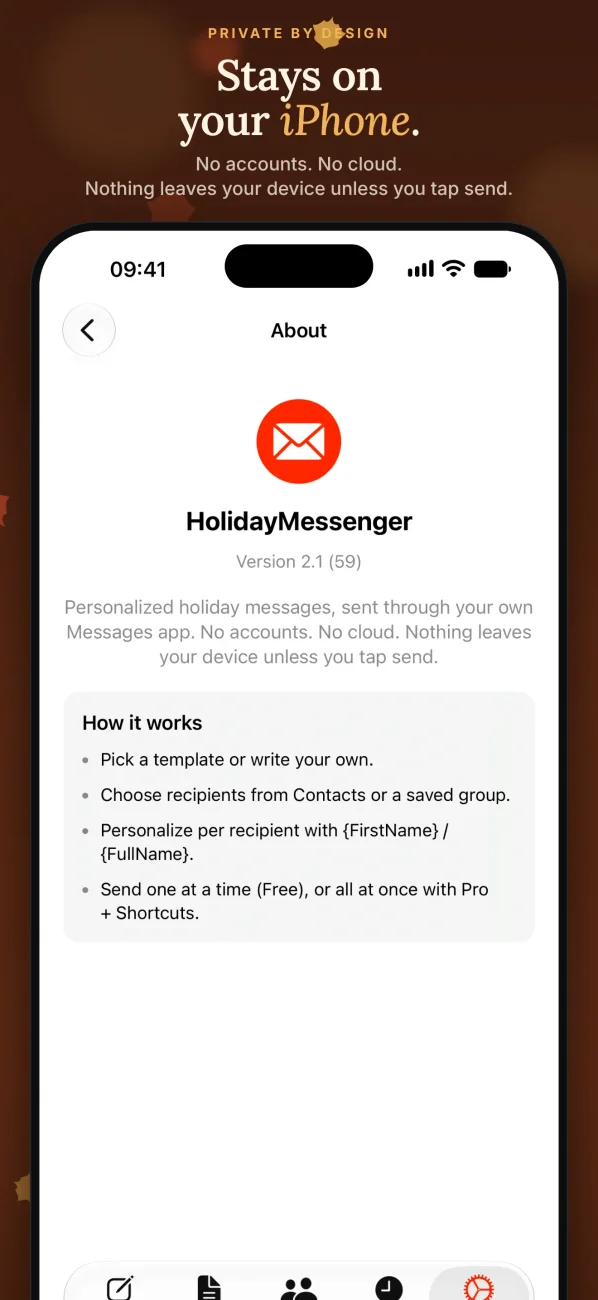
***Privacy First***
• All data stored locally on your device
• No cloud storage or third-party servers
• Your contacts never leave your device
• No tracking or analytics
PERFECT FOR
• Holiday greetings (Christmas, New Year, Thanksgiving, etc.)
• Birthday wishes, thank yous, congratulations
• Staying in touch without group chat chaos
HOW IT WORKS
1. Choose a template or write a custom message
2. Select your recipients from contacts
3. Add a photo or GIF if you'd like
4. Send all at once (Pro) or manually one by one (Free)
For Pro users, the HolidayMessengerPro Shortcut handles automated sending through Messages, making it effortless to send personalized greetings to everyone on your list.
FREE TO START
HolidayMessenger is free to download. The free version includes unlimited templates, contact selection, photo and GIF attachments, manual sending, and message history.
Upgrade to Pro for $3.99 (one-time) to unlock:
• Automated sending via Shortcuts
• No per-message taps
• No signature appended
WHY HOLIDAYMESSENGER?
The holidays roll around and you want to send warm wishes to 20, 30, or 50 people. Sending individual texts takes forever, and group chats turn into an all-day ping-fest.
HolidayMessenger lets you write your message once, pick who gets it, and send it as individual, personal texts — done in minutes instead of hours.
SUPPORT
• Email: support@holidaymessenger.com
• Website: holidaymessenger.com
• Privacy Policy: Available in app and on our website
Download HolidayMessenger today!
What’s new
Version 3.0 · Nov 15, 2026
Version 3.0 is a major update with big improvements across the board.
What's new:
• Full iPhone Duo support — works folded, unfolded, and in landscape split views
• True iPad support — adaptive layouts that use the full screen in portrait and landscape
• Rebuilt Compose screen — Templates, Recipients, Message, and Preview in one clean layout
• Photo and GIF attachments — add them straight from your library or pasteboard
• Smarter Templates — easier to pick, edit, and manage
• History improvements — clearer send status and easier re-sends
Fixes and polish:
• Faster launch and smoother scrolling
• Better keyboard handling in Compose
• Safe-area and layout fixes on every device size
• Lots of small bug fixes reported since 2.x
Thanks for using HolidayMessenger — and happy holidays!
App privacy
What Michael Ladd declares on the App Store about how this app handles data.
-
Data not collected
The developer does not collect any data from this app.
Privacy practices may vary, for example with the features you use or your age.
Information
- Seller
- Michael Ladd
- Category
- Utilities
- Version
- 3.0
- Updated
- Nov 15, 2026
- Released
- Nov 13, 2025
- Size
- 4.4 MB
- Requires
- iOS 26.0 or later
- Age rating
- 12+
- Price
- Free
- In-app purchases
- Yes
- Languages
- English
- Copyright
- © 2026 HolidayMessenger.com
You might also like
-
 Kado • Birthday ReminderCalendar, Schedule messages
-
 AI New Year WishesSpread Joy & Hope of New Year
-
 Emoji CalendarUtilities
-
 SecureCRTSSH Client / Terminal
-
 Deck Sketch 3D: Deck DesignerDesign Your Deck in 3D
-
 Handi-Talky CommanderAll-in-one HAM radio app
-
 Morse ElmerUtilities
-
 LOEMCUtilities
-
 QR Storage Box OrganizerSort your things with QR codes
-
 NthGrowUtilities