
- Age rating4+
- CategoryUtilities
- DeveloperFabio Policarpo
- LanguagesEnglish
- Size4.6 MB
Links to the official App Store page
Download.org hosts no file of Home-Lights. The button opens its official App Store page, published by Fabio Policarpo. Listing last checked on Nov 14, 2026.
Screenshots

About
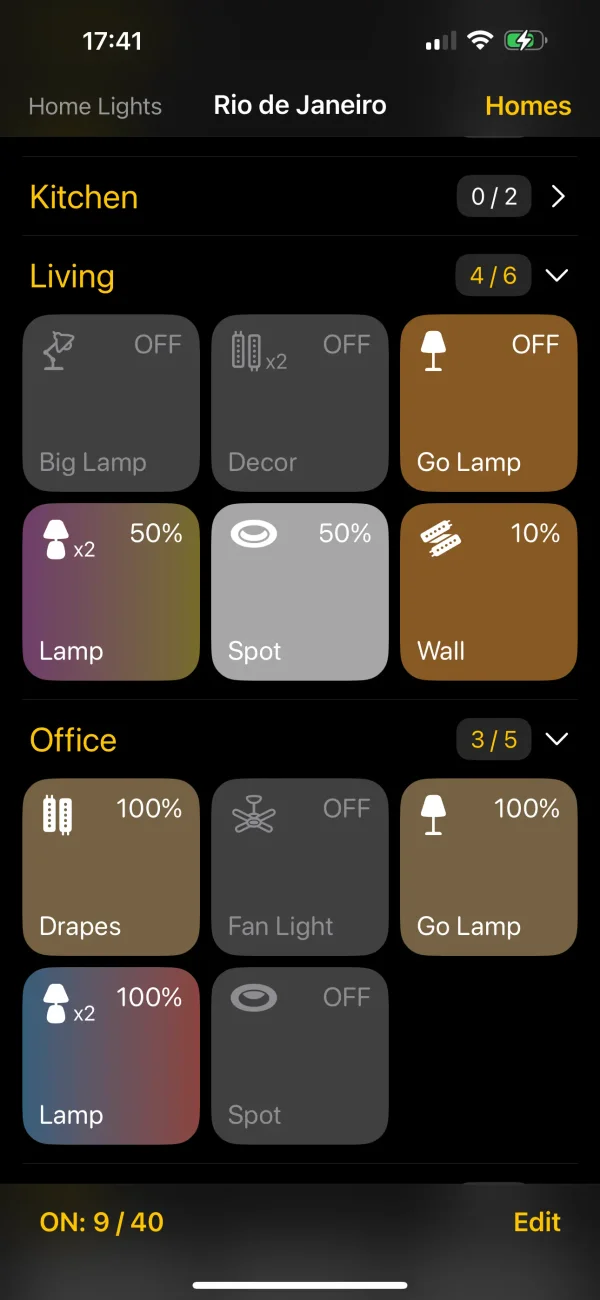
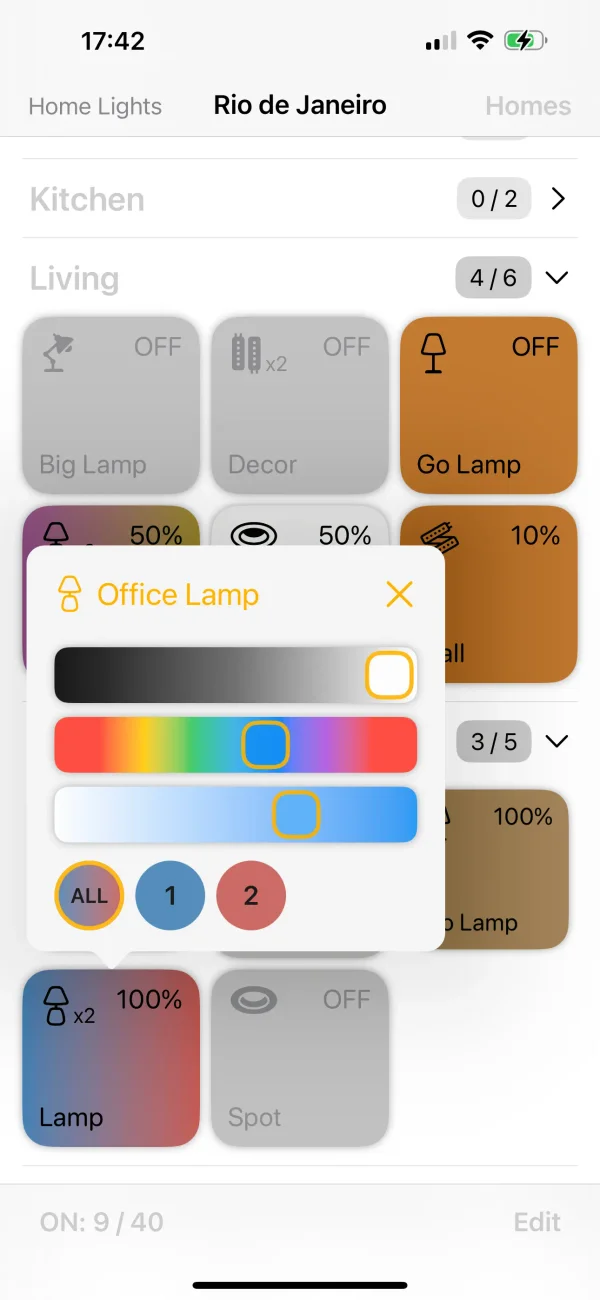
Home Lights gives you fast, one-tap control of every light in your home through a clean, compact interface.
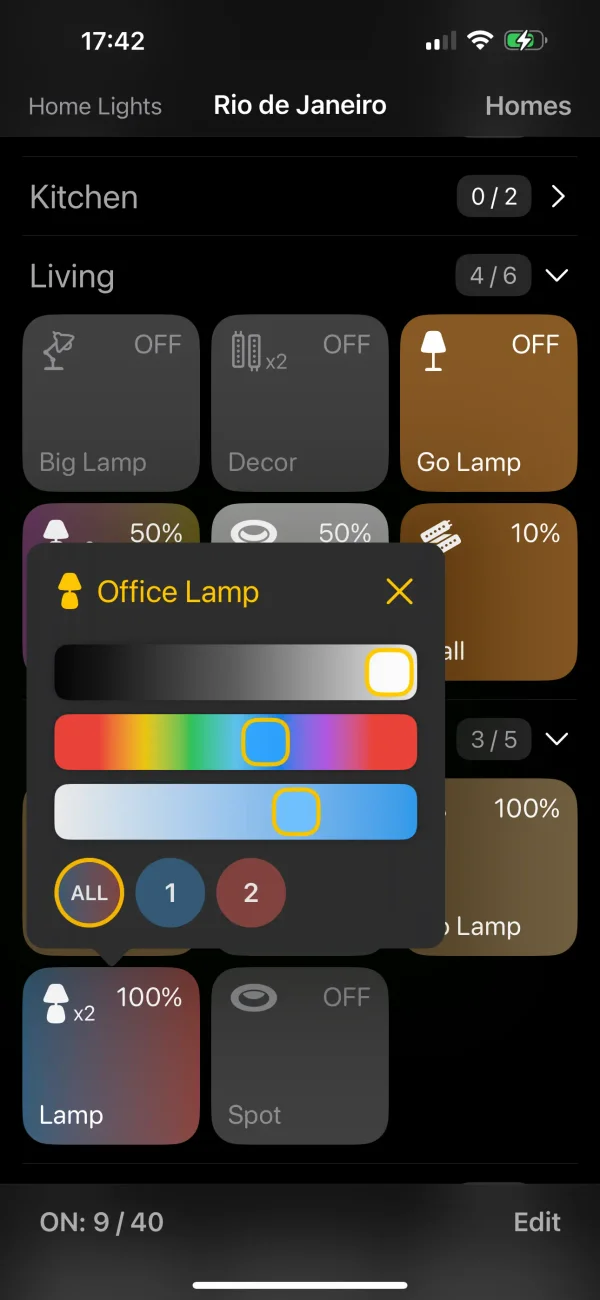
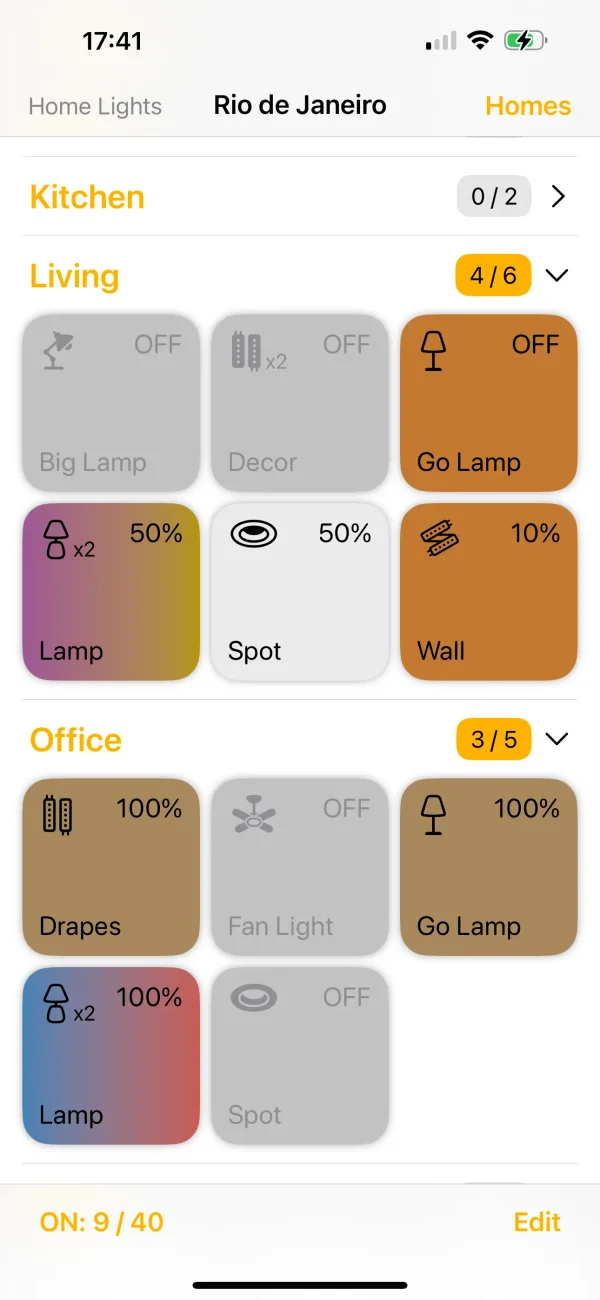
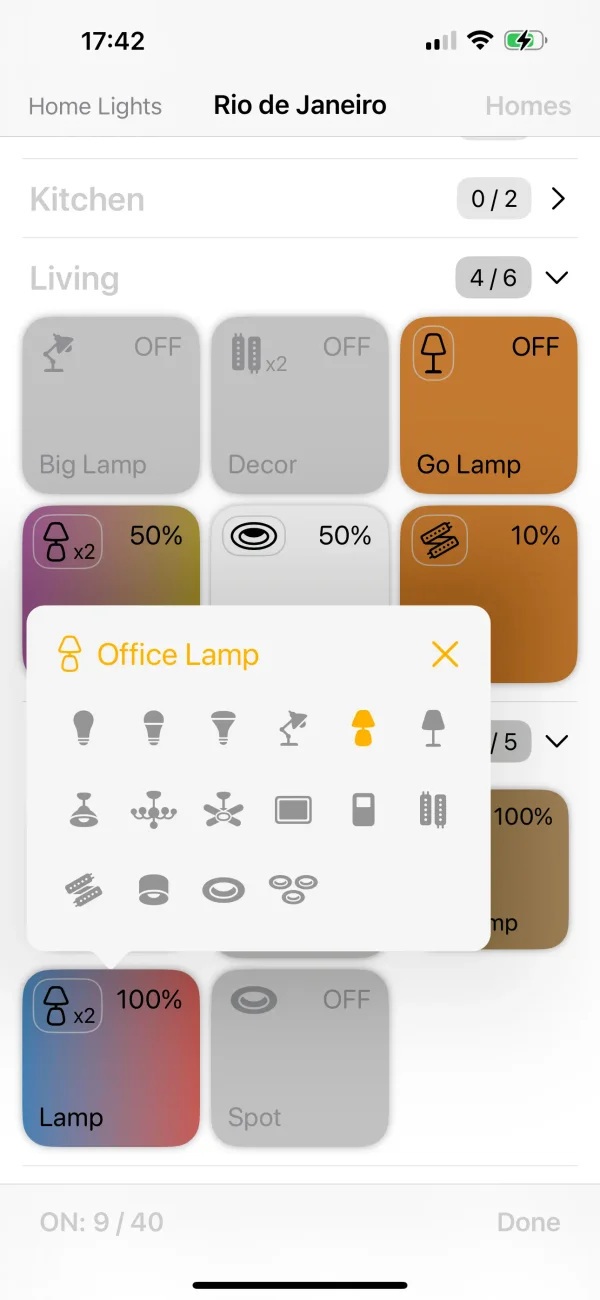
Each room is organized into a collapsible section with a grid of buttons that show every light's power state, brightness, and color at a glance. Tap a button icon to toggle a light, or tap the body of the button to open a detail panel with sliders for brightness, hue, color temperature, and saturation. Pick from 16 icons to make each button instantly recognizable, and long-press a room's badge to toggle every light in that room at once.
Personalize every home. Set a unique background photo for each of your homes, with adjustable blur and separate dim levels for light and dark mode — so each home feels distinct the moment you open it.
Arrange your space. Enter edit mode to drag and drop rooms into the order that matches how you actually move through your home, and rearrange lights within each room the same way. Your layout, your way.
Run HomeKit scenes. Trigger any of your existing scenes — Movie Night, Good Morning, Dinner — straight from the top of the home view, with no extra setup.
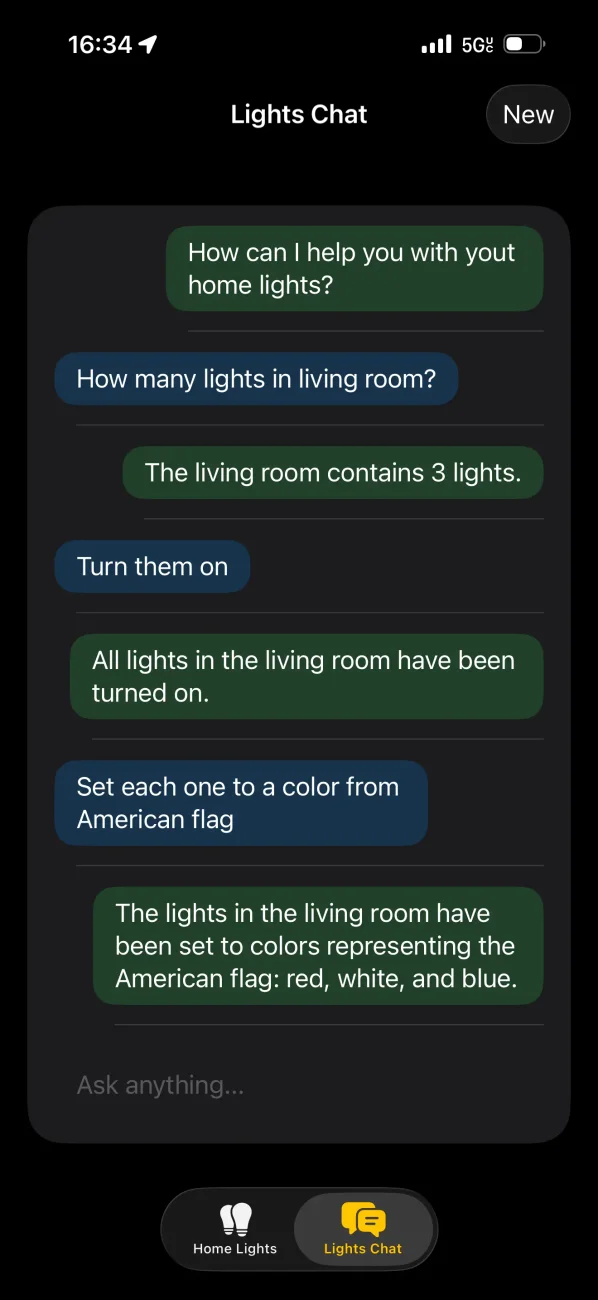
Talk to your lights. Use the built-in assistant, powered by on-device Apple Intelligence, to control your home in plain language: "dim the living room", "turn everything off", "make the kitchen warm white", or "run movie night". Nothing leaves your device.
Grouped lights, no compromises. For grouped accessories, adjust all services together or fine-tune each one individually — without ungrouping anything in HomeKit.
Switch between multiple homes from a single tap, and pull to refresh light states anytime. Your room order, light order, icon choices, and per-home backgrounds sync seamlessly across your devices via iCloud.
Supports light and dark mode. Available on iPhone, iPad, Mac, Apple Watch, and Apple Vision Pro.
What’s new
Version 2.0 · Oct 31, 2026
- Updated to iOS 27.2
- Support for iPhone Duo
App privacy
What Fabio Policarpo declares on the App Store about how this app handles data.
-
Data not collected
The developer does not collect any data from this app.
Privacy practices may vary, for example with the features you use or your age.
Information
- Seller
- Fabio Policarpo
- Category
- Utilities
- Version
- 2.0
- Updated
- Oct 31, 2026
- Released
- Aug 13, 2024
- Size
- 4.6 MB
- Requires
- iOS 27.0 or later
- Age rating
- 4+
- Price
- Free
- Languages
- English
- Copyright
- © 2024 Fabio Policarpo
You might also like
-
 MindAnchor-EasyCheckChecklists & Trust Training
-
 CoverTrace: Redact ID & SSNCover ID, license & passport
-
 ThreadSplit: Tweet SplitterLong Post to Thread Fast
-
 MileageMate: Fuel TrackerTrack Fuel, EV & Mileage
-
 AI Voice Recorder Pro: NotesSpeaker labels & AI summaries
-
 Quick Check Splittershah.ankit2013.BillSplit
-
 QuickCast ProCast, Mirror & TV Remote
-
 SaveCrystalYour Command Center for Gaming
-
 Typin - A minimal input appPure Text & Markdown Writing
-
 Pinger - Network MonitorMake Ping a Pleasure