Homeshift: Moving Planner
Box inventory for your move
Designed for iPhone, iPad
Free · In-app purchases
- Age rating4+
- CategoryProductivity
- DeveloperPeter Bognar
- LanguagesEnglish+ 31 more
- Size77.7 MB
Links to the official App Store page
Download.org hosts no file of Homeshift: Moving Planner. The button opens its official App Store page, published by Peter Bognar. Listing last checked on Nov 26, 2026.
Screenshots



About
Homeshift is a moving inventory for iPhone and iPad. It's made for anyone who doesn't want to dig through twenty boxes when they unpack, and who still wants to know what's in the basement long after the move.
You pack a box, photograph what's inside and stick a label with a QR code on it. Three weeks later, you're looking for the kettle. You type the word and see right away which box it's in.
Your boxes, items and photos stay on your device. The app works without an account and without an internet connection. If two or three of you are moving together, you can sign in and share the move.
BOXES WITH CODES
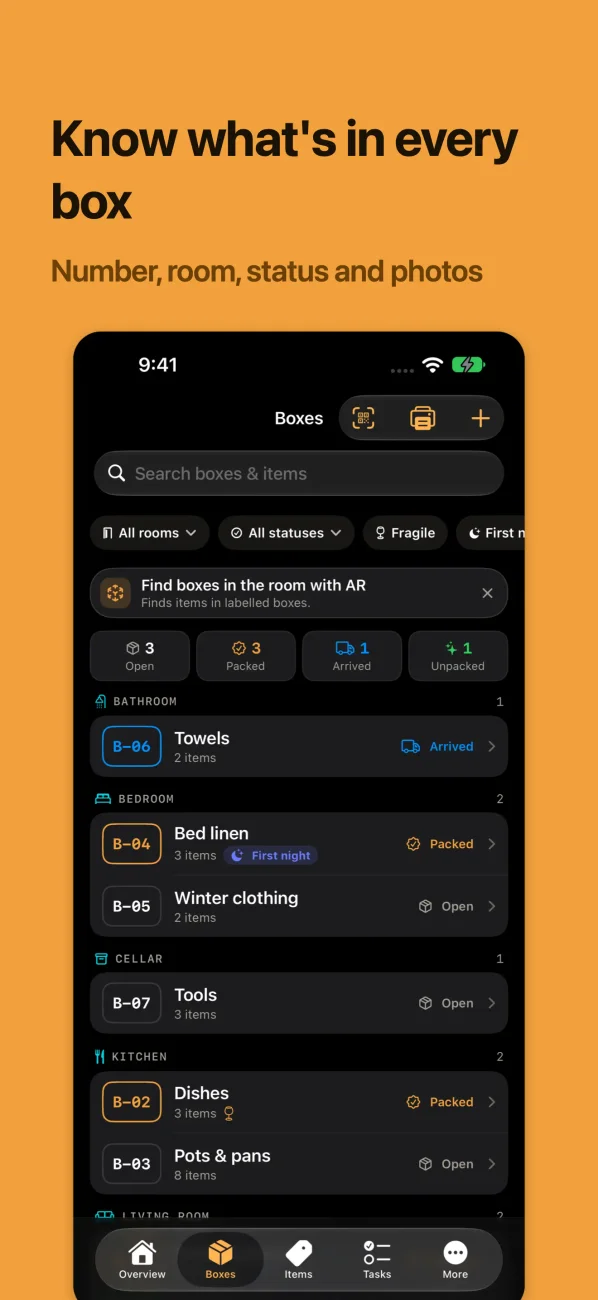
• Every box gets a code like K-14, plus a title, room, note and a status from Open to Unpacked
• Mark fragile boxes and the box for the first night
• Save box sizes with their real dimensions and, if you like, measure them with the camera
ADD CONTENTS WITHOUT MUCH TYPING
• Quick entry understands quantities: "4 plates" becomes 4 plates
• Photograph what's in a box and add the recognized items with one tap
• Image recognition runs on your device, so your photos don't leave your iPhone for it
ONE SCANNER FOR EVERYTHING
• The same camera opens boxes, changes their status and puts them in or takes them out of storage
• Scan several boxes in a row without switching screens
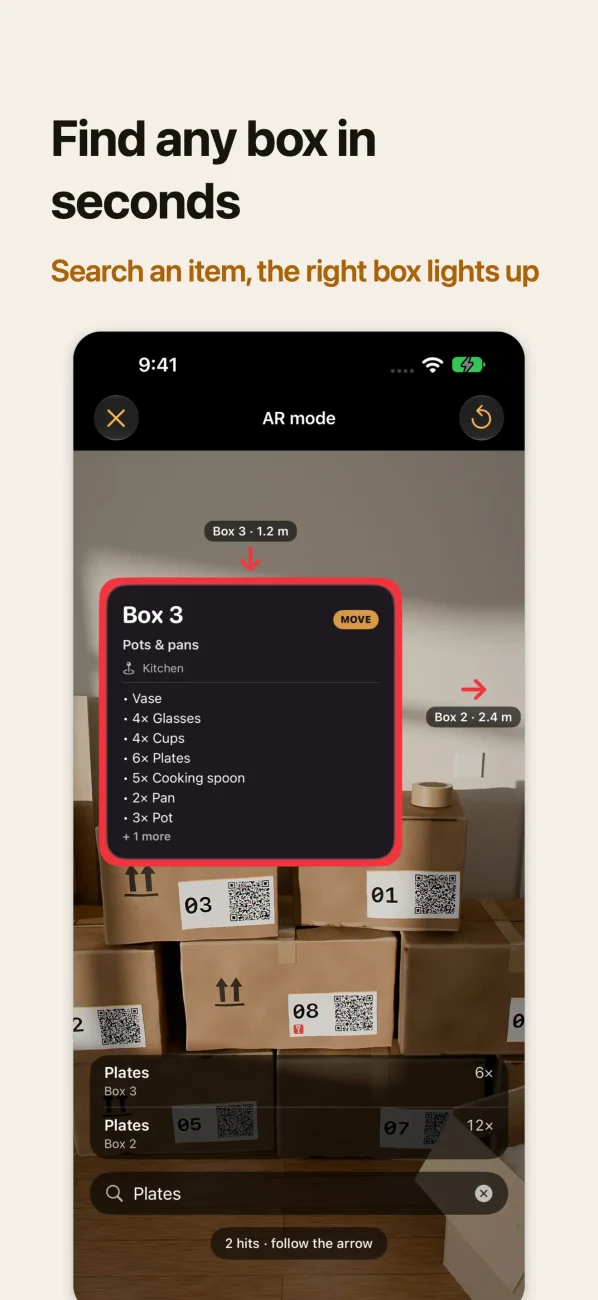
• In AR mode you see the contents above each box in the room, and the box you're looking for is highlighted
WHERE IS …?
• Search finds items in boxes and in storage, even from your photos
• Ask Siri or use the widget on your Home Screen
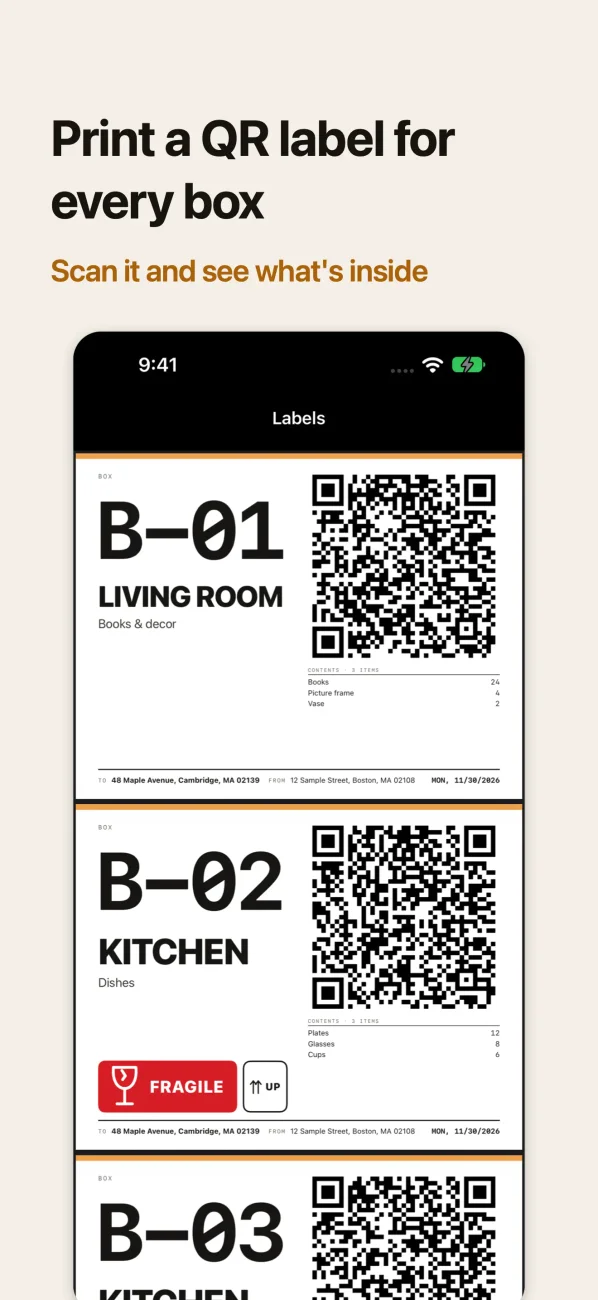
QR CODE LABELS
• Print-ready for A4, Letter and common label sheets
• Fragile boxes carry a big red mark
• One scan opens the box right in the app
PLAN YOUR MOVE
• 58 tasks are timed to moving day and shift when the date changes
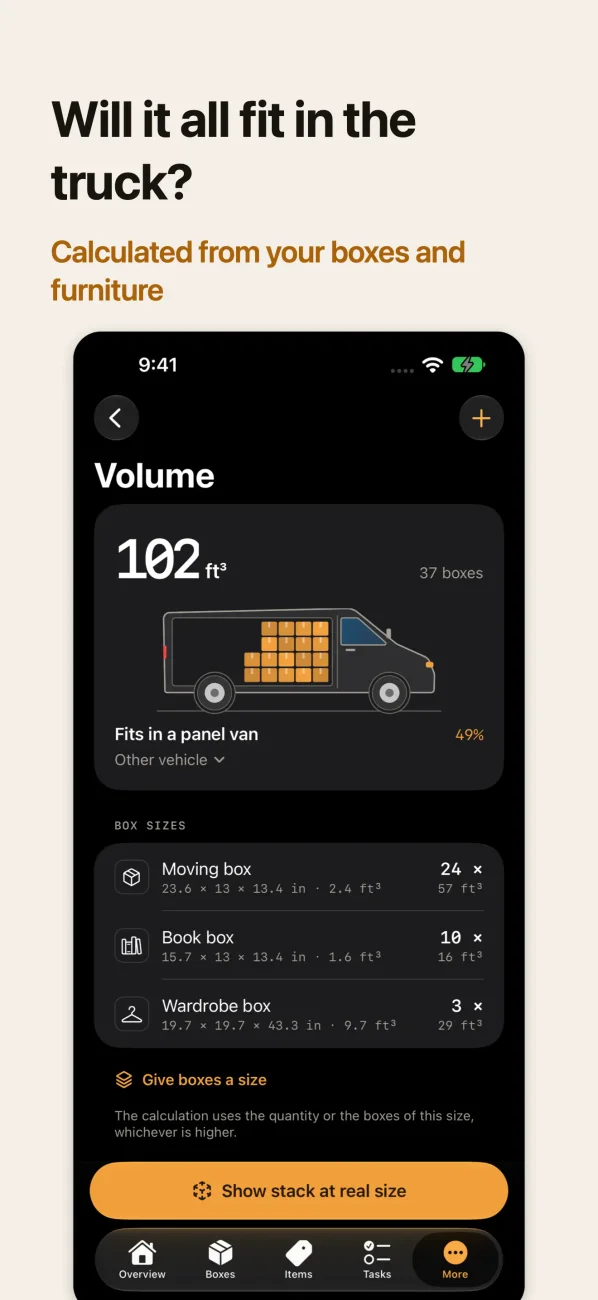
• Volume shows whether everything fits in a cargo van, a high-roof van or a truck. You can also enter your own vehicle's dimensions
• Log moving costs by taking a photo of the receipt
• Before taking furniture apart, capture with photos or video how it goes together
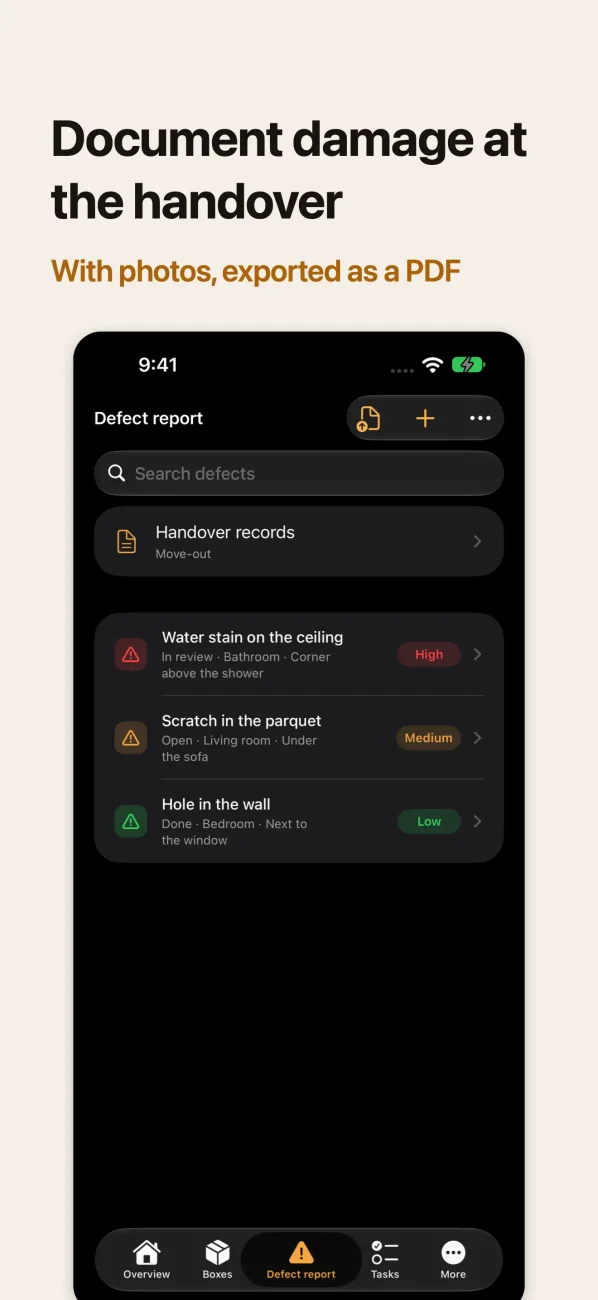
• Defect reports and handover records come as PDFs
AFTER THE MOVE
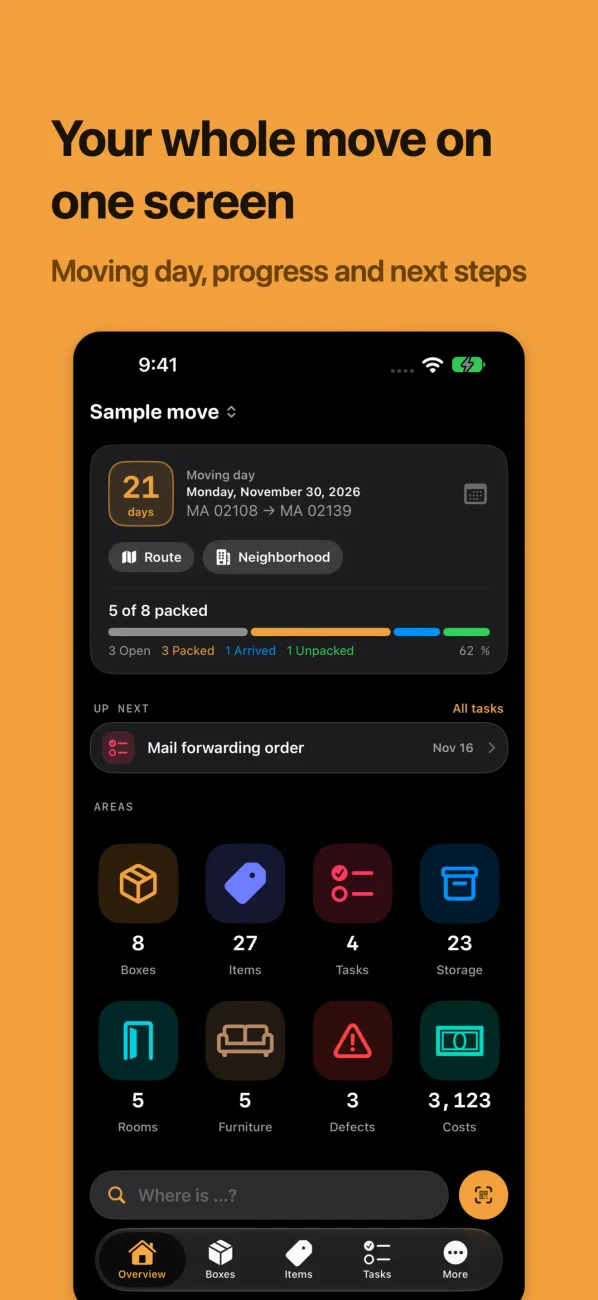
• Unpacking progress shows what's still left
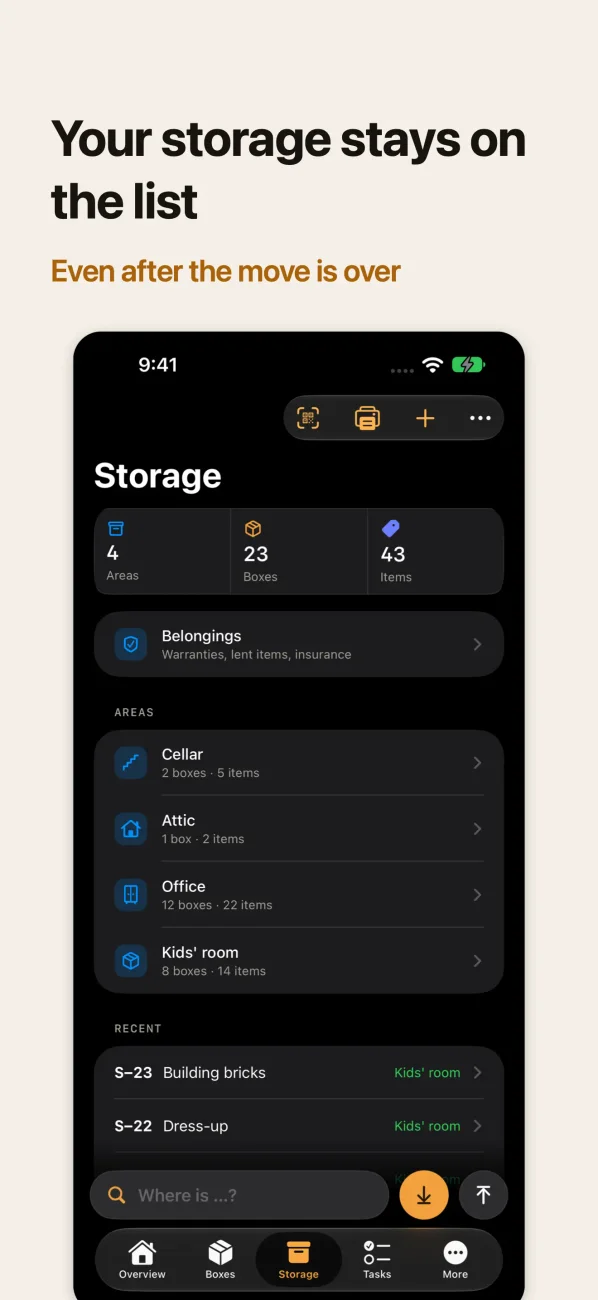
• Storage keeps track of your basement, attic and storage unit, and can run as a storage-only app if you like
• Warranties, lent items and the sum insured, all in one place
MOVE TOGETHER, IF YOU WANT
• Sign in with Apple or Google and invite helpers by link or QR code
• Changes show up instantly on every device
• Photos are only transferred if you turn that on
• Stop sharing at any time, and delete your account in the app whenever you like
EXPORT AND BACKUP
• PDF, CSV spreadsheet or JSON archive
• If you like, keep your devices in sync through your own iCloud account
Homeshift follows the language of your device.
PURCHASES AND SUBSCRIPTION
Free: one move of your own, 15 boxes, 100 items and 15 photos. Three modules are one-time purchases, on their own or together as Homeshift Complete: Unlimited lifts the limits and allows several moves, Scanning adds status series, AR search and photo recognition, Planning adds the task plan, costs, handover and furniture disassembly. Only moving together through the cloud is a subscription, and it includes all modules:
• Homeshift Cloud, monthly, 1-month term
• Homeshift Cloud, yearly, 12-month term
The price in your currency is shown in the app and under "In-App Purchases" on this page.
Payment is charged to your Apple Account. The subscription renews automatically unless it is canceled at least 24 hours before the end of the current period; the renewal is charged within the last 24 hours of that period. You can manage and cancel the subscription in your Apple Account settings.
Terms of Use (EULA): https://www.apple.com/legal/internet-services/itunes/dev/stdeula/
Privacy Policy: https://homeshift.ch/en/privacy/
What’s new
Version 2.3 · Nov 25, 2026
Claude, ChatGPT and other MCP apps can now connect to Homeshift. It is part of the Homeshift Cloud subscription, and the address for the app is https://mcp.homeshift.ch/mcp. The default is “Read only”. At the “With preview” level, the app changes nothing until you confirm the preview. You disconnect any connection under AI access: in Settings on iPhone and iPad, and in your account on Mac.
You can link another sign-in to your account. If you sign in with Apple, add Google, or the other way round. After that, both lead to the same account.
Homeshift Cloud data is now stored in the EU. After a security review, sign-in and the interfaces have been strengthened.
Your data is kept when you update.
App privacy
What Peter Bognar declares on the App Store about how this app handles data.
-
Data linked to you
May be collected and linked to your identity.
- Contact info
- User content
- Identifiers
Privacy practices may vary, for example with the features you use or your age.
Information
- Seller
- Peter Bognar
- Category
- Productivity
- Version
- 2.3
- Updated
- Nov 25, 2026
- Released
- Aug 4, 2026
- Size
- 77.7 MB
- Requires
- iOS 26.0 or later
- Age rating
- 4+
- Price
- Free
- In-app purchases
- Yes
- Languages
- English, Arabic, Catalan, Croatian, Czech, Danish, Dutch, Finnish, French, German, Greek, Hindi + 20 more
- Copyright
- © 2026 homeshift.ch
You might also like
-
 KistenRadar: Moving BoxesQR Labels & Storage Organiser
-
 MoveBox: Moving ChecklistFind boxes. Check arrivals.
-
 Mudora: Moving ChecklistBox inventory & packing list
-
 Где лежит? — учет вещейProductivity
-
 MuveMe: Moving PlannerMoving Planner & Organizer
-
 My Box Map: Moving OrganizerPack, label & find your boxes
-
 Kargo: Moving Box InventoryPack, find & unpack
-
 Box Inventory & Tracker - BoxyMoving, Home & Storage Manager
-
 Moving Binder – Plan Your MoveBoxes, checklist & handover
-
 Rootstep: Move PlannerMove abroad or across town