
HomeTapDrive
Home actions while driving
Designed for iPhone, iPad
Free · In-app purchases
- Age rating4+
- CategoryUtilities
- DeveloperStephane DEFAYE
- LanguagesEnglish+ 10 more
- Size2.8 MB
Links to the official App Store page
Download.org hosts no file of HomeTapDrive. The button opens its official App Store page, published by Stephane DEFAYE. Listing last checked on Nov 18, 2026.
Screenshots
About
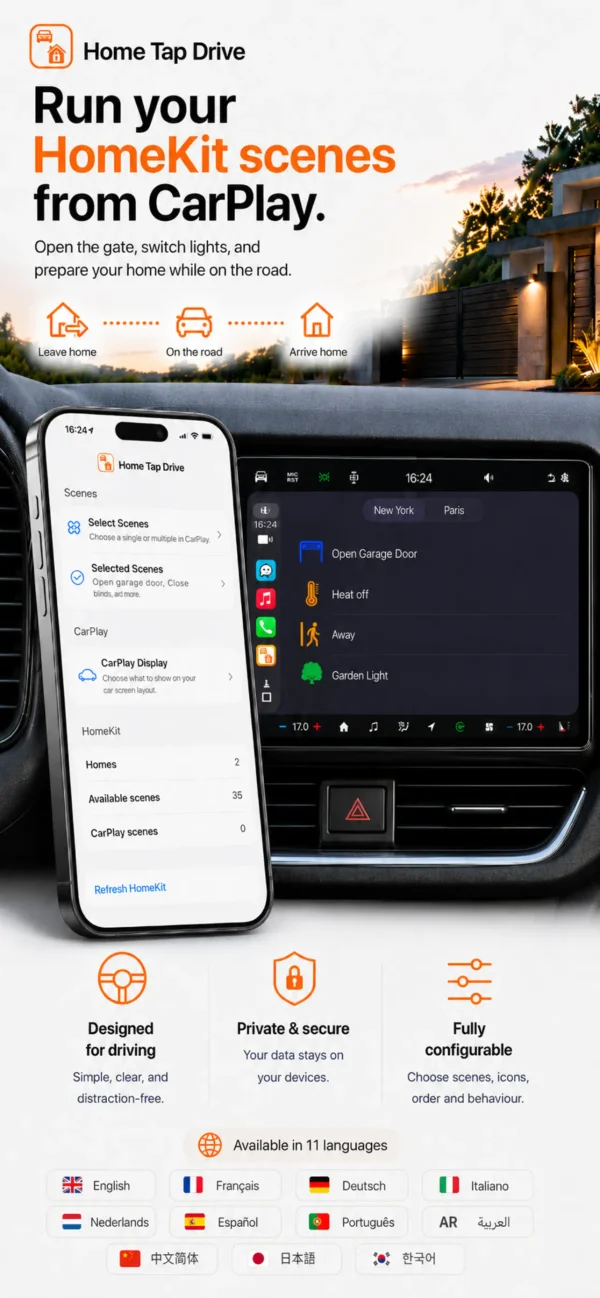
HomeTapDrive lets you run the scenes you have already created in the Apple Home app directly from CarPlay.
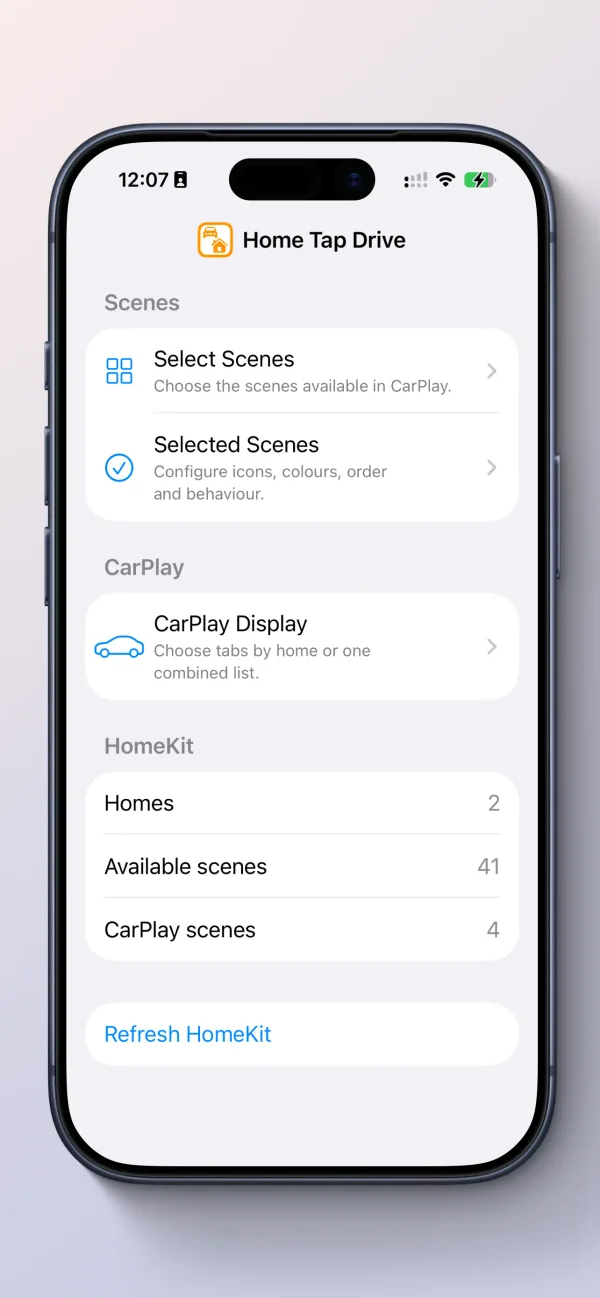
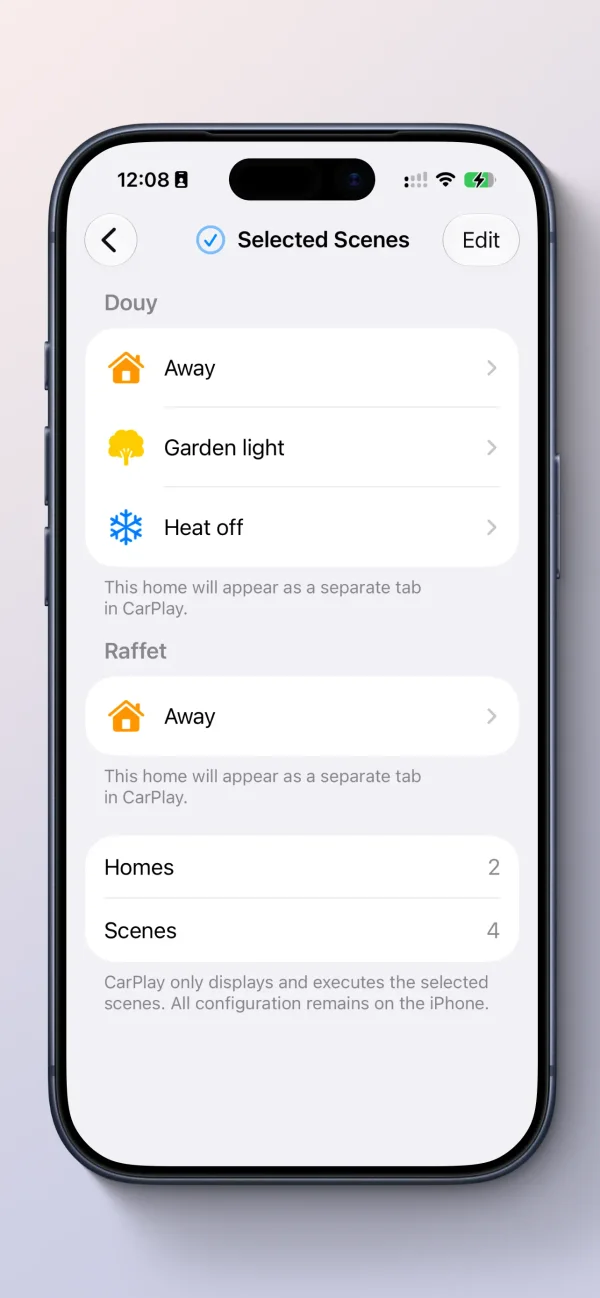
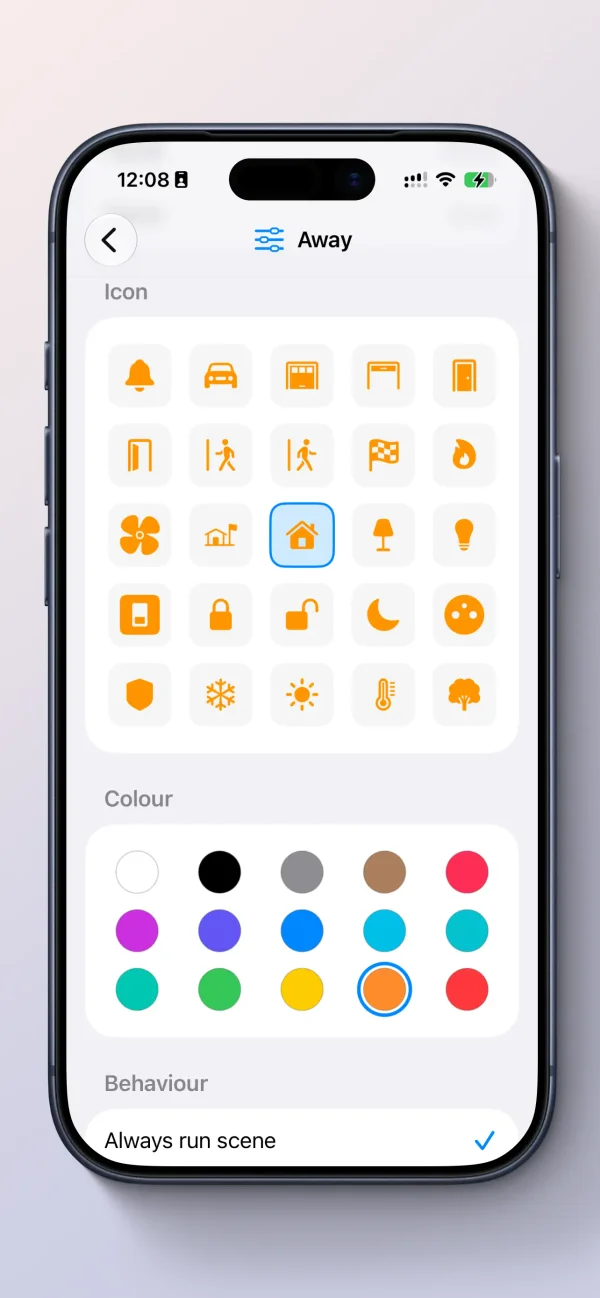
Before you drive, use your iPhone to select the homes and scenes you want to access in your vehicle. You can then customize each CarPlay action with its own name, symbol, and color to make it easy to recognize at a glance.
Create a simple, personalized interface that displays only the actions you need while driving.
HomeTapDrive is especially useful when leaving home, during your journey, or as you approach your destination.
For example, you can:
• run a “Leaving Home” scene to turn off the lights and reduce the heating;
• activate an “Arriving Home” scene before you arrive;
• turn on the outdoor or entrance lights;
• run a scene that opens a garage door or gate;
• access scenes from multiple homes in CarPlay.
You can organize your actions in two ways:
• a separate CarPlay tab for each home;
• a single list containing all your selected actions.
Customizing an action in HomeTapDrive only changes how it appears in CarPlay. It does not modify the original scene in the Apple Home app.
HomeTapDrive does not create new automations and does not automatically run actions based on your location. Each scene is started intentionally from CarPlay.
Your accessories, permissions, and security settings remain managed by the Apple Home app. Some actions may require confirmation depending on the accessory and your home configuration.
Main features:
• access Apple Home scenes from CarPlay;
• customize each action’s name, symbol, and color;
• choose exactly which actions appear in your vehicle;
• support for multiple homes;
• organize actions by home or in a single list;
• simple setup from your iPhone;
• a CarPlay interface designed for quick interactions.
HomeTapDrive requires an iPhone, a CarPlay-compatible vehicle or receiver, and scenes configured in the Apple Home app.
What’s new
Version 1.2 · Aug 18, 2026
— Minor improvements
App privacy
What Stephane DEFAYE declares on the App Store about how this app handles data.
-
Data not collected
The developer does not collect any data from this app.
Privacy practices may vary, for example with the features you use or your age.
Information
- Seller
- Stephane DEFAYE
- Category
- Utilities
- Version
- 1.2
- Updated
- Aug 18, 2026
- Released
- Aug 3, 2026
- Size
- 2.8 MB
- Requires
- iOS 18.6 or later
- Age rating
- 4+
- Price
- Free
- In-app purchases
- Yes
- Languages
- English, Arabic, Dutch, French, German, Italian, Japanese, Korean, Portuguese, Simplified Chinese, Spanish
- Copyright
- © 2026 StillTrue
You might also like
-
 Car Connect & Sync appUconnect: Car Play Connection
-
 KeyGarage - Accede a tu garajeUtilities
-
 Maxem EnergyEV Smart Charging
-
 GarageID: Car Documents & LogDrives, Trips, Fuel & Expenses
-
 Tousek ConnectUtilities
-
 ACWA ConnectUtilities
-
 Call Shield: Spam BlockerBlock spam calls & texts
-
 HomeDashHomeKit and Matter Dashboards
-
 Crew Relay ChatMotorcycle intercom app
-
 Picsnp-Screenshot StitchingStitch Pictures & Screenshots