- Age rating4+
- CategoryProductivity
- DeveloperJason Hewitt
- LanguagesEnglish+ 28 more
- Size9.8 MB
Links to the official App Store page
Download.org hosts no file of Horizen - Year Planner. The button opens its official App Store page, published by Jason Hewitt. Listing last checked on Nov 18, 2026.
Screenshots



About
Horizen is a complete visual planning system designed to help you see, understand, and shape your time from years down to individual days.
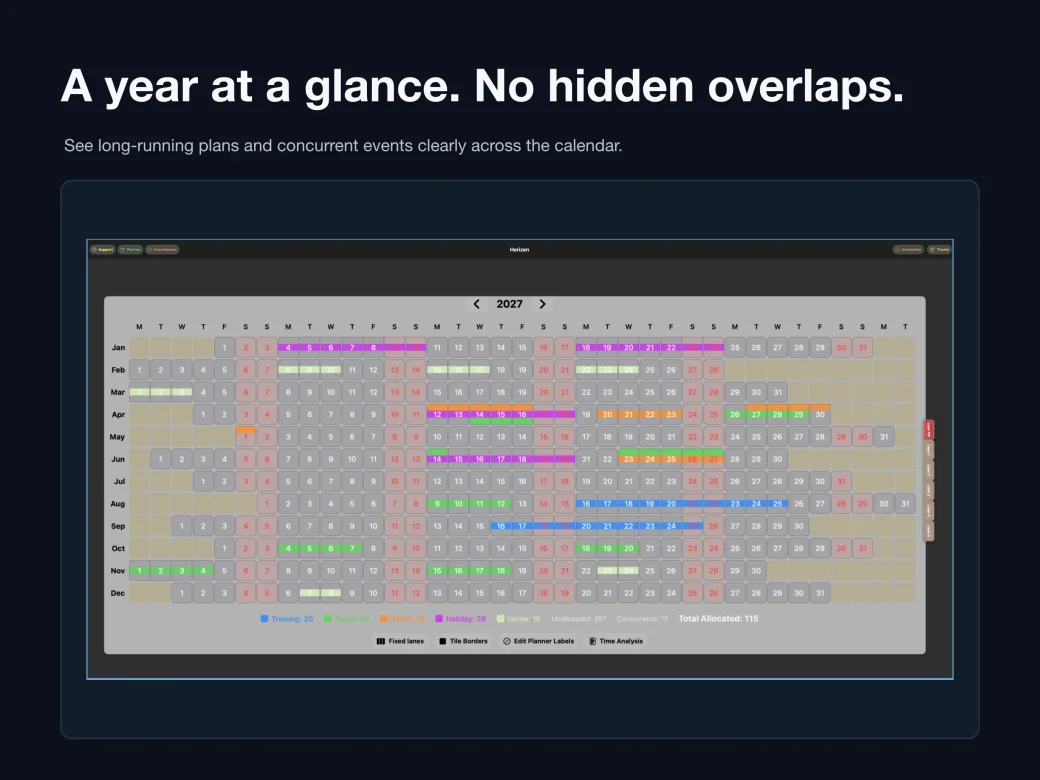
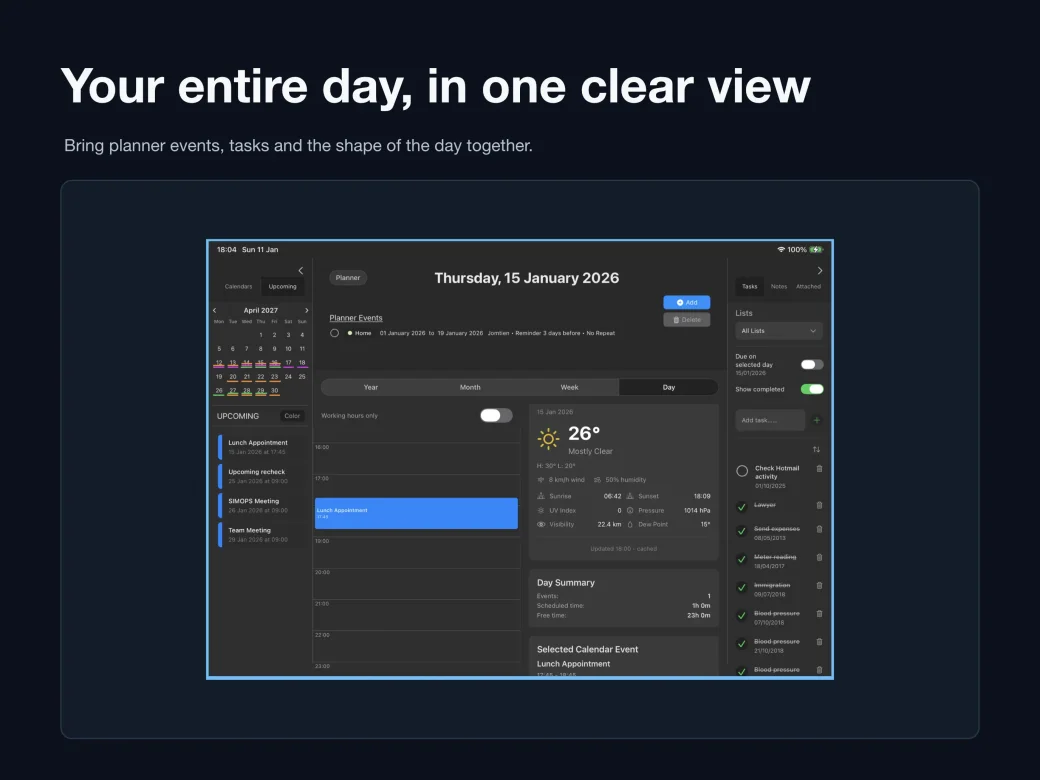
At its core is a true horizontal year view that shows your time as a continuous timeline. You can move seamlessly between yearly, monthly, weekly, and daily views, choosing the level of detail that fits how you’re planning in the moment.
Horizen combines familiar calendar views with a powerful visual timeline, making it easy to understand how events relate to each other across longer time spans. Multiple planner events can live side-by-side in the timeline, so overlaps, priorities, and long-term commitments are instantly clear.
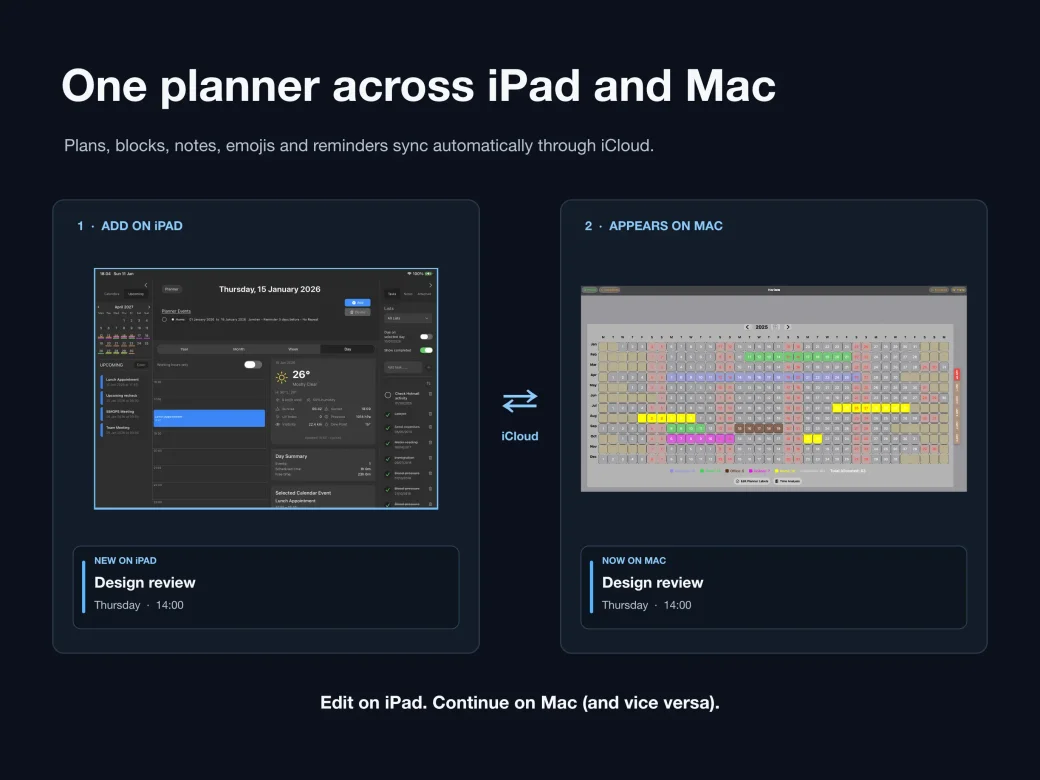
Horizen connects directly to all calendars on your device, allowing existing events to appear naturally within the visual planner. Planner events support tasks, notes, emojis, colours, and file attachments, keeping everything related to your plans in one place. Changes stay in sync across devices using iCloud.
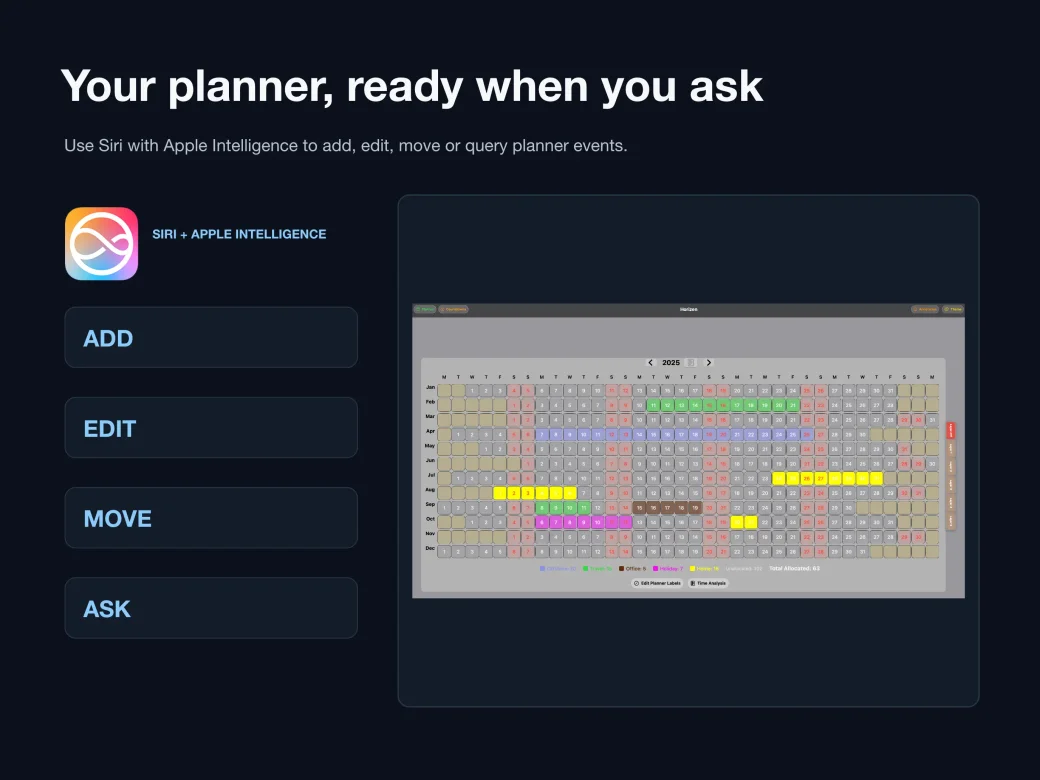
With Siri and Apple Intelligence, you can work with Horizen using natural language. Add, delete, move, and update planner events and reminders, ask about upcoming plans, calendar events, and countdowns, or find and ask questions about documents attached to your planner events.
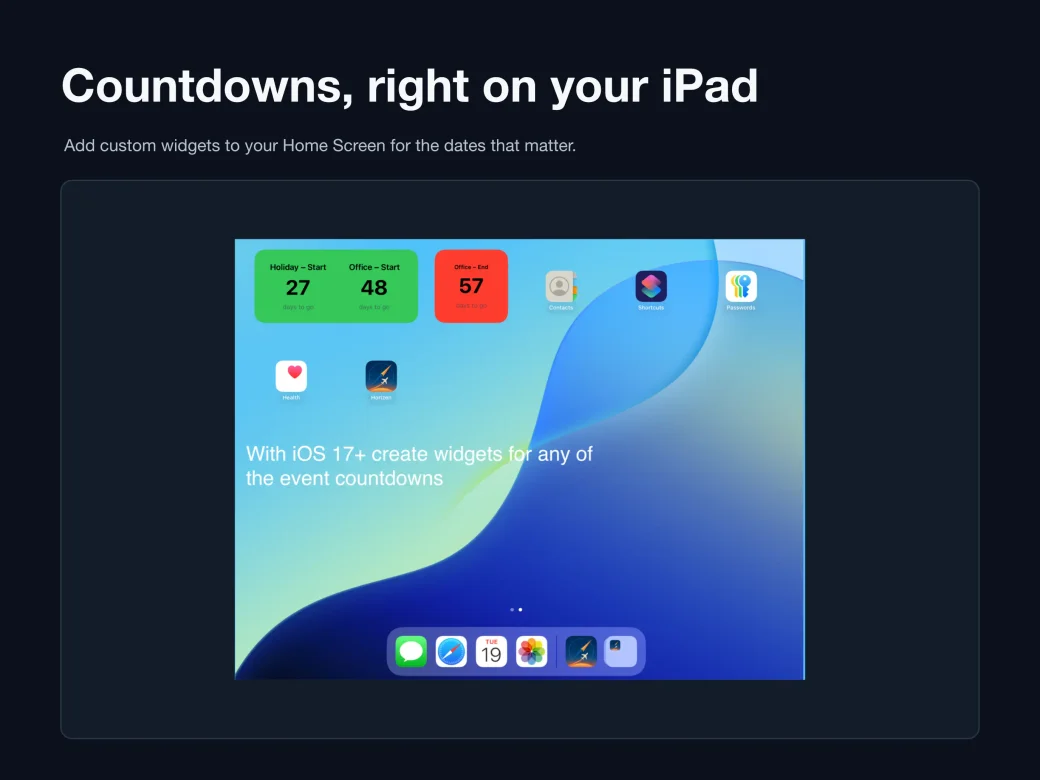
For important moments, create live countdowns and track them visually alongside your calendar, giving you clear awareness of what’s coming up without extra noise.
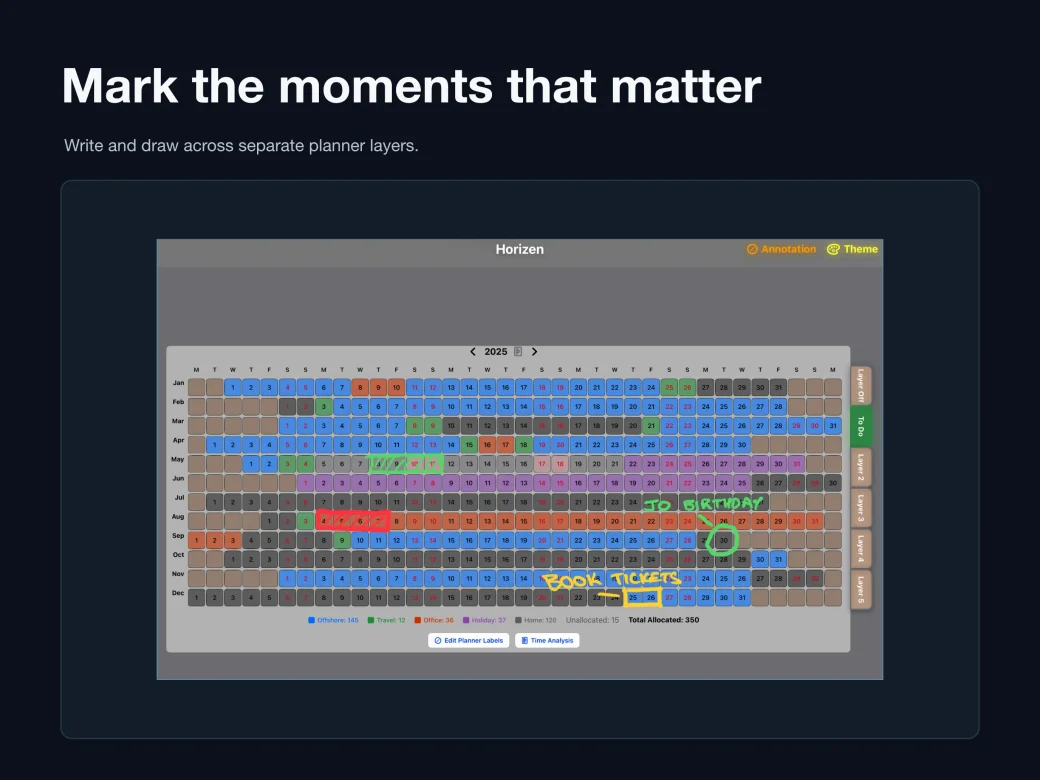
Annotations with Apple Pencil add another layer of flexibility. Draw, sketch, and write directly on your planner using multiple independent layers ideal for brainstorming, highlighting deadlines, or adding personal context.
To support reflection and improvement, the built-in Time Analyser shows how your time is actually spent across any custom range, helping you identify patterns and plan with intention.
Horizen is designed to be fast, focused, and distraction-free, no ads, no clutter, just a clear view of your time.
Features:
- Yearly, monthly, weekly, and daily calendar views
- True horizontal year timeline for long-term visual planning
- Multiple planner events visible simultaneously
- Full integration with device calendars
- Siri and Apple Intelligence support for adding, deleting, moving, and updating planner events and reminders
- Ask Siri about upcoming planner blocks, calendar events, countdowns, and documents attached to planner events
- Live countdowns for planner events
- Task management linked to events
- Attach documents and files directly to events
- iCloud sync across devices
- Custom labels, emojis, and colour themes
- Optional notification reminders
- Time Analyser for reviewing time usage
- Multi-layer Apple Pencil annotation canvas with persistent, customisable layer labels
- Optional, customisable notification reminders for planner events
- Draft Mode for trying Year Plan changes before applying them to your live planner
- Planner Archive with synced restore points
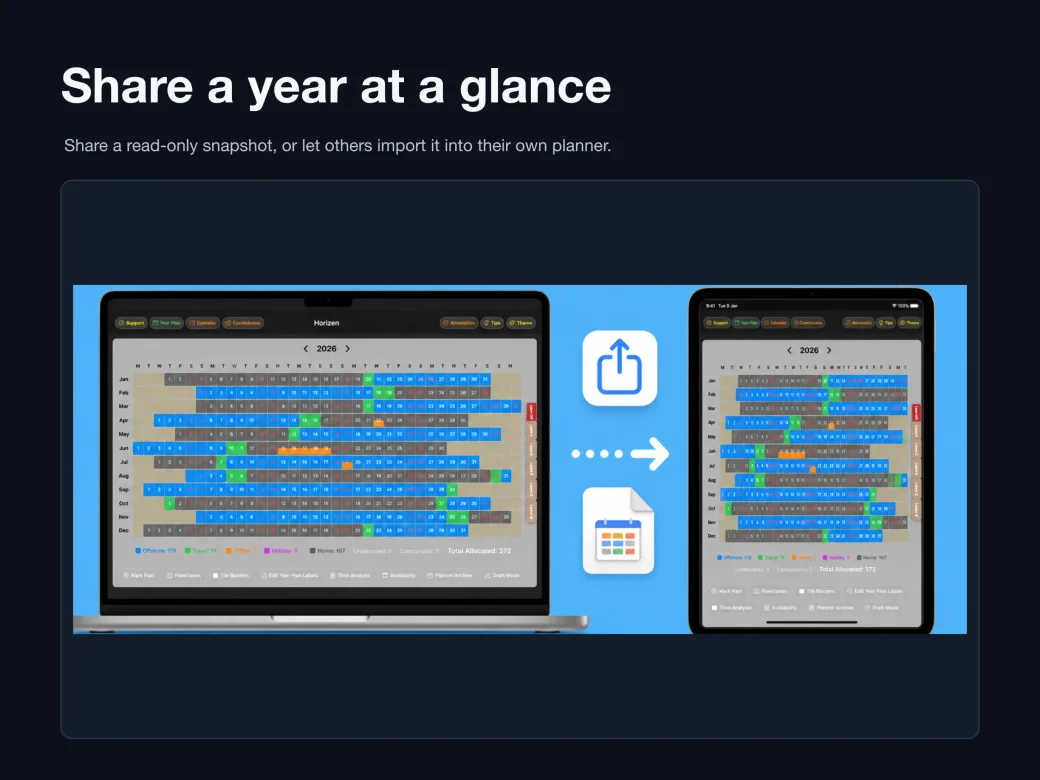
- Export and share schedules with other Horizen users
- Import and view friends’ schedules in a full read-only Year Plan
- Add events from imported year plans
- Clean, focused UI with no ads
See the big picture. Plan the details.
What’s new
Version 4.2 · Oct 5, 2026
- Added Siri and Apple Intelligence functionality. Use Siri to add, delete, and move planner events; update event details and Horizen reminders; and find and ask questions about documents attached to planner events.
- Ask Siri about upcoming planner blocks, calendar events, and countdowns.
- Improved compatibility with macOS 27 and iPadOS 27.
- Bug fixes and performance improvements.
App privacy
What Jason Hewitt declares on the App Store about how this app handles data.
-
Data not collected
The developer does not collect any data from this app.
Privacy practices may vary, for example with the features you use or your age.
Information
- Seller
- Jason Hewitt
- Category
- Productivity
- Version
- 4.2
- Updated
- Oct 5, 2026
- Released
- Apr 17, 2025
- Size
- 9.8 MB
- Requires
- iOS 16.0 or later
- Age rating
- 4+
- Price
- Free
- Languages
- English, Arabic, Croatian, Czech, Danish, Dutch, Filipino, French, German, Greek, Hindi, Hungarian + 17 more
- Copyright
- © 2025 Jason Hewitt
You might also like
-
 PlanEaseAI Note Taker and Planner
-
 Year Calendar & Weekly PlannerDaily Schedule Widget & Tasks
-
 Yearli – Yearly CalendarYear at a Glance Planner 2027
-
 Yoko TimelineProductivity
-
 Life ChainRecord your life
-
 Quadrant ListFour Quadrants To-Do List
-
 DayPad: Weekly PlannerDaily To-Do List & Checklist
-
 Little HabitHabit Tracker · Start Small
-
 Acto|Handwritten PlannerPlan by Hand, Think Clearly
-
 TinyTasks: Kids Chore ChartFamily Reward Task Tracker