
Hotspot Planet
Save Wi-Fi and connect!
Designed for iPhone, iPad, iPod touch
Free · In-app purchases
- Age rating4+
- CategoryProductivity
- DeveloperINNOAUS KOREA INC.
- LanguagesEnglish+ 5 more
- Size8.9 MB
Links to the official App Store page
Download.org hosts no file of Hotspot Planet. The button opens its official App Store page, published by INNOAUS KOREA INC. Listing last checked on Nov 21, 2026.
Screenshots


About
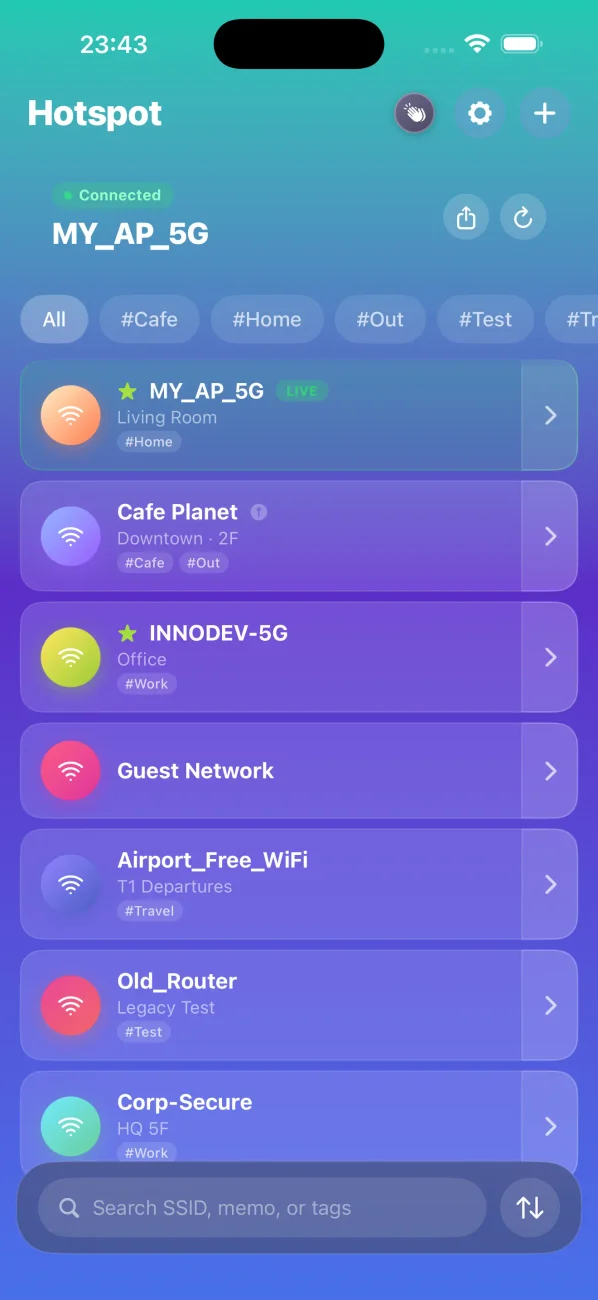
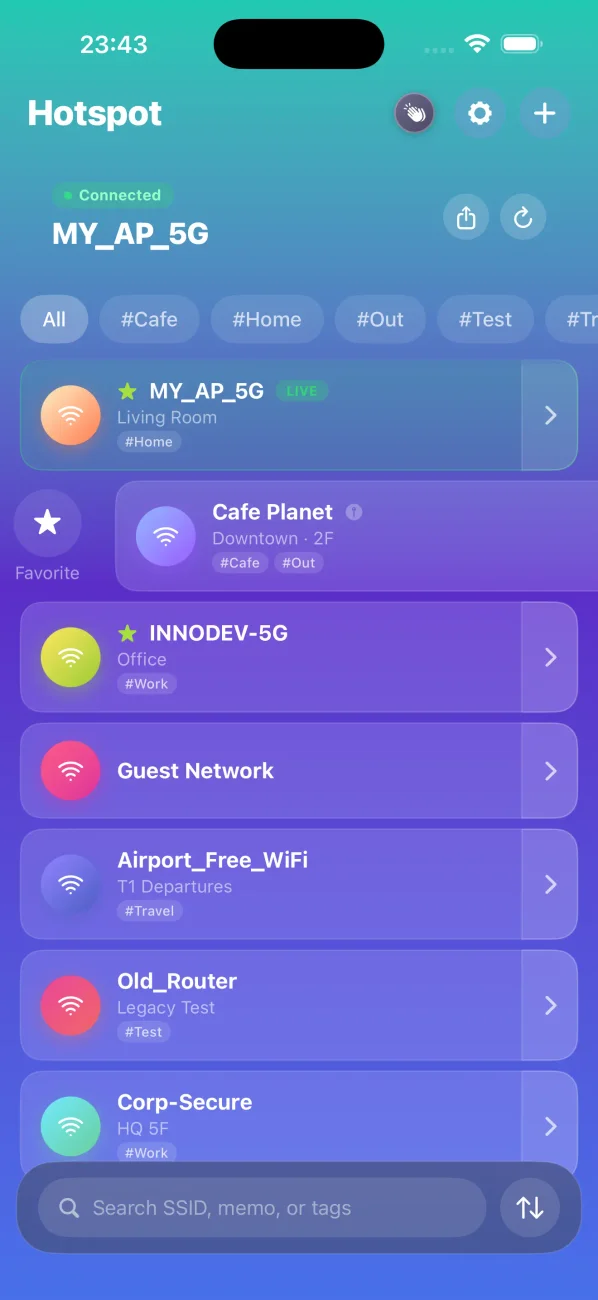
Hotspot Planet safely stores the login details of the Wi-Fi networks you use most, so you can connect with a single tap from the list. Cafés, offices, schools, home routers — connect instantly without remembering or re-entering passwords.
【Key Features】
• One-tap connect — tap an item to instantly connect using the saved credentials
• Home-screen widget — connect to your favorite networks right from the widget
• QR code scan — add a hotspot easily by scanning a Wi-Fi QR code
• WPA-Enterprise support — connect not only home networks (WPA/WPA2/WEP) but also enterprise/campus PEAP/MSCHAPv2 networks that require a username and server name
• Secure storage — passwords are kept in the device's secure store (Keychain); secrets are never exposed to the widget
• Biometric lock — protect editing with Face ID / Touch ID / passcode
• Backup & restore — move your saved list when switching or reinstalling
• iCloud sync — turn it on to keep your saved Wi-Fi list in sync across your devices via your own iCloud account (optional)
• Current network display — see which Wi-Fi you're connected to in real time
• Icons & colors — assign an icon and color to each item for quick recognition
【Good to Know】
• Supported security — home Wi-Fi with WEP, WPA, and WPA2
• Reorder — long-press the list to arrange items in any order
• If the current-network status doesn't refresh, tap the "Refresh" button to check again
• Connection works only when a saved Wi-Fi network is nearby
• The developer does not collect the Wi-Fi information you add to the app
【Perfect for】
- Anyone tired of retyping Wi-Fi passwords across multiple places
- People who frequently use WPA-Enterprise networks at work or school
- Sharing Wi-Fi access quickly with family or colleagues
- Anyone who wants to keep passwords secure
By default, all processing happens on-device. If you turn on iCloud sync, your saved list is synced across your own devices through your iCloud account, and is never sent to the developer's servers.
What’s new
Version 2.0.2 · Aug 13, 2026
• Expanded language support — added Simplified and Traditional Chinese
App privacy
What INNOAUS KOREA INC. declares on the App Store about how this app handles data.
-
Data not linked to you
May be collected but is not linked to your identity.
- Location
- Identifiers
- Usage data
- Diagnostics
Privacy practices may vary, for example with the features you use or your age.
Information
- Seller
- INNOAUS KOREA INC.
- Category
- Productivity
- Version
- 2.0.2
- Updated
- Aug 13, 2026
- Released
- Aug 15, 2018
- Size
- 8.9 MB
- Requires
- iOS 15.0 or later
- Age rating
- 4+
- Price
- Free
- In-app purchases
- Yes
- Languages
- English, Japanese, Korean, Russian, Simplified Chinese, Traditional Chinese
- Copyright
- © 2026 INNOAUS
You might also like
-
 Portable Wifi Mobile HotspotWiFi Hotspot - Portable WiFi
-
 Portable WiFi - HotspotMake your WiFi portable easily
-
 Hotspot Monitor Data UsageCellular traffic - personal
-
 Portable Hotspot : Mobile WifiShare Data as WiFi Hotspot
-
 Helium HotspotApp for HNT and Hotspots
-
 WiFi+TransferSync media files & free space
-
 tpMiFiProductivity
-
 Wifi Password CommunitySearch Nearest Wifi
-
 VPN in TouchProductivity
-
 VPN Hotspot ProxyVpn Proxy Master Super Usa