
Hourly Chime: Talking Clock
Speaking Time & Voice Reminder
Designed for iPhone, iPad
Free · In-app purchases
- Age rating4+
- CategoryProductivity
- DeveloperJakub Flisinski
- LanguagesEnglish+ 81 more
- Size33.9 MB
Links to the official App Store page
Download.org hosts no file of Hourly Chime: Talking Clock. The button opens its official App Store page, published by Jakub Flisinski. Listing last checked on Nov 27, 2026.
Screenshots
About
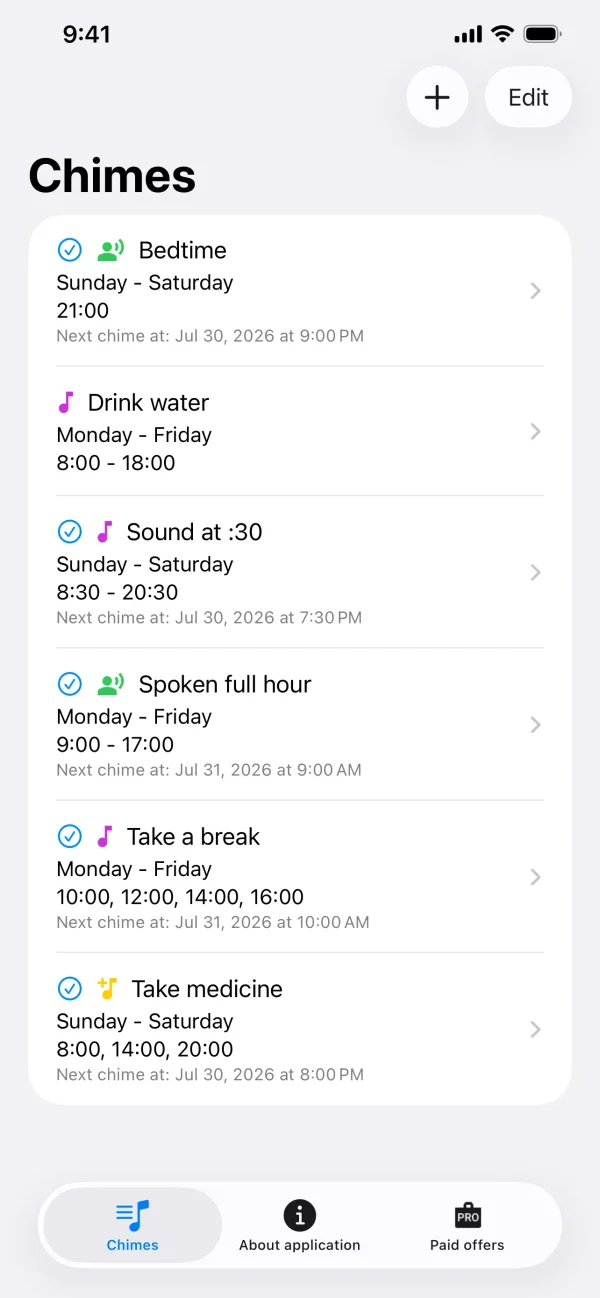
Hourly Chime is an hourly chime and talking clock for iPhone and iPad: it plays a chime sound at the hours and days you choose, and with PRO it can say the time aloud. Set it up once, and a short sound tells you that another hour has passed, without checking the clock.
Use it as an hourly reminder to take short breaks, a time signal for focus sessions while you work or study, or a gentle time cue when you tend to lose track of time during long periods of concentration. A simple hourly alert gives everyday routines a steady rhythm: switch tasks, stretch, or mark the end of a study hour.
HOURLY CHIME ON YOUR SCHEDULE
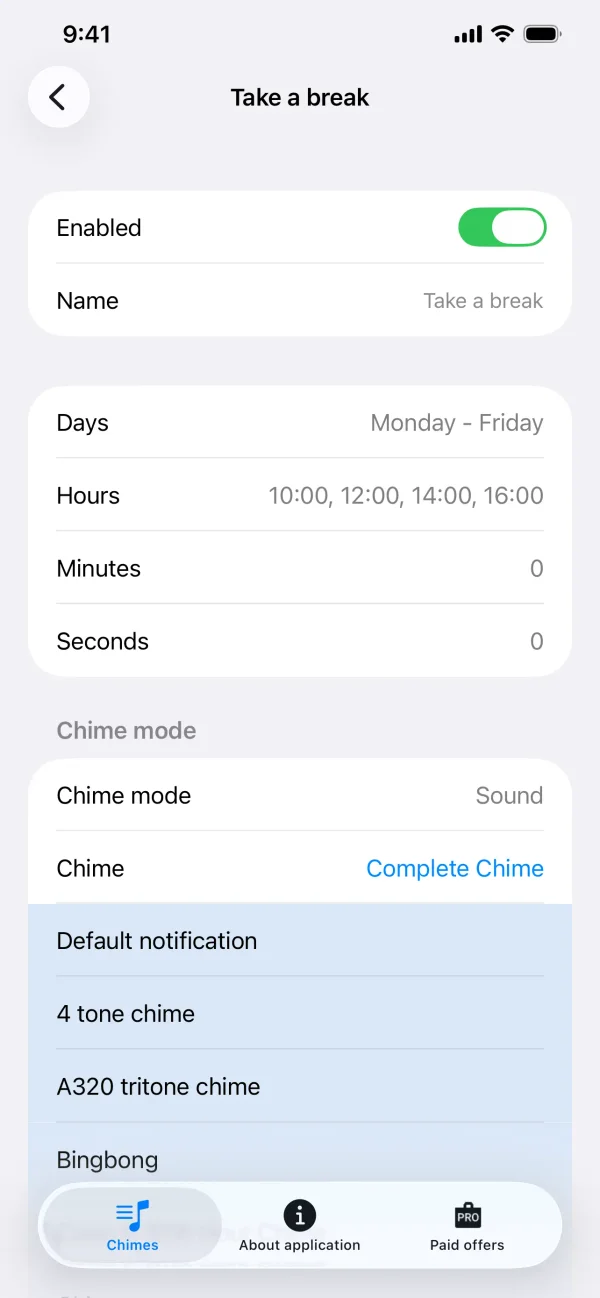
- Hours: pick the hours of the day for each chime, for example only your work hours from 9 AM to 5 PM, and leave the night quiet.
- Days: chime on weekdays, at weekends or every day.
- Minutes: chime on the hour, at quarter past, half past or quarter to. Set two or four chimes for a half-hourly or quarter-hourly signal. With PRO, pick any minute and second.
- Many chimes: keep a separate chime for work, study and the weekend, each with its own name, hours, days and sound, and switch each one on or off.
CHIME SOUNDS
- Choose from the app's built-in sounds: a cuckoo clock, a digital watch hour beep, doorbells, wind chimes, tannoy and airplane cabin chimes, a bing-bong and more.
- With PRO, use your own sound file from your device.
TALKING CLOCK AND VOICE REMINDERS (PRO)
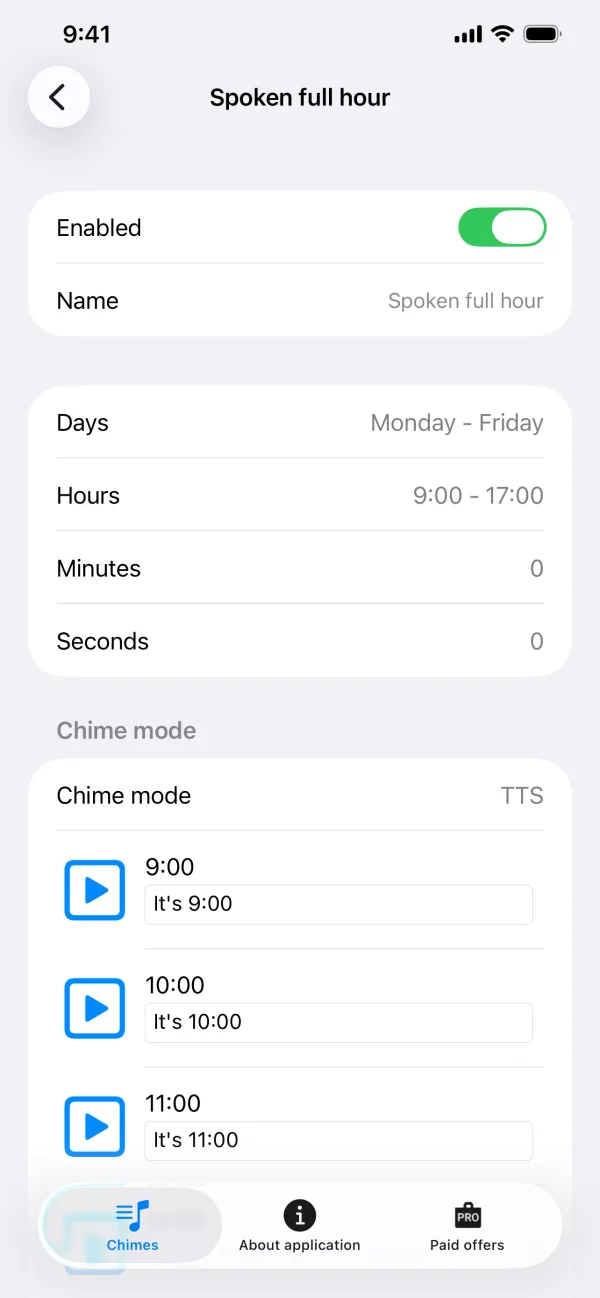
- Switch a chime to TTS (text-to-speech) and it becomes a speaking clock with the spoken time, for example "It's 9:00", so you hear the hour without looking at the screen.
- Change the text for any hour to turn the chime into a voice reminder: "Stand up and stretch", "Drink water", "Time for lunch", "Wind down".
- Set the default spoken texts once in Settings; new chimes start from them.
- The voice is the text-to-speech voice of your iPhone or iPad in your language; the voices available depend on your device.
- Not sure yet? The PRO screen has a demo chime that lets you hear the talking clock before you buy.
SUNRISE AND SUNSET CHIMES (PRO)
- Chime at sunrise or sunset, at dawn or dusk, or a set time before or after, to follow the daylight hours.
- Use your current location or type the coordinates.
- With TTS, hear "It's sunset", "Sunset in 1 hour" or your own text.
KEEP YOUR CHIMES ORGANIZED
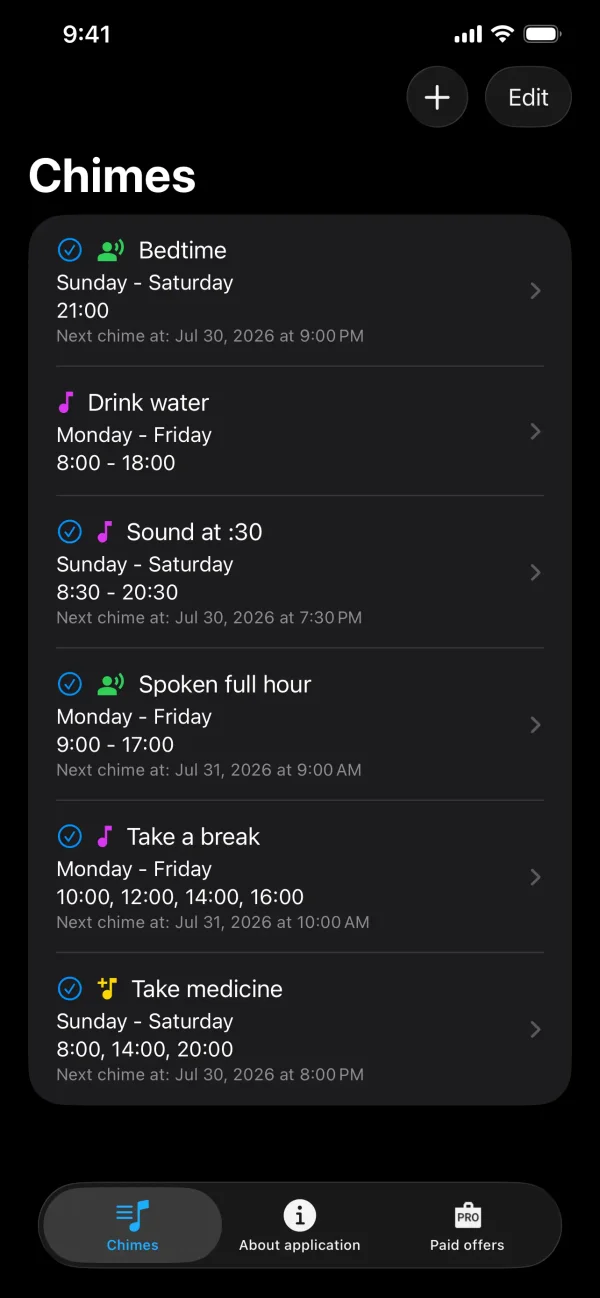
- Each chime shows when it plays next.
- Copy a chime with a swipe, then adjust it for another part of the day.
- Sort chimes by time or by name.
- Deleted chimes go to the Trash first, so you can restore one you removed by mistake.
- Back up all chimes to a file and restore them, for example on a new iPhone. A daily automatic backup of the chime list is saved in the app's folder in Files.
HOW CHIMES PLAY ON IPHONE
Chimes are iOS notifications with a sound, so the app does not need to stay open. Give the app notification permission when it asks. A chime plays at your ringer volume and follows Silent mode and Focus: in Silent mode you get the notification without the sound.
iOS lets an app schedule a limited number of notifications in advance. When your chimes need more, the list shows the date until which they are set, and a notification reminds you to open the app before then. Opening the app schedules the next ones.
FREE AND PRO
Hourly chimes with the built-in sounds on the hour, quarter past, half past and quarter to are free, with ads. No ads is a one-time purchase that removes the ads and does not unlock PRO. PRO adds the talking clock and voice reminders, your own sound, any minute and second, and sunrise and sunset chimes, and removes the ads. PRO is available as a one-time purchase or as an auto-renewable subscription.
No account is needed. Hourly Chime is made for everyday time awareness; for an appointment you must not miss, set an alarm as well.
Terms of Use: https://www.apple.com/legal/internet-services/itunes/dev/stdeula/
What’s new
Version 17.4 · Nov 25, 2026
- Many bigger and smaller fixes and improvements.
App privacy
What Jakub Flisinski declares on the App Store about how this app handles data.
-
Data used to track you
May be used to track you across apps and websites owned by other companies.
- Location
- Identifiers
- Usage data
- Diagnostics
-
Data linked to you
May be collected and linked to your identity.
- Location
- Identifiers
- Usage data
- Diagnostics
-
Data not linked to you
May be collected but is not linked to your identity.
- Diagnostics
Privacy practices may vary, for example with the features you use or your age.
Information
- Seller
- Jakub Flisinski
- Category
- Productivity
- Version
- 17.4
- Updated
- Nov 25, 2026
- Released
- Aug 12, 2024
- Size
- 33.9 MB
- Requires
- iOS 17.0 or later
- Age rating
- 4+
- Price
- Free
- In-app purchases
- Yes
- Languages
- English, Afrikaans, Albanian, Amharic, Arabic, Armenian, Azerbaijani, Basque, Belarusian, Bengali, Bosnian, Bulgarian + 70 more
- Copyright
- © Jakub Flisiński - Caynax
You might also like
-
 Hourly Chime: Remind MeSet Daily Activity Reminders
-
 Voice Clock : Time SpeakerTalking Clock & Hourly Chime
-
 Diii Notify - hourly chimecustom your alarm and reminder
-
 Chime SquirrelProductivity
-
 Regular Reminders for HabitsHourly Chimes & Timer Alarms
-
 Chimebird - Hourly Voice ChimeTalking Clock & Time Reminders
-
 Voice wake alarmMulti-functional Timer
-
 Talking Voice Alarm - ReminderNotify time & text to speech
-
 Hourly Chime: Reminds Me DailyGet a beep sound each hour.
-
 Reminders & Alarms - Beep MePersistent Nagging Until Done