
Hours Tracker & Time Clock
Timesheet, Paycheck & Overtime
Designed for iPhone, iPad
Free · In-app purchases
- Age rating4+
- CategoryBusiness
- DeveloperGlory Mae Dagapioso
- LanguagesEnglish+ 43 more
- Size23.6 MB
Links to the official App Store page
Download.org hosts no file of Hours Tracker & Time Clock. The button opens its official App Store page, published by Glory Mae Dagapioso. Listing last checked on Nov 21, 2026.
Screenshots
About
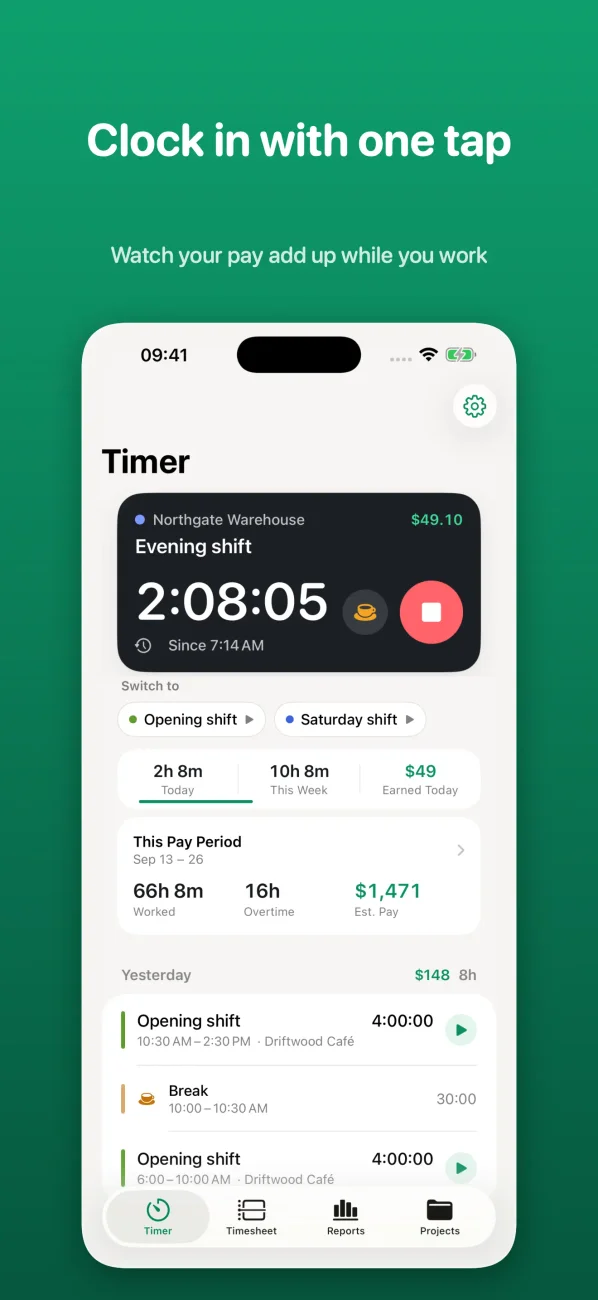
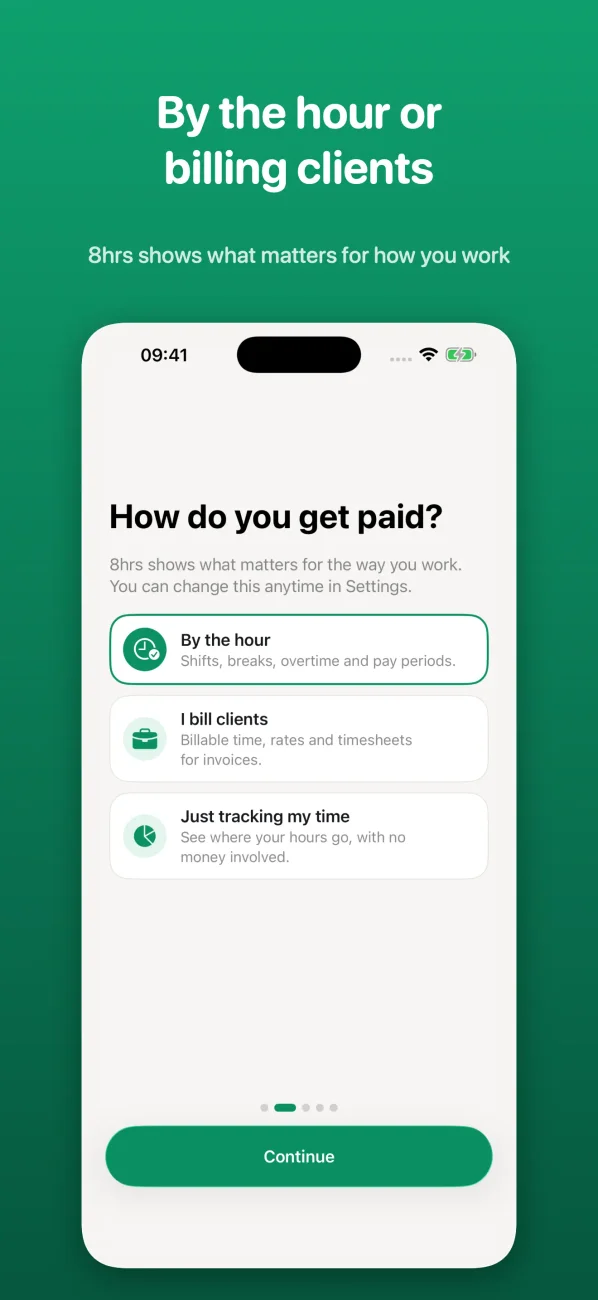
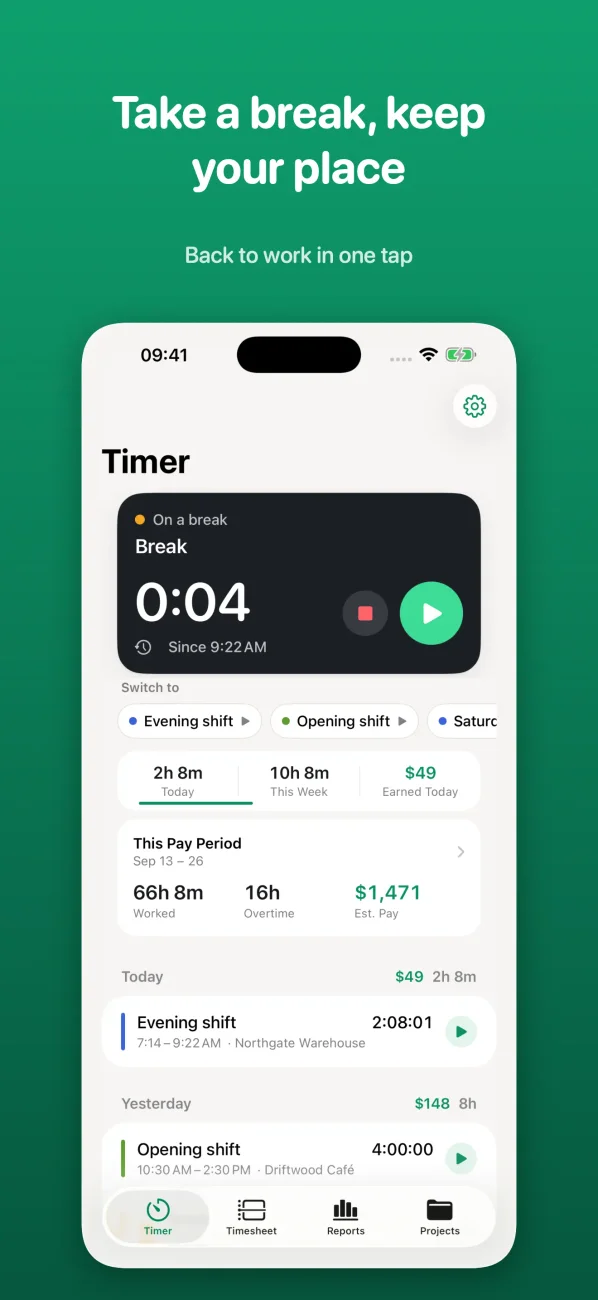
8hrs is an hours tracker and time clock for your workday: clock in with one tap, take breaks, and see your timesheet, overtime and estimated paycheck. It works for hourly jobs and shifts, freelance projects and personal time tracking.
YOUR WORKDAY
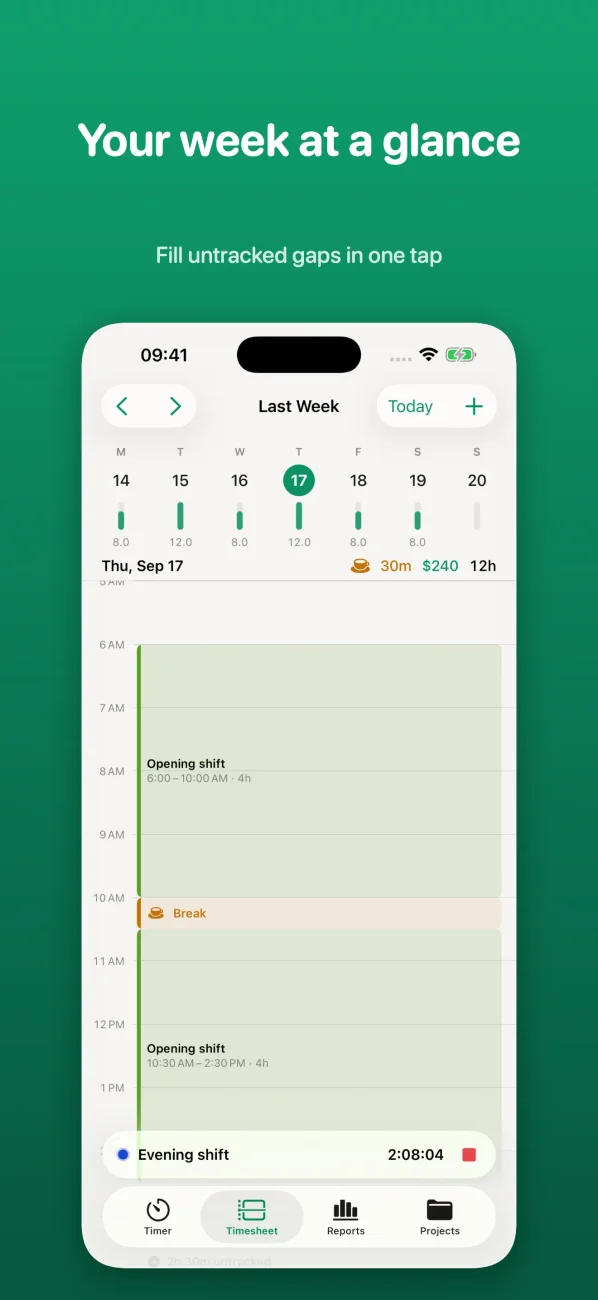
Start and stop a timer in one tap. Take an unpaid break and continue where you left off. Adjust a start time or add time you forgot to track. Your weekly timesheet shows entries and gaps you can fill.
HOURS AND PAY
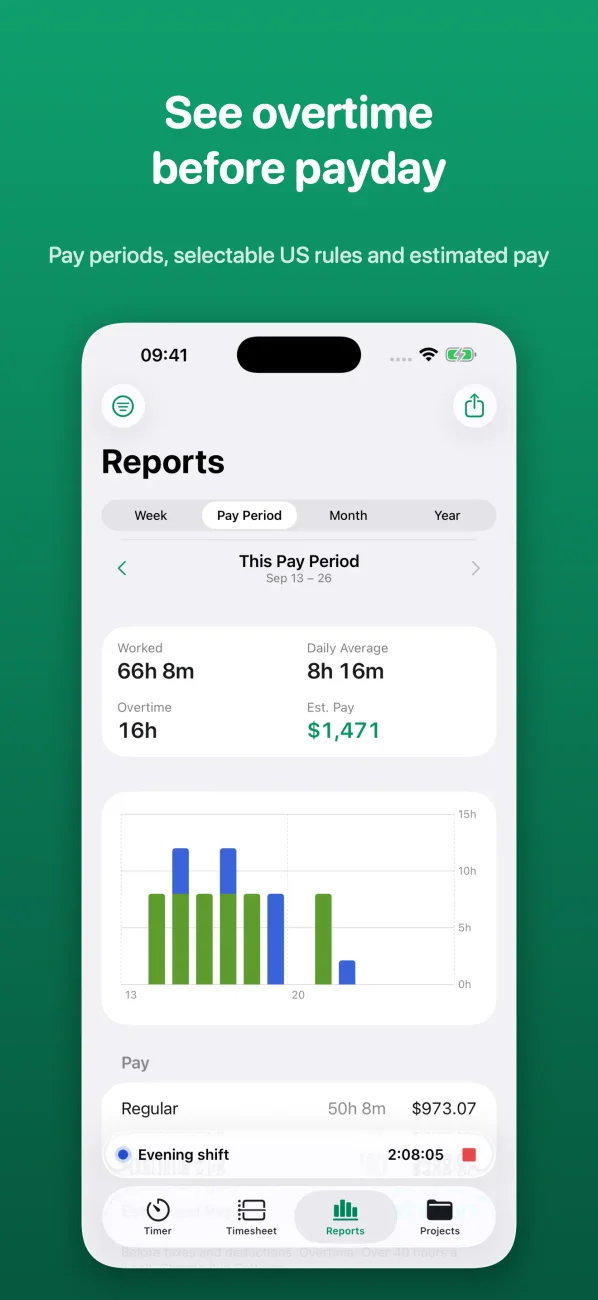
Choose weekly, biweekly, twice-monthly or monthly pay periods. Set a rate for each job and see estimated earnings before taxes and deductions. Overtime calculations use selectable US rules: weekly 40 hours, daily 8 hours, or California rules. Choose the rule in Settings; it does not change with your language or location.
CLIENTS AND PROJECTS
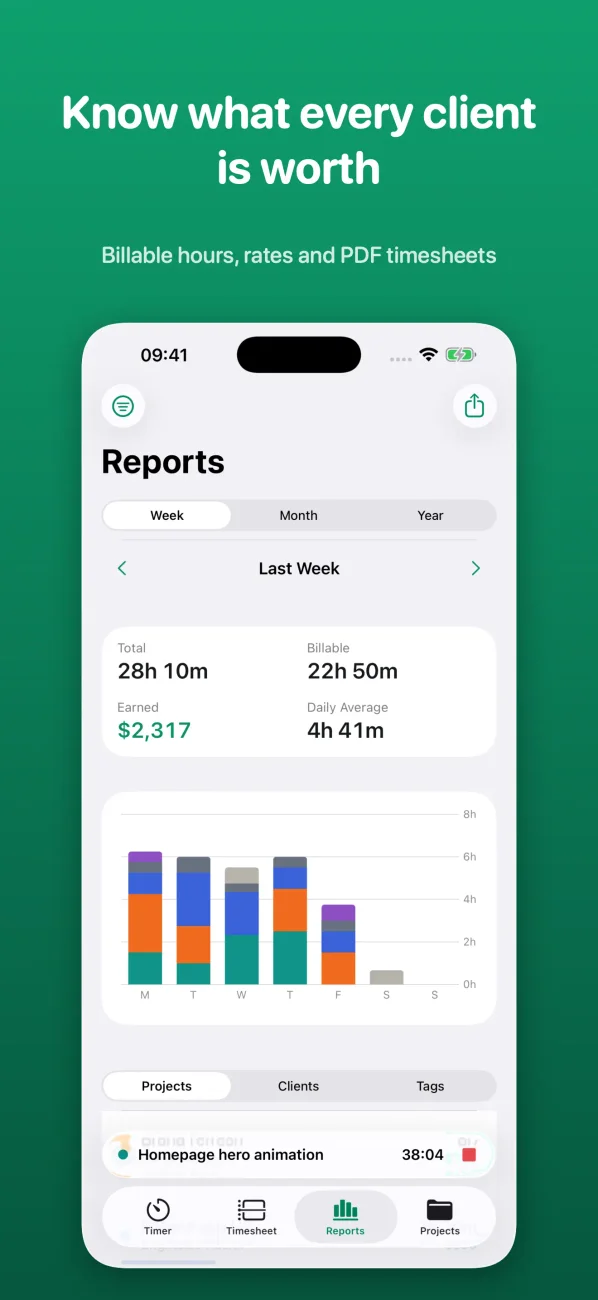
Organize time by project, client and tag. Mark billable time, set rates, round time for invoices and share PDF timesheets. Explore reports by week, month, year or pay period.
QUICK ENTRY
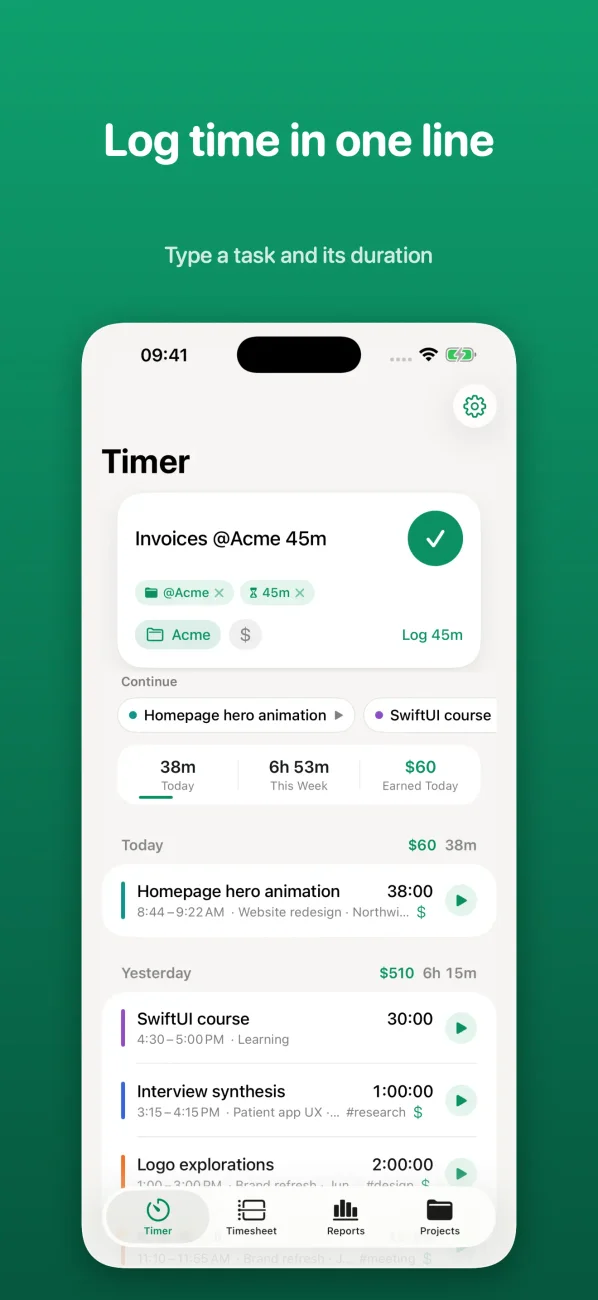
Type a task and duration, for example "Invoices 45m". Use @Project and #tags. Date and time phrases such as "yesterday" and "since 9:15" currently use English syntax.
ALWAYS WITH YOU
Start from widgets, the Lock Screen, Dynamic Island, Control Center, the Action button, Siri or Shortcuts. Optional reminders help you start your day and notice a timer left running.
BRING YOUR HISTORY
Import a detailed CSV export from Toggl Track, Clockify or Harvest. Projects, clients, tags and rates come along. Duplicate entries are skipped.
PRIVATE BY DESIGN
No account, no ads and no tracking. Your time stays on your devices and syncs through your own iCloud.
8HRS PRO
Timers, timesheets, widgets, iCloud sync, CSV import and CSV export are free with unlimited history. Pro adds overtime and pay estimates, PDF timesheets, year reports, client filters, tag reports and rounding. Choose a yearly plan with a 7-day free trial, a monthly plan or a one-time lifetime purchase.
Payment is charged to your Apple Account on confirmation or at the end of the free trial. Subscriptions renew automatically unless canceled at least 24 hours before the current period ends. Manage or cancel your subscription in Apple Account settings.
Terms of Use: https://www.apple.com/legal/internet-services/itunes/dev/stdeula/
Privacy Policy: https://apphunt.app/8hrs/privacy
What’s new
Version 1.3 · Oct 7, 2026
The Daily Gift now greets you every time you open 8hrs while a spin is waiting, your prizes are kept safe even if you reinstall, and a prize you have already won can come up again after a week. Plus the AppHunt stamp on the wheel, so you know where the free apps come from.
App privacy
What Glory Mae Dagapioso declares on the App Store about how this app handles data.
-
Data not linked to you
May be collected but is not linked to your identity.
- Identifiers
- Usage data
Privacy practices may vary, for example with the features you use or your age.
Information
- Seller
- Glory Mae Dagapioso
- Category
- Business
- Version
- 1.3
- Updated
- Oct 7, 2026
- Released
- Sep 27, 2026
- Size
- 23.6 MB
- Requires
- iOS 26.0 or later
- Age rating
- 4+
- Price
- Free
- In-app purchases
- Yes
- Languages
- English, Arabic, Bengali, Catalan, Croatian, Czech, Danish, Dutch, Finnish, French, German, Greek + 32 more
- Copyright
- © 2026 Glory Mae Dagapioso
You might also like
-
 Tab Space – Tab SaverSync & reopen Safari sessions
-
 Cancel Subscriptions - SubliSubscription Manager & Tracker
-
 TrustStewardYour trust spans decades.
-
 Dienstmappe: Site Photo LogPhoto reports & sign-off
-
 Titanova: Life PlannerGoals, Habits, Tasks & Focus
-
 Capylist: Countdown & DiaryDaily Habit Tracker · Calendar
-
 Bookmark Read Later - LinkjoyOffline, Highlight, Notebook
-
 Synca · Sync Your Aha MomentCapture Ideas, Synced Anywhere
-
 Closer: Real Estate DealsTrack every deal to closing
-
 Dotly-Simple accounting toolRecord every moment of life