
HouseMinder
Home Maintenance Made Simple
Designed for iPhone, iPad
Free · In-app purchases
- Age rating4+
- CategoryProductivity
- DeveloperMikal Krall
- Size8.9 MB
Links to the official App Store page
Download.org hosts no file of HouseMinder. The button opens its official App Store page, published by Mikal Krall. Listing last checked on Nov 20, 2026.
Screenshots


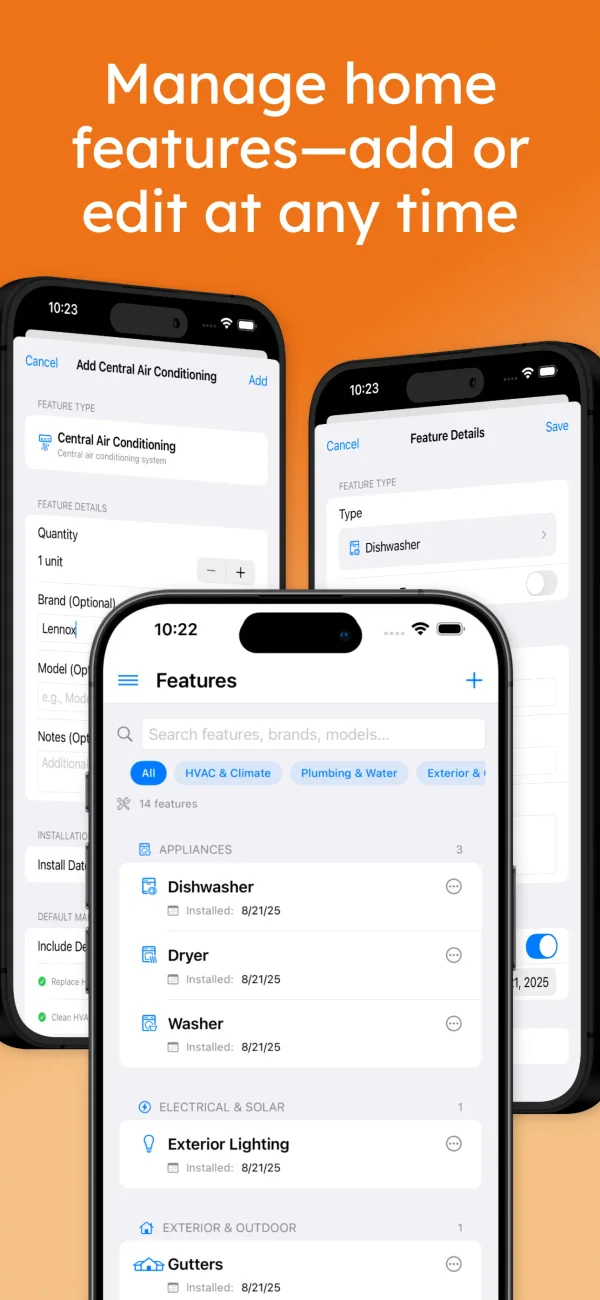
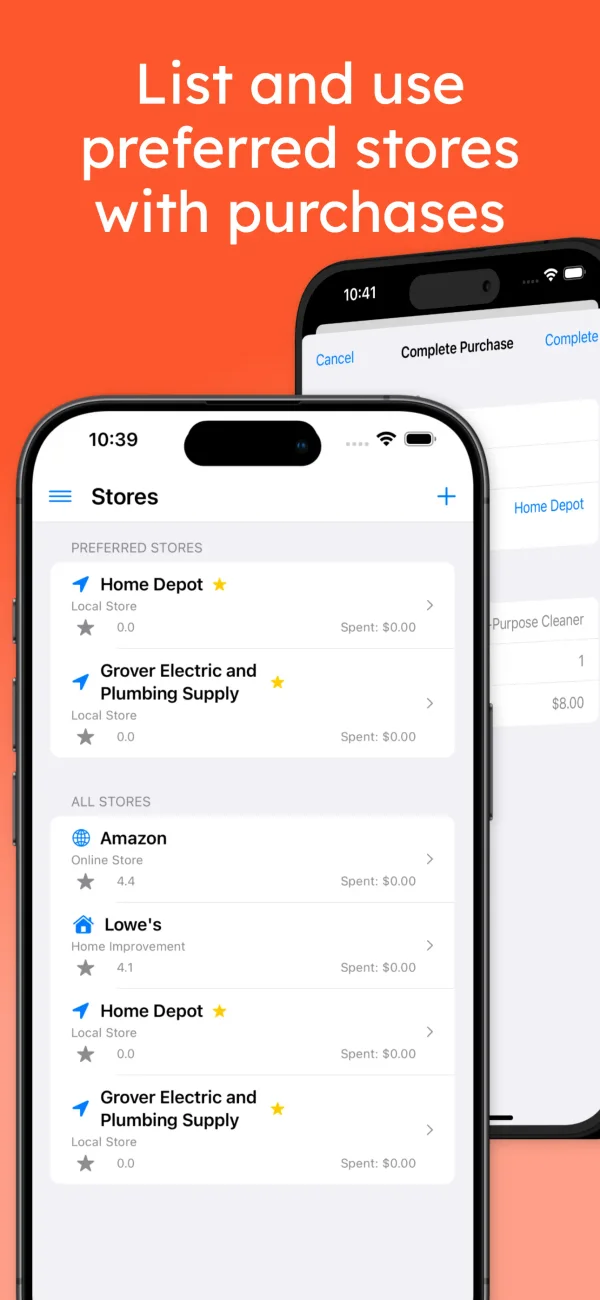
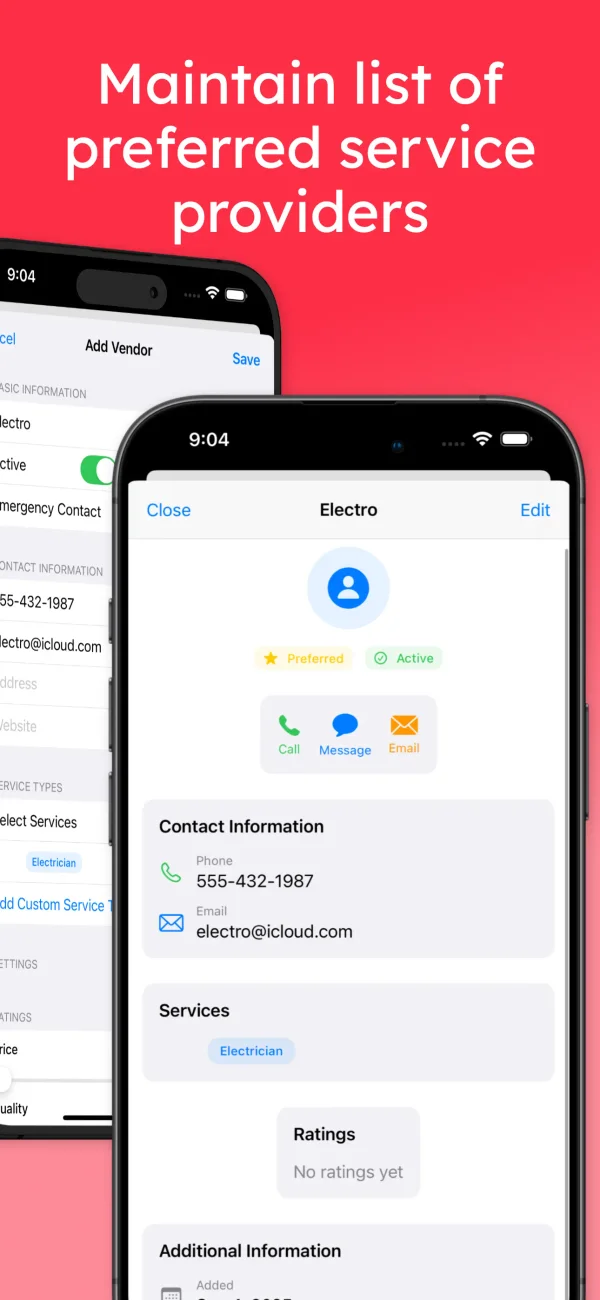
About
HouseMinder - Home Maintenance Made Simple
Never miss another home maintenance task again. Keep your home in perfect condition with intelligent scheduling, smart reminders, and comprehensive tracking.
--Your Complete Home Maintenance Companion--
HouseMinder transforms overwhelming home maintenance into a simple, organized system. Whether you're a new homeowner or managing multiple properties, our app ensures nothing falls through the cracks.
Smart Scheduling That Adapts to Your Home
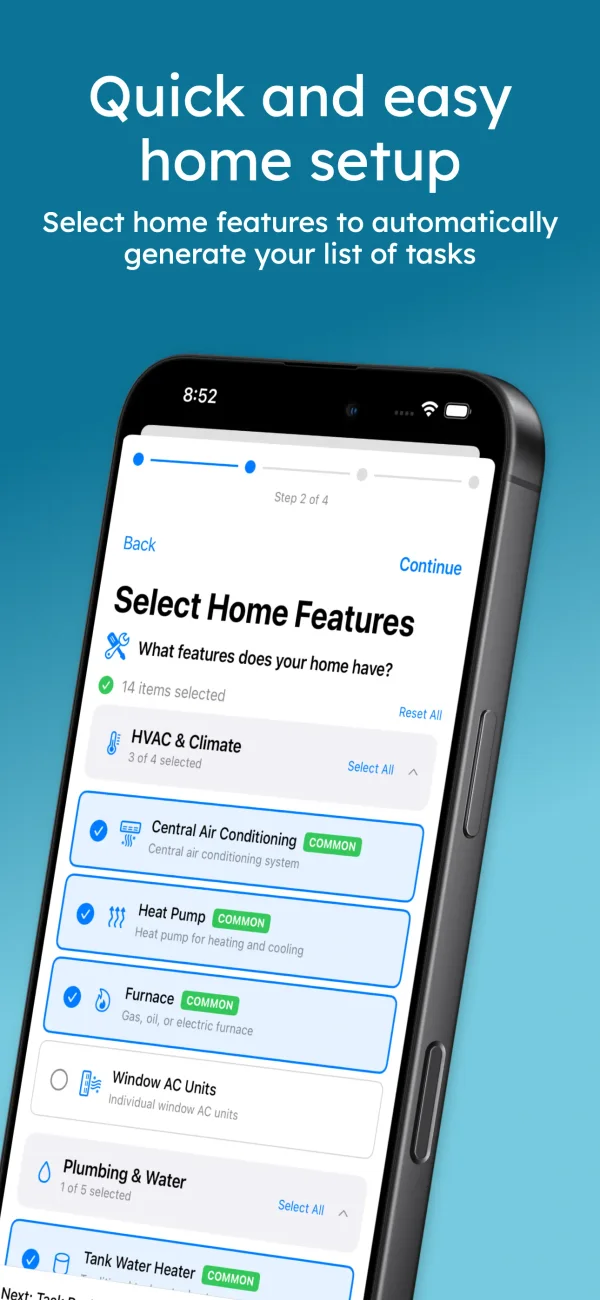
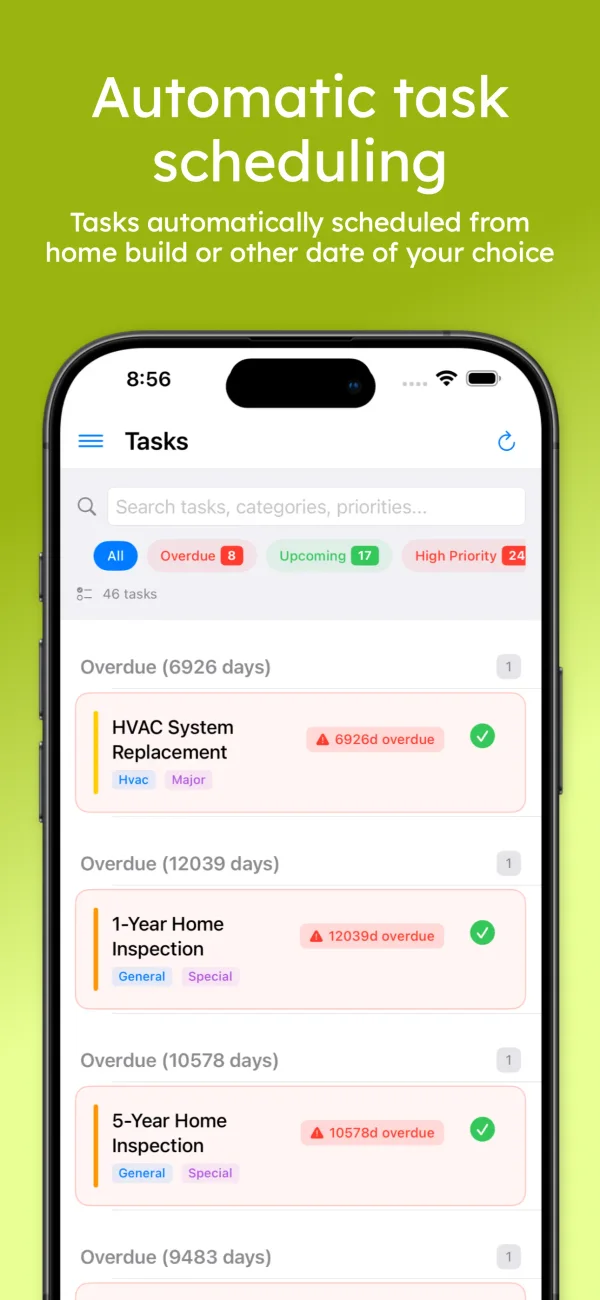
• Intelligent task scheduling based on your home's age and build date
• Customizable frequencies: monthly, quarterly, biannual, annual, and special projects
• Priority-based reminders ensure critical tasks get done first
• Bundled task suggestions to maximize efficiency when you're already working
Comprehensive Task Management
• Pre-loaded maintenance schedule with dozens of essential tasks
• Custom task creation for your unique needs
• Detailed instructions with estimated time and cost
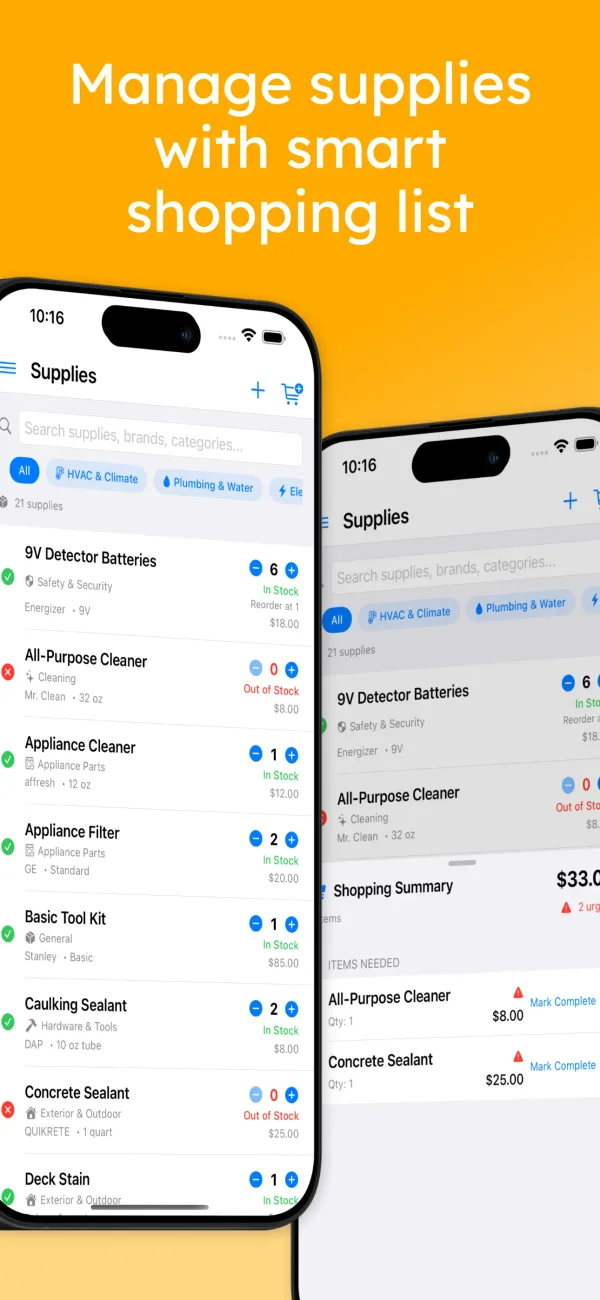
• Equipment and supply tracking so you're always prepared
• Progress monitoring with completion history
Intelligent Notifications
• Smart reminder system with priority-based advance notice
• Bundled task alerts to group related maintenance together
• Supply reorder notifications when inventory runs low
• Weekly digest summarizing your progress and upcoming tasks
Designed for iPhone
• CloudKit sync keeps your data updated across all devices
• Intuitive interface that makes maintenance management effortless
• Offline capability for when you're working without internet
Perfect For:
• New homeowners who need guidance on maintenance schedules
• Experienced owners wanting better organization
• Property managers overseeing multiple homes
• Anyone who wants to protect their home investment
Why Choose HouseMinder?
• Based on professional maintenance schedules used by property experts
• Saves money by preventing costly repairs through preventive maintenance
• Increases home value by keeping everything in top condition
• Reduces stress with automated reminders and clear instructions
• Improves efficiency by suggesting related tasks to do together
Start your 45-day free trial today to keep your home in perfect condition.
Terms of Service: https://www.apple.com/legal/internet-services/itunes/dev/stdeula/
Privacy Policy: https://www.sapientape.games/houseminder/privacy.html
What’s new
Version 2.0 · Nov 11, 2026
Major overhaul!
Theming and colors
* Nine selectable color themes, including two colorblind-friendly ones, applied across every screen, with a picker in Settings.
* Priority, success, warning, rating and highlight colors follow the theme.
Navigation
* The hand-built slide-out drawer was replaced with SwiftUI's NavigationSplitView: a sidebar with the home switcher, the destination rows, and Settings at the bottom.
* The sidebar rows and text are about 25% larger.
* The "switch homes" menu is always visible.
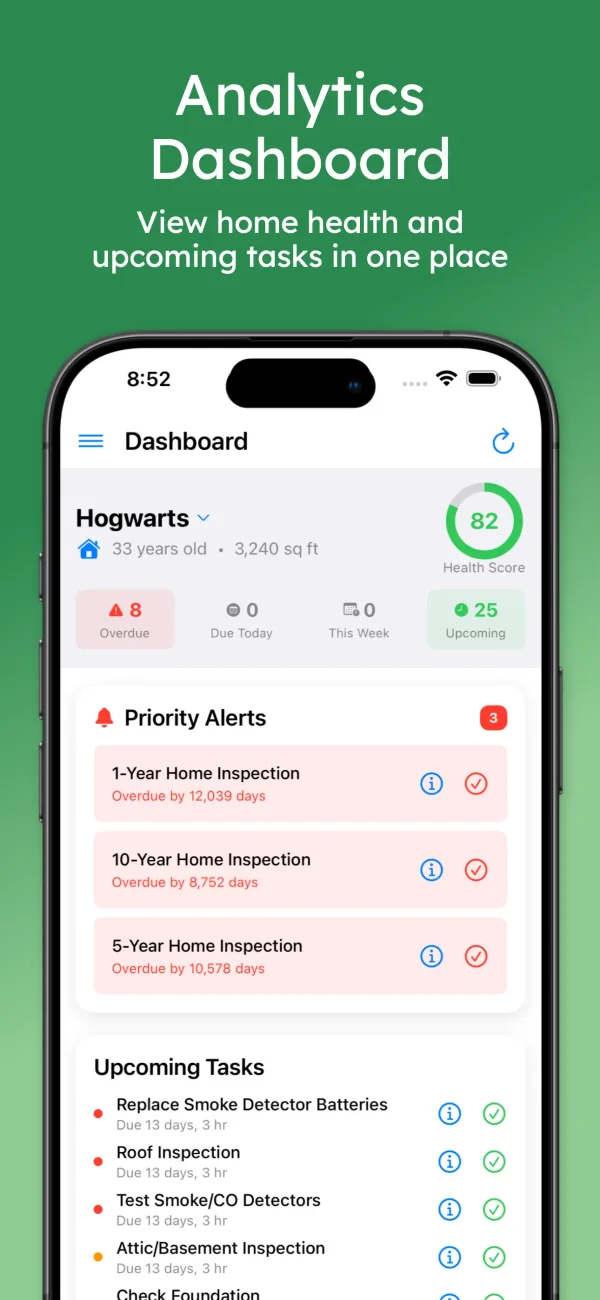
* The Dashboard is removed entirely. The app now opens on Tasks, and switching homes goes to Tasks.
* Close/Cancel buttons are now an X icon, and Save, Done and Complete buttons are a checkmark icon.
Tasks
* The task rows and detail screens were cleaned up, with the Edit and Disable buttons in the detail toolbar.
* The "Just Created" highlight now follows the actual new task instead of guessing.
* The "Due Soon" badge is gone, and due times show days, hours or minutes as appropriate.
List screens (Tasks, Features, Supplies, Stores, Vendors)
* All five now share the same layout: search bar, Filter and Sort buttons, a Clear button, and a card for each item.
* Header spacing is identical across all five.
* Each header has a count row with an icon, plus a "Showing X of Y" counter that is always visible so the height never changes.
* Features, Supplies, Stores and Vendors use a scrolling stack instead of List, so cards no longer jump when they change height.
* Features, Stores and Vendors have section headers styled like Tasks: a bold title with a gray count badge.
* Stores and Vendors have "Preferred" and "Other" (or "All") sections. Each item appears once.
Vendor and Store cards
* Each card is a complete business card with the star, edit and delete buttons in the header.
* Inline Call, Message, Email, Maps and website buttons sit next to the contact details.
* A "More Details" accordion holds ratings, notes and purchase history.
* The separate Vendor and Store detail screens are deleted.
Home Details
* It's now a full screen in the main area, opened from the home profile in the sidebar.
* Edit Home and Delete Home have been moved to an ellipsis menu in the toolbar.
* Home details (dates, home size, lot size) are a list inside the card, instead of a weird grid.
Payment options
* Trial and paywall removed and replaced with a “tip jar”.
* A total of 4 different tip jar options through the App Store, as well as links out to Ko-Fi and Buy Me a Coffee replace any subscription options.
* A heart button in the toolbar on every screen except Settings, and a "Support HouseMinder" row in Settings, lead to this screen.
Other changes
* A FontTheme plus a scaledFont modifier, and the hardcoded icon sizes were converted to use it.
App privacy
What Mikal Krall declares on the App Store about how this app handles data.
-
Data not collected
The developer does not collect any data from this app.
Privacy practices may vary, for example with the features you use or your age.
Information
- Seller
- Mikal Krall
- Category
- Productivity
- Version
- 2.0
- Updated
- Nov 11, 2026
- Released
- Aug 20, 2025
- Size
- 8.9 MB
- Requires
- iOS 18.4 or later
- Age rating
- 4+
- Price
- Free
- In-app purchases
- Yes
- Copyright
- Copyright © 2025, Sapient Ape Games, LLC
You might also like
-
 CaveMend DIY Home MaintenanceHouse Manager, Tracker & Log
-
 Home Maintenance RemindersTrack & remind home to-dos
-
 HomeTend - Home MaintenanceAI Maintenance Assistant
-
 Evergreen HomeProductivity
-
 Dwellable – Home MaintenanceMaintenance reminders & tasks
-
 HomeLedger: Home MaintenanceHome Inventory & Reminders
-
 Under My Roof Home Inventory +Organize & Manage your House
-
 get AdultingADHD Organizer & Life Skills
-
 House Chores Cleaning ScheduleHome Chore Tracker & Checklist
-
 Sweepy: Home Cleaning ScheduleSchedule Your House Chores