
- Age rating4+
- CategoryEntertainment
- DeveloperHTD
- LanguagesEnglish
- Size50.7 MB
Links to the official App Store page
Download.org hosts no file of HTD Home Audio. The button opens its official App Store page, published by HTD. Listing last checked on Nov 12, 2026.
Screenshots

About
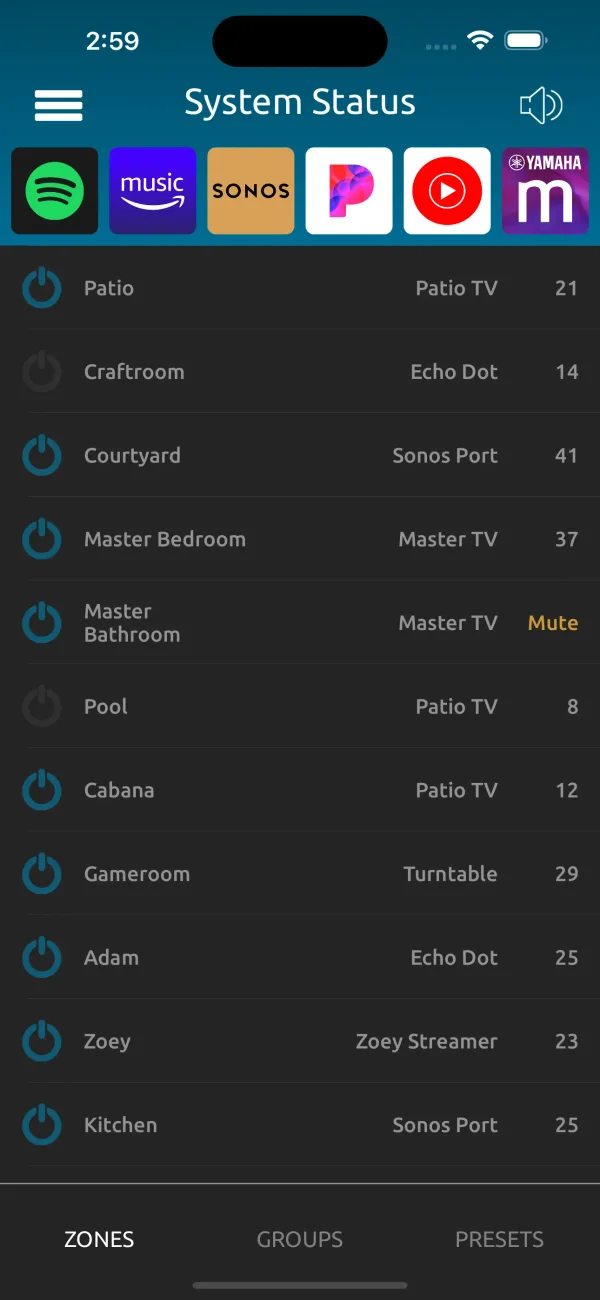
Built from the ground up for better security and reliability, the Home Audio app is now the best app for total control of every zone in your HTD whole-house audio system. It is compatible with the following central controllers made by HTD: Lync 6, Lync 12, MC-66, and MCA-66.
Initial Connection: Automatic system detection with most Wi-Fi networks has you using the app for the first time in under a minute. In the rare event your router configuration blocks automatic detection of our gateway, the app includes a simple one-time process to connect manually.
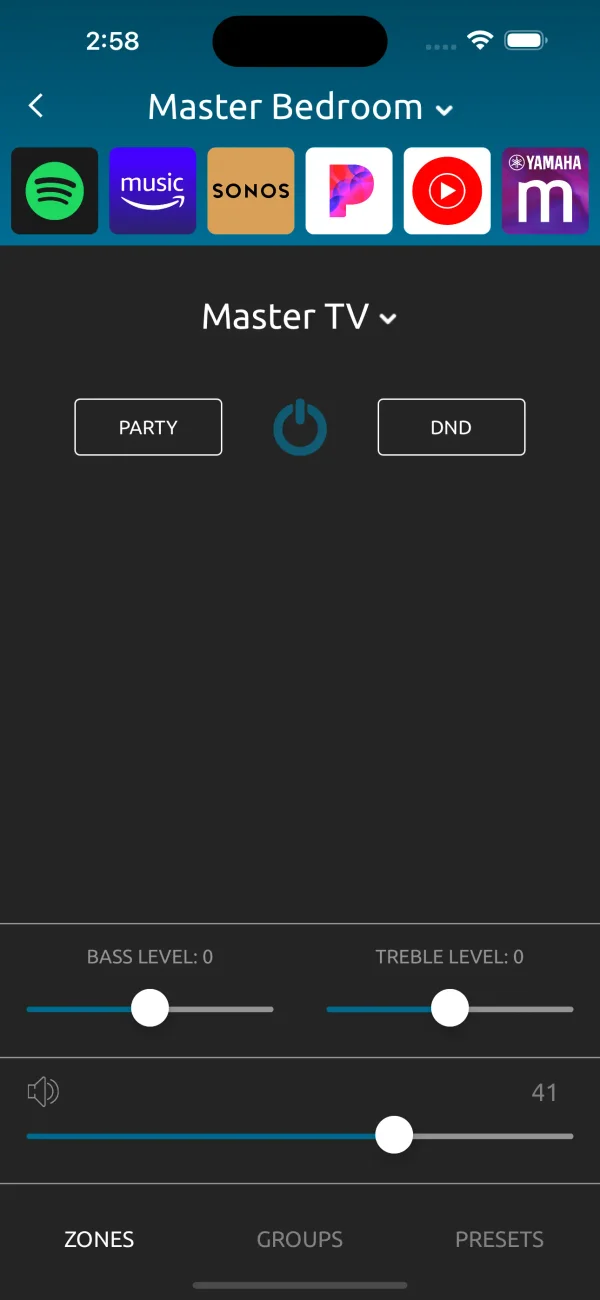
View and Control: The Home Audio app allows you to view and control all zones from a single system status page or drill down into each zone for more granular control. Control volume with both a scroll wheel and slide control. Mute and un-mute all zones with a single button press. Power off all zones with a single button press. Power on all zones to their previous state with a single button press. Power on all zones to a common source with party mode.
Customize your zone names and source names for both the app and keypads. Set treble, bass, and balance for every zone. Hide zones and sources you don’t want to appear in the app. For Lync 6v3 and Lync 12v3, also easily hide sources from appearing on LyncPads and LyncTouch keypads on a per zone basis.
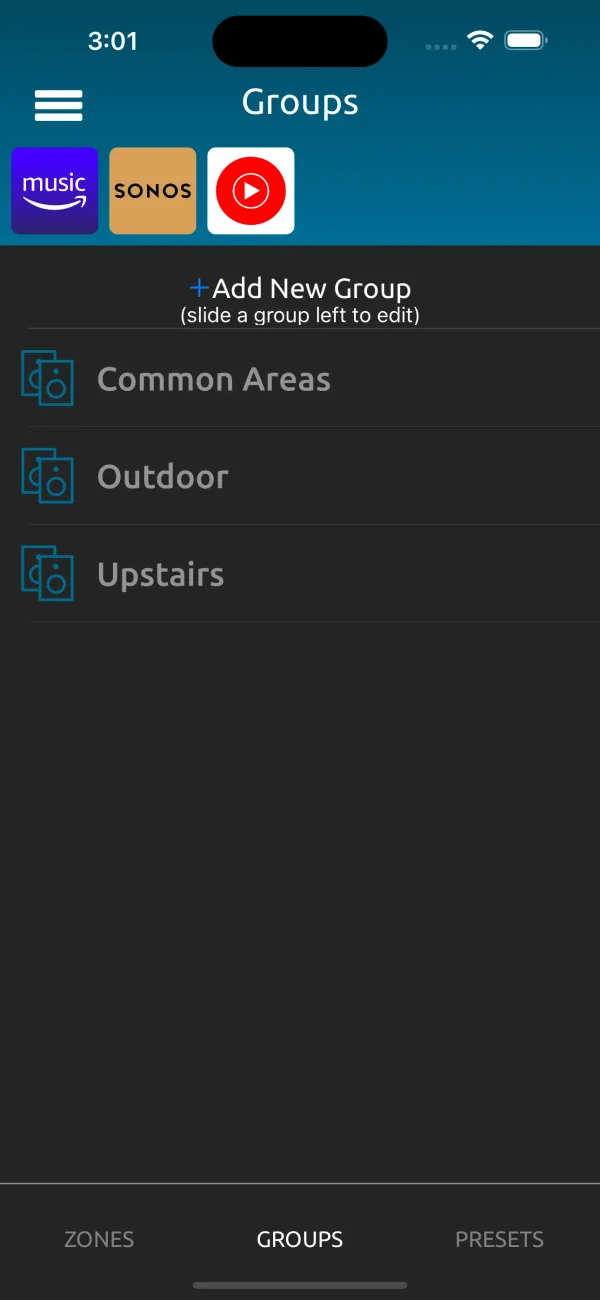
Zone Groups: Create groups of zones to set a common source, set a common volume, or relatively control volume across multiple zones.
Presets: Create audio scenes called presets that set up multiple zones in your home with a single button press. For every zone set power on/off, source, volume, and DND (Do Not Disturb, Lync only).
App Shortcuts: Customize the app by adding shortcuts from a list of more than 40 popular music and audio apps, making it easy to toggle between the Home Audio app and your favorite audio service provider apps! Please note that a music streamer (not sold by HTD) that is compatible with your audio app(s) must be connected as one of your sources. To read more about music streamers please visit https://www.htd.com/streamers.
Lock custom settings on specific devices for use by kids and guests.
Backup and Restore: Account profiles make it easy to set up one phone or tablet and then “backup” those settings to our secure cloud so that other phones and tablets can be quickly set up with the same settings by “restoring” this information. You can also save every device’s unique configuration to the cloud by backing up with a unique phone number for that device.
Please note: The Home Audio app uses a new, more secure cloud backup system. Current users of the older HTD Lync or MC app will lose their profile data. Source names will be pulled from stored keypad names, but you will need to recreate groups and presets in this app. We apologize for this initial inconvenience, but it was necessary for us to create a more robust backup/restore feature.
This app works in portrait mode on smaller screens and both portrait and landscape mode on larger screens.
HTD whole-house audio systems are designed to work with virtually any audio device you connect as a source. As your audio sources change over time, your whole-house audio system will accommodate! Most users choose to connect at least one music streamer that is compatible with their favorite audio service(s). Read more at https://www.htd.com/streamers. The GW-SL1 or WGW-SL1 gateway provided with your system is used to connect your mobile phone or tablet to your whole-house audio system over your existing WiFi network. These gateways are not music streamers.
What’s new
Version 2.2.3 · Aug 13, 2024
Minor improvements and bug fixes
App privacy
What HTD declares on the App Store about how this app handles data.
-
Data not linked to you
May be collected but is not linked to your identity.
- Contact info
Privacy practices may vary, for example with the features you use or your age.
Information
- Seller
- Home Theater Direct, Inc.
- Category
- Entertainment
- Version
- 2.2.3
- Updated
- Aug 13, 2024
- Released
- Jul 2, 2022
- Size
- 50.7 MB
- Requires
- iOS 14.2 or later
- Age rating
- 4+
- Price
- Free
- Languages
- English
- Copyright
- © 2024 HTD
You might also like
-
 RussoundEntertainment
-
 Integra Control ProEntertainment
-
 OSD PlayerEntertainment
-
 Anthem RemoteAnthem Setup & Control
-
 Onkyo ControllerEntertainment
-
 SVSSubwoofer Control App
-
 Anthem Wi-Fi SetupEntertainment
-
 KaleidescapeEntertainment
-
 Rockbot RemoteControl Your Business's Music
-
 DIRECTV FOR BUSINESS RemoteEntertainment