
HubzillaCalc
Calculator built for teachers
Designed for iPhone, iPad, Mac, iPod touch
Free
- Age rating4+
- CategoryEducation
- DeveloperJames Hubball
- LanguagesEnglish
- Size21.8 MB
Links to the official App Store page
Download.org hosts no file of HubzillaCalc. The button opens its official App Store page, published by James Hubball. Listing last checked on Nov 17, 2026.
Screenshots


About
HubzillaCalc is designed to function in exactly the same way as the physical calculator you might use at school or in class, for when you don't have it to hand.
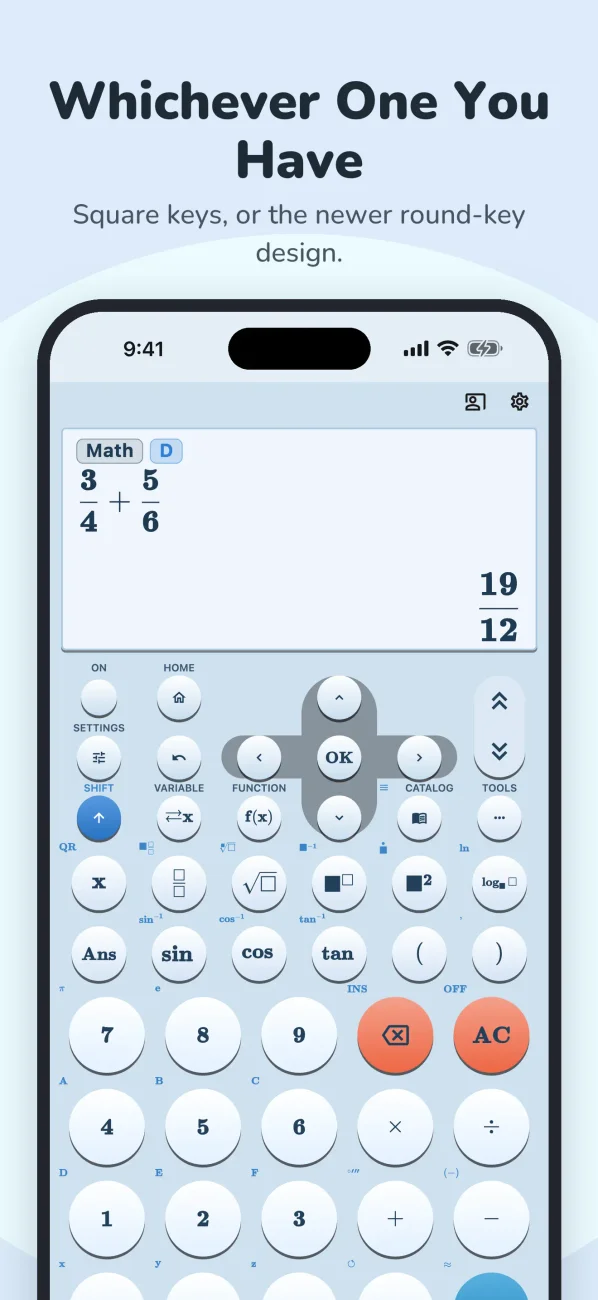
It reflects the behaviour of the most common models students use in class, and comes as two calculators: Classic, with square keys and a MODE menu, and Modern, the newer round-key design with a HOME screen. Use whichever one you have.
THE MATHS
• Natural display: fractions, powers, roots and surds shown the way they are written
• Exact answers: √50 gives 5√2
• S⇔D to switch between exact, decimal and recurring forms
• Statistics with seven regression models, and tables of values for f(x) and g(x)
• Trigonometry in degrees or radians, and logarithms to any base
• Memory and variables, Fix/Sci/Norm, engineering notation, degrees-minutes-seconds, prime factorisation, nPr and nCr, GCD and LCM, and a library of physics constants
ALSO
• Presentation mode, with a ribbon showing the last few keystrokes
• Function search: search for nCr or hcf and it lights up SHIFT, then the key
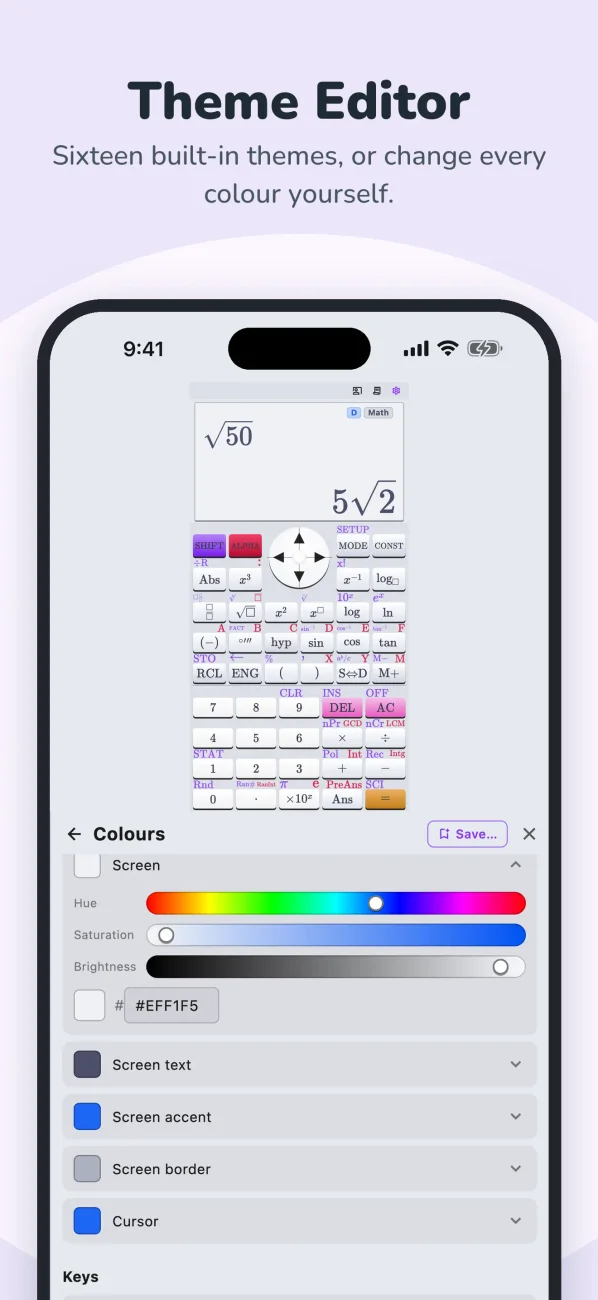
• Sixteen themes, a whiteboard-friendly one among them, and a theme editor
• On iPad, keep it beside your notes or a worksheet, or floating over them
• Pair a keyboard and use the shortcuts, so you don't need to tap through for a fraction, power or root
I'm a maths teacher, and I built HubzillaCalc from the ground up with teachers in mind. If a function you need is missing, or a result looks wrong, email jamie@hubzillamaths.com.
What’s new
Version 3.0.1 · Oct 31, 2026
HubzillaCalc now includes two calculators. Classic is the original and Modern is the round-key design, with its HOME screen and the Calculate, Statistics and Table apps. Choose between them in Settings, under General.
Some settings have moved to make the app less busy. Themes and settings are now one panel, behind the gear, with General, Theme and About. The theme can follow light and dark mode, and a key can vibrate when you tap it.
There are also a few more quality of life features:
• Answers fade in. When you press = the screen fades out and the answer fades in, as on the handheld. Instant answers, in Settings, turns it off.
• Presentation mode. Each key lights up, and a ribbon shows the last few keystrokes, so you can follow the exact button sequence.
• Function search. Open the keys panel and search for nCr or hcf: SHIFT lights up, then the key.
• A whiteboard-friendly theme: black keys on white.
• A setting that shows the SHIFT and ALPHA functions on the keys while SHIFT or ALPHA is on.
• A history of your calculations on Classic, text size for the screen and the keys, and names for every key for screen readers.
• On iPad, the calculator is wider in portrait, and keeps its size with Settings open beside it.
Answers match the handheld more closely, worked out in the same order and to the same precision. In Linear display, fractions show as the handheld shows them.
FIXED
• Typing a number before the fraction key makes it the numerator, as on the handheld.
• 9 x² x² stacks the exponents the way the handheld does.
• Crashes in Statistics mode with an empty editor, and in the constants picker.
• Recurring decimals shrinking to an unreadable size, and a stacked fraction running off the bottom of the display.
• Moving the cursor back along a long calculation keeps it in view.
App privacy
What James Hubball declares on the App Store about how this app handles data.
-
Data not collected
The developer does not collect any data from this app.
Privacy practices may vary, for example with the features you use or your age.
Information
- Seller
- James Hubball
- Category
- Education
- Version
- 3.0.1
- Updated
- Oct 31, 2026
- Released
- Aug 13, 2026
- Size
- 21.8 MB
- Requires
- iOS 15.6 or later
- Age rating
- 4+
- Price
- Free
- Languages
- English
- Copyright
- © 2026 Jamie Hubball
You might also like
-
 Salah MateIslamic Companion App for You
-
 Vaughan TalkMasterYour personal language coach
-
 LiteraQuiz - Literature QuizCovers 2000+ Years of Lit.
-
 DK RSPB Bird SoundsListen to over 200 bird sounds
-
 Scientific Calculator He-36XHiEdu: Science & Math Pro
-
 SalahMode: Muslim Prayer FocusSalah Focus & App Lock
-
 Florin: Plant Care IdentifierTree & Flower Diagnosis Guide
-
 ClassWiz Calc App QREducation
-
 Learn Languages with Learno AILearn English Language with AI
-
 Driving Theory Test Israel 262026 Exam License, Signs, Prep