
HUD Nav
Turn by turn Head Up Display
Designed for iPhone, iPad, iPod touch
$2.99 · In-app purchases
- Age rating4+
- CategoryNavigation
- DeveloperSebastien BUET
- LanguagesEnglish+ 1 more
- Size17.5 MB
Links to the official App Store page
Download.org hosts no file of HUD Nav. The button opens its official App Store page, published by Sebastien BUET. Listing last checked on Nov 12, 2026.
Screenshots



About
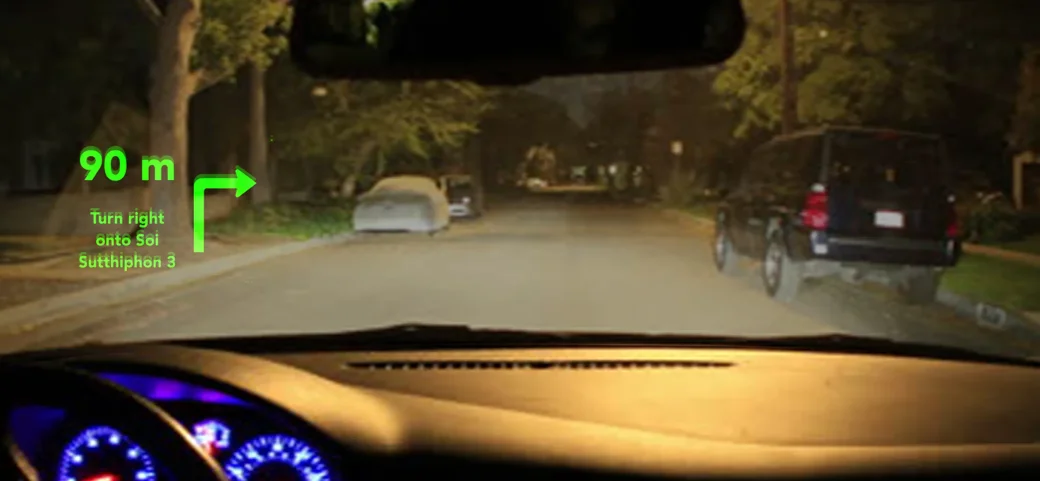
Transform your iPhone and iPad into a head-up display for any car with HUD Nav - Turn by turn Head up display navigation.
Look for a location, chose a route and place your iPhone/iPad on the dashboard — you’ll see the directions, distances, and other information, reflected on your windshield. Drive safer and keep your eyes on the road, and know in advance what’s ahead.
Features:
- Watch the direction and distance to the next turn, right on the windshield
- HUD interfaces with clear, simple and non-distracting information that you understand immediately
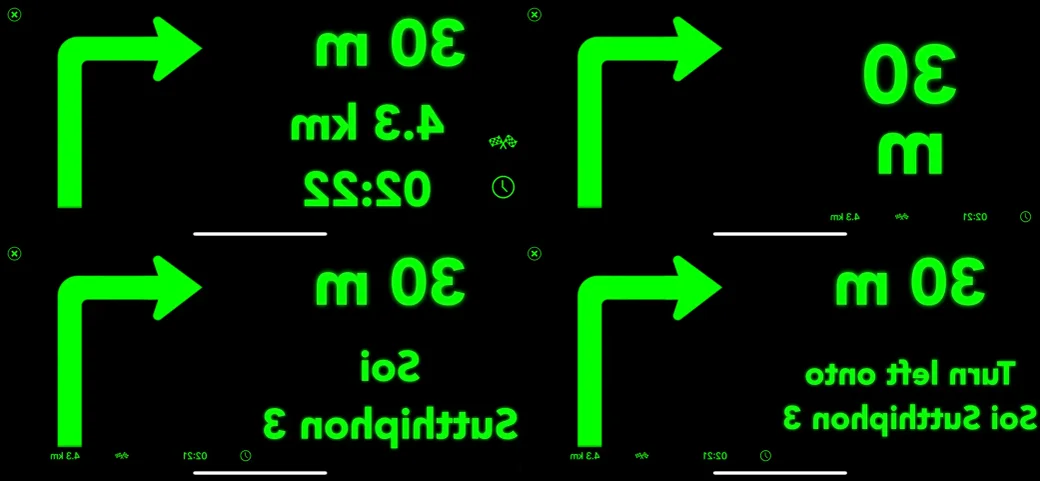
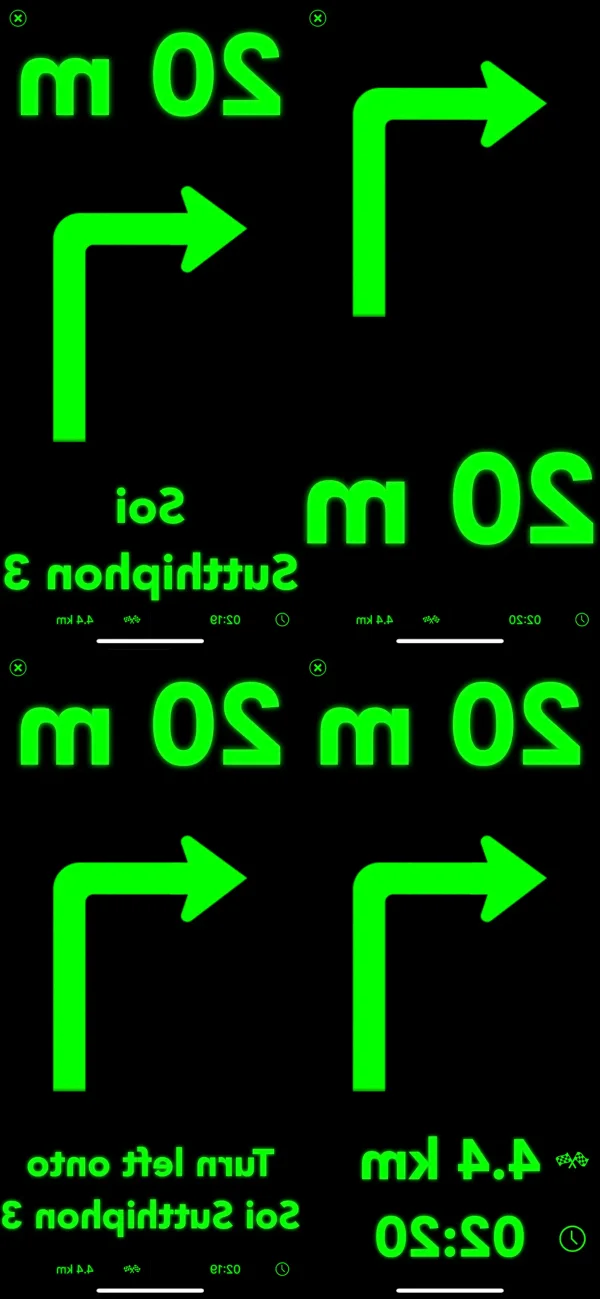
- Double tap the HUD to change the information displayed. 6 different modes are available:
+ Direction and distance to the next turn
+ Direction, road/street name, and distance to the next turn
+ Direction and distance to the next turn, remaining distance to destination and expected time arrival (ETA)
+ Detailed direction, road/street name, and distance to the next turn
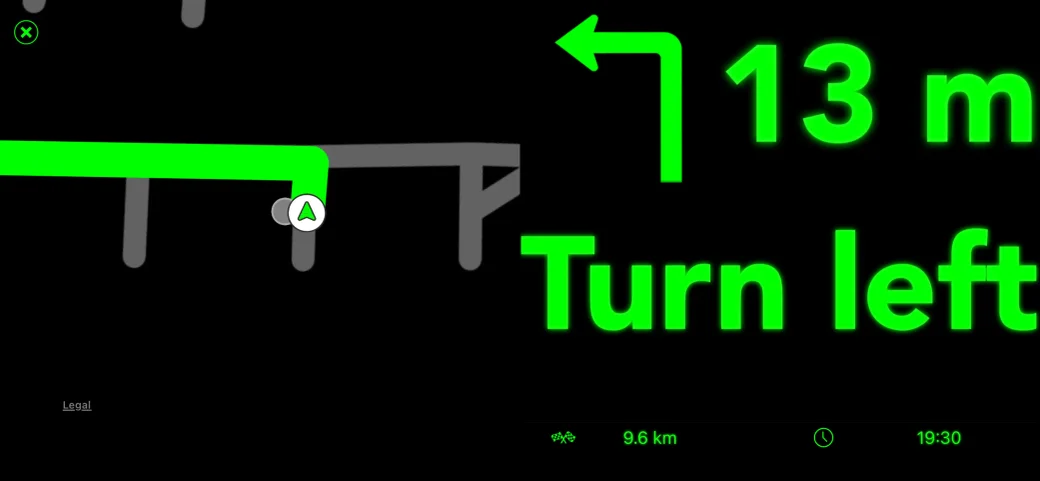
+ Map, direction and distance to the next turn
+ Map, direction, road/street name, and distance to the next turn
- Get voice instructions and drive with a co-pilot
- Choose the voice that guides you (available in some languages)
- Motorcycle mode: the HUD is not mirrored so you can use the app while riding your bike, or driving in bright conditions
- Save places and locations in the Historic to quickly drive to them later. Edit your historic and rename places/locations, organize them or delete them
- Works with Apple Maps app: send routes from Maps to the app, and drive them with the app HUD
Note!
- On a clear day or bright conditions, the device screen brightness is typically insufficient to give a decent reflection for HUD mode. In that situation, you can use the app in motorcycle mode with the phone fixed with some mount. At night, in dusk, or in dull weather the reflection is normally well-discernible.
- When driving, make sure that your iPhone or iPad is well fixed in some mount or on some sticky pad, and doesn't prevent you from clearly seeing the road.
Continued use of GPS running in the background can quickly drain your device battery.
Note that the app uses the same "route search engine" as the Maps app. However, as not all the iOS features are available in all countries, you can check the list of features available for your country at https://www.apple.com/ae/ios/feature-availability/.
If you face any problems or find any bugs, please email us at support@seb-appstore.com or report the bug right from the app. We appreciate your feedback!
Check out our other iPhone and iPad apps at www.seb-appstore.com, with hundreds of discounted and free apps.
What’s new
Version 2.0 · May 31, 2025
New HUD with map
Select the region where to search
Select the voice that guides you (in the supported languages)
New search settings (avoid toll, avoid highway on devices running the iOS 16+)
Minor bug fixes
App privacy
What Sebastien BUET declares on the App Store about how this app handles data.
-
Data not linked to you
May be collected but is not linked to your identity.
- Location
- Usage data
Privacy practices may vary, for example with the features you use or your age.
Information
- Seller
- Sebastien BUET
- Category
- Navigation
- Version
- 2.0
- Updated
- May 31, 2025
- Released
- Mar 12, 2017
- Size
- 17.5 MB
- Requires
- iOS 15.0 or later
- Age rating
- 4+
- Price
- $2.99
- In-app purchases
- Yes
- Languages
- English, French
- Copyright
- © SEB - APPSTORE LTD
You might also like
-
 Car HUD Display ProWith Navigation and More
-
 DriveHUD NavigatorNavigation
-
 Car HUD: Speed & NavigationHeads-up display for driving
-
 beeqSThe holographic speedometer
-
 Head-Up Display - SpeedometerGPS Speed, Odometer & HUD
-
 HUD Speed: CarHUDSpeedWindshield. Now a HUD.
-
 MiniMap HUDThe world as a HUD
-
 TPMR REGHIS VTCTravel
-
 simpleHUDHead-Up-Display
-
 PlusBoda: Rides, Food & ShopsBoda, taxi, delivery & market