
I'm here
Map app with navigation
Designed for iPhone, iPad
Free · In-app purchases
- Age rating4+
- CategoryNavigation
- DeveloperMasashi Sasaoka
- LanguagesEnglish+ 8 more
- Size23.2 MB
Links to the official App Store page
Download.org hosts no file of I'm here. The button opens its official App Store page, published by Masashi Sasaoka. Listing last checked on Nov 21, 2026.
Screenshots
About
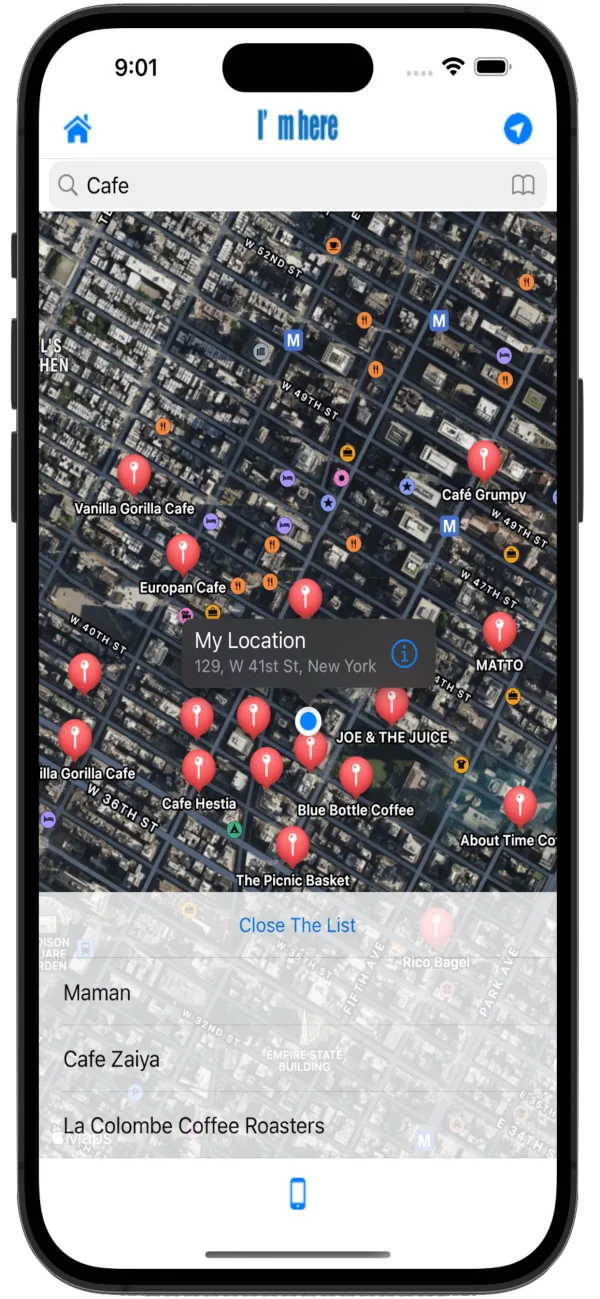
"I'm here" is a free map application with easy operation.
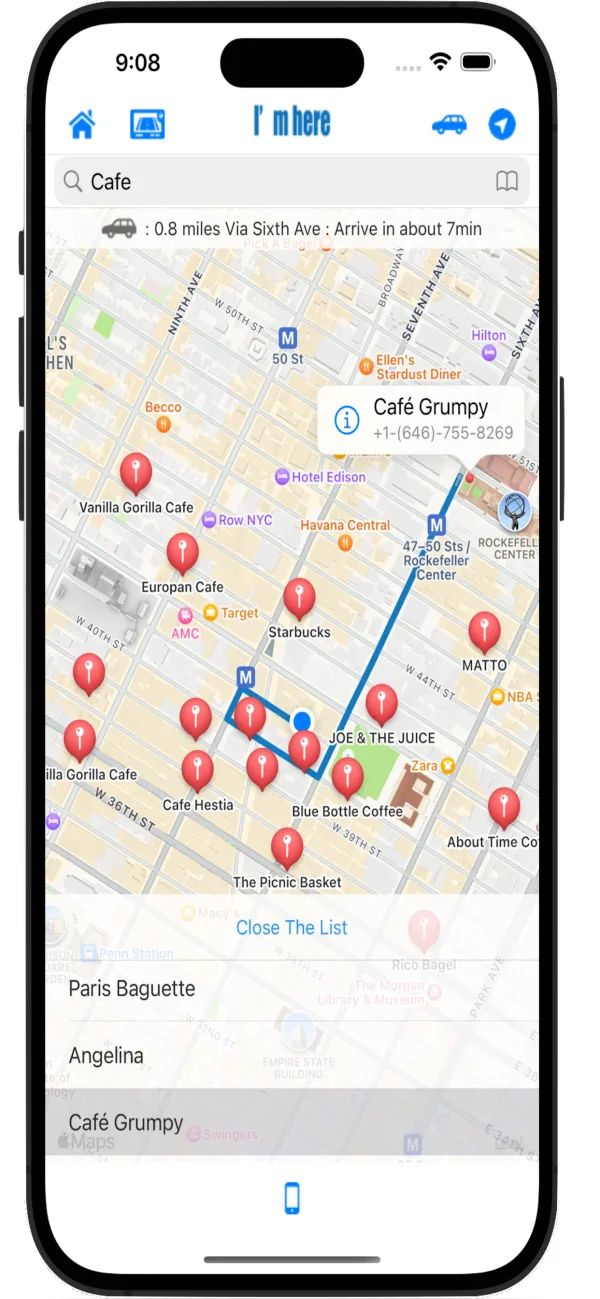
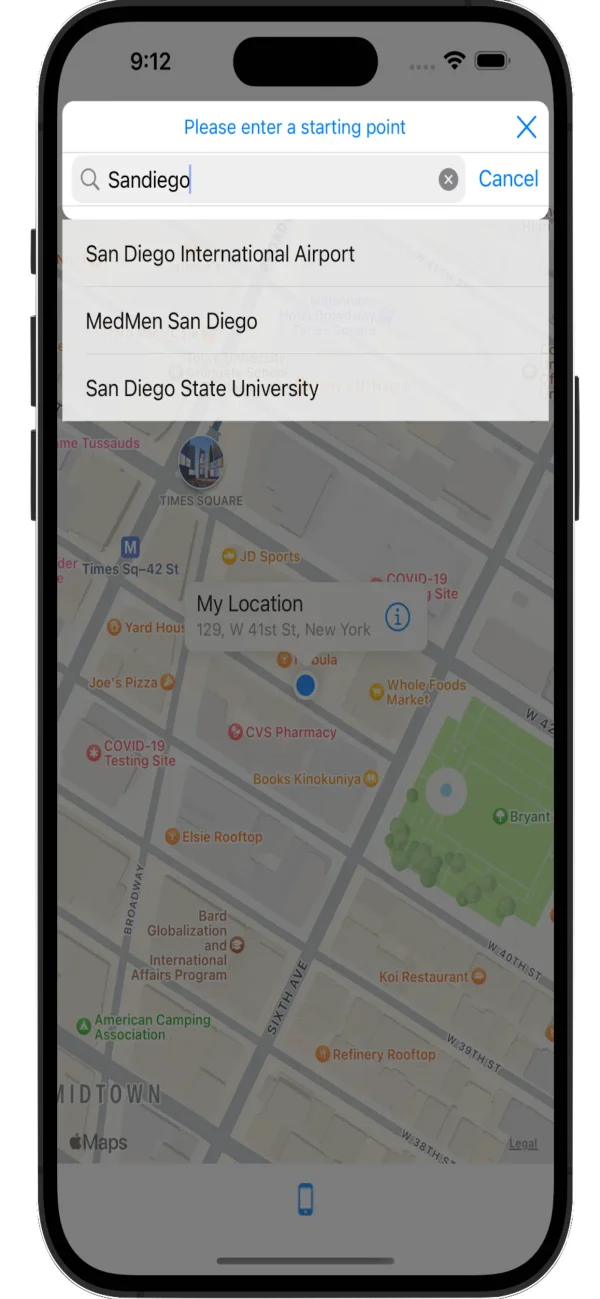
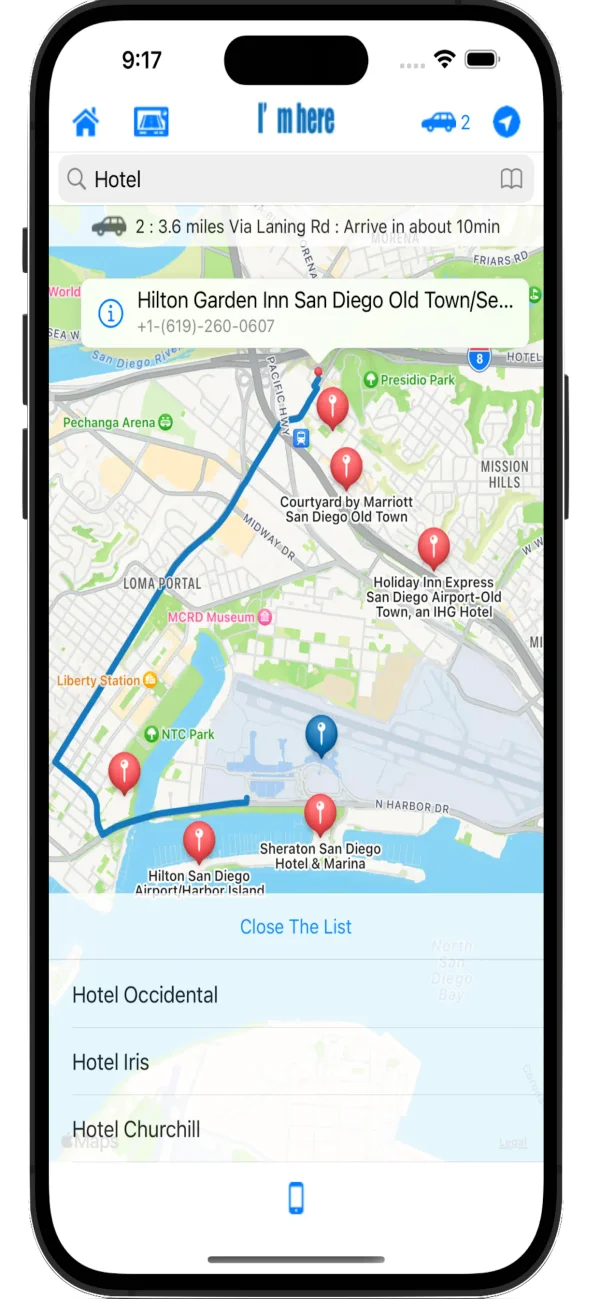
Equipped with a navigation function to the destination from the current location or the input start point.
With a simple operation, you can check not only the route from your current location, but also the detailed route from the input start point to the destination in advance, so it is very convenient!
Only iPad version can be displayed horizontally.
◆ Route for each means of transportation can be selected:
· By tapping the transportation mode display button or the place name of the list, the route of each transportation method (walking, car etc) is displayed in order.
◆ Navigation function installed:
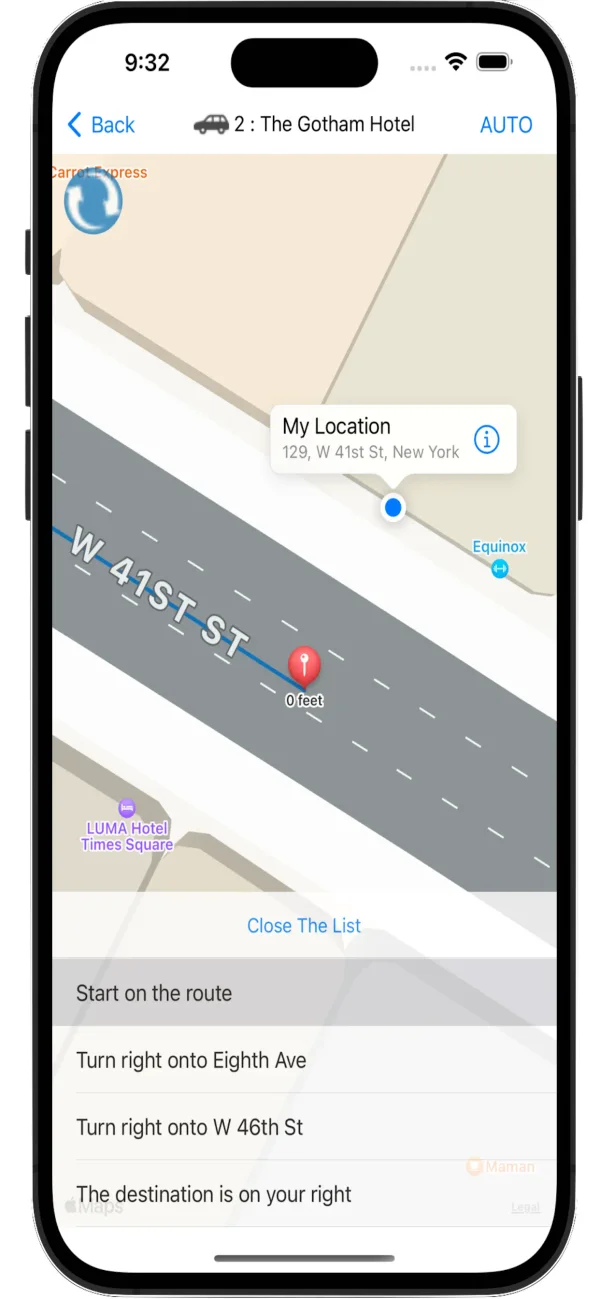
- You can also transition to the navigation screen by tapping the navigation button or by long pressing the place name in the search result list.
· The navigation function is displayed in list form at the point where the direction changes, and you can check the way from the current location by tapping that point.
· During navigation, tap the update button on the upper left to update the route from the current location you are moving.
◆ Automatic navigation function installation:
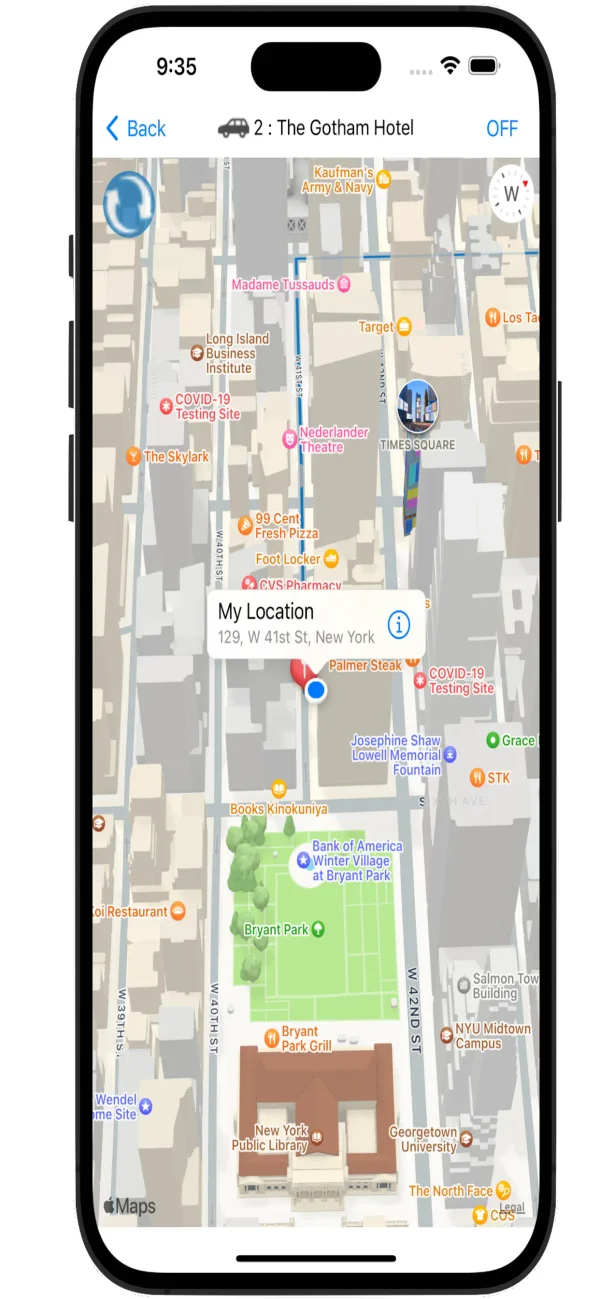
After transitioning to the navigation screen, when you tap the "AUTO" button in the upper right corner, automatic navigation with instruction indication popup at the corner and voice announcement (earphone OK) starts. Tap "OFF" to exit the automatic navigation mode.
As the map scrolls in rotation according to the direction in which you are walking, depending on the way you are walking, it will not be said "Which way are you heading?", You can go smoothly to your destination .
Also, in the case of the automatic navigation mode, even if you are using other applications, even if you turn off the screen, you are updating your location information so you will announce with an announcement when you reach the corner.
In other words, if you are walking with earphones inserted, the iPhone will tell you which way you can go next, even if it is in your pocket.
※Caution
Since the automatic navigation mode is always functioning to update the current location information, the battery consumption increases. If you do not use it, turn it off, please close the application and be careful not to waste the battery.
◆ Direct calling to the search result phone number:
· Equipped with call function from search result annotation.
You can call the store directly from this application.
◆ SNS / memo posting function:
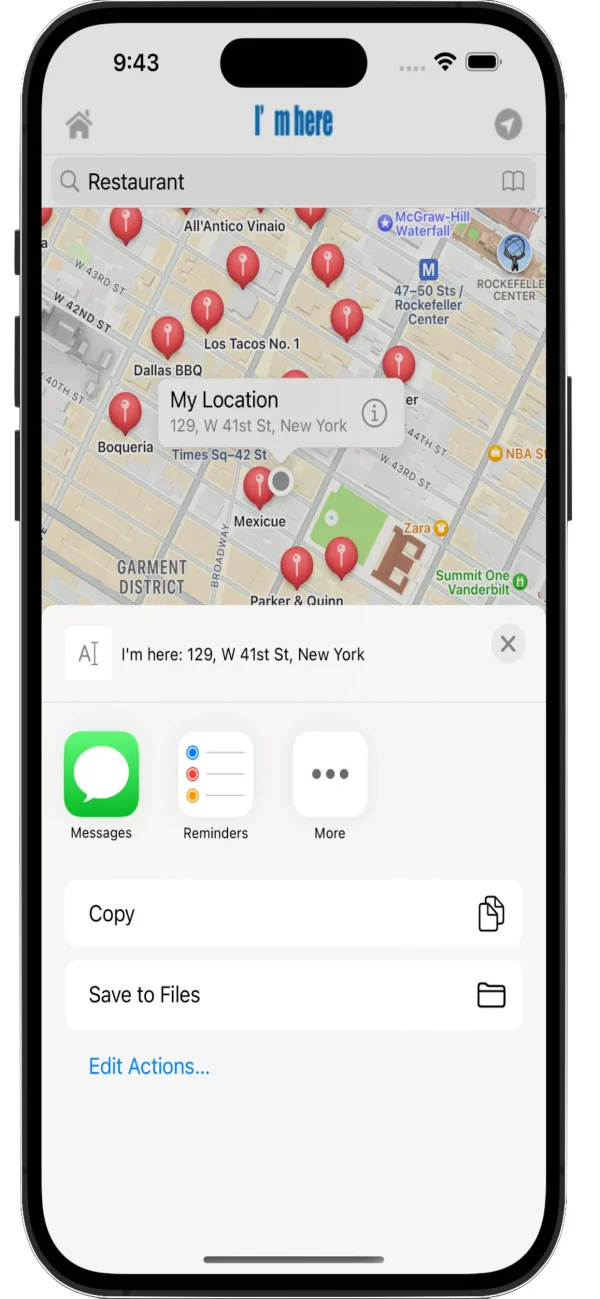
You can post to SNS (Twitter, LINE, Facebook, etc.) and memos from the current location button.
Depending on the app, you can also post images.
◆ With search word history function:
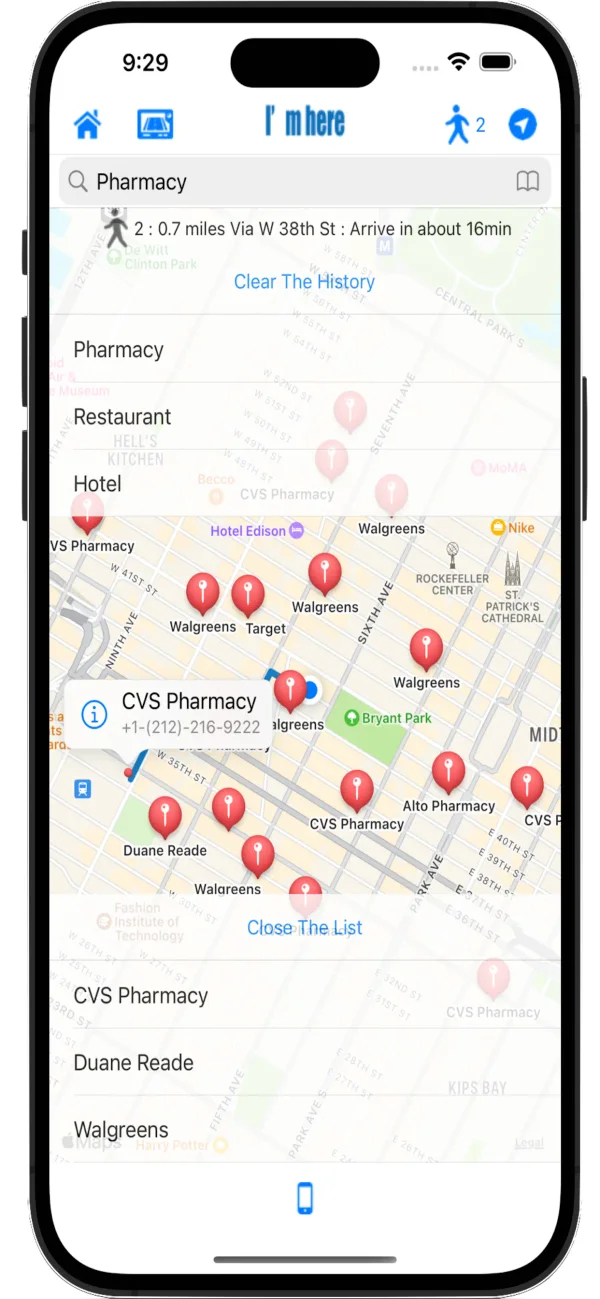
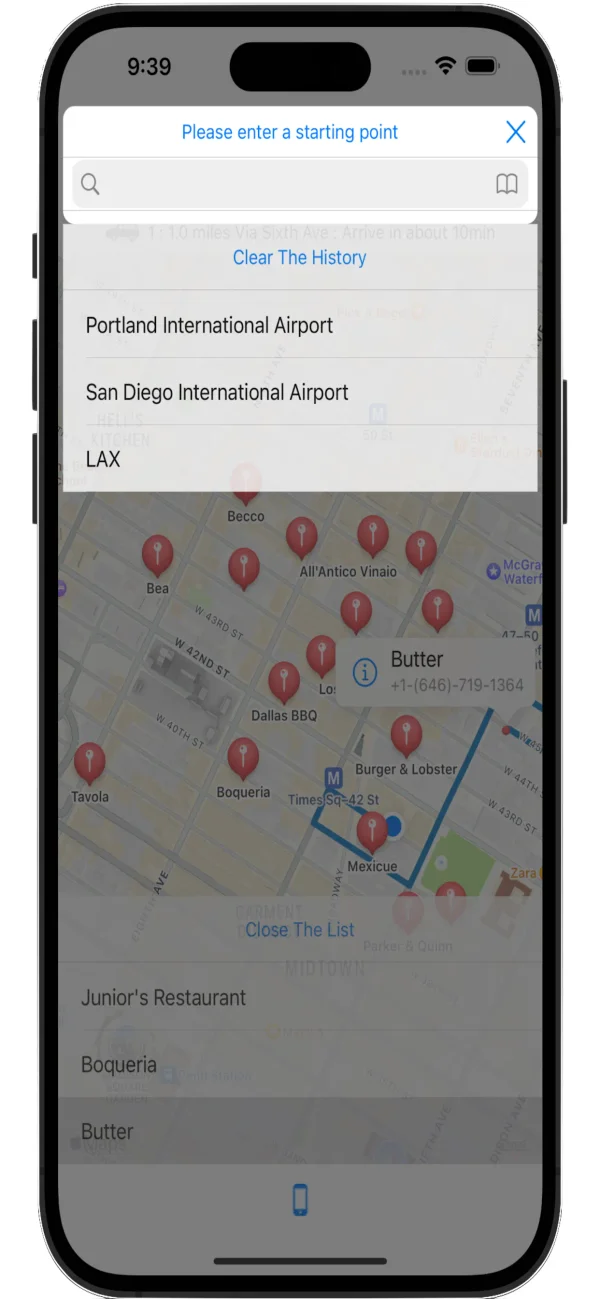
· When you tap the BookMark button on the search bar, the history of the word searched up to now is displayed in list form below the search bar.
It is now possible to search by selecting the word selected from the list.
· The history data can be deleted all in the history by tapping "clear history" button displayed in the list.
You can also delete any word individually by swiping each history word to the left.
※ The maximum number of history words saved is 30 cases. If it exceeds 30, the oldest search word will be deleted.
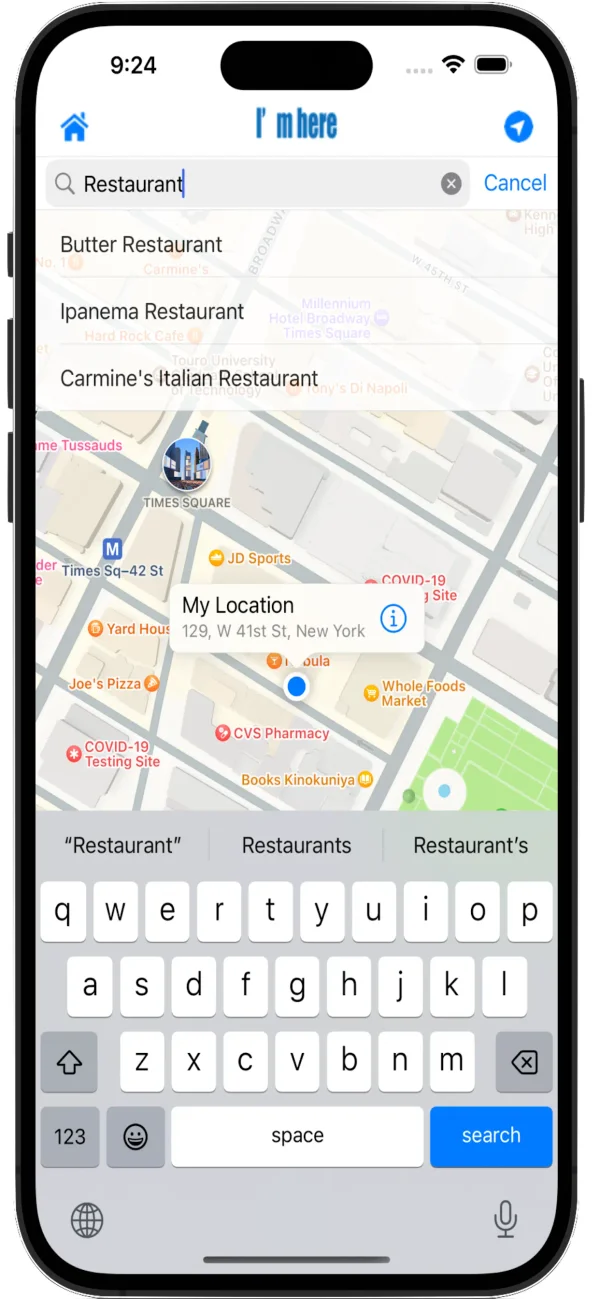
◆ Search word complementing function (Available for iOS 9.3 and above):
· As you enter the search word, data close to the word you are entering is displayed in list format under the search bar.
It is now possible to search by selecting the word selected from the list.
◆ Note:
Ads will be hidden if you pay.
What’s new
Version 17.8 · Oct 3, 2026
Minor bug fixes
App privacy
What Masashi Sasaoka declares on the App Store about how this app handles data.
-
Data used to track you
May be used to track you across apps and websites owned by other companies.
- Location
-
Data not linked to you
May be collected but is not linked to your identity.
- Location
- User content
- Diagnostics
Privacy practices may vary, for example with the features you use or your age.
Information
- Seller
- Masashi Sasaoka
- Category
- Navigation
- Version
- 17.8
- Updated
- Oct 3, 2026
- Released
- Jun 24, 2016
- Size
- 23.2 MB
- Requires
- iOS 17.0 or later
- Age rating
- 4+
- Price
- Free
- In-app purchases
- Yes
- Languages
- English, Hindi, Japanese, Norwegian Bokmål, Simplified Chinese, Spanish, Thai, Traditional Chinese, Vietnamese
- Copyright
- © 2016-2026 ms-associe
You might also like
-
 I am here!!Track and Share Journeys
-
 Geofence AlertsNavigation
-
 iNearHereShow my address and location
-
 maps.earthNavigation
-
 MyWay ProNavigation
-
 I'm here.Share your spot, meet up easy!
-
 True LocalDiscover authentic places.
-
 MapifyIt MapsUltimate Maps & GIS Toolset
-
 Trasimeno AccessibileTravel
-
 TzakerYour Travel Partner