
iConnect - File Share & Send
Share Privately, Share Fast
Designed for iPhone, iPad, Mac, iPod touch
$1.99 · In-app purchases
- Age rating4+
- CategoryUtilities
- Developer天从 何
- LanguagesEnglish+ 2 more
- Size12.0 MB
Links to the official App Store page
Download.org hosts no file of iConnect - File Share & Send. The button opens its official App Store page, published by 天从 何. Listing last checked on Nov 25, 2026.
Screenshots


About
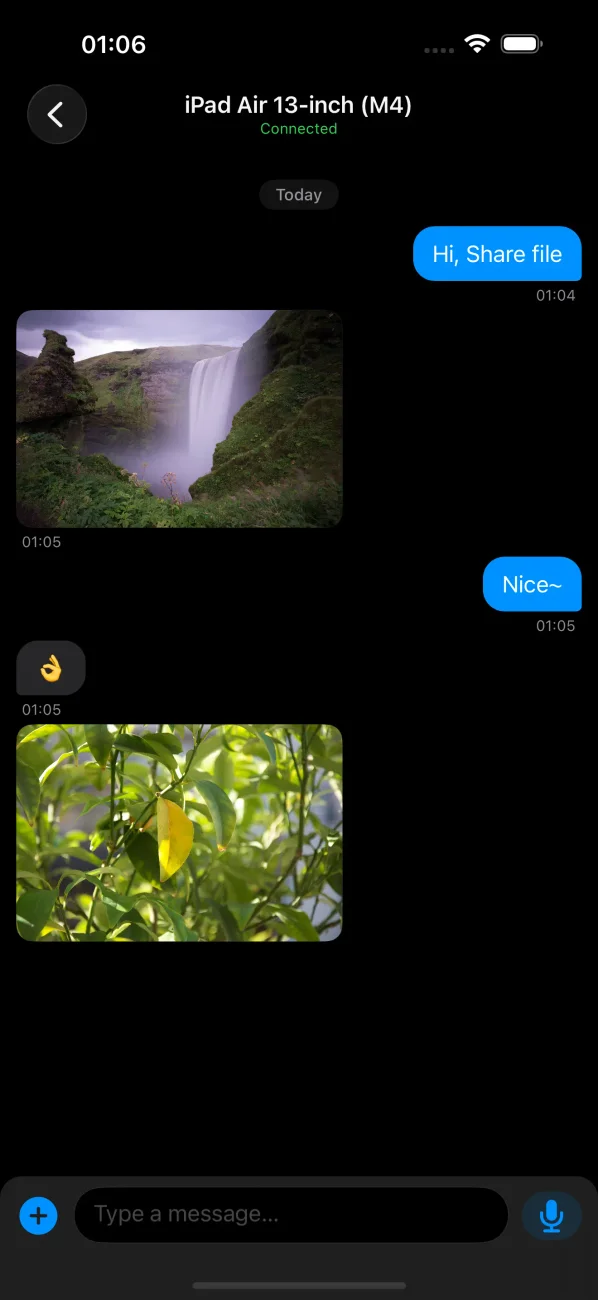
iConnect is the all-in-one sharing app for your Apple devices—send files, chat with rich attachments, and talk live with push-to-talk, all over your local network.
Why Choose iConnect
- Three in one: file transfers, rich-attachment chat, and live push-to-talk
- Zero cloud, zero accounts, zero subscriptions—everything stays on your Wi‑Fi
- Wi‑Fi-direct speed with no throttling—even 2 GB files start instantly
- One purchase, lifetime use: every feature unlocked forever, no ads
- 100% native SwiftUI: one universal app for iPhone, iPad, and Mac
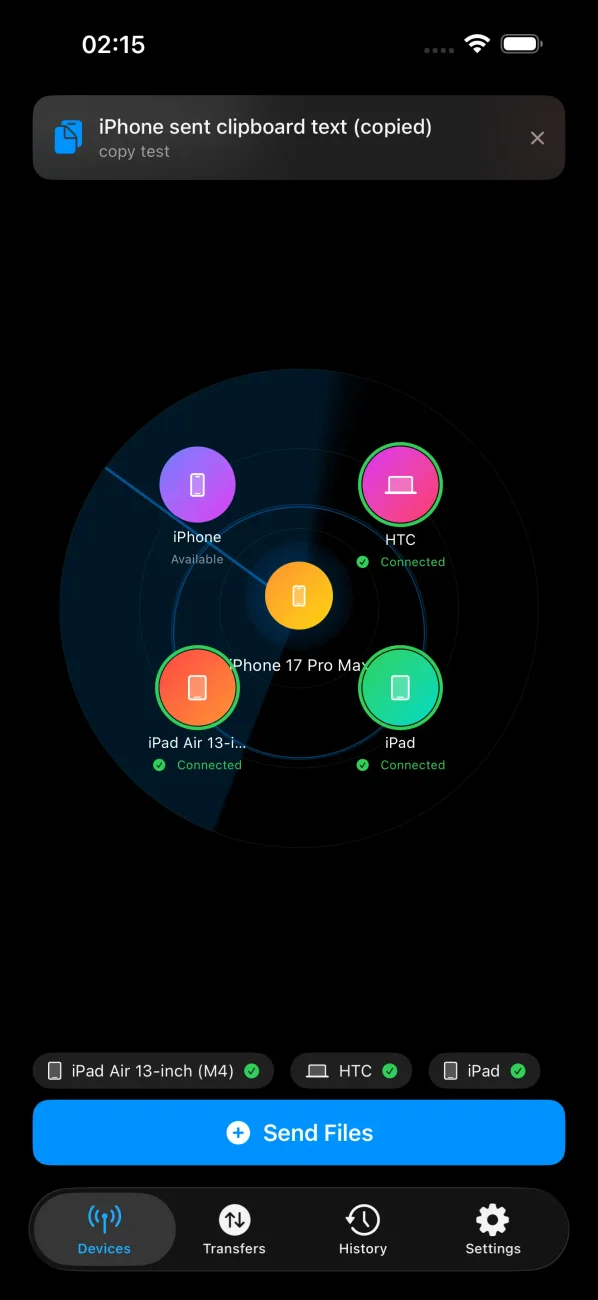
Instant Device Discovery
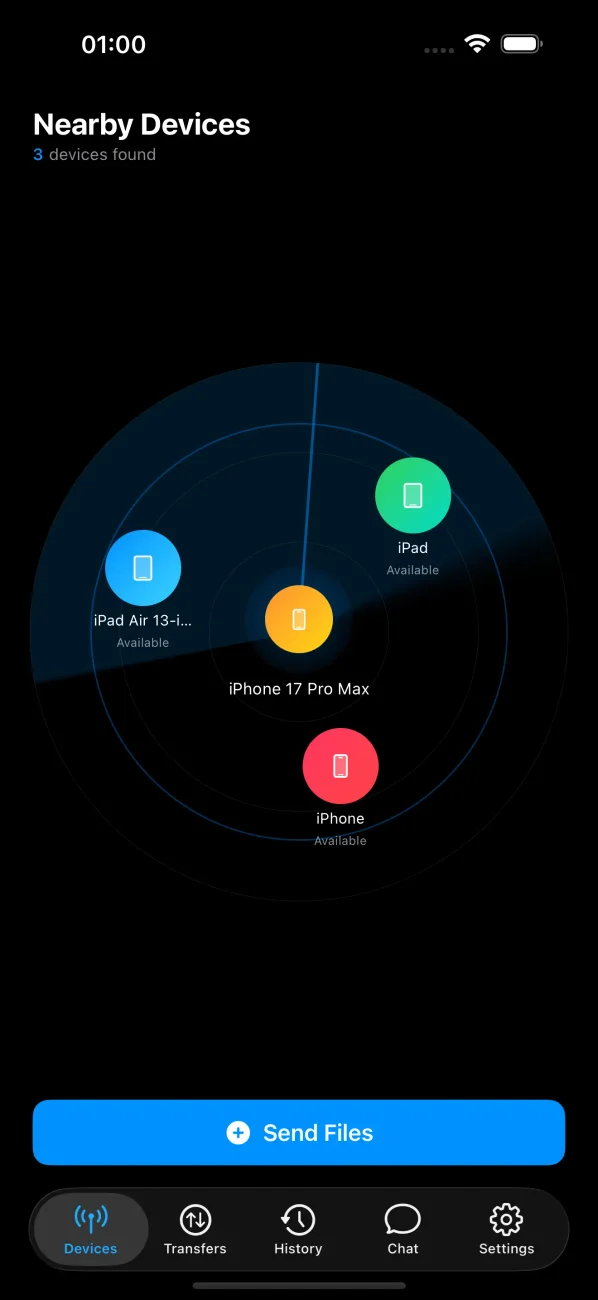
- Open the app and nearby devices appear on a live radar
- Tap to connect—no pairing codes, QR codes, or complex setup
- Real-time status: available, connecting, connected, disconnected
- Refresh the nearby list anytime; cancel ongoing connections
- iPhone, iPad, and Mac in any mix; connect to multiple devices at once
- Clear Local Network permission guidance on iPhone and iPad
All File Types Welcome
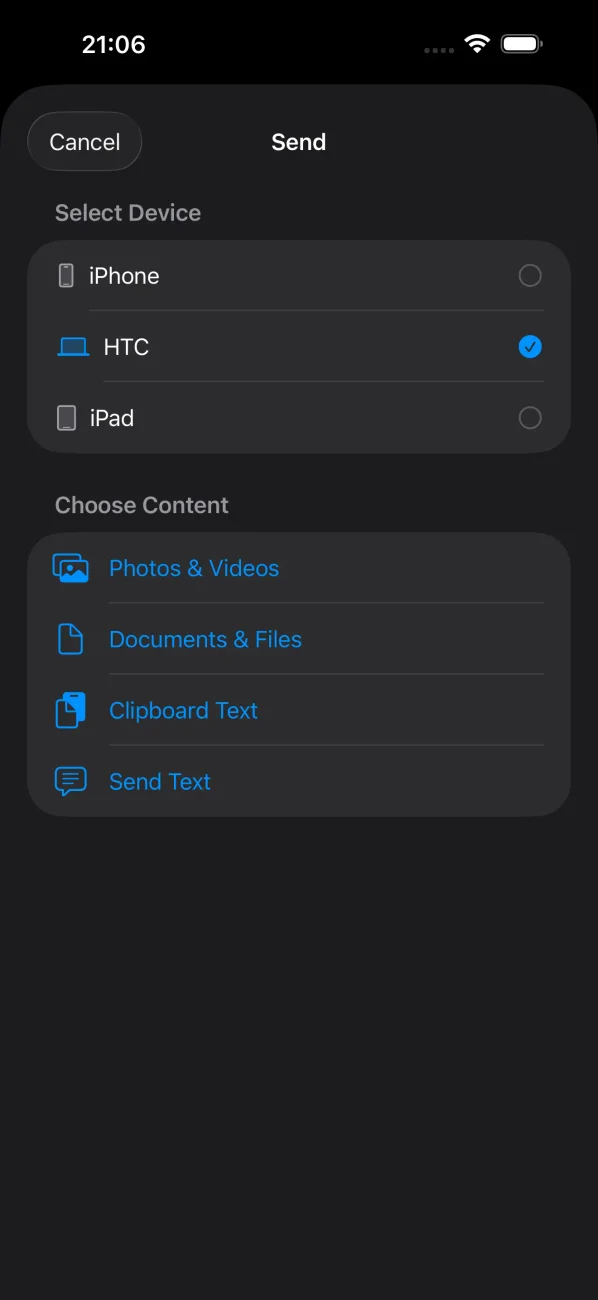
- Photos and videos from your library
- Documents, PDFs, spreadsheets, and presentations
- Audio files, archives (ZIP, RAR, 7z), and any other file type
- Send clipboard text in one tap, or compose multi-line text
- Queue up to 20 files first, then choose a recipient and send
- Up to 2 GB per file
Real-time Chat with Rich Attachments
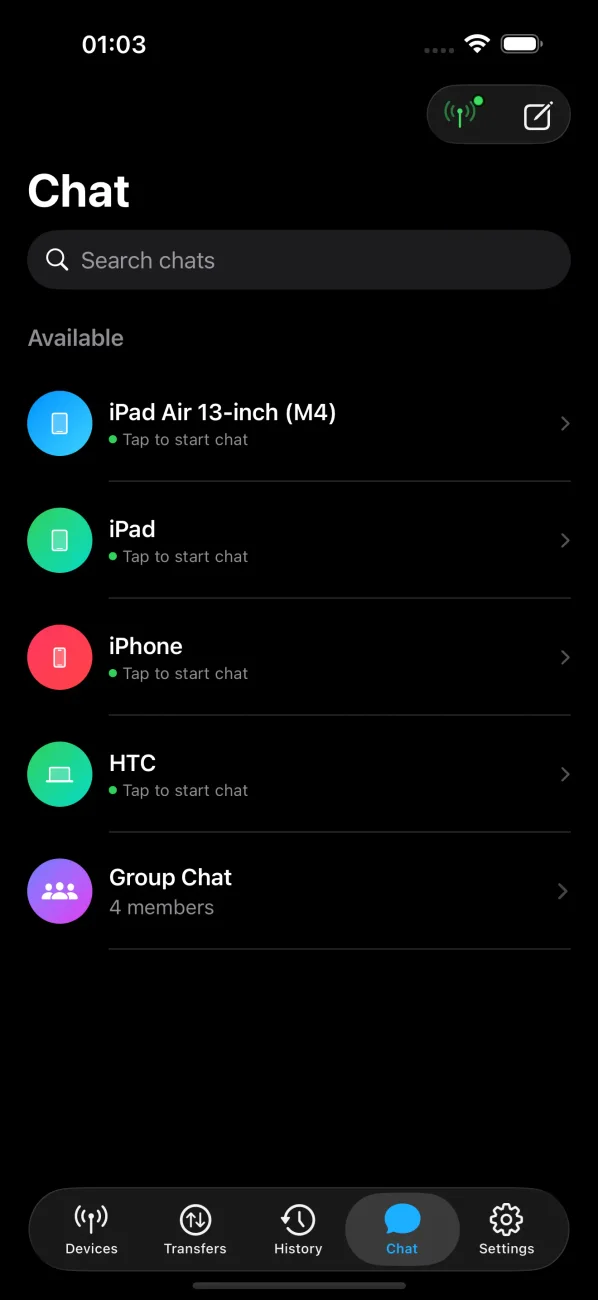
- Instant text messaging with any connected device
- 1-on-1 and group chat (auto-created when 2+ devices connect)
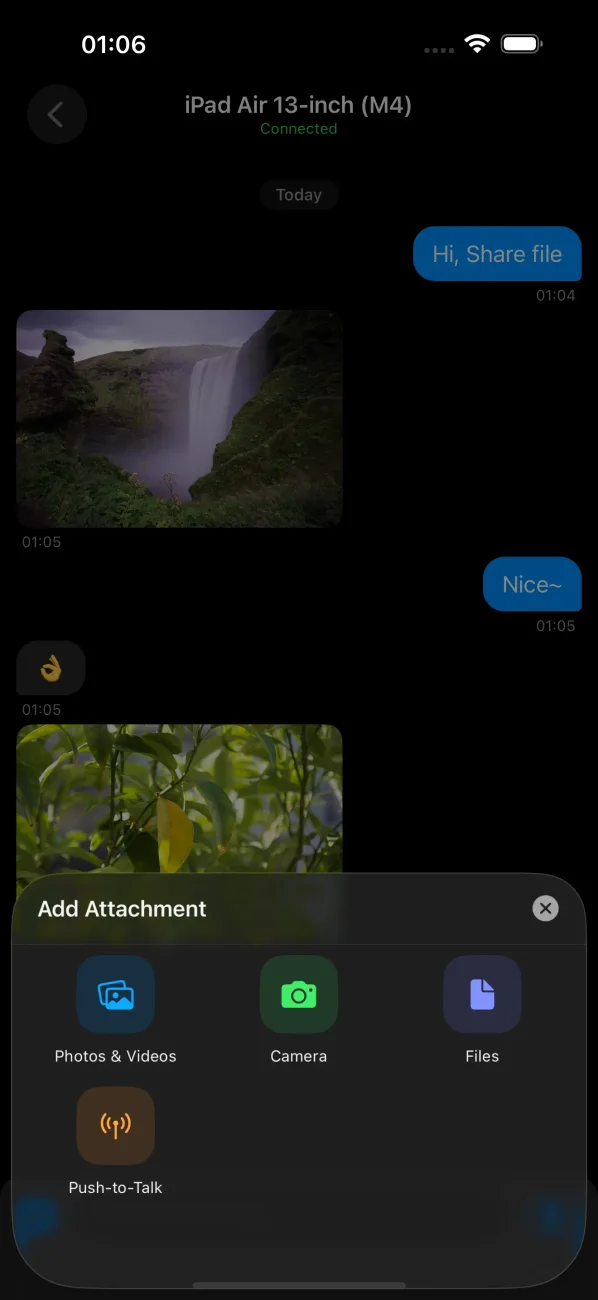
- Send photos, videos, files, and voice messages in chat
- Hold to record voice messages with waveform and duration
- Snap a photo or video on iPhone/iPad and send right from chat
- Reply with quotes, forward, copy, save to Photos or Files
- Recall your own messages within 2 minutes—removed for both sides
- @mention members in group chats with bold highlighting
- Live "typing…" indicator, delivery status, and one-tap retry
- Cross-conversation search by name or message content
Live Push-to-Talk
- Hold to talk, release to stop—your voice streams instantly
- 1-on-1 and group PTT; multiple speakers mix together naturally
- Triple-pulse rings and participant avatars show who is speaking
- Low-latency 16 kHz audio, never routed through the cloud
Live Transfer Progress
- Real-time speed and estimated time remaining
- Dynamic progress rings for every file
- Swipe to cancel an ongoing transfer
Privacy by Design
- Every transfer is a direct Wi‑Fi link on your local network
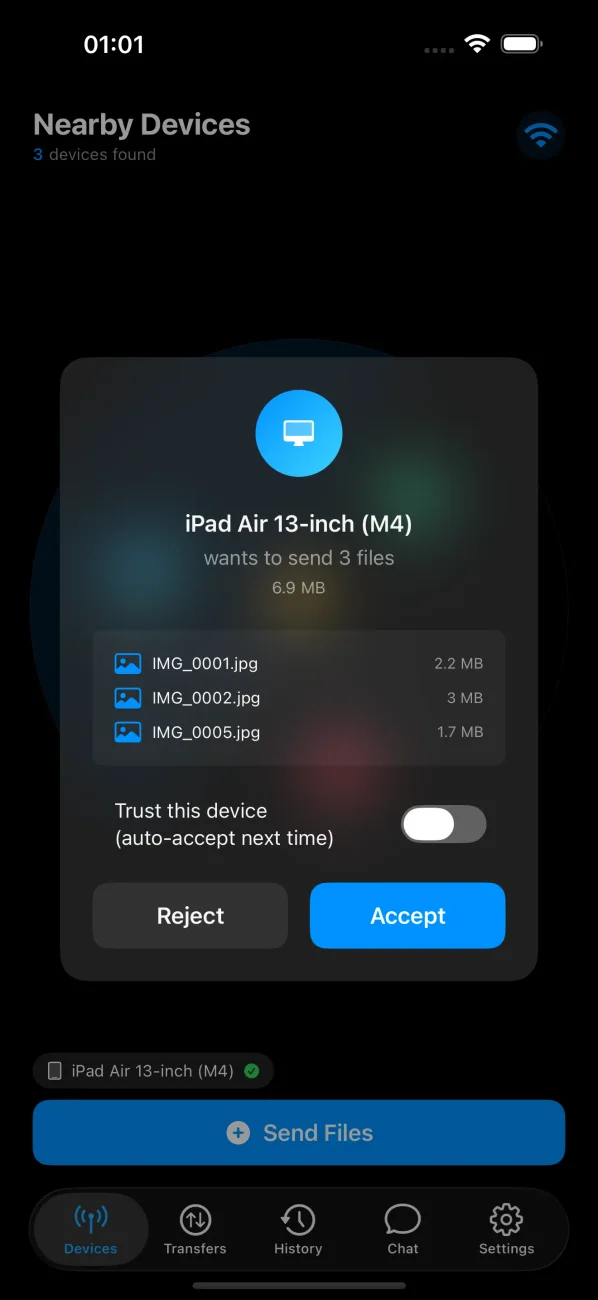
- Every incoming transfer requires your confirmation
- Chat history and attachments are stored locally only
Smart Receiving
- Preview details before accepting an incoming transfer
- Mark devices as trusted to auto-accept next time
- Manage your trusted devices anytime
- Or enable auto-accept for every transfer—your choice
- Make chat attachments tap-to-download to skip large auto-fetches
Transfer History
- Browse 30 days of sent and received items
- Filter by all, sent only, or received only; multi-select and delete
- Quick Look files right from the list
- Text messages stay in history; copy them again with one tap
- Save, share, or open received files in one place
- On iOS, save photos and videos to the system library from history
- On macOS, reveal files in Finder
- Toggle image thumbnails on or off to save space
- Grouped by date for easy browsing
Personalize Your Experience
- Custom device name; Light, Dark, or system appearance
- English, Simplified Chinese, and Traditional Chinese—switch in-app
- Built-in user guide with walkthroughs and FAQ
- One place to clear chats, history, and local cache
- Optional Tip Jar to support continued development
Built for Apple Devices
- Native SwiftUI with full Light and Dark mode support
- Adaptive layouts for iPhone, iPad, and Mac
- 100% Apple native frameworks—zero third-party dependencies
Thanks for being here. If anything is off, reach us anytime from within the app. If you enjoy iConnect, a quick review on the App Store would mean the world to us—thank you!
What’s new
Version 1.9.0 · Nov 24, 2026
What's New in iConnect v1.9.0
iConnect is ready for a new era of iPhone screens, with smoother visuals and more dependable everyday tools on your local network.
1. Built for iPhone Duo: Device discovery, chat, transfers, and settings are tuned for the expanded inner display and landscape use, so layouts stay clear when the window size changes.
2. iOS 26 scroll polish: Major lists and chat views now use a soft blurred top edge instead of the default glass effect for a calmer, more focused experience.
3. Smarter feedback: If no mail account is configured, an in-app sheet lets you copy the support email and device diagnostics, then open the Mail app when you are ready.
4. Reliability improvements: Refined system scroll edge handling for smoother navigation with fewer edge-case issues.
Thank you for using iConnect. If you enjoy this update, please leave a rating and share your feedback on the App Store. Your support helps us keep improving.
App privacy
What 天从 何 declares on the App Store about how this app handles data.
-
Data not collected
The developer does not collect any data from this app.
Privacy practices may vary, for example with the features you use or your age.
Information
- Seller
- 天从 何
- Category
- Utilities
- Version
- 1.9.0
- Updated
- Nov 24, 2026
- Released
- May 8, 2026
- Size
- 12.0 MB
- Requires
- iOS 15.0 or later
- Age rating
- 4+
- Price
- $1.99
- In-app purchases
- Yes
- Languages
- English, Simplified Chinese, Traditional Chinese
- Copyright
- © @iHTCboy