IconSpeak AAC
IconSpeak AAC speech app
Designed for iPhone, iPad
Free · In-app purchases
- Age rating4+
- CategoryEducation
- DeveloperBubby Studio LLC
- LanguagesEnglish
- Size42.1 MB
Links to the official App Store page
Download.org hosts no file of IconSpeak AAC. The button opens its official App Store page, published by Bubby Studio LLC. Listing last checked on Nov 20, 2026.
Screenshots
About
Some people think in full sentences and just can't say them out loud.
IconSpeak gives them a way to be heard.
IconSpeak is an AAC (augmentative and alternative communication) app for
children and adults with speaking difficulties — autism, apraxia, Down
syndrome, cerebral palsy, stroke, ALS, and temporary loss of speech. Tap
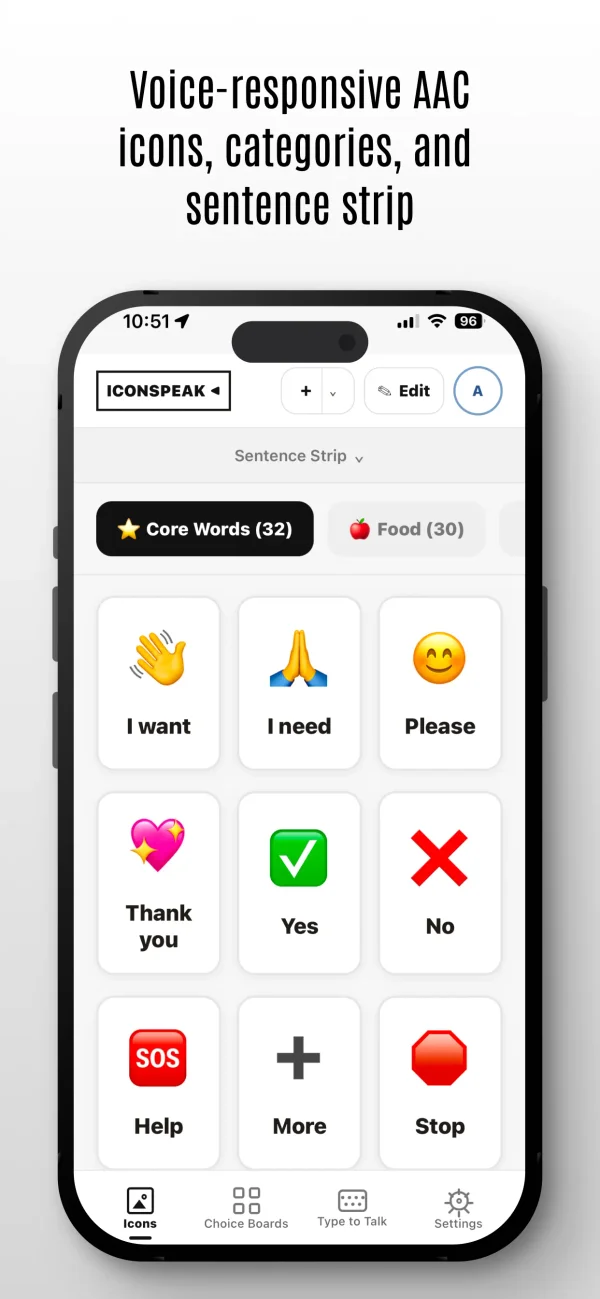
icons to build a sentence, then tap the sentence strip to speak it aloud
in a clear, natural voice.
It was built by a dad for his son. Everything in it exists because a real
family needed it.
HOW IT WORKS
- Tap icons to build a sentence, then tap the strip to speak it aloud
- Or tap a single icon to hear it on its own — no sentence required.
Good for early learners and quick answers.
- Edit any icon: its label, its image, or what it says out loud
- Browse by category, or search when you know what you want
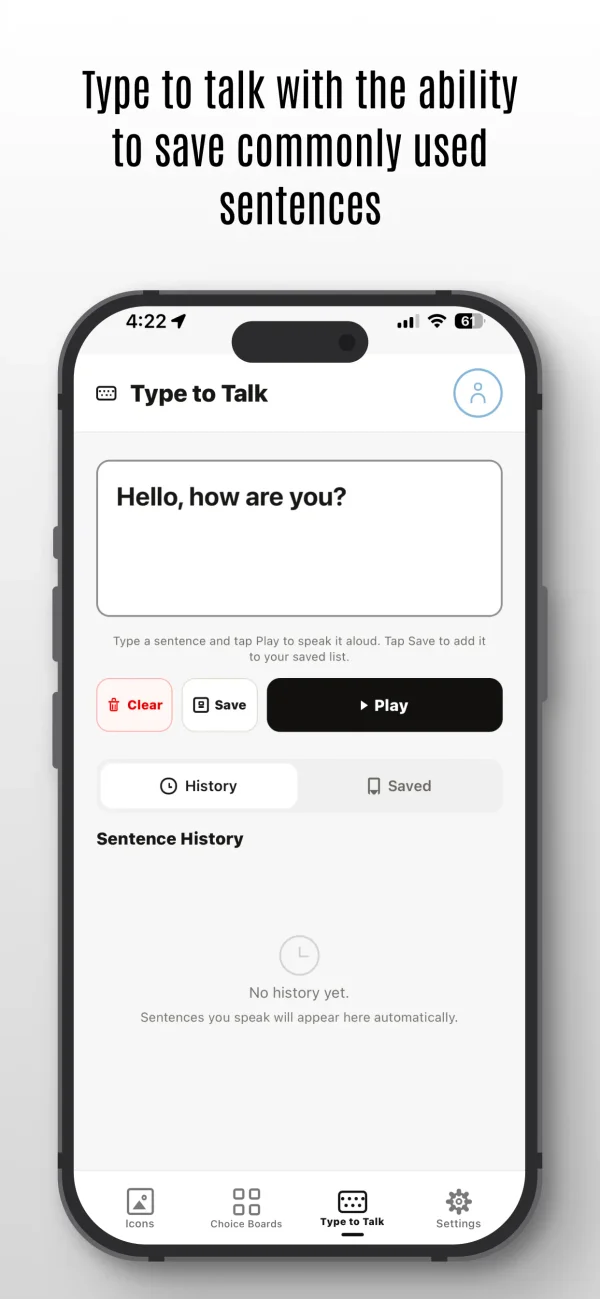
- Type to Talk for anyone who spells — type a phrase, hear it spoken
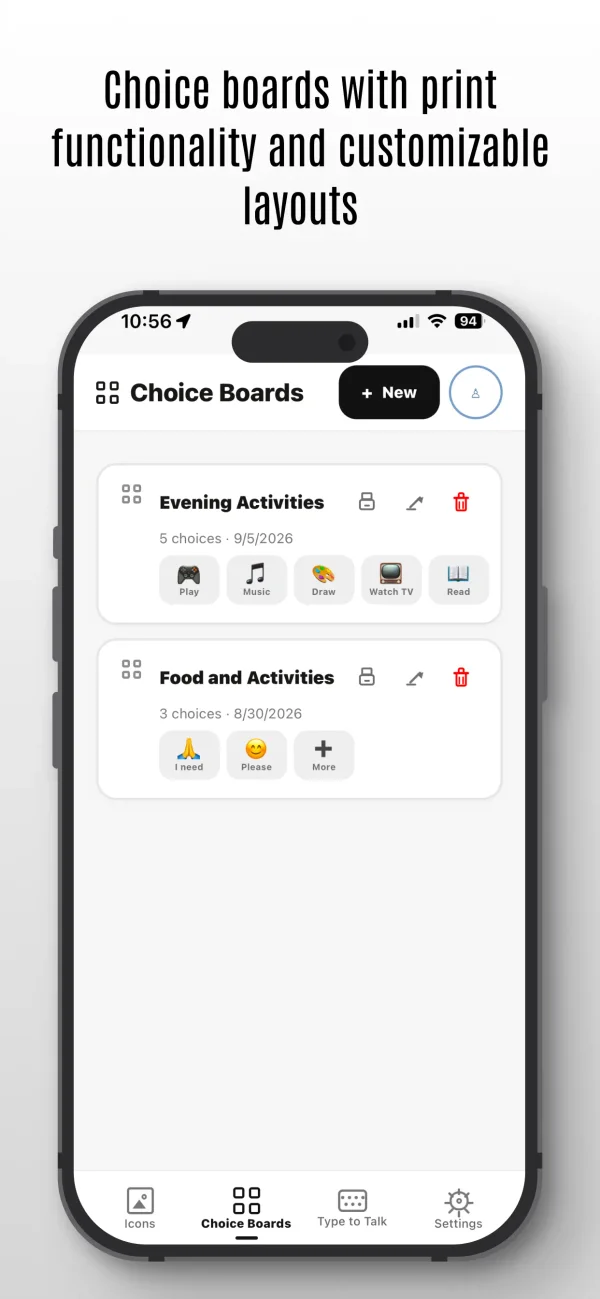
- Choice boards for this-or-that questions and structured practice
PRINT WHAT'S ON THE SCREEN
The digital board and the paper board shouldn't be two different systems.
- Print individual icons, or entire choice boards
- Set your own print layout and grid — icons per page and how large
- Size them for a binder, a classroom wall board, or a lanyard
- Send home paper sets that match the app exactly, so a person sees the
same symbol at school, at home, and on paper
- Print custom photo icons, not just library symbols
- A no-tech backup for a dead battery or a device left in the car
BUILT FOR REAL DAYS
- Works fully offline — no signal needed at school or an appointment
- Cloud sync and backup across your iPhone and iPad
- Multiple voices and multiple languages
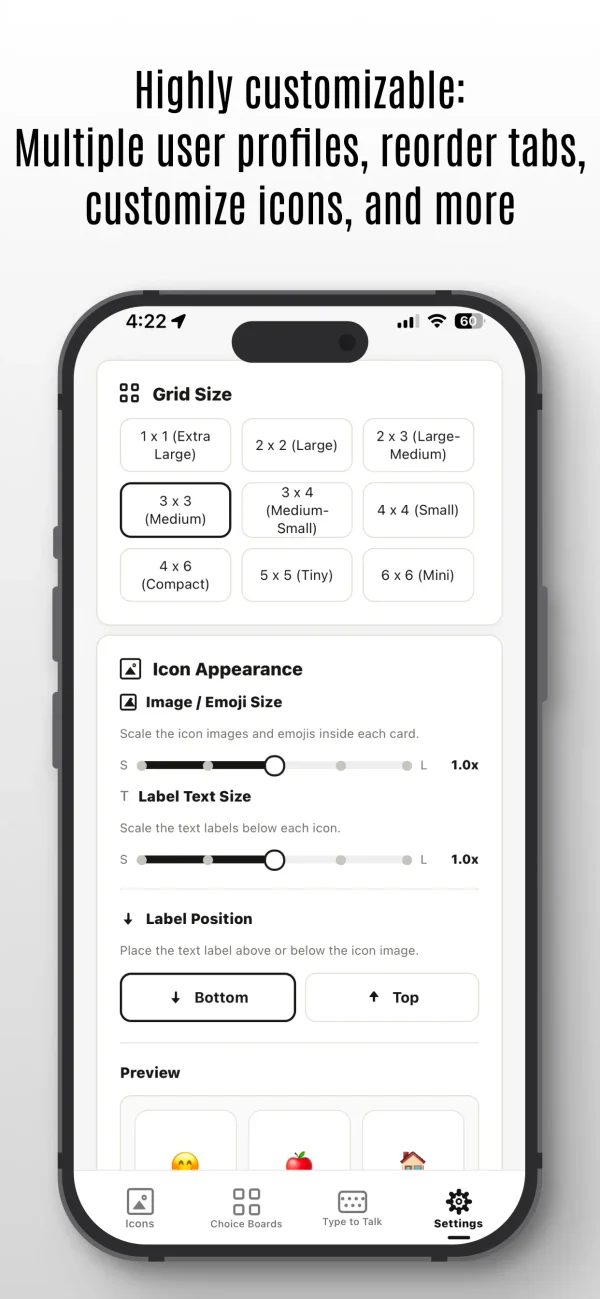
- Adjustable grid, colors, and layout so the board fits the person
- No ads, ever. No account required to start.
FREE FOREVER
The core app is free — not a trial, not a countdown. Icon library and
categories, single-tap speech, sentence strip, Type to Talk, choice
boards, printing with custom layouts, one profile, offline, and sync.
ICONSPEAK PRO
For families, classrooms, and clinicians who need the board to match a
specific person.
- Custom icons from your own photos — real faces, real foods, real places
- Custom categories, organized your way
- Multiple user profiles on one device
- Sentence history, so a favorite phrase is one tap away
Pro is $4.99 per month or $49.99 per year.
FOR SLPs AND EDUCATORS
Custom icons and multiple profiles make it practical to run a caseload
from one iPad, and printable boards let you send home a paper set that
mirrors the digital one — consistent symbols across school, home, and
clinic. We'd love to hear from you: wearebubbystudio@gmail.com
A NOTE FROM US
IconSpeak is made by Bubby Studio, a tiny independent studio named after
the nickname of our founder's son, Ezekiel. We built the app we wanted to exist for him.
If something is missing, tell us — we read every email.
SUBSCRIPTION DETAILS
IconSpeak Pro is a monthly ($4.99) or annual ($49.99) auto-renewing
subscription. Payment is charged to your Apple Account at confirmation of
purchase. It renews automatically unless auto-renew is turned off at
least 24 hours before the end of the current period, and your account is
charged within 24 hours prior to the end of that period. Manage or cancel
anytime in your Apple Account settings.
Privacy Policy: https://www.bubbystudio.com/privacy-policy
Terms of Use (EULA): https://www.apple.com/legal/internet-services/itunes/dev/stdeula/
What’s new
Version 1.2.0 · Nov 3, 2026
IconSpeak now feels like a native app on both iPhone and iPad, and a lot of small frustrations are gone.
Everything opens the way it should. Every panel in the app is now a real iOS sheet instead of a drawn-on card. Swipe down to dismiss, and the back gesture works everywhere — including on a choice board you have part-built, which now asks before it throws anything away.
Choice boards. Opening a board fills the screen, so nobody taps a different board by accident halfway through saying something. Print, Edit and Delete have moved into a ••• menu, so Delete is no longer a single tap away from the board you use all day.
Type to Talk. The Clear button is no longer sitting next to Play — it's a small × on the message box, where clearing belongs. The return key now speaks your sentence. History stops filling up with repeats: saying the same thing again moves it back to the top instead of adding another copy, so the phrases you actually reuse stay reachable. Saved sentences keep Play in the open, with Edit and Delete behind a ••• menu.
iPad. Side-by-side layouts on larger screens: your boards list beside the open board, your settings list beside the section you're reading. Navigation moves to a rail down the side, which gives the board back the space a bottom bar was using. Everything follows the window, so Split View and rotation work properly.
Two fixes worth calling out. The app no longer signs you out when it can't reach the internet at launch — only an expired session does that now. And the parental gate remembers being switched off, instead of coming back every time the app reopens.
Setting up a board is easier. Adding a category now opens a simple sheet from either the + button or the category strip, and the new category scrolls into view instead of hiding off the edge. Pro users can delete their own custom categories in Edit mode — the built-in ones stay put. An empty category now tells you it's empty and offers to add an icon, rather than showing a blank board.
Photos come from your photos. Setting a profile picture or making an icon from a photo now offers Take Photo or Choose from Library, instead of opening the Files browser.
Smaller things that got in the way. Image and label size are now buttons instead of sliders, so adjusting them no longer swipes you back to the previous screen, and they're far easier to hit. The top bar stays put when you scroll, so Back and the buttons are always there. The keyboard no longer covers the box you're typing in.
Also: real iOS switches and menus throughout, a quieter launch screen, and a single consistent shape and motion language across the app.
App privacy
What Bubby Studio LLC declares on the App Store about how this app handles data.
-
Data linked to you
May be collected and linked to your identity.
- Contact info
- Identifiers
Privacy practices may vary, for example with the features you use or your age.
Information
- Seller
- Bubby Studio LLC
- Category
- Education
- Version
- 1.2.0
- Updated
- Nov 3, 2026
- Released
- Sep 17, 2026
- Size
- 42.1 MB
- Requires
- iOS 16.4 or later
- Age rating
- 4+
- Price
- Free
- In-app purchases
- Yes
- Languages
- English
- Copyright
- Copyright © IconSpeak. All rights reserved.
You might also like
-
 ArjieEducation
-
 echoRune - Tap to SpeakAAC Comms in 28 Languages
-
 Fin AACAI that helps them be heard
-
 Friendly Voice AppAAC Speech Aid
-
 Mela AACA voice for every child
-
 AAC for MeAAC made for humans, by humans
-
 Predictable FlexText based AAC app
-
 Give Me Words AACAAC Communication for All
-
 CommunPicto By CedmadCommunicate with pictograms
-
 uCertifyPrep PMI PgMPuCertify TestPrep