iCrew: Lifeboat Availability
Crew status, rota & call-outs
Designed for iPhone, iPad, iPod touch
Free · In-app purchases
- Age rating4+
- CategoryProductivity
- DeveloperKernow Software
- LanguagesEnglish
- Size62.3 MB
Links to the official App Store page
Download.org hosts no file of iCrew: Lifeboat Availability. The button opens its official App Store page, published by Kernow Software. Listing last checked on Nov 25, 2026.
Screenshots





About
iCrew shows your crew who is available right now, and makes booking on and off a single tap. Built by an on-call firefighter for lifeboat crews.
WHO'S AVAILABLE, AT A GLANCE
- A live crew list with everyone's status, rank and qualifications
- Cover bars for every role (Helm/Cox, boat crew, shore crew, tractor and more) turn orange or red as cover drops
- Low crew alerts when your station falls below the levels you set
YOUR STATUS IN ONE TAP
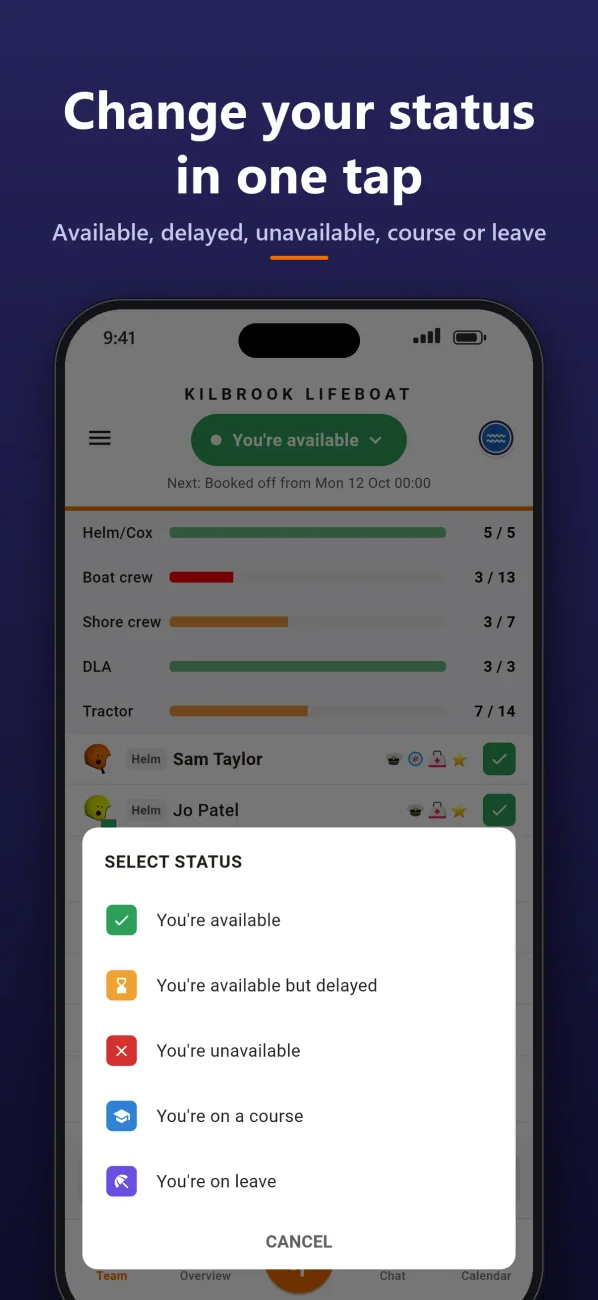
- Available, delayed, unavailable, course or leave
- "Back at..." timers book you back on automatically
- Geofencing changes your status as you arrive at or leave the station*
PLAN AHEAD
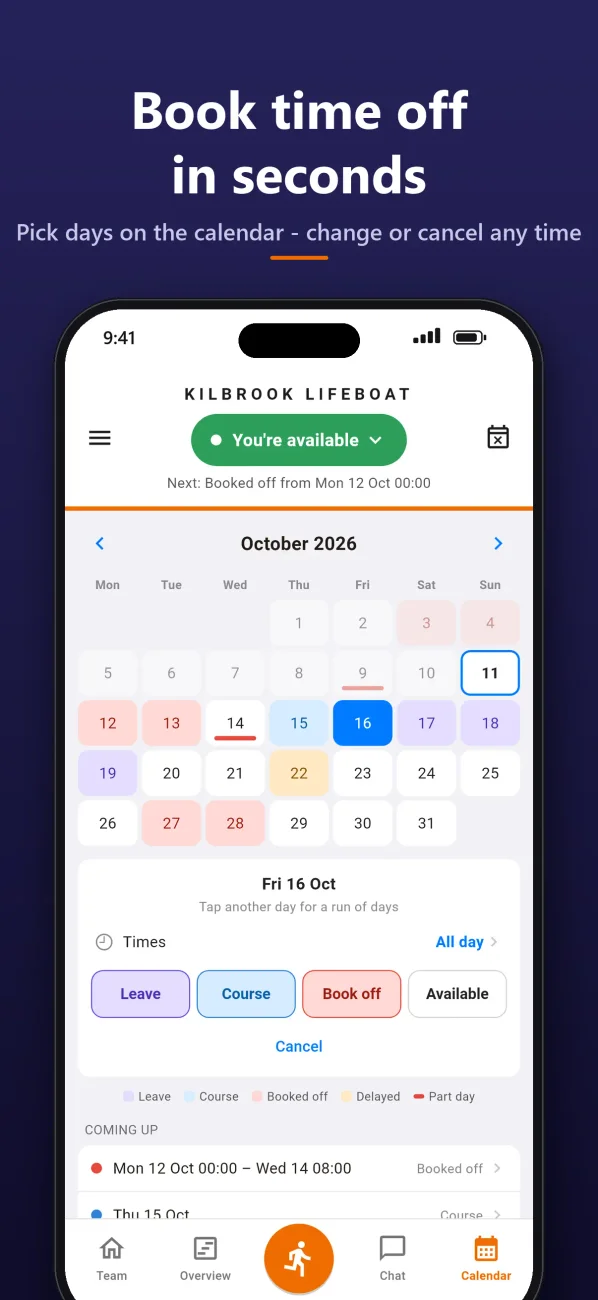
- Book time off on the calendar - whole days, or from a start time to an end time - then change or cancel it any time
- Set your rota once, with shift hours if you work shifts: you're only unavailable while you're at work
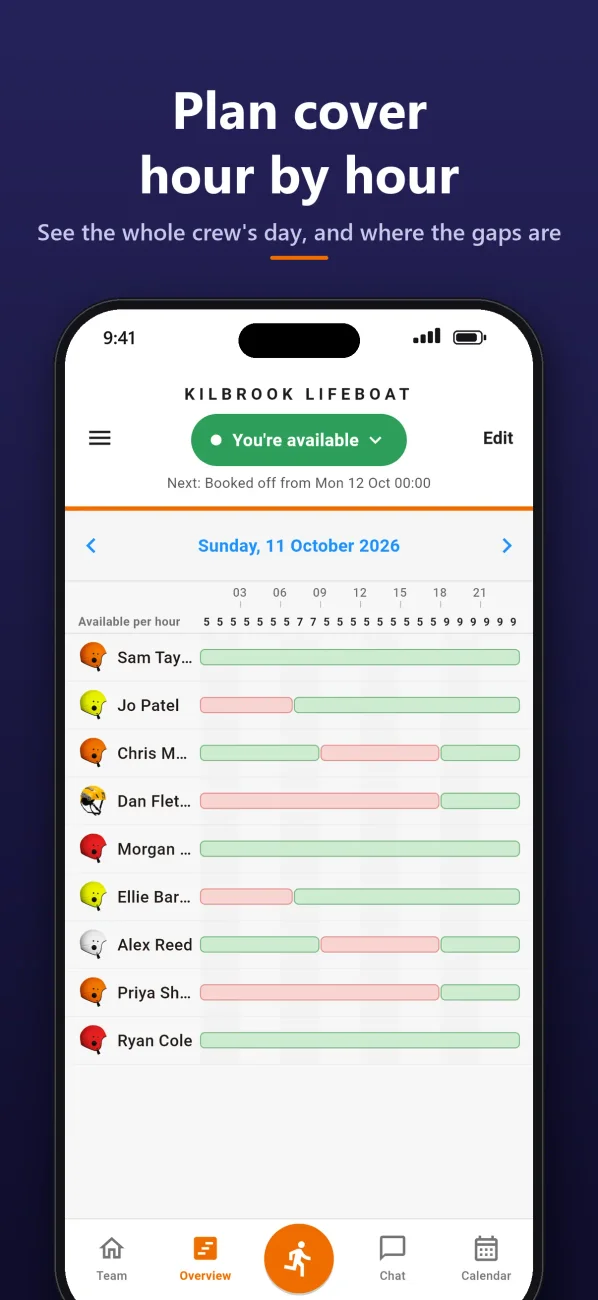
- Set your day hour by hour: tap or drag the hours, then pick a status
- See the whole crew's day, with how many are available each hour
CALL-OUTS THAT GET THROUGH
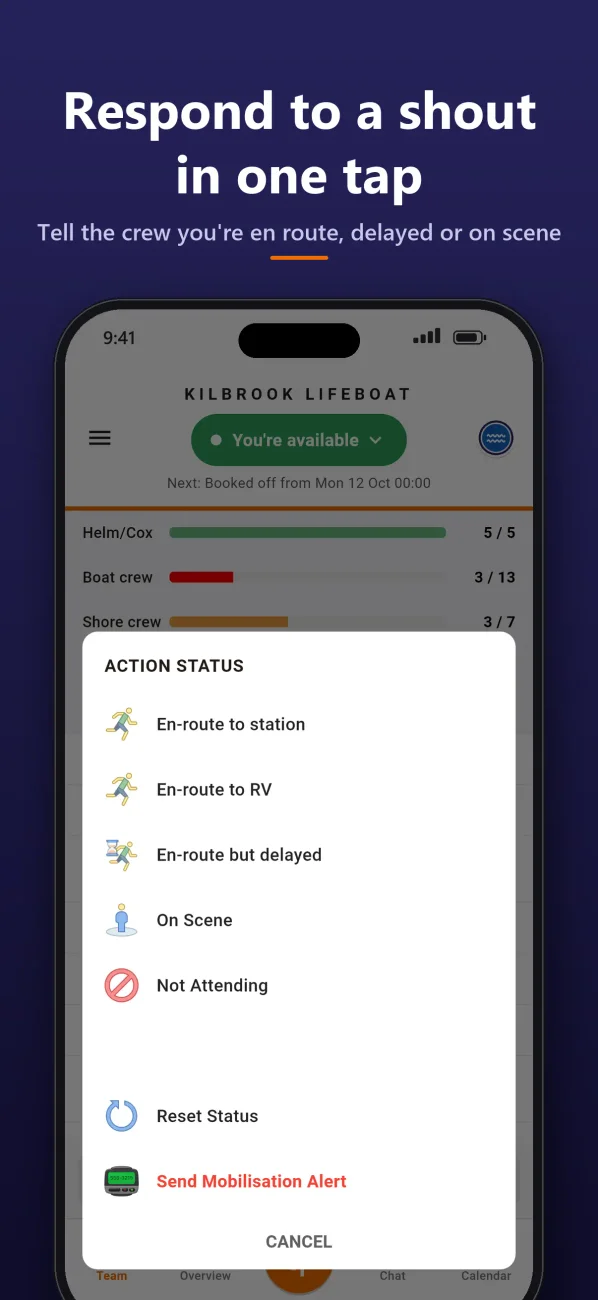
- Mobilisation alerts that sound through silent mode and Do Not Disturb
- Answer "I'm responding" straight from the alert
- See who is responding and how far away they are
AND MORE
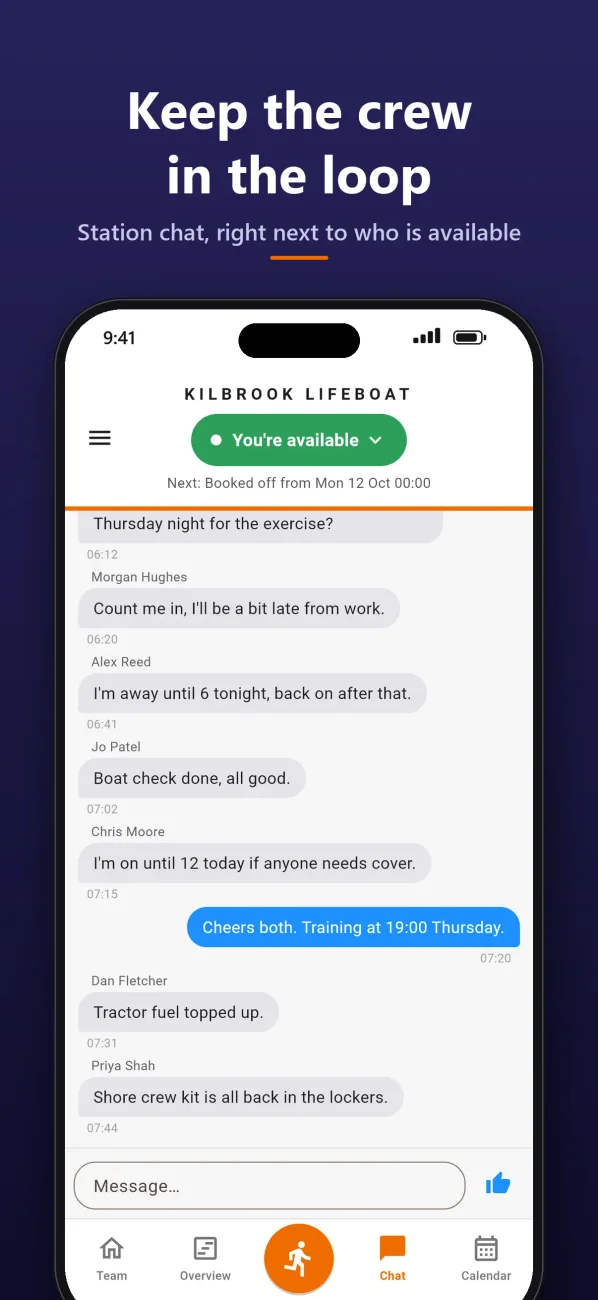
- Station chat, events and training
- Dark mode, set for the whole crew by your station or by you
- Sort the crew list your way, choose which view it opens on, and show ranks if you like
- Face ID / Touch ID app lock
- Contracted hours tracking*
FOR STATION MANAGERS
Station managers can run their station from the iOnCall dashboard on a computer: availability planning, rotas, crewing rules and call-out history.
* Included with your station's subscription.
Privacy policy: https://icrew.ifireapp.net/privacy-policy.html
Terms of use: https://ioncall.app/terms.html
What’s new
Version 5.0.17 · Nov 25, 2026
New
• Station admins can choose how long the crew board keeps a callout on screen, from 1 to 12 hours, in Station details. Keep going adds the same again.
• Invited by email to another station? The invitation now shows on the Stations screen, with a Join button.
Improved
• If the same team alert was sent less than a minute ago, the app asks before sending it again, so every phone doesn't sound twice by mistake.
• Joining a station is clearer: entering an invite code comes first, the screen shows which email you're signed in with, and "Use a different email" lets you switch address.
• Didn't get the verification email? You can now send the code again or use a different email. If the app closes while you check your email, it reopens on the code screen.
• If you've used the app before, joining a station fills in your name and skips the questions you've already answered.
• If your email is already in a station on another of our apps (iFire, iCrew or iRescue), the app now says which one to use.
• Opening an invite link fills in the code and waits for you to tap Join. Scanning an invite QR code for one of our other apps tells you which app it's for.
• Clearer messages when something goes wrong during sign-up, for example when you're offline.
Fixed
• If you're signed in but haven't joined a station yet, the app now opens on the screen to join with an invite code, instead of asking you to sign in again each time.
• Entering an older verification code after asking for a new one now tells you to use the newest code, instead of leaving you stuck part-way through signing in.
• Joining a station no longer turns off Face ID or unsubscribes you from email updates you chose before.
App privacy
What Kernow Software declares on the App Store about how this app handles data.
-
Data linked to you
May be collected and linked to your identity.
- Purchases
- Location
- Contact info
- User content
- Identifiers
Privacy practices may vary, for example with the features you use or your age.
Information
- Seller
- Graham Murt
- Category
- Productivity
- Version
- 5.0.17
- Updated
- Nov 25, 2026
- Released
- May 28, 2018
- Size
- 62.3 MB
- Requires
- iOS 15.0 or later
- Age rating
- 4+
- Price
- Free
- In-app purchases
- Yes
- Languages
- English
- Copyright
- © 2026 Kernow Software Ltd
You might also like
-
 Intel ReportiReport App
-
 Edge ShipProductivity
-
 Sailor PlannerCalendar-like skippers logbook
-
 Whisper: On-Device AIAI that stays on your phone
-
 TRUCHECKUltimate inspection app...
-
 Calculator Speed Distance TimeQuickly Calculate Speed Time
-
 iSAR by BellwadeProductivity
-
 Pocket FilmsProduction’s Smartest Sidekick