ID Scanner: Redact PDF
Secure copies, watermark, OCR
Designed for iPhone, iPad
In-app purchases
- Age rating4+
- CategoryUtilities
- DeveloperJiang Yu
- LanguagesSpanish+ 9 more
- Size7.4 MB
Links to the official App Store page
Download.org hosts no file of ID Scanner: Redact PDF. The button opens its official App Store page, published by Jiang Yu. Listing last checked on Nov 29, 2026.
Screenshots

About
Prepare IDs and paperwork for checking, sharing and printing. No account is required. Scanning, OCR, watermarks and redaction are processed on your device; your documents are not uploaded to our servers.
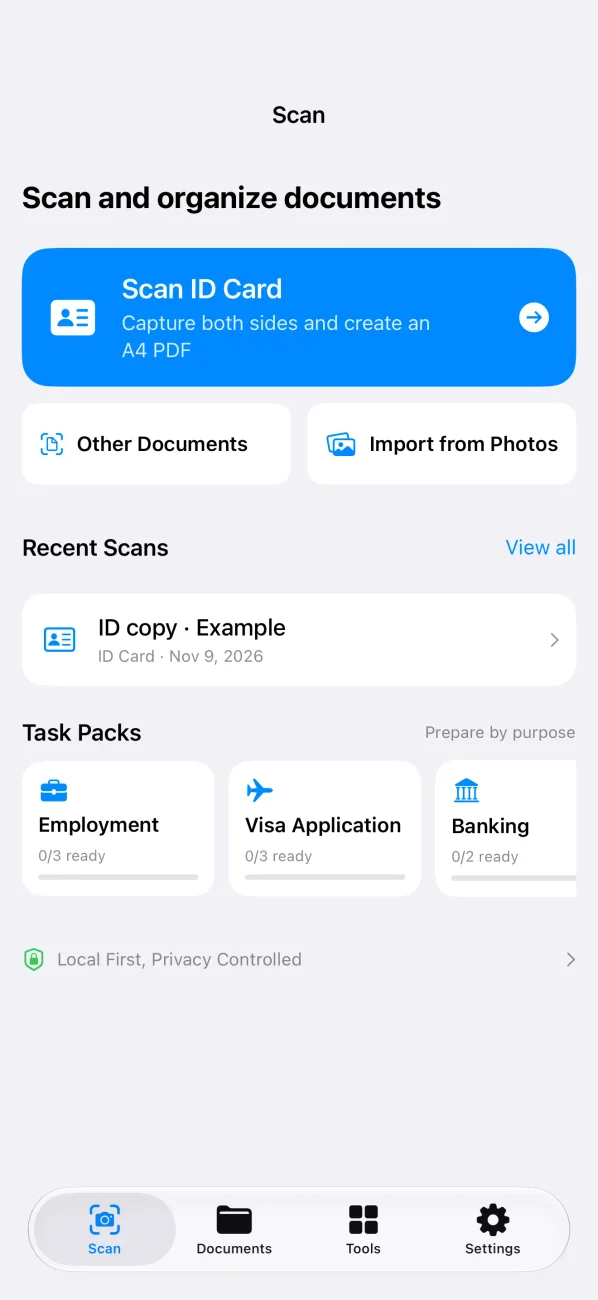
• Scan both sides of an ID or import photos
• Add, replace, rotate, crop and reorder pages
• Create A4 PDFs, original-size images or one long image
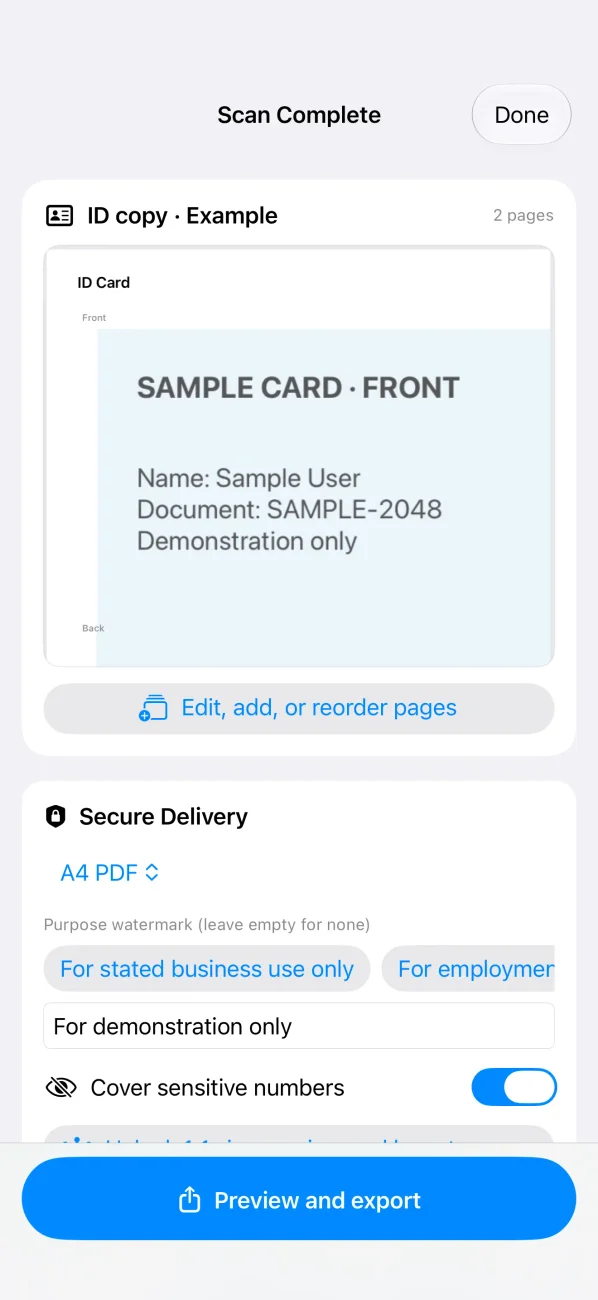
• Add purpose watermarks and cover sensitive numbers on supported document layouts
• Preview the finished copy before sharing or printing
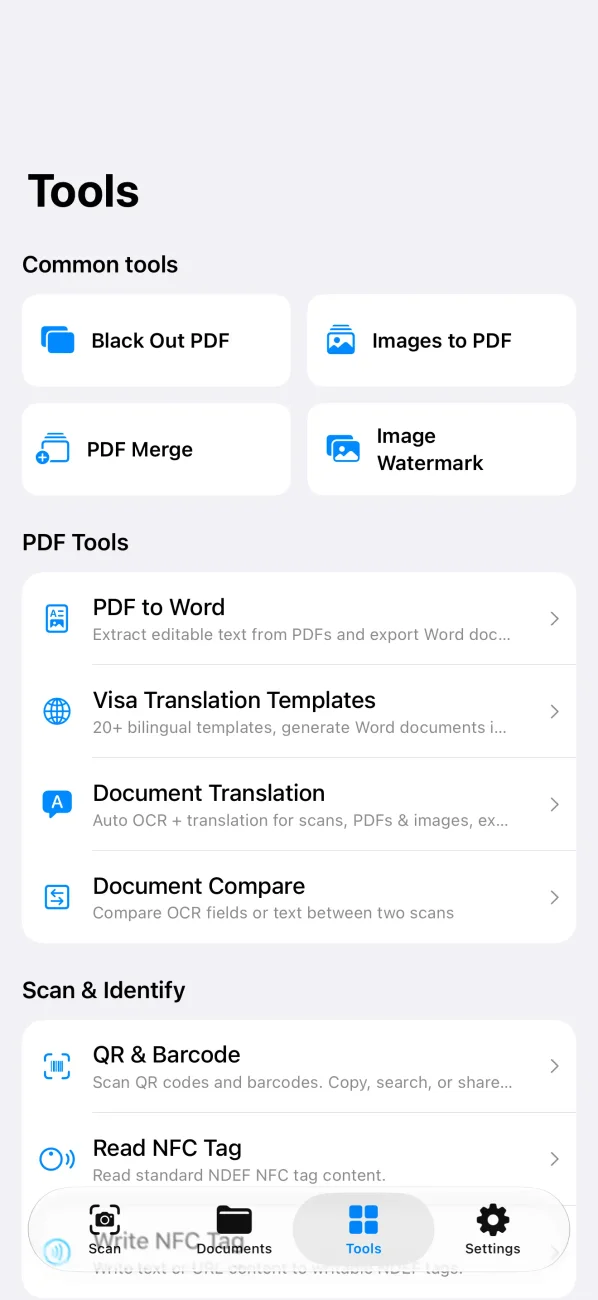
• Search existing PDF text and mark matching areas for redaction, with manual boxes and undo
• Organize task checklists and quickly reopen recent documents
• Local OCR, app lock and privacy checks
Redaction turns affected pages into images with opaque black areas and removes their existing text layer. Those pages lose text search; untouched pages stay unchanged. Image-only scans need manual boxes. Number masking uses supported layout regions: check every page before sharing. A purpose watermark states the intended use; it does not prevent file reuse.
Basic scanning, OCR, PDF/image sharing, printing, purpose watermarks and PDF redaction are free, with no scanning page limit. Optional Pro access adds standard-size ID copy layouts and advanced file tools. Monthly and annual subscriptions and a one-time lifetime purchase are available; see the in-app offer for included features.
PDF import creates editable image copies (up to 30 pages per import). Copies do not retain the original text layer or digital signatures; the source file is unchanged. PDF export offers A4 and US Letter.
Terms of Use: https://www.apple.com/legal/internet-services/itunes/dev/stdeula/
What’s new
Version 1.6.1 · Nov 28, 2026
Improved document edge detection and corner adjustment with a magnifier, rotation, and reset. Added shadow removal and enhanced color filters, optional searchable PDF export, camera grid and auto/manual capture controls.
App privacy
What Jiang Yu declares on the App Store about how this app handles data.
-
Data not collected
The developer does not collect any data from this app.
Privacy practices may vary, for example with the features you use or your age.
Information
- Seller
- Jiang Yu
- Category
- Utilities
- Version
- 1.6.1
- Updated
- Nov 28, 2026
- Released
- Jul 2, 2026
- Size
- 7.4 MB
- Requires
- iOS 16.0 or later
- Age rating
- 4+
- In-app purchases
- Yes
- Languages
- Spanish, German, Simplified Chinese, Traditional Chinese, Korean, French, English, Italian, Japanese, Portuguese
- Copyright
- © 2026 好用的证件扫描. 保留所有权利
You might also like
-
 PocketPorts - Port ScannerPublic attack-surface monitor
-
 Scan2SidesSimple, just take a picture
-
 ChatMiMi - Local AI AssistantPrivate AI & Offline Usage
-
 IPS ID WalletManage digital ID credentials
-
 個人情報マスカー PDF黒塗りUtilities
-
 CardSnap ID ScannerScan Any ID in Seconds
-
 Mila's Length ConverterMetric to Imperial Calculator
-
 Omni TalkUtilities
-
 WalleX DocsDocument wallet
-
 ID Scanner - Scan & Store IDsPrivate OCR Card & ID Reader