
IDOUDO: Movable Do Solfège
Sight-reading & ear training
Designed for iPhone, iPad
Free · In-app purchases
- Age rating4+
- CategoryMusic
- DeveloperKosuke Mawatari
- LanguagesEnglish+ 1 more
- Size2.8 MB
Links to the official App Store page
Download.org hosts no file of IDOUDO: Movable Do Solfège. The button opens its official App Store page, published by Kosuke Mawatari. Listing last checked on Nov 17, 2026.
Screenshots


About
Read notes fast in movable Do. Name the notes you hear. Sing famous melodies in all 12 keys. IDOUDO is a solfège app for practicing all three, a few minutes a day — for jazz and pop sessions, playing by ear, and reading parts in choirs and ensembles, so a key change never throws you off. Ear Training and Melody Shadowing are new in version 1.1.
Answer each displayed note using the Do, Re, Mi, Fa, Sol, La, and Ti buttons. When the key changes, the same position on the staff has a different movable-Do syllable. Practice this essential movable-Do skill repeatedly in all 12 keys.
In addition to treble and bass clefs, IDOUDO supports the alto clef, a feature rarely found in music practice apps. It is useful both for the daily practice of musicians who read alto-clef music and for those who want to become more fluent in every key as they expand into jazz and pop sessions.
If you are just beginning to read staff notation, start with the key of C. In C, Do–Re–Mi and C–D–E correspond directly, so you can also use IDOUDO to practice the fundamentals of reading standard notation.
DRILLS
Reading
• Single notes: 1 Note, 2 Notes
• 1 Triad
• 1 Seventh Chord
Listening
• Ear training: 2, 3, and 4 notes
• Melody Shadowing: Major set 1, Major set 2, Minor set 1
EAR TRAINING
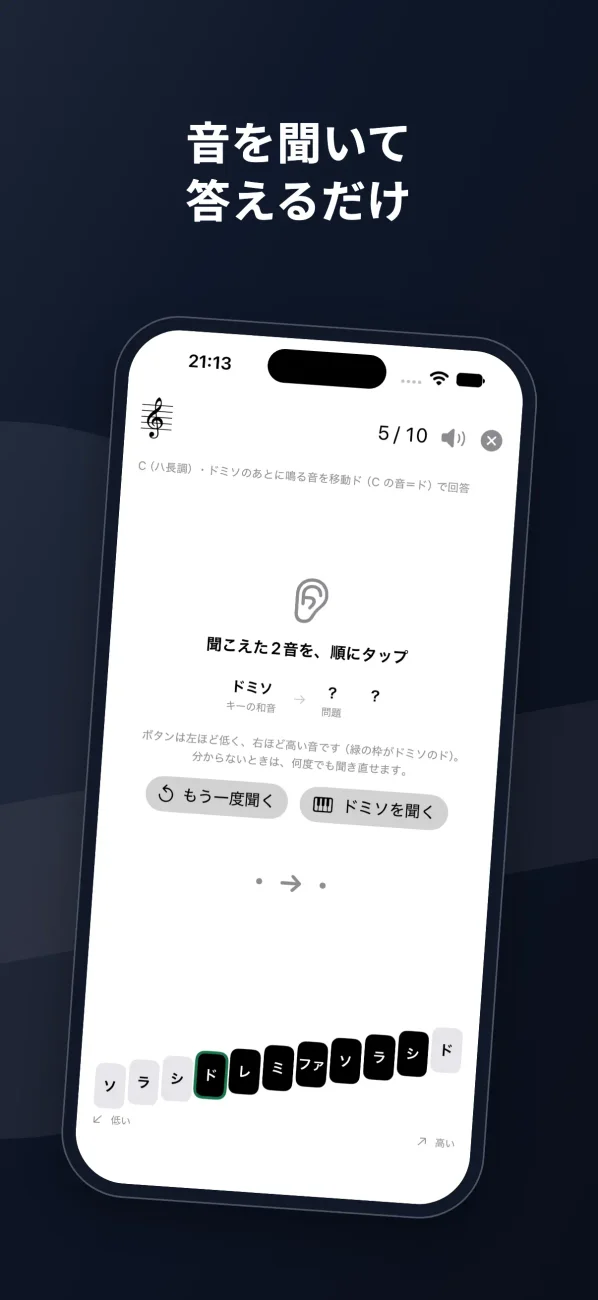
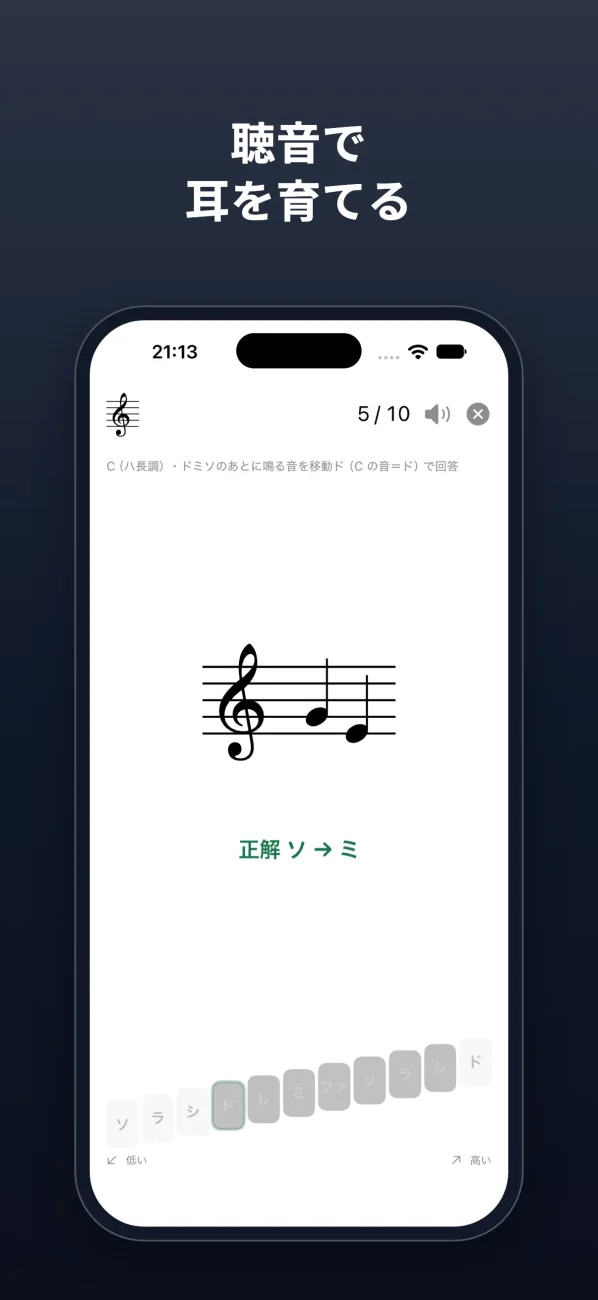
After a Do-Mi-Sol chord, listen to the notes and name them in movable Do. The answer buttons form a "staircase" from low on the left to high on the right, so you answer the pitch height too. A foundation for playing by ear.
MELODY SHADOWING
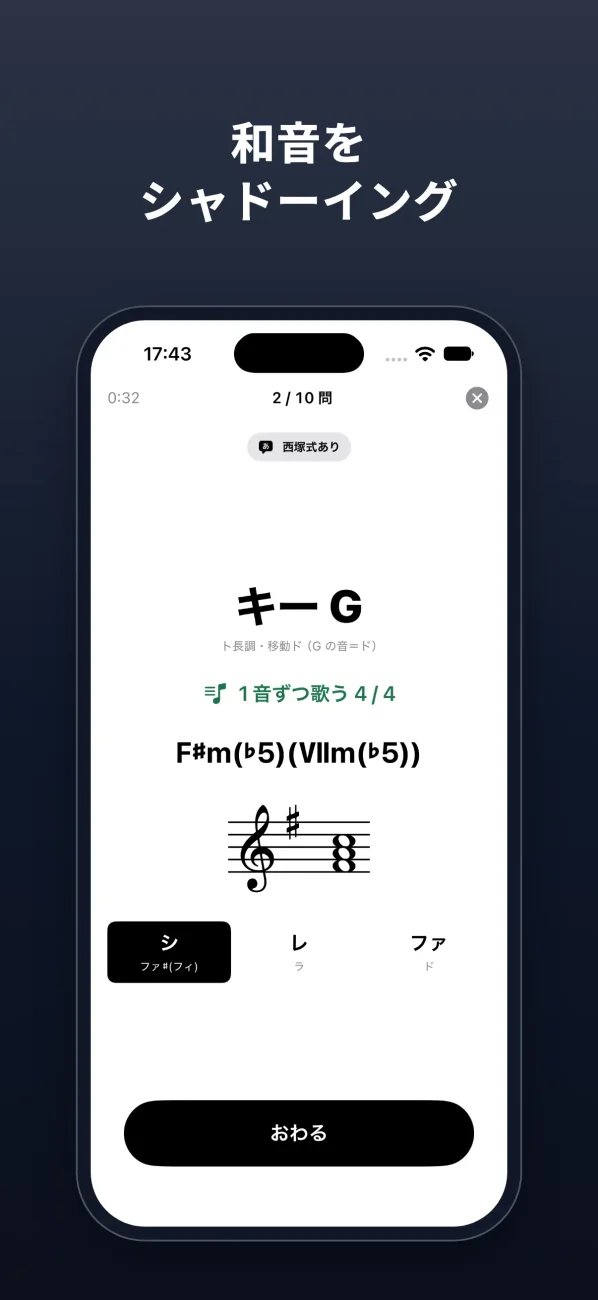
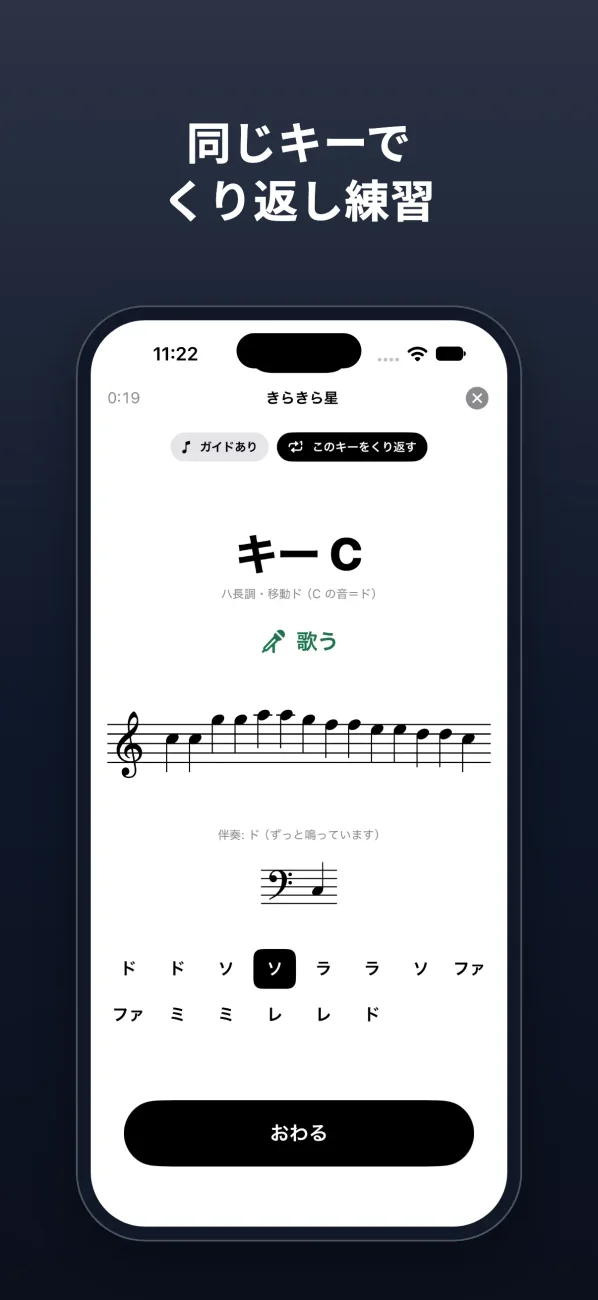
Hum short melodies from famous pieces in movable Do while the key changes. There is no scoring. Each time the key changes, an I–ii–V–I cue sets the new key's Do in your ear, and Do keeps sounding as the accompaniment while you sing.
Songs: Twinkle Twinkle Little Star, Canon, When the Saints Go Marching In, Ode to Joy, Swing Low, Sweet Chariot, Furusato, Sakura Sakura, Fate (Symphony No. 5), and Kojo no Tsuki (minor keys are read from La).
It is also good practice for the pentatonic and major scales.
KEY FEATURES
• Practice in all 12 keys
• Treble and bass clefs, plus the alto clef used by viola
• Note ranges for piano, guitar, violin, viola, cello, wind instruments, voice, and more
• Beginner, Intermediate, Advanced, and Custom ranges
• Fast 10-question rounds
• Average response time, mistakes, and personal-best records
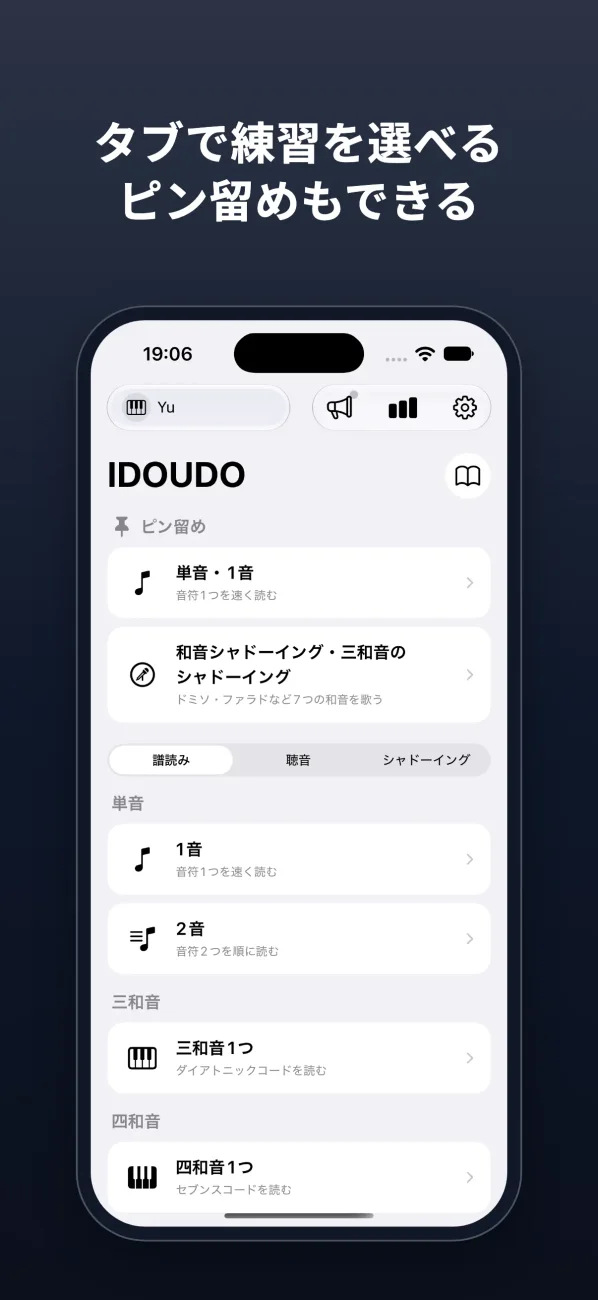
• Pin the drills you practice to the top of Home
• Built-in know-how, including how to practice each drill
• Up to 50 local profiles
• Shareable result cards and progress
• Light and Dark Mode
READ CHORDS WITH MOVABLE DO
For triads and seventh chords, answer chord tones from bottom to top. The result also shows the chord symbol and Roman-numeral degree name.
NEW TO STAFF NOTATION?
The in-app Getting Started with Staff Notation guide explains why the key of C is a good place to begin, includes a quick note-reference chart, and shows how to use the app for classical music, ensemble playing, and sessions, with a suggested practice path.
PRICING
Keys C and G are free in every drill. The other 10 keys can be unlocked in either of two ways:
• A one-time in-app purchase for each drill
• All Drills, an auto-renewable subscription (monthly with a 1-month free trial, or yearly) that also includes drills added in the future. Prices are shown in the app and on the App Store.
The subscription renews automatically at the same price unless canceled at least 24 hours before the end of the current period. Payment is charged to your Apple Account. Manage or cancel it in Settings > [your name] > Subscriptions. The free trial is available once, on the monthly plan; cancel at least 24 hours before it ends and you won't be charged.
No ads are displayed, and no account registration is required. Profiles and practice records are stored on your device.
Terms of Use (EULA): https://www.apple.com/legal/internet-services/itunes/dev/stdeula/
What’s new
Version 1.3 · Nov 12, 2026
• New: Chord Shadowing. Two drills (triads and seventh chords) let you sing the 7 chords of a key in movable do, first one note at a time, then as a chord.
• Home now has Reading, Ear Training, and Shadowing tabs, so it's easier to find a drill.
• Melody Shadowing now waits a moment before the starting cue.
App privacy
What Kosuke Mawatari declares on the App Store about how this app handles data.
-
Data not collected
The developer does not collect any data from this app.
Privacy practices may vary, for example with the features you use or your age.
Information
- Seller
- Kosuke Mawatari
- Category
- Music
- Version
- 1.3
- Updated
- Nov 12, 2026
- Released
- Aug 29, 2026
- Size
- 2.8 MB
- Requires
- iOS 17.0 or later
- Age rating
- 4+
- Price
- Free
- In-app purchases
- Yes
- Languages
- English, Japanese
- Copyright
- © 2026 馬渡康輔
You might also like
-
 RHYTHM DELAYRhythm Memory Training
-
 Piano Note Reading DrillEasy Note Reading Practice!
-
 AllGoRhythmicsSee the rhythm. Feel the time.
-
 音符クエスチョンMusic
-
 Pitch Perfector - Ear trainingMusic
-
 Sight Reading Practic - MizouTrain Your Note Reading Speed
-
 The Atlanta Opera Film StudioOpera on demand
-
 Solfege StoryMusic
-
 Music Notes - Sight ReadingMusic Theory, Notes & Rhythm
-
 Singalong SolfegeSight Singing Classical Songs