- Age rating4+
- CategoryUtilities
- DeveloperTakeshi Tokumura
- LanguagesEnglish
- Size7.7 MB
Links to the official App Store page
Download.org hosts no file of IDs Pocket : Password Manager. The button opens its official App Store page, published by Takeshi Tokumura. Listing last checked on Nov 16, 2026.
Screenshots
About
Solve the "Too Many Passwords" problem for work and personal use!
The definitive app for account and ID management.
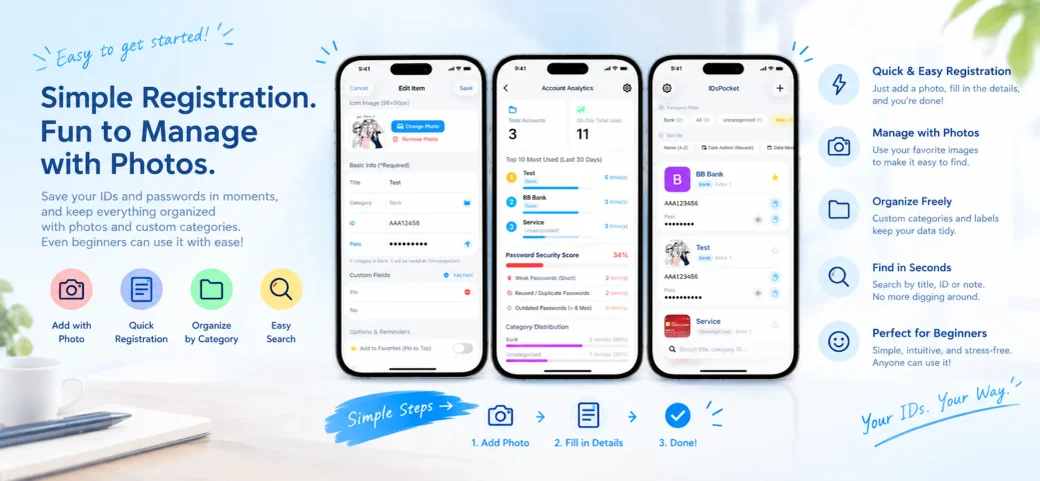
Secure, fully local storage. A password manager where you can easily and visually manage your accounts with images.
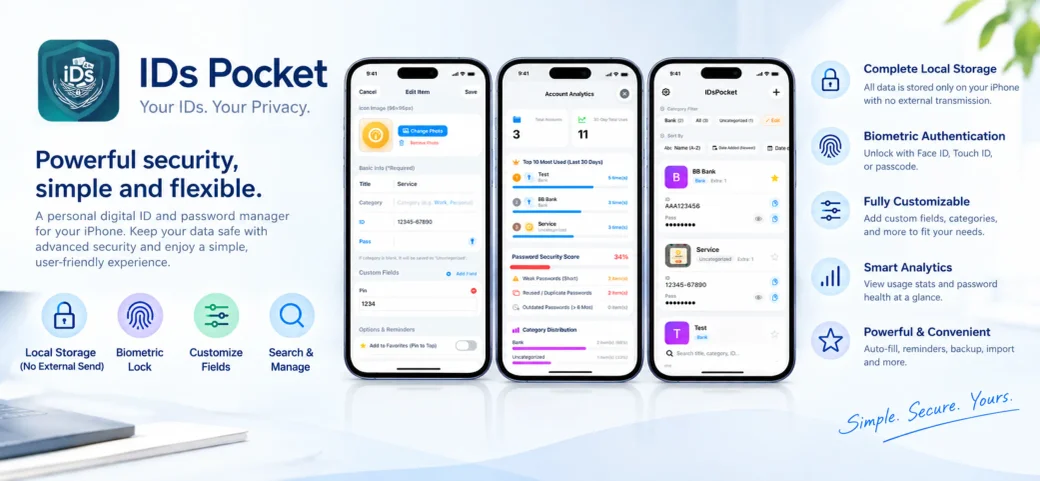
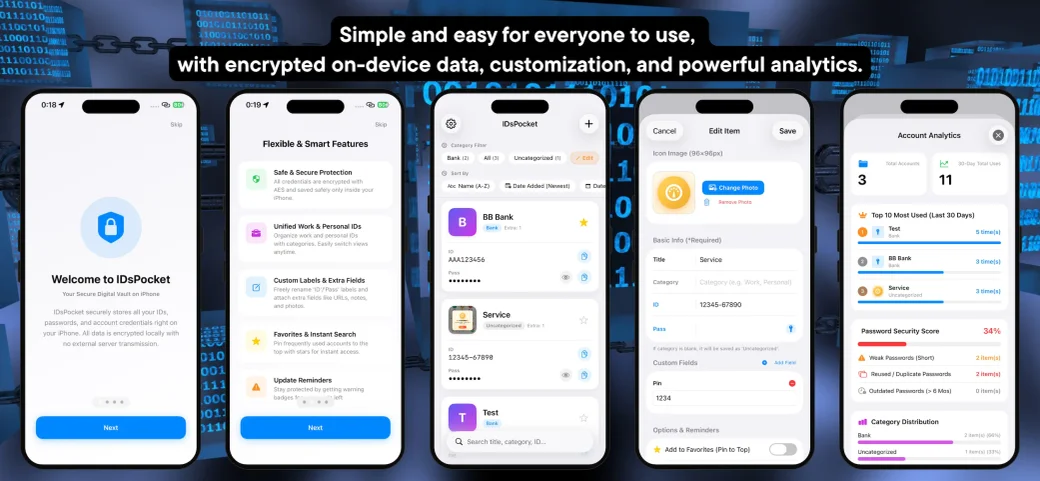
IDsPocket is a personal password and ID management app designed for iOS, allowing you to safely store your ever-increasing account information, IDs, and passwords securely within your iPhone.
"I have too many accounts to remember..."
"Worried about reusing IDs and passwords?"
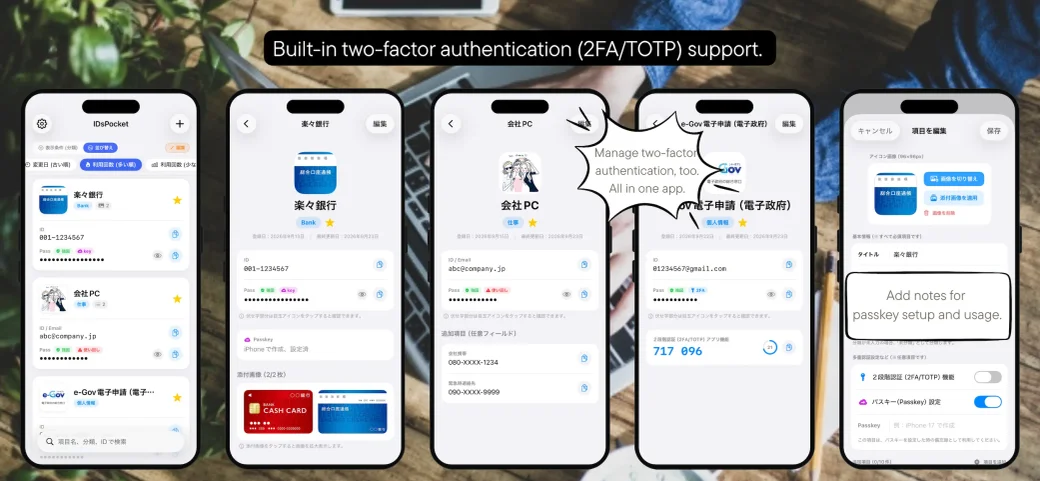
"Want to safely manage 2FA and Passkeys in one place?"
IDsPocket easily solves the "Too Many Passwords" problem.
With local-only storage that sends no data to external servers, combined with AES-256 encryption, your precious account details remain entirely secure on your device.
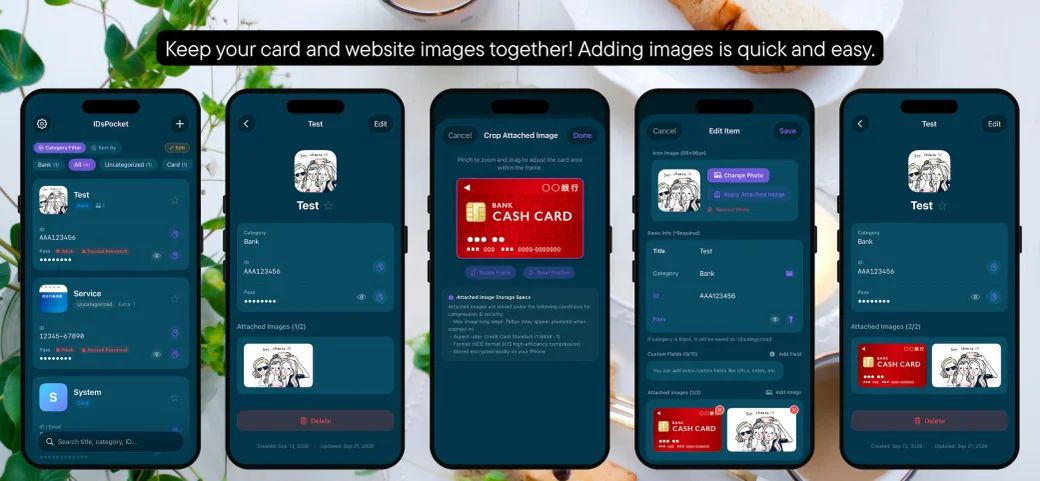
In addition to IDs and passwords, you can store 2FA (TOTP) secrets, Passkeys, and account-specific images or website screenshots to organize everything visually and intuitively.
【Key Features of IDsPocket】
・2FA (TOTP) & Passkey Integration
Easily register TOTP secrets via QR codes or manual input, with 30-second rotating 6-digit codes, copy shortcuts, and protection locks. Plus, track Passkey settings and recovery notes in dedicated fields.
・Security Badges & Filter Integration
Automatically displays "2FA" and "Passkey" badges on main cards and detail views, allowing you to filter multi-factor authenticated accounts with a single tap.
・Save Images, Cards, and Website Screenshots
Attach membership card designs, website screenshots, or service logos alongside your IDs. Saved images stay safe in secure internal storage even if deleted from your iPhone's Photos app, with real-time updates.
・Organize with Custom Icons & Flexible Labels
Crop any photo or logo into a 96x96px square icon. Tap default labels (ID, Pass) to rename them to Email, PIN, or Member ID, and add up to 10 custom fields.
・Security Reports & Update Reminders
Diagnose account risks with a 100-point safety score and detailed reports for reused or weak passwords. Set 1-to-12-month update reminders to prevent password neglect.
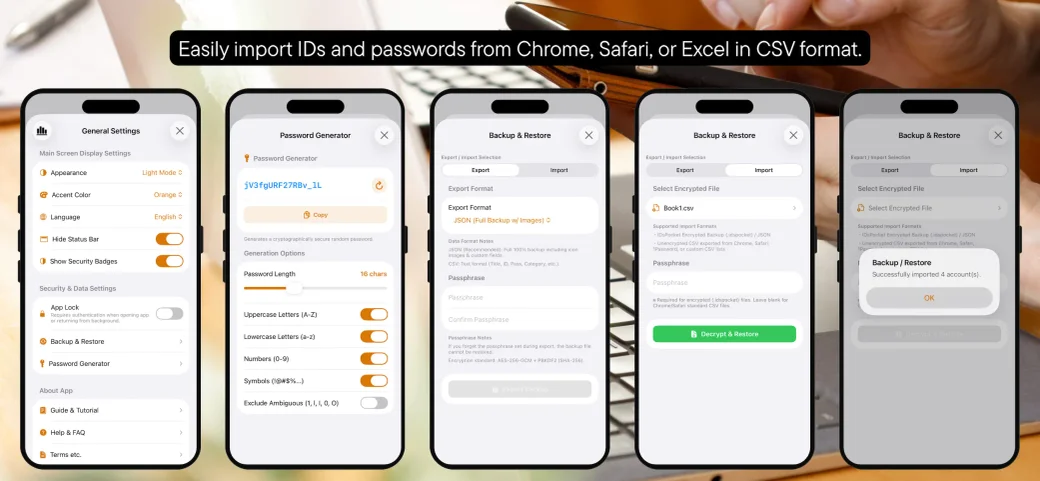
・CSV Import & Strong Password Generator
Bulk-import CSV lists from Chrome, Safari, or Excel with duplicate skipping. Generate strong random passwords with a single tap.
・Local Storage & Biometric Security
Data is encrypted with AES-256 and stored exclusively on your iPhone—never sent to external servers. Protect your app launch with Face ID / Touch ID.
【Recommended For】
・Anyone wanting to manage accounts, IDs, passwords, 2FA, and Passkeys all in one place
・People looking for a secure, local-only password manager without cloud risks
・Those who want to organize accounts visually using images, badges, and custom icons
・Users wanting to eliminate password reuse and easily migrate from browsers like Chrome or Safari
Start your secure and comfortable account management with IDsPocket today!
What’s new
Version 1.3.2 · Nov 15, 2026
[What's New in Version 1.3.2]
• Improved Main Screen (List View) Usability
- Refined the row layout in List View for smoother navigation to account details while preventing accidental taps.
- Optimized uncategorized tags ("Uncat.") in English to save space and improve title readability.
• Smart Confirmation for Custom Field Deletion
- When deleting a custom field in the account edit screen, a confirmation alert is now shown only if text is entered, protecting your important data from accidental loss (empty fields can still be removed instantly with a single tap).
• Improved Attached Image Display on Detail Screen
- When only one image is attached, the header now clearly displays "Attached Images (1/1)" matching the actual number of registered images.
• Enhanced UI & Backup Stability
- Improved visual stability for the "Scroll to Top" button on the main screen, and boosted reliability when opening the file share sheet during encrypted backup export.
Thank you for using IDsPocket!
We will continue to improve the app to provide a more secure, comfortable, and reliable experience.
App privacy
What Takeshi Tokumura declares on the App Store about how this app handles data.
-
Data not linked to you
May be collected but is not linked to your identity.
- Usage data
- Diagnostics
Privacy practices may vary, for example with the features you use or your age.
Information
- Seller
- Takeshi Tokumura
- Category
- Utilities
- Version
- 1.3.2
- Updated
- Nov 15, 2026
- Released
- Sep 16, 2026
- Size
- 7.7 MB
- Requires
- iOS 17.6 or later
- Age rating
- 4+
- Languages
- English
- Copyright
- © T2BaseWorks (Tokumura Takeshi)