
- Age rating4+
- CategoryUtilities
- DeveloperJIACHENG CAO
- LanguagesEnglish+ 1 more
- Size3.1 MB
Links to the official App Store page
Download.org hosts no file of iEXIF. The button opens its official App Store page, published by JIACHENG CAO. Listing last checked on Nov 18, 2026.
Screenshots


About
iExif lets you view and change the capture information stored inside your photos — the EXIF metadata. Everything happens on your device. Nothing is uploaded, and the app never connects to the internet.
DEVICE AND LENS PRESETS
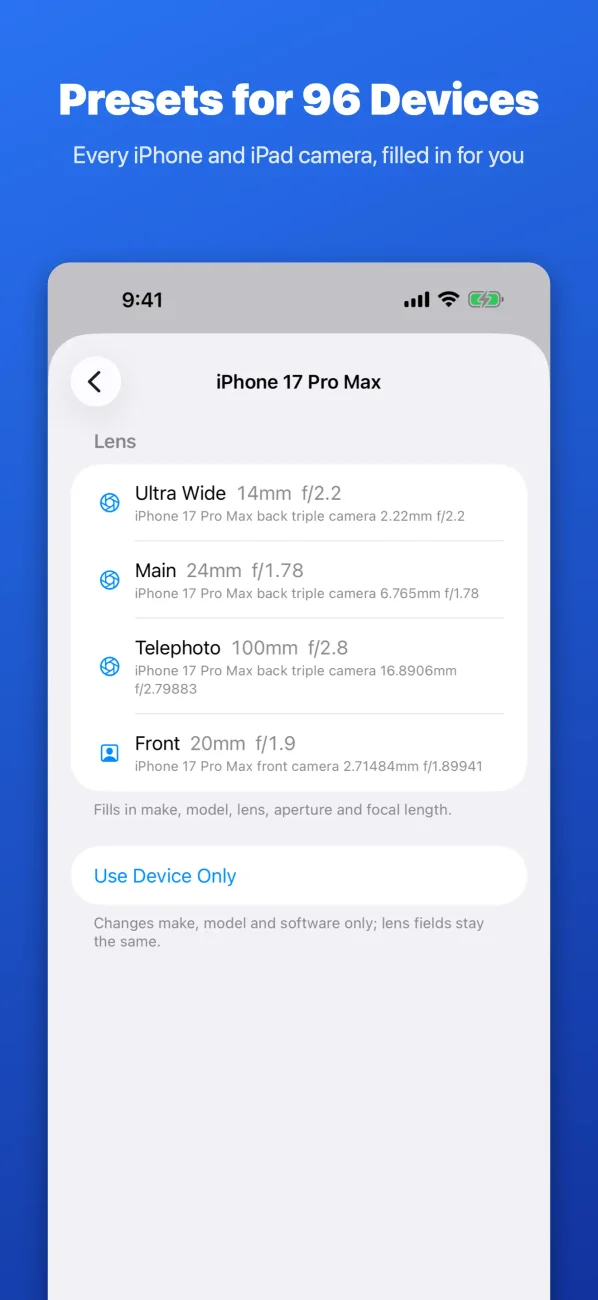
Presets cover 96 Apple devices, from iPhone 4 to the latest models and from iPad 2 to the newest iPads, including every ultra wide, main, telephoto and front camera. Pick a device and a lens, and the make, model, lens model, aperture and focal length are filled in for you.
The preset values come from the EXIF of real photos taken with those devices, including the exact lens model strings. The few lenses with no original sample available yet are clearly marked as estimated.
WHAT YOU CAN CHANGE
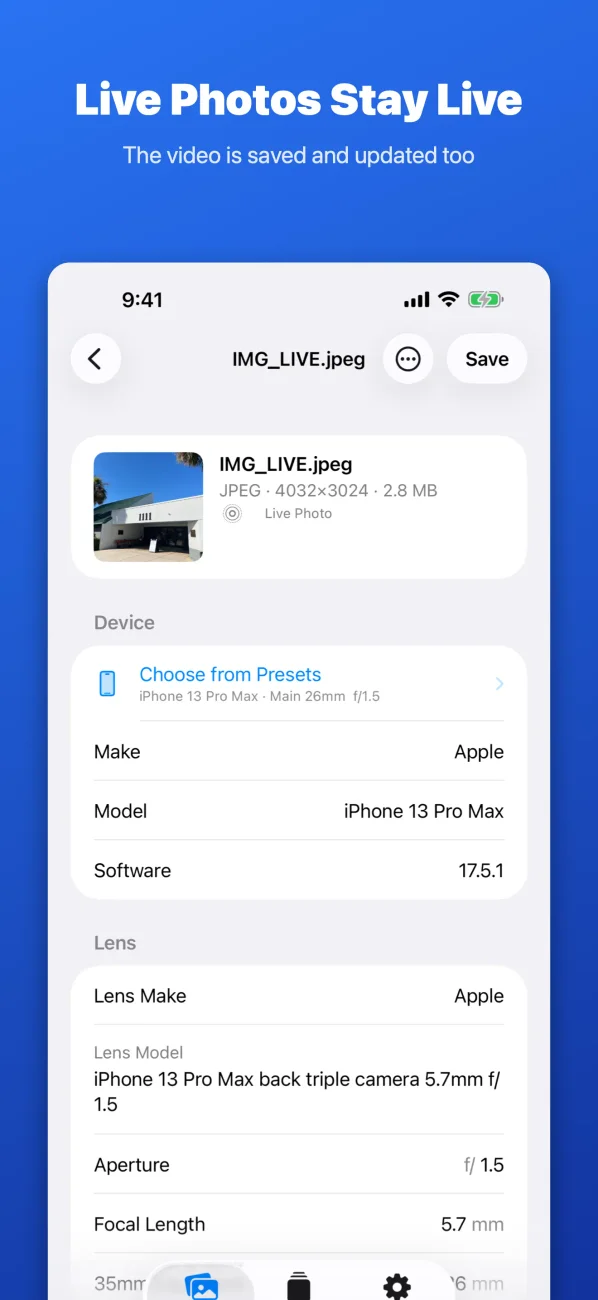
• Device: make, model, software version
• Lens: lens make, lens model, aperture, focal length, 35mm equivalent
• Exposure: shutter speed, ISO, exposure compensation, metering mode, flash, white balance
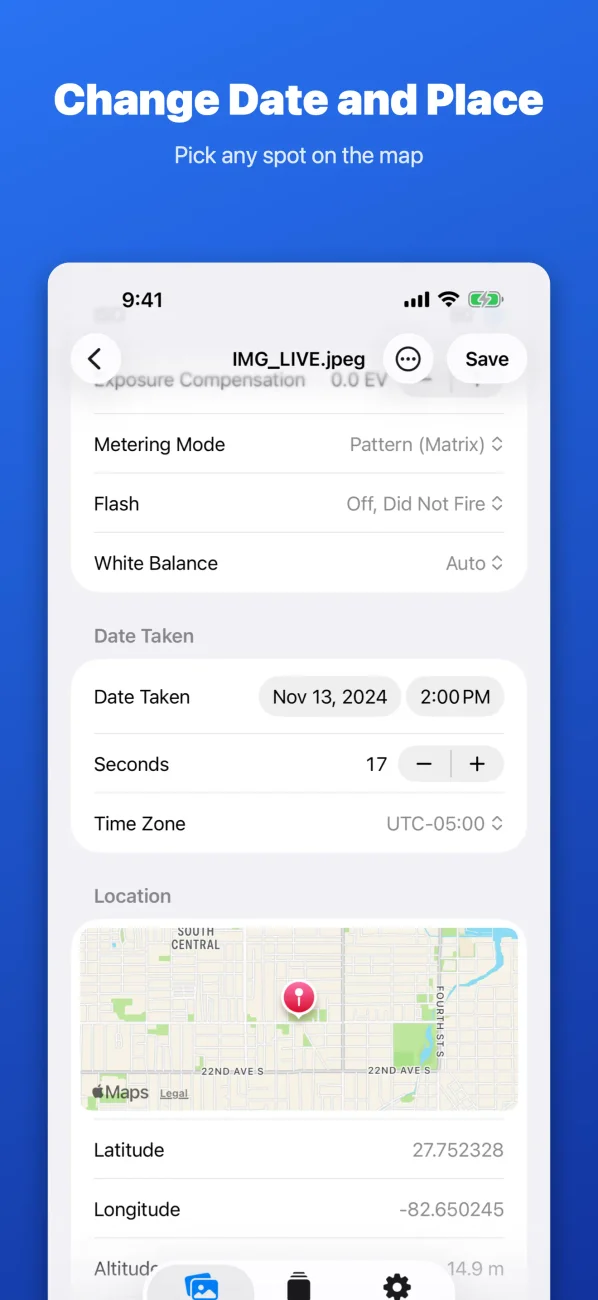
• Date: date taken and time zone, down to the second
• Location: tap the map, search for a place, use your current location, or type coordinates; altitude and direction too
• Rights: artist, copyright, description
LOSSLESS
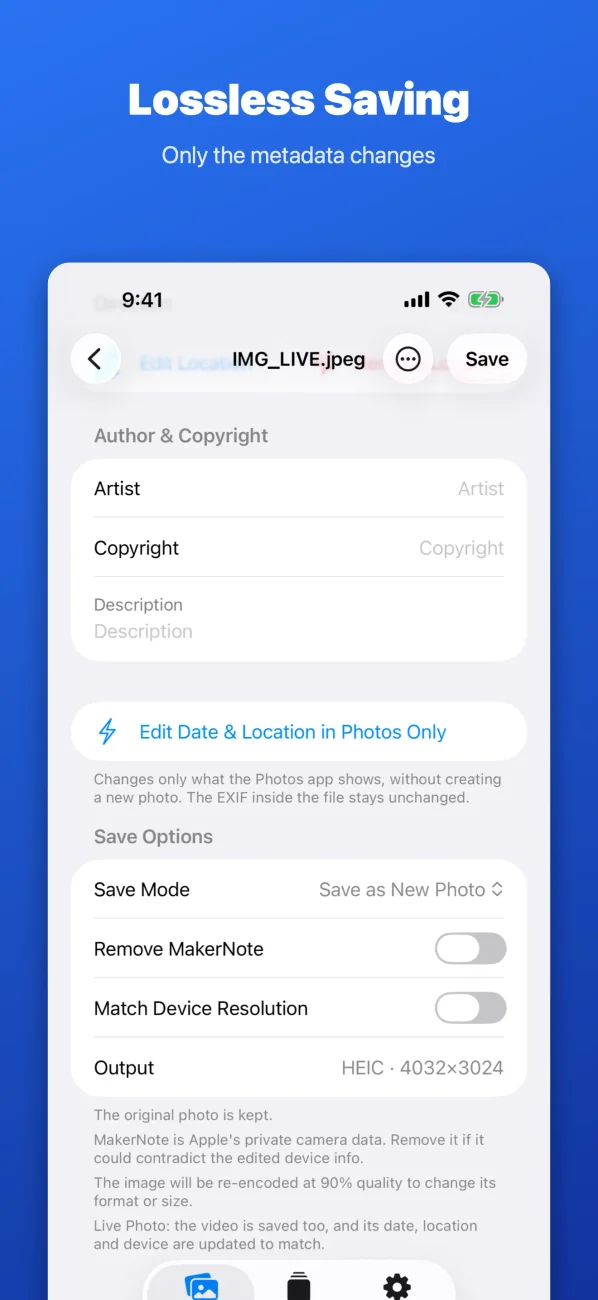
Only the metadata is rewritten. The image is never re-compressed, so quality stays exactly the same. JPEG, HEIC and PNG are supported.
LIVE PHOTOS
A Live Photo stays a Live Photo. The video is saved alongside it, and its date, location and device info are updated to match.
BATCH EDITING
Apply the same values to many photos at once, or shift all their dates together while keeping their original order. Swipe sideways across photos to select quickly — up to 100 at a time.
MAP PICKER
Choose where a photo was taken right on the map. In mainland China the difference between map coordinates and GPS coordinates is handled automatically, so the pin matches the real place.
MORE
• Touch and hold a photo for a larger preview; Live Photos play
• Save your favorite settings as templates and apply them with one tap
• Change only what the Photos app shows, without creating a new photo
• Save as a new photo, or save and remove the original
• Convert to the device's default format, and match its camera resolution, when you want to
• English and Simplified Chinese
PRIVACY
No data collection, no network access, no account, no ads, no in-app purchases. Your photos never leave your device.
App privacy
What JIACHENG CAO declares on the App Store about how this app handles data.
-
Data not collected
The developer does not collect any data from this app.
Privacy practices may vary, for example with the features you use or your age.
Information
- Seller
- JIACHENG CAO
- Category
- Utilities
- Version
- 1.0
- Updated
- Sep 30, 2026
- Released
- Sep 29, 2026
- Size
- 3.1 MB
- Requires
- iOS 17.0 or later
- Age rating
- 4+
- Price
- Free
- Languages
- English, Simplified Chinese
- Copyright
- © 2026 Jiacheng Cao
You might also like
-
 Qelu: EXIF Viewer & Photo InfoMetadata Editor & GPS Remover
-
 OnlyAuthUtilities
-
 Raw DataEXIF Metadata Editor
-
 Photo EXIF Edit & MetadataModify Image & Photo Data
-
 EV车保姆Utilities
-
 拍图标记Utilities
-
 天通行Utilities
-
 EXIF Chef, Edit Photo MetadataPhoto Metadata Made Simple
-
 Breeze Cam: Spare Phone CamNo account, iCloud sync
-
 VibroMeter - Vibration Meter3-Axis Vibration Analyzer