
- Age rating4+
- CategoryUtilities
- DeveloperLe Thanh Dat
- LanguagesEnglish+ 1 more
- Size26.9 MB
Links to the official App Store page
Download.org hosts no file of iHome-ACIS. The button opens its official App Store page, published by Le Thanh Dat. Listing last checked on Nov 23, 2026.
Screenshots


About
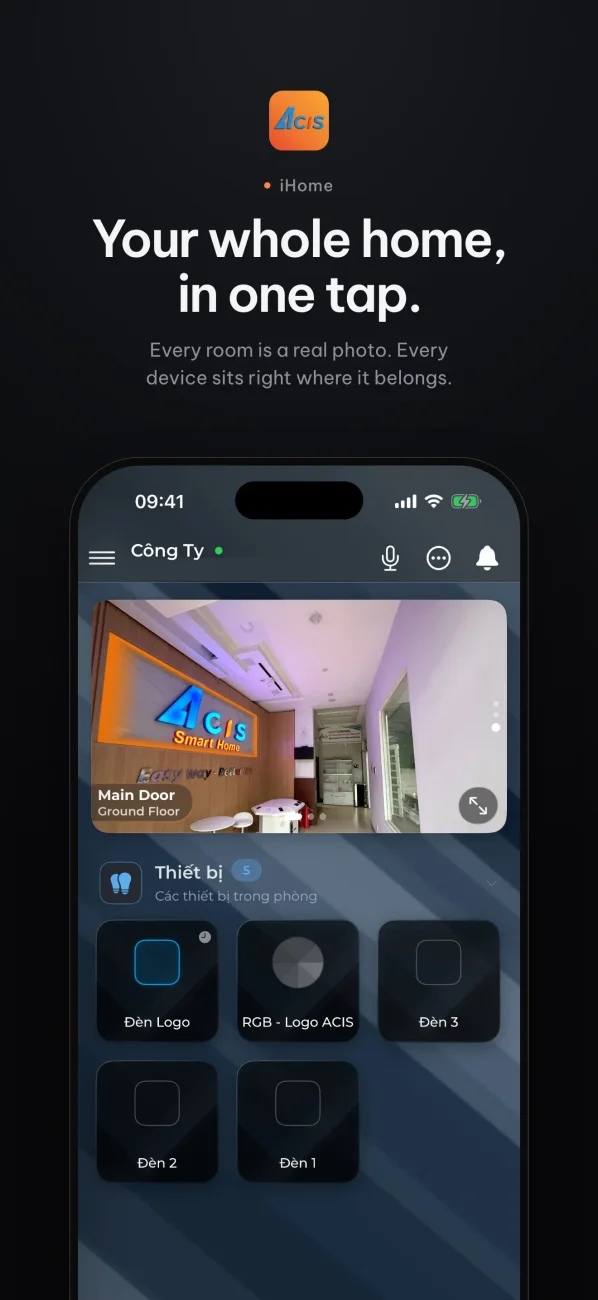
iHome puts your whole ACIS smart home a single tap away. Every room is shown as a real photo of that room, with every device right where it is, so you can see at a glance which lights are on and which curtains are open.
SEE THE WHOLE HOME
• Real room photos, devices in their actual places, status updated instantly.
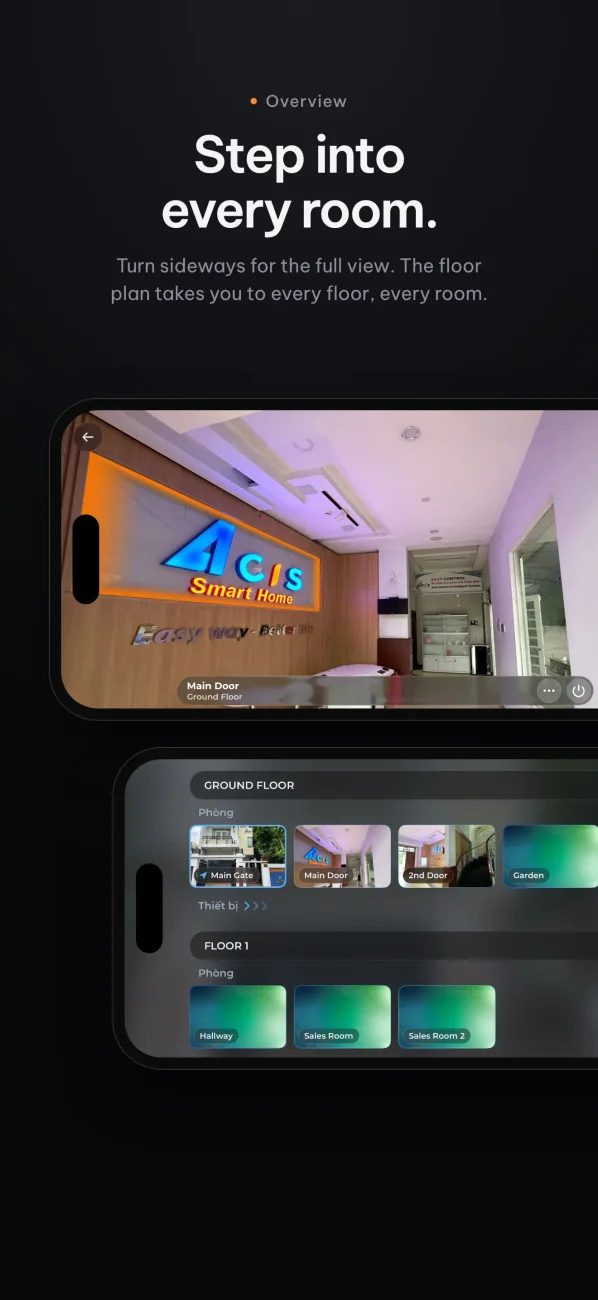
• Turn to landscape to see the whole house. The home map takes you to every floor and every room.
• Manage several homes from one account.
CONTROL EVERY DEVICE
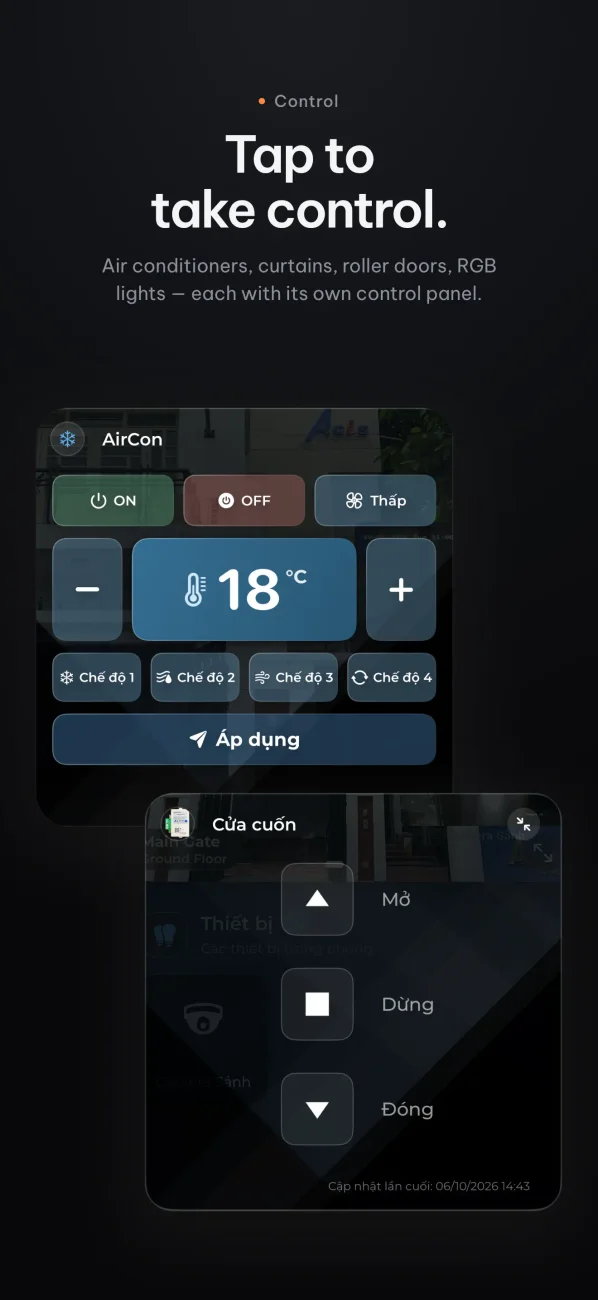
• Lights, RGB lights, switches and sockets.
• Curtains, roller shutters and door locks (confirmed with Face ID or passcode).
• Air conditioners, TVs and other infrared devices through the IR remote.
• Live cameras, motion sensors and door sensors.
SCENES AND AUTOMATION
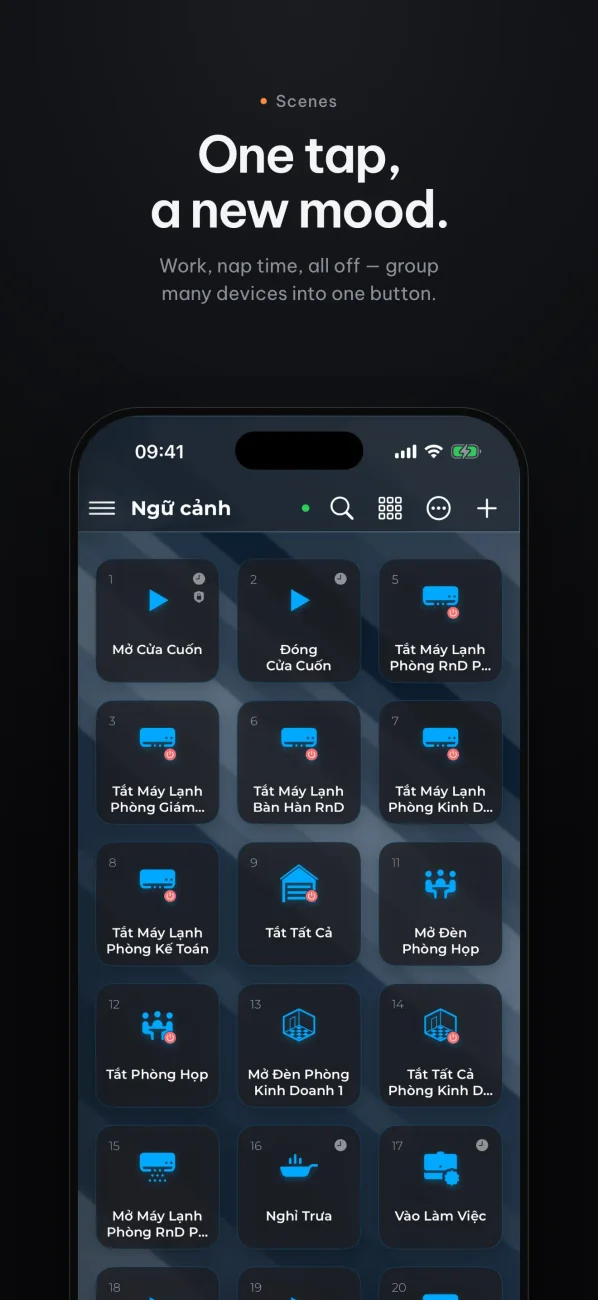
• Group many devices behind one button: Work, Nap, All off…
• Schedules and sensor-driven automations keep the home running on its own.
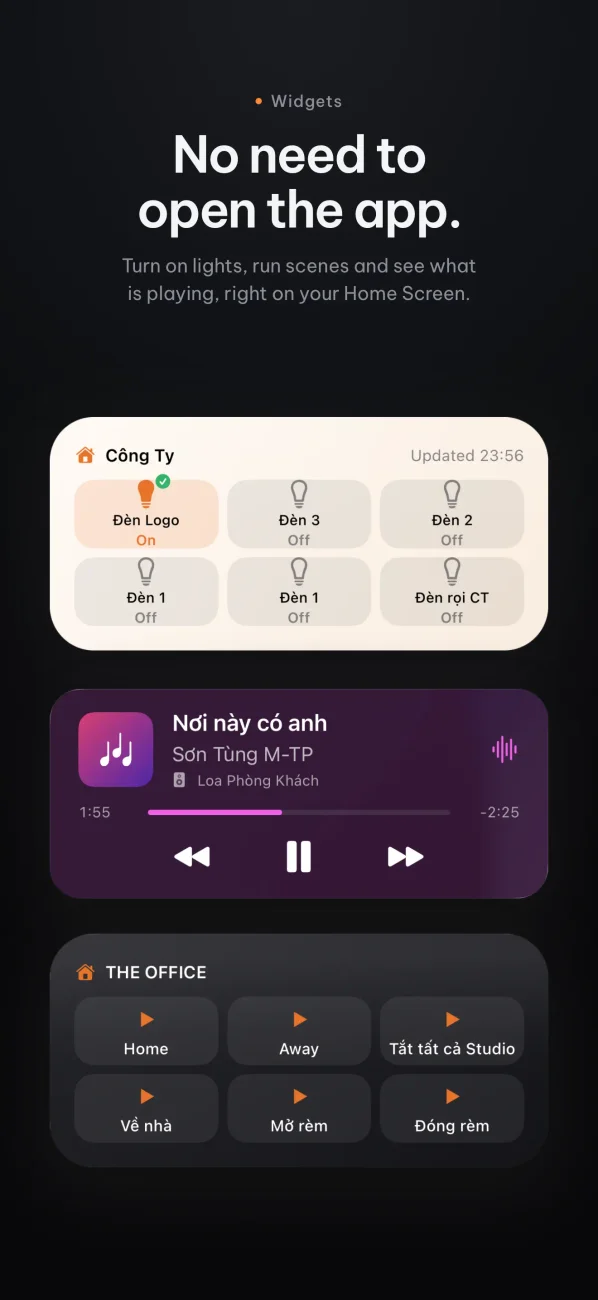
NO NEED TO OPEN THE APP
• Home Screen widgets to switch lights and run scenes.
• A Live Activity shows the music that is playing.
• Control with Siri and your voice.
ON EVERY SCREEN
• iPhone, iPad with a sidebar and more columns, and iPhone Duo open or half-folded.
• Keyboard and mouse support on iPad.
YOUR WAY
• Light or dark appearance, accent colour and text size.
• Back up your settings to the cloud.
iHome works with an installed ACIS smart home system and gateway.
What’s new
Version 3.4 · Nov 22, 2026
iHome 3.4 makes device control more reliable and looks better on iPad.
• More reliable control: no more false "device has not responded" warnings after a tap. If a command does not go through, the button returns to the device's real state.
• Turning off a whole room: devices are switched off one by one, so none are missed.
• Reconnects to the server faster and more steadily on a patchy network. After a long loss of connection, the app shows a message with a Retry button.
• Door lock: when the lock state is not known yet, the app shows "Unknown" instead of a wrong state.
• Motion sensor calibration and Auto learning: Back leaves the page straight away.
• Infrared air conditioners: no longer show 0°C; the temperature always stays between 18 and 29°C.
• Hub Wi-Fi setup (Help): Wi-Fi passwords with special characters are accepted. Tap the eye icon to show or hide the password.
• The "no permission" icon is now a person instead of a padlock, so it is no longer mistaken for a channel lock.
• iPad: the layout fits any window size on iPadOS 26.
• Many small fixes.
App privacy
What Le Thanh Dat declares on the App Store about how this app handles data.
-
Data not collected
The developer does not collect any data from this app.
Privacy practices may vary, for example with the features you use or your age.
Information
- Seller
- Le Thanh Dat
- Category
- Utilities
- Version
- 3.4
- Updated
- Nov 22, 2026
- Released
- Apr 23, 2018
- Size
- 26.9 MB
- Requires
- iOS 17.6 or later
- Age rating
- 4+
- Price
- Free
- Languages
- English, Vietnamese
- Copyright
- © 2026 Công ty Cổ phần Công nghệ ACIS