
- Age rating4+
- CategoryProductivity
- DeveloperFilippo Lacagnina
- LanguagesItalian+ 1 more
- Size39.5 MB
Links to the official App Store page
Download.org hosts no file of Il Filo. The button opens its official App Store page, published by Filippo Lacagnina. Listing last checked on Nov 23, 2026.
Screenshots






About
Il Filo keeps what happened, the decisions you made and what you want to do next, so you can resume without starting over.
A project to move forward, a home to work on, a trip to plan or a family commitment to keep track of. Between one thing and another, days go by, plans change and decisions are made. When you return, you want to pick up where you left off.
Il Filo fits any part of your life: anything you want to follow over time can become a Filo.
EVERYTHING YOU NEED TO PICK UP AGAIN
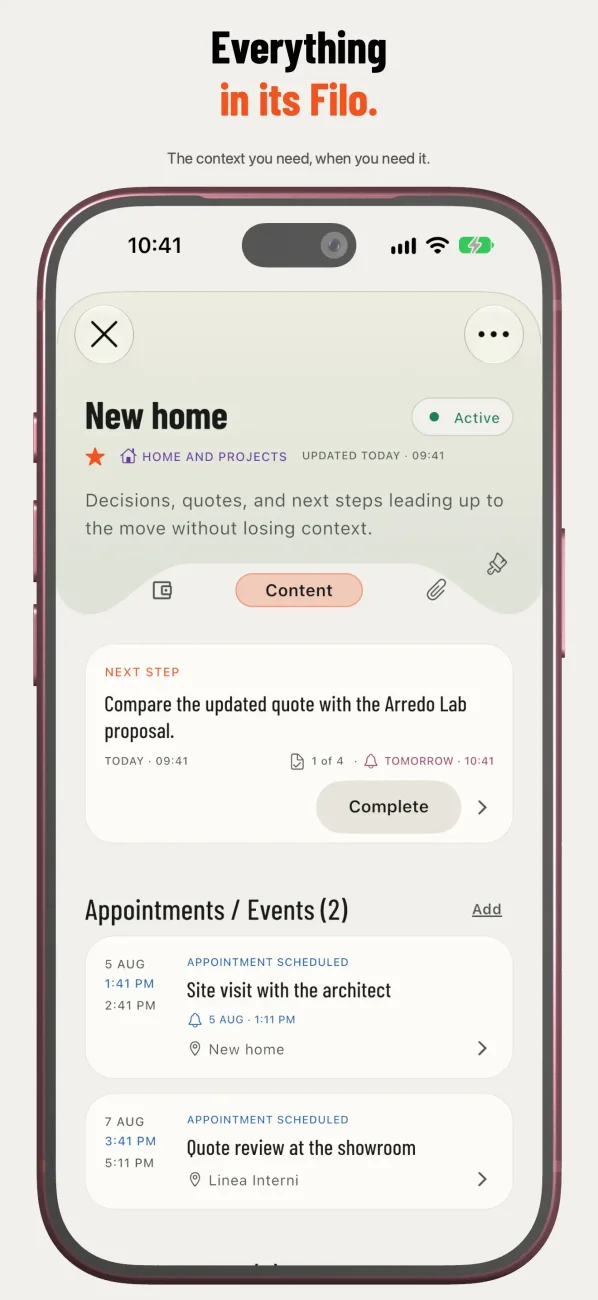
Create a Filo and gather the information that belongs to it. Add Traces to keep updates and decisions, choose the Step to take now and prepare the next ones.
Write with bold text, highlights, lists and links. Add items to check off in Steps, record outcomes and keep audio notes up to two minutes long. The Timeline brings back your progress and Key Points, even weeks later.
IMAGES AND DOCUMENTS, IN THEIR FILO
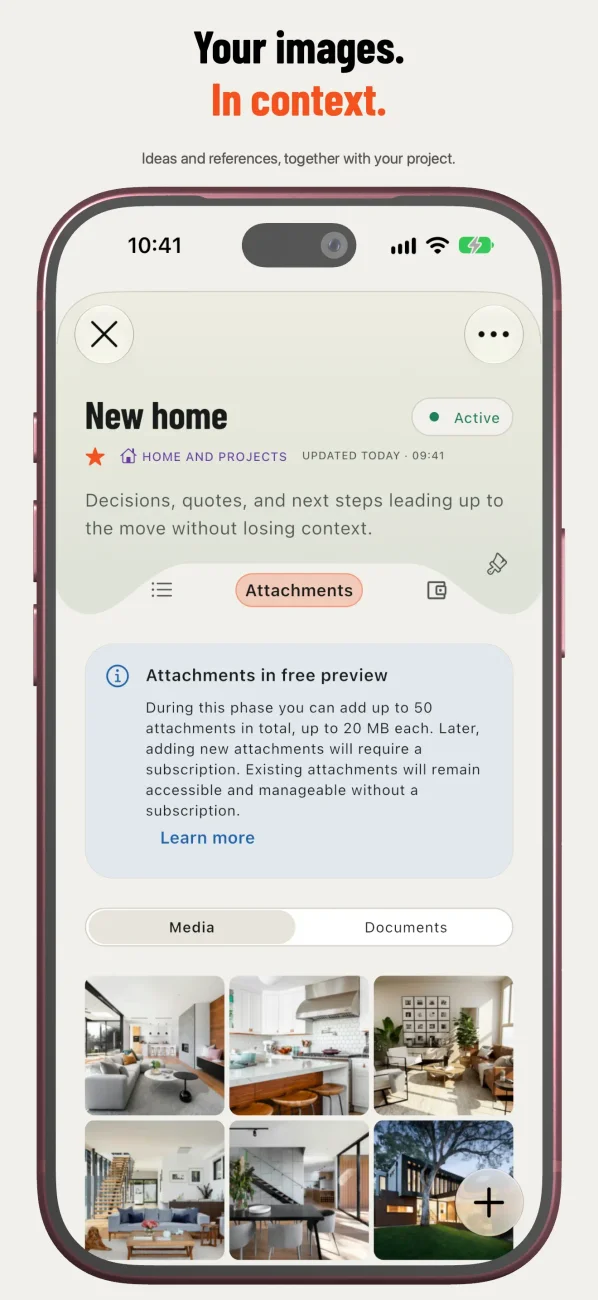
Keep photos and PDFs in the Filo they belong to and link them to Steps and Traces. Swipe and zoom through full-screen images, read PDFs in the app and share files when needed. Find them in the Media and Documents sections.
Attachments are in a free preview: up to 50 files in total across all Fili, with a maximum of 20 MB each. Later, new additions will require a subscription, even if unused slots remain. Existing attachments will remain accessible and manageable without a subscription. See Settings → Attachments and limits for details.
EXPENSES HAVE A CONTEXT TOO
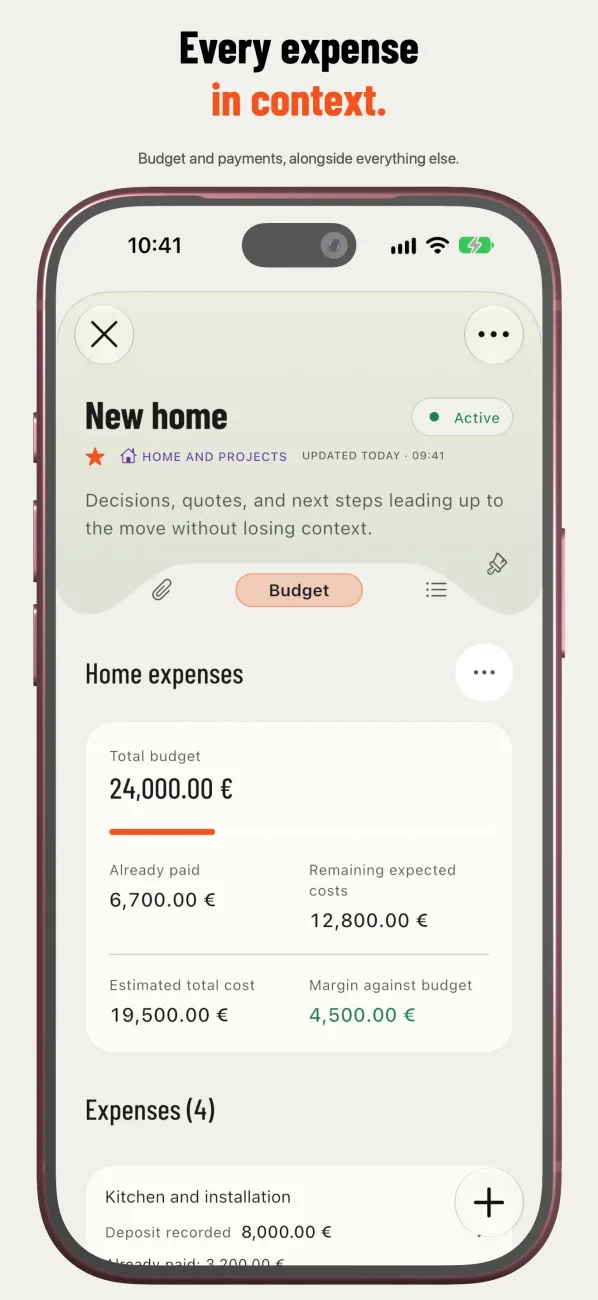
A quote for your home, a deposit for a trip, an expense to settle. With Budget, keep amounts and payments inside the Filo they belong to.
Choose a currency, set an overall limit if you need one and add expenses. See what you have already paid and what you still expect to spend, compare estimates with your limit and link expenses to Steps. When you close a Budget, it stays in the Timeline.
COMMITMENTS CONNECTED TO WHAT YOU ARE FOLLOWING
Schedule Appointments within their Filo and find them in the Agenda alongside Steps with reminders. Filo cards show the nearest reminder across Steps and Appointments.
Widgets show what to pick up again and today’s Appointments, right on your device’s Home Screen.
A QUICK THOUGHT, READY FOR LATER
Capture text and audio in Quick Notes, even before you know where they belong. Turn them into a Trace in an existing or new Filo whenever you’re ready.
YOUR ORDER, YOUR POINTS OF REFERENCE
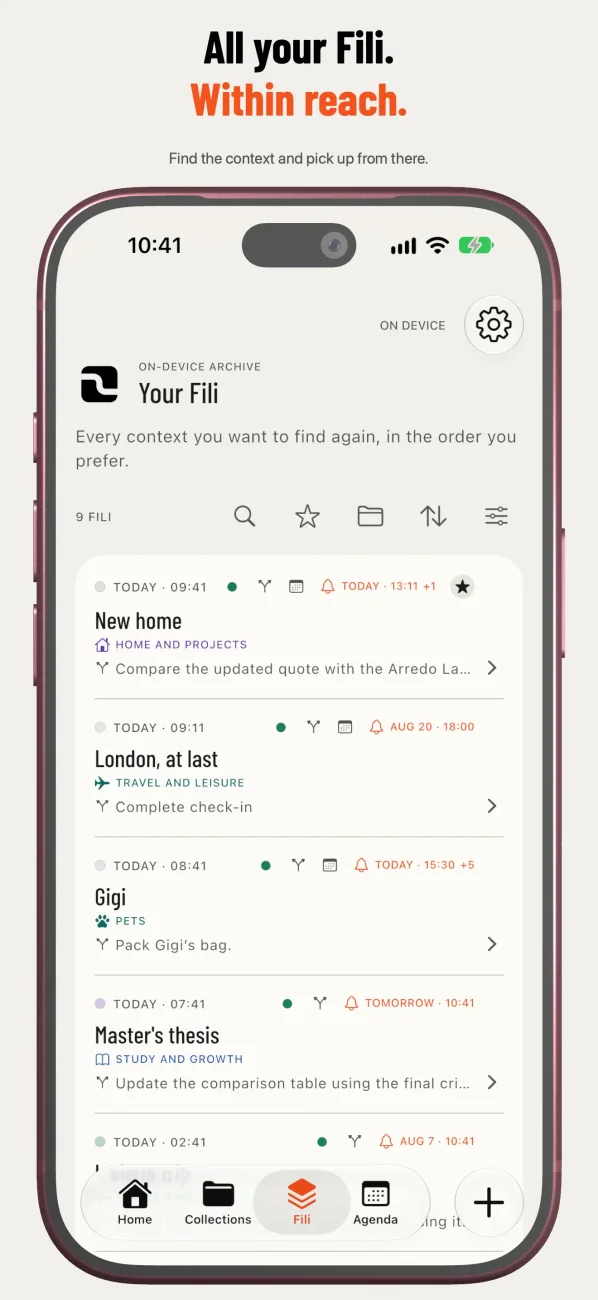
Organize Fili into Collections with icons and colors, save favorites and customize your Home sections. Search, filter and sort archives by recent activity or name, with favorites first. Choose a soft header color for each Filo and switch between Content, Attachments and Budget with the dedicated selector.
To get started, explore examples for home, travel, study, family and personal projects.
YOUR CONTENT, UNDER YOUR CONTROL
Il Filo is free and works offline, without a FILO account, ads or analytics tools.
Keep your archive on your device or choose to sync it through your Apple Account’s private iCloud. If two changes need a decision, compare the versions and choose what to keep.
Attachments and Filo colors also sync through iCloud. Export and import an encrypted .filo backup, including attachments, protected by a password or recovery key.
Light and dark themes, adjustable text and an interface in Italian and English.
When you return, the context is still there.
What’s new
Version 1.9.0 · Nov 16, 2026
A brand-new Home, with more color to recognize every Filo at a glance.
• Home in blocks: Today and To resume become stacks of blocks in each Filo’s color. Tap a block to expand it, tap it again to open the Filo or appointment. The first block in To resume highlights the next step.
• Fili and Collections: favorite and recent Fili share a single sheet, with a dot in the Filo’s color. Collections become folders, in their own view too.
• Tidier Fili and Agenda: rows joined in a single sheet, with the next step under each Filo. In the Agenda calendar you can also change week or month by dragging the days sideways.
• 25 colors: Fili and Collections share one palette, with ten new, clearly distinct shades. In the color menu, the current one now shows a check mark.
App privacy
What Filippo Lacagnina declares on the App Store about how this app handles data.
-
Data not collected
The developer does not collect any data from this app.
Privacy practices may vary, for example with the features you use or your age.
Information
- Seller
- Filippo Lacagnina
- Category
- Productivity
- Version
- 1.9.0
- Updated
- Nov 16, 2026
- Released
- Aug 25, 2026
- Size
- 39.5 MB
- Requires
- iOS 17.0 or later
- Age rating
- 4+
- Languages
- Italian, English
- Copyright
- © 2026 Filippo Lacagnina
You might also like
-
 My AutoMemoVehicle service log
-
 Neatkept: Home InventoryStorage box organizer, QR tags
-
 DIDSAGORemember when. Do what’s next.
-
 Nescanner – Document ScannerScan documents to PDF, offline
-
 MemorandoProductivity
-
 Notavo: Notes & ChecklistsFolders, tags and reminders
-
 Stashie: your secretaryI'll remember your deadlines
-
 Inventory Ultra -Stock ControlInventory, sales and barcodes