
- Age rating17+
- CategoryEducation
- DeveloperAjay Vaidya
- LanguagesEnglish
- Size48.4 MB
Links to the official App Store page
Download.org hosts no file of ILIP. The button opens its official App Store page, published by Ajay Vaidya. Listing last checked on Nov 12, 2026.
Screenshots



About
ILIP
Institute Linking with Parents
ILIP is a mobile application designed to facilitate communication and information sharing between parents and educational institutions. It serves as an interface for parents to access important information about their children's education through the institution's ERP (Enterprise Resource Planning) system. Here are the key features of ILIP:
DASHBOARD:
The dashboard provides parents with a quick overview of their children's educational activities and progress.
Parents can view their children's net classroom attendance, subject-wise attendance, syllabus coverage status, and exam scores/grade points.
The dashboard also displays the fees payable and paid status for all sectors of the curriculum.
LEFT PANEL MENU:
Attendance:
Parents can view detailed attendance records for their children.
Three viewing options are available:
a) Day-wise attendance: Parents can select a specific day from the calendar and view attendance for all subjects/classes.
b) Course-wise/Subject-wise attendance: Parents can view total attendance for each subject in the current semester. Clicking on a subject reveals day-wise attendance with the respective teaching faculty's name and profile.
c) Semester-wise attendance: Parents can view statistical and graphical representations of their children's attendance for each completed semester.
Syllabus:
Parents can access the syllabus for all courses/subjects in the current semester.
Clicking on a subject reveals the detailed unit-wise syllabus, including weightage and contact hour details.
An action plan button provides information about the teaching faculty, teaching plan, completion status, and recommended books.
Schedule:
Parents can view the weekly day-wise academic timetable, including class and recess schedules.
Fees:
Parents can check the fees payable and outstanding details.
A list of generated fee receipts is available, and parents can download individual receipts.
The fee transaction log provides information on payment statuses, including transactions in process, failed/completed transactions.
Profile:
Parents can access a detailed profile report of their children.
Dashboard:
Clicking on this menu refreshes the data and returns to the dashboard landing page with updated information.
BELL ICON AT TOP:
The bell icon serves as a notification symbol, highlighting incoming notifications.
Notifications are categorized into four types:
a) Success Notification: Recognizes the children's achievements and informs parents.
b) Warning Notification: Notifies parents of warning notices/memos from the administration.
c) Info Notification: Shares general notices, circulars, profile update acknowledgments, etc.
d) Alert Notification: Alerts parents about pending tasks or actions related to their children.
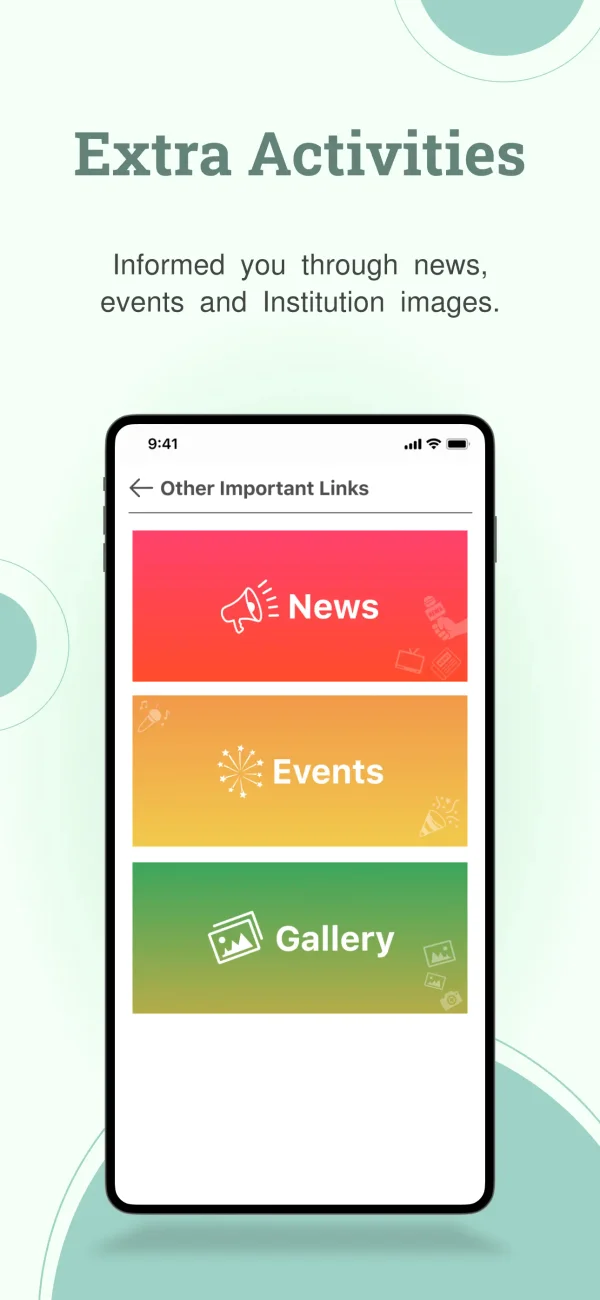
OTHER IMPORTANT LINKS:
Located in the top-right corner of the screen after logging in.
Categorized into three sections:
a) NEWS: Broadcasts college/university news.
b) EVENTS: Provides details of department/college/university-level events.
c) GALLERY: Displays photos related to department/college/university functions, activities, and fests.
LOGOUT BUTTON:
Found in the left panel menu list, allows users to log out of the application.
RESET BUTTON:
Also available in the left panel menu list, clicking this button resets the application data.
What’s new
Version 1.0.7 Ready For Distribution · Jan 22, 2026
Release Version: 1.0.7
We’ve made important improvements to enhance performance, security, and overall compatibility.
In-App File Downloads
Files are now downloaded directly within the app instead of redirecting to a browser, providing a smoother and more secure experience.
Mandatory App Update Prompt
Added prompts to ensure users are always on the latest version for optimal performance and security.
OTP Activation Enhancement
Improved the OTP activation process for faster and more reliable verification.
App privacy
What Ajay Vaidya declares on the App Store about how this app handles data.
-
Data not collected
The developer does not collect any data from this app.
Privacy practices may vary, for example with the features you use or your age.
Information
- Seller
- Ajay Vaidya
- Category
- Education
- Version
- 1.0.7 Ready For Distribution
- Updated
- Jan 22, 2026
- Released
- Jul 12, 2023
- Size
- 48.4 MB
- Requires
- iOS 12 or later
- Age rating
- 17+
- Languages
- English
- Copyright
- © Wordpro Computer Consultancy Services Pvt. Ltd.