
- Age rating4+
- CategoryProductivity
- DeveloperLIGHT,WAY.
- LanguagesJapanese+ 1 more
- Size9.1 MB
Links to the official App Store page
Download.org hosts no file of iライターズLite. The button opens its official App Store page, published by LIGHT,WAY. Listing last checked on Nov 12, 2026.
Screenshots

About
The developer has not provided this text in your language.
◆◆◆ すべての iPhone / iPad ユーザーに快適な日本語入力をお届けします。 ◆◆◆
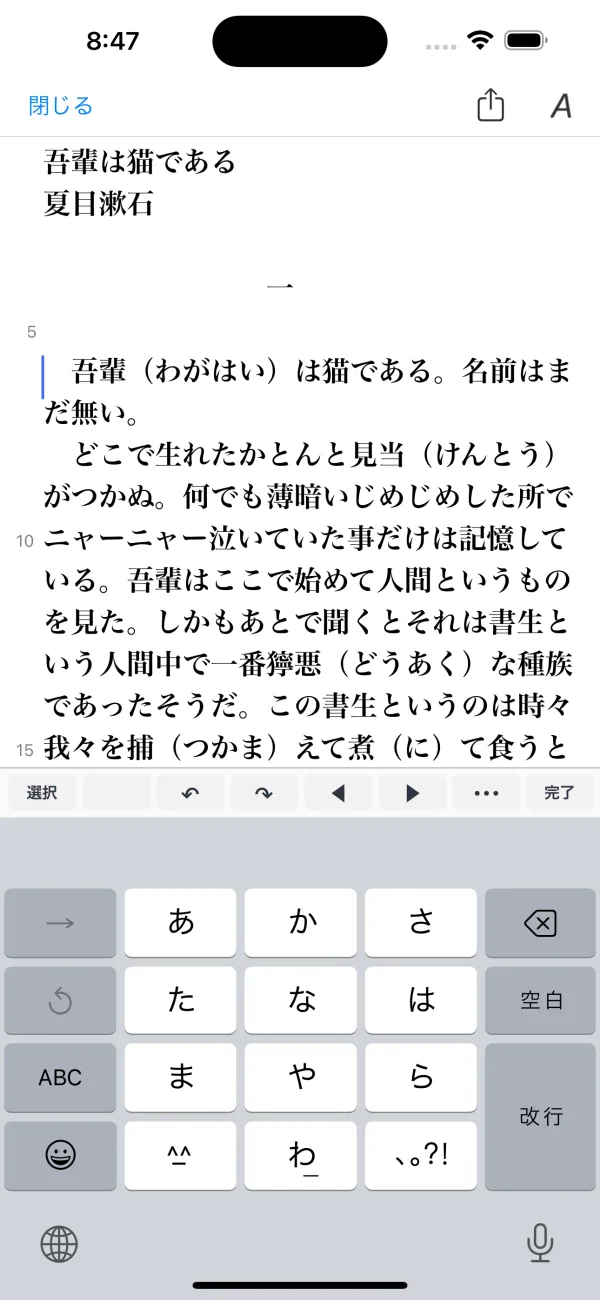
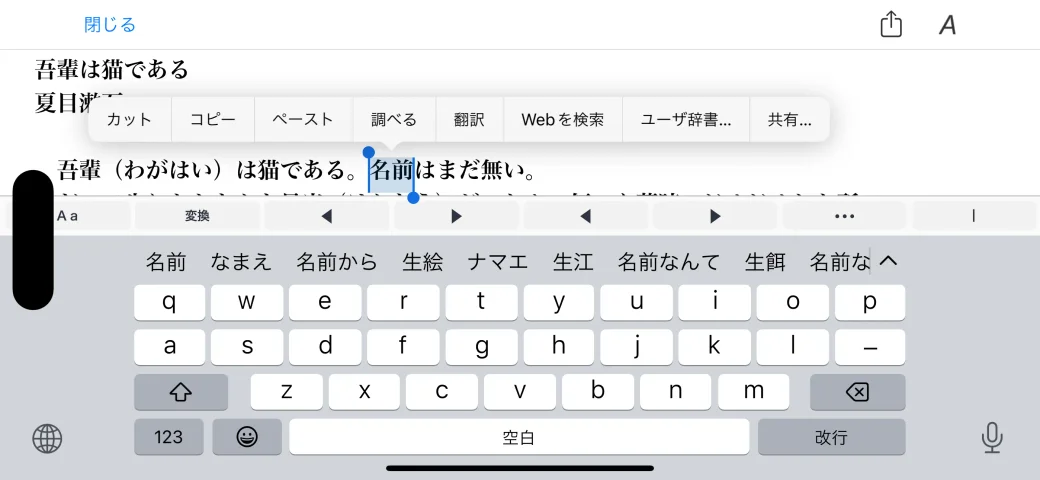
iライターズLite(あいWritersらいと)は日本語入力に特化した物書きアプリケーション「iライターズ」の軽量化無料版です。iライターズLite は日本語入力のために、25万項目の日本語辞書を搭載しており、日本語キーボードの漢字入力を強化して、快適に日本語入力を行なうことができます。また、日本語辞書を使って、テキストの再変換を行なうことができます。
有料版の「iライターズ」に比べると、入力できるテキストは一つだけで、「文字数カウント」「検索/置換」「画面のカスタマイズ」「クラウドサービスへのテキストファイルの保存と読込み」などはございませんが、日本語辞書を使用した快適な日本語入力はフルスペックで搭載しています。
iライターズLite は、iPhone / iPad を便利にする日本語入力ツールとして、ビジネスから教育現場まで、幅広い用途でご利用いただけます。
■iライターズLite の特徴
・縦書き入力に対応しています。
・25万項目の日本語辞書を搭載し、快適に日本語入力を行なうことができます。
・入力済みテキストの再変換を行なうことができます。
・全角スペースキーや左・右移動キーを表示します。(ツールバー)
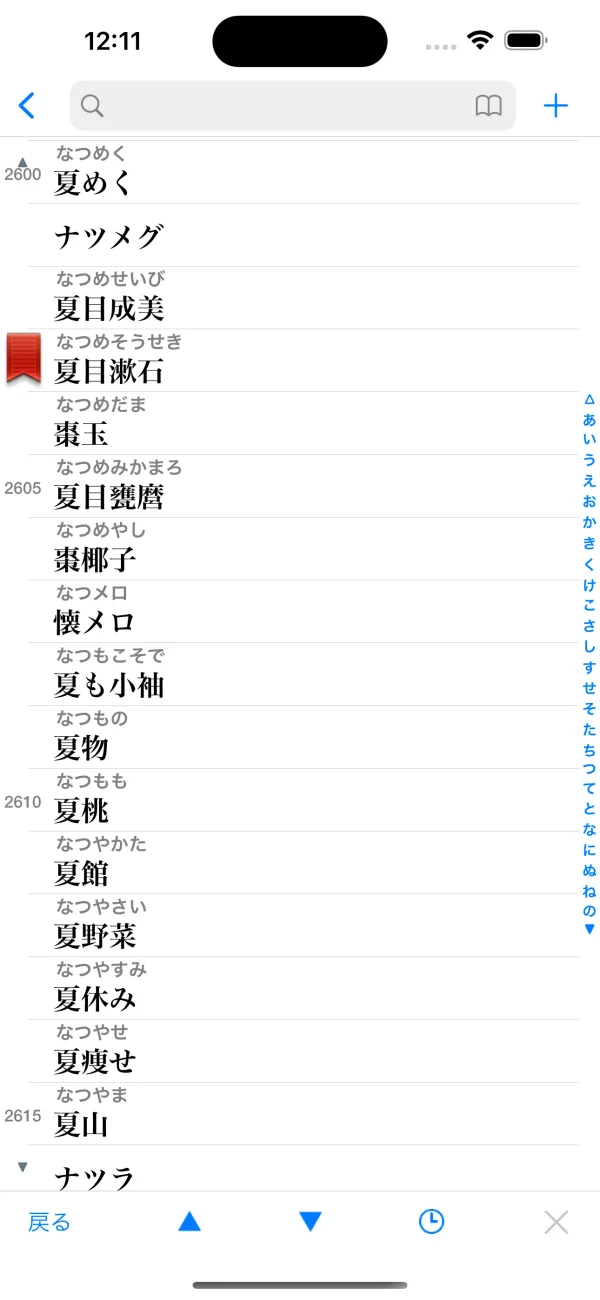
・日本語辞書の内容を一覧表示することができます。(ワードリスト)
・日付と時刻の入力ができます。(ひづけ・きょう・じこく・いま)
・表示サイズを500%まで拡大することができます。
・iPhone を横置きにしたときの操作に対応しています。
・最近入力したテキストを履歴として保存し、すばやく開くことができます。(最大500項目まで)
・フォントや画面の配色などを変更することができます。
・原稿用紙の「マス目」を表示することができます。
・1行の文字数を設定することができます。(画面右下の ⊿ をタップして行幅変更)
・iライターズLite を「iテキスト」「iText Pad」「iEverText」の日本語入力に利用することができます。
What’s new
Version 1.5.2 · Apr 25, 2024
iPad の Split View で画面分割するとスクロールしなくなる不具合を修正しました。
App privacy
What LIGHT,WAY. declares on the App Store about how this app handles data.
-
Data not collected
The developer does not collect any data from this app.
Privacy practices may vary, for example with the features you use or your age.
Information
- Seller
- Michiaki Yamashita
- Category
- Productivity
- Version
- 1.5.2
- Updated
- Apr 25, 2024
- Released
- Sep 1, 2013
- Size
- 9.1 MB
- Requires
- iOS 9.0 or later
- Age rating
- 4+
- Languages
- Japanese, English
- Copyright
- © 2024 LIGHT,WAY.
You might also like
-
 TATEditorEditor for vertical writing
-
 Wrix 2 - Ultra Text EditorUltra-High-Function TextEditor
-
 stone for iPadProductivity
-
 TatePad - Vertical WritingSimple Text Editor
-
 おめめライター:小説特化テキストエディタProductivity
-
 縦式 - 縦書き入力Productivity
-
 Split NotesTabbed, Multi-Pane Text Editor
-
 一太郎PadProductivity
-
 EZ Notepad plus - Symple noteReorder,color,read notes aloud
-
 Folder Note and String CounterText to Speech and Writing Pad