Image Converter Plus
Convert Photo: HEIC, PDF, JPG
Designed for iPhone, iPad
Free · In-app purchases
- Age rating4+
- CategoryPhoto & Video
- DeveloperDenys Lebiediev
- LanguagesEnglish+ 59 more
- Size43.5 MB
Links to the official App Store page
Download.org hosts no file of Image Converter Plus. The button opens its official App Store page, published by Denys Lebiediev. Listing last checked on Nov 23, 2026.
Screenshots
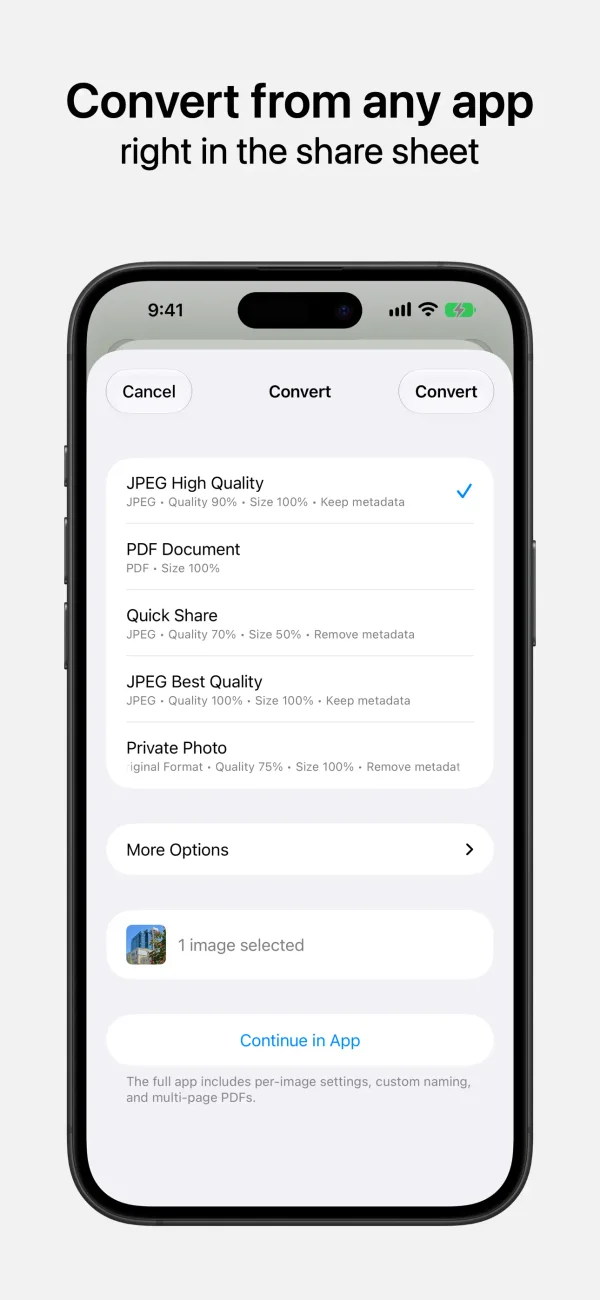
About
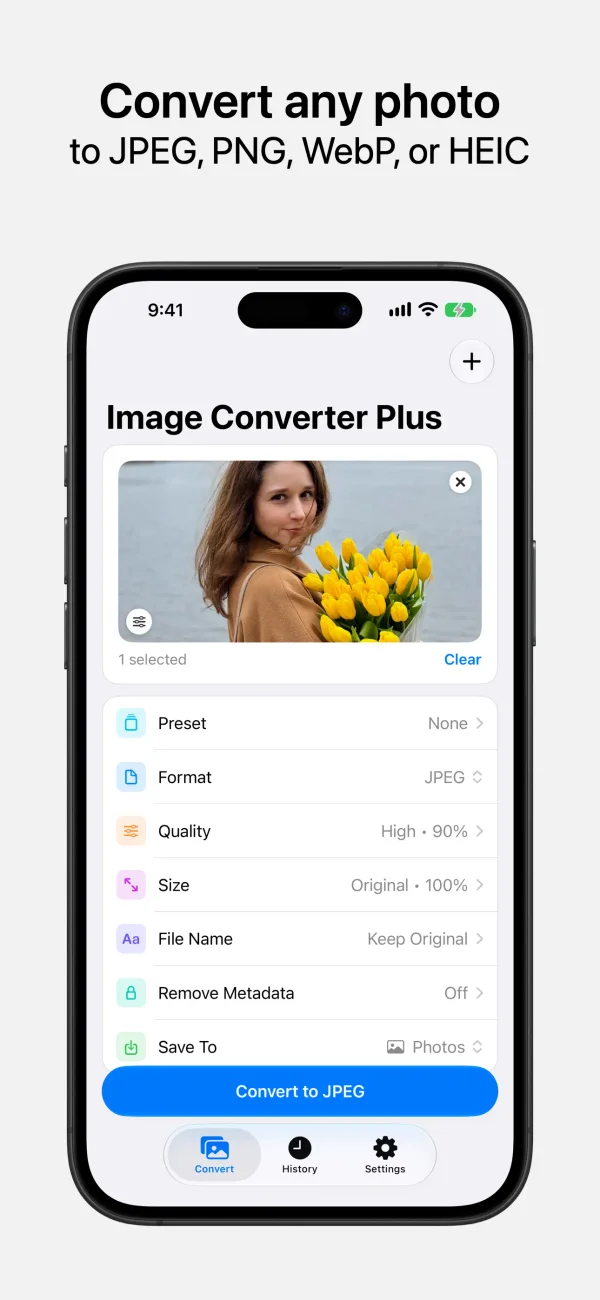
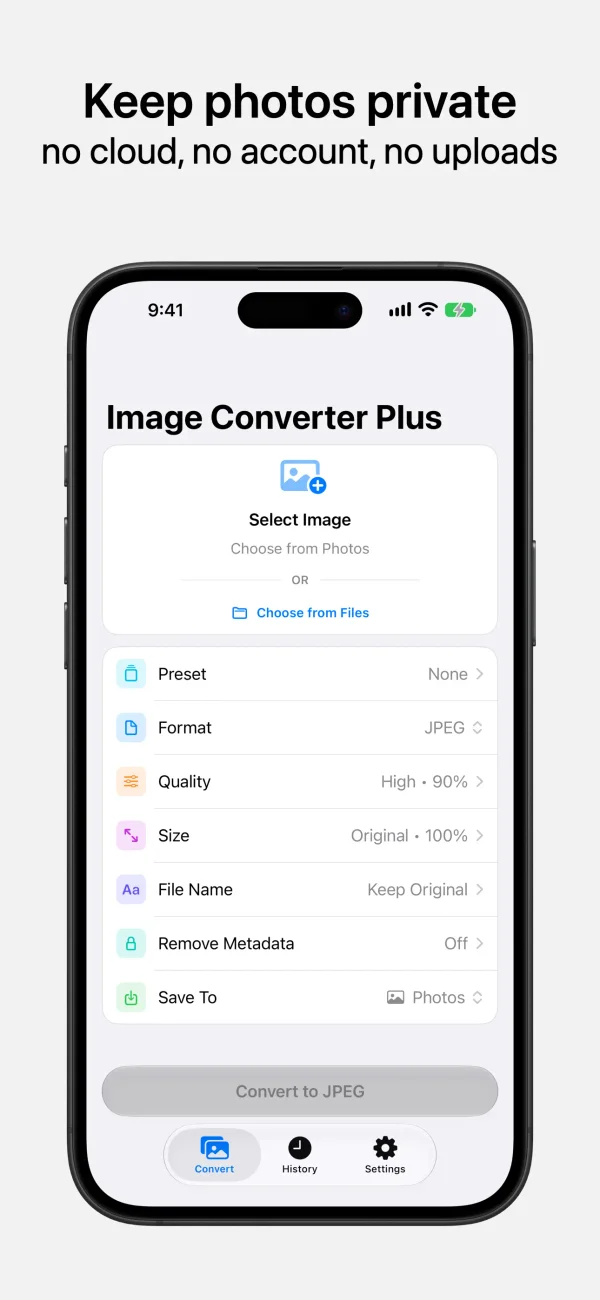
Image Converter Plus converts photos and PDF pages to JPEG, PNG, WebP, HEIC, AVIF, TIFF, or PDF right on iPhone and iPad. Adjust quality and size, remove location and other hidden metadata, and convert a whole batch at once. Nothing is uploaded, and no account is needed.
Convert Any Photo
• Convert HEIC to JPEG for Windows, PNG to WebP for the web, or anything in between
• Compress photos to reduce file size, or keep every pixel with lossless PNG
• Resize from half to double the original size
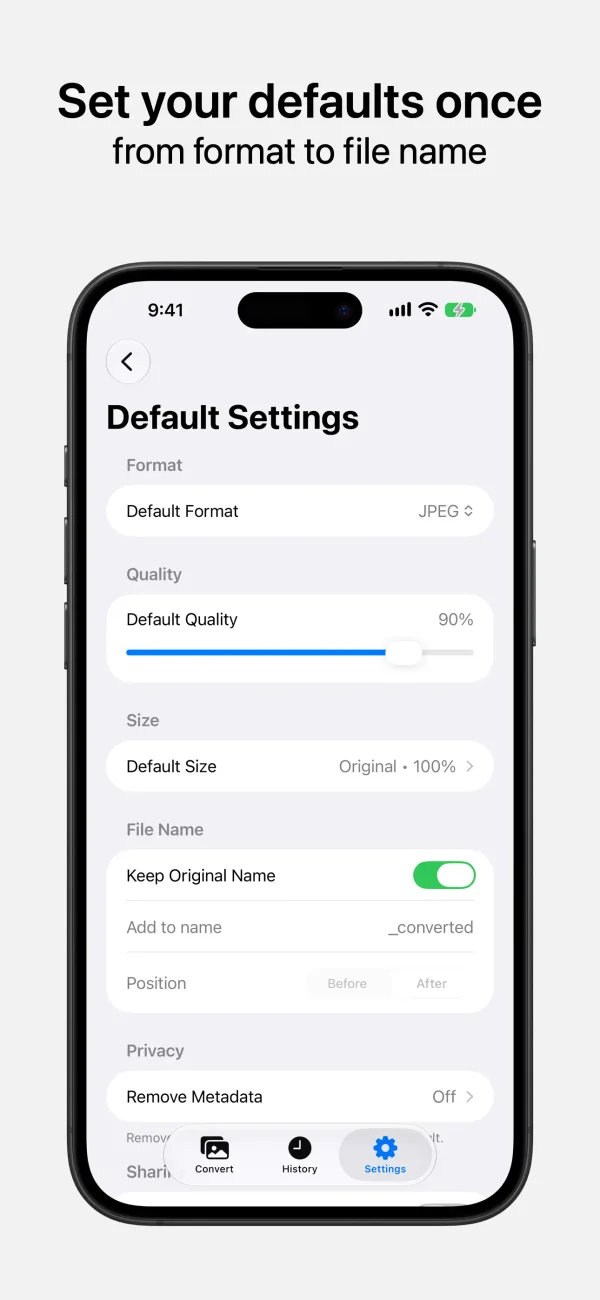
• Keep the original file name, or add your own prefix or suffix
• Start from 10 built-in presets, then reorder, hide, or personalize them
• Save to Photos or Files, or send straight to the share sheet
Turn PDFs into Images
• Add a PDF from Files or the share sheet, and each page becomes an image you can convert, resize, or reorder
• Open password-protected PDFs without ever storing the password
• Save back to PDF with selectable text and sharp graphics, or shrink a scan and keep it searchable
A Whole Batch at Once
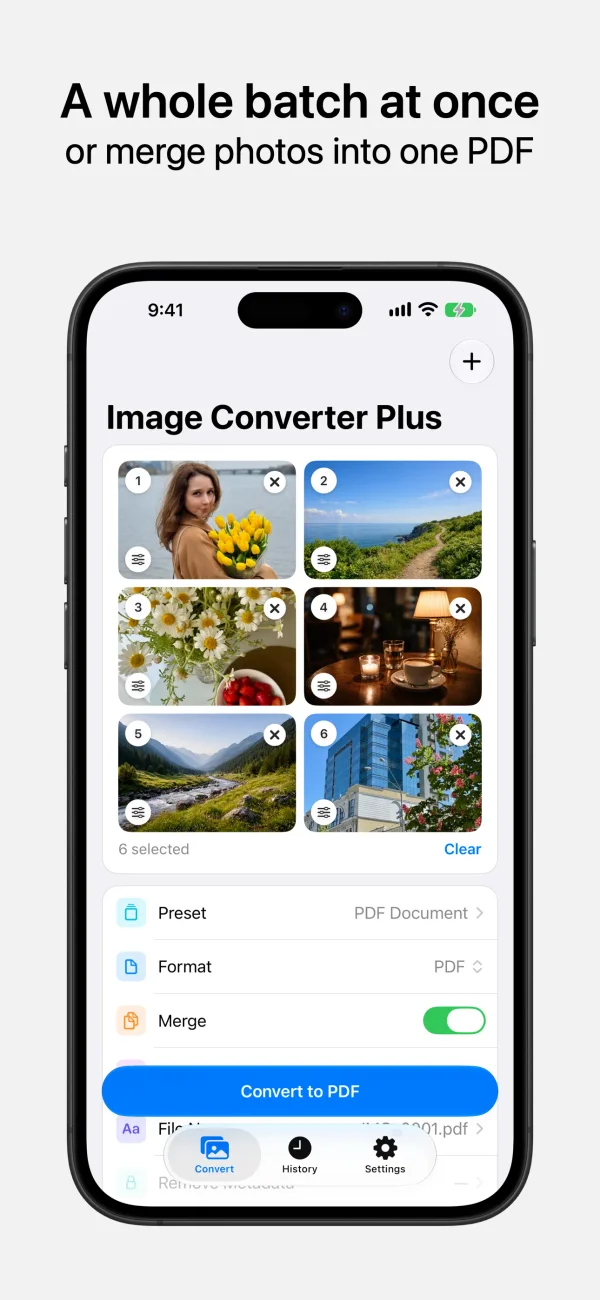
• Convert dozens of photos with the same settings
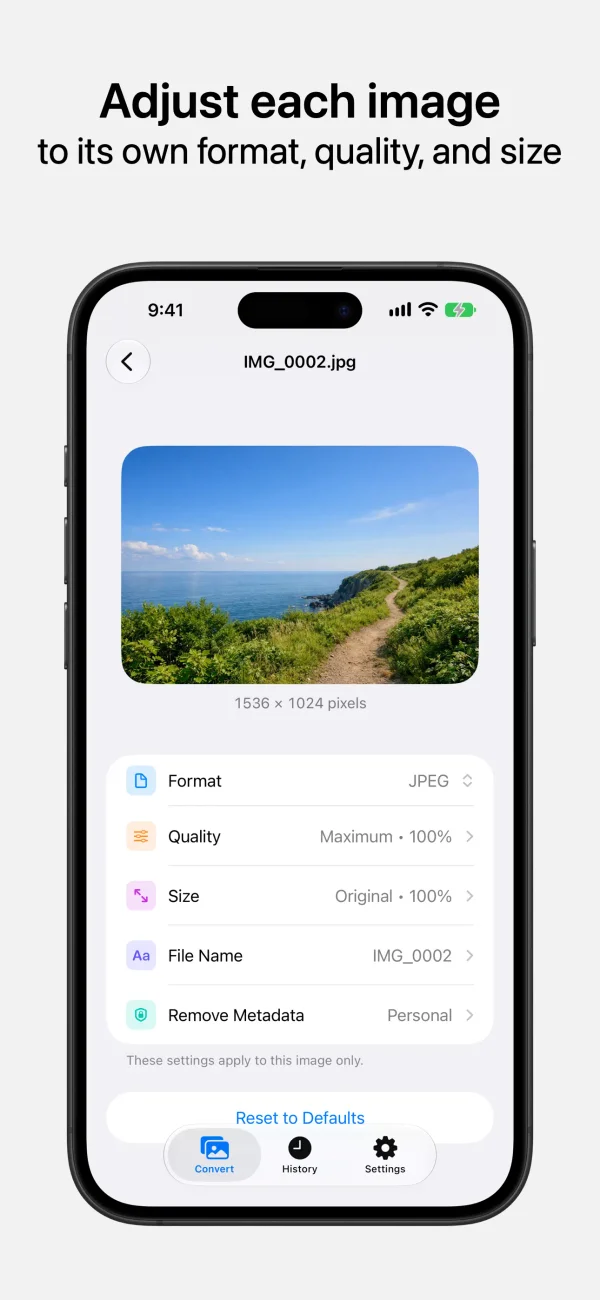
• Give any photo its own format, quality, size, or file name
• Merge photos and PDFs into a single PDF
• Keep converting after you leave the app, with progress in a Live Activity
Remove Metadata Before You Share
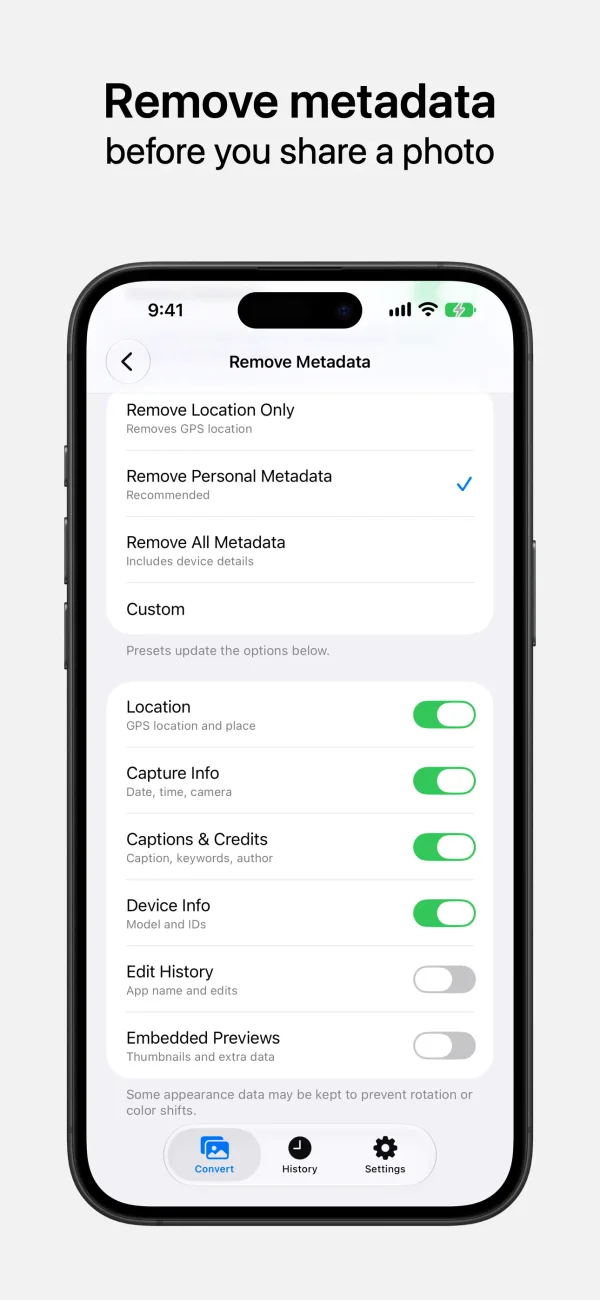
A photo can carry more than you see. GPS coordinates, the camera model, and the capture date can travel inside the file as EXIF and other metadata. Choose what to remove before you share.
• Remove Location Only takes out GPS coordinates and place names
• Remove Personal Metadata also clears capture details, device identifiers, and captions
• Remove All Metadata leaves only what a photo needs to display correctly
• Custom lets you decide category by category
Keep Your Files Private
No cloud. No account. No uploads. Every conversion happens on your device, and your files never leave it. An internet connection is used only for purchases, update checks, and optional rewarded ads.
Convert from Anywhere
• Select photos or PDFs in any app, tap Share, and choose Image Converter Plus
• Open an image or PDF directly from the Files app
• Automate with Shortcuts actions to convert, compress, remove metadata, make PDFs, or apply a preset
• Ask Siri to “Convert a photo with Image Converter Plus,” or start from Spotlight
• Add Control Center controls to convert, compress, remove metadata, or make a PDF
Find It Later in History
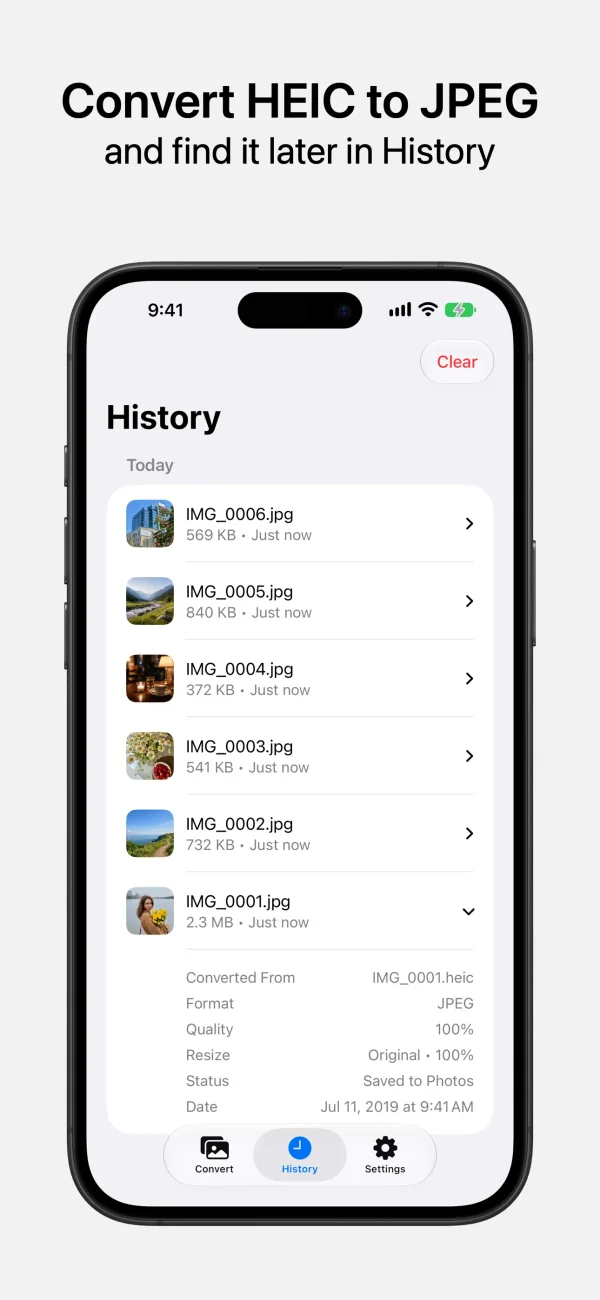
• Every conversion is saved with a thumbnail and the settings you used
• Export again to Photos, Files, or the share sheet at any time
• Auto-delete after 7, 30, or 90 days, or keep everything
Designed for Everyone
• Full support for VoiceOver and Dynamic Type, with haptic feedback throughout
• Choose from 61 languages, right in the app
Go Further with Pro
Convert one image or one-page PDF at a time to JPEG, PNG, WebP, or HEIC for free, at any quality or size. Your first batch is free too. After that, a short video unlocks batches for 30 minutes, up to twice a day. Pro adds:
• PDF, AVIF, and TIFF output, including multi-page PDF
• Batch conversion, including multi-page PDFs
• Per-photo settings within a batch
• Metadata removal, with all four options
• No ads
Pro is available as a weekly, monthly, or annual subscription, or as a one-time Lifetime purchase that includes Family Sharing.
Shortcuts actions require iOS 17.2 or later. Control Center controls require iOS 18 or later. Open With in the Files app and background conversion with a Live Activity require iOS 26 or later.
What’s new
Version 1.4.1 · Nov 21, 2026
This update improves PDF conversion throughout Image Converter Plus. Saved PDFs stay sharp at a larger Size and compact at a smaller one, keep more of their searchable text, and look right in more apps.
• Saving a PDF at a larger Size now keeps all of its detail. High-resolution scans stay sharp, scanned documents keep their searchable text, and charts and diagrams stay crisp instead of turning into images.
• Saving a PDF at a smaller Size never makes it larger than it is at 100%, and black-and-white scans and faxes keep their compact size.
• When you save a PDF as PDF, more of its text stays searchable, including Thai, Arabic, Chinese, Japanese, emoji, and the text in charts and scientific papers.
• Pages from PDFs made in Chrome now show their gradients and shadows correctly, and some scanned PDFs no longer show black bars over their text.
• Fixes an issue where a PDF saved from another PDF could carry hidden data inside its images or record which version of iOS made it.
• Fixes an issue where a page with transparency could appear blank in other apps, and where a page with a damaged image lost its searchable text.
Thanks for using Image Converter Plus. Questions or ideas? Reach us any time from Settings > Send Feedback.
App privacy
What Denys Lebiediev declares on the App Store about how this app handles data.
-
Data used to track you
May be used to track you across apps and websites owned by other companies.
- Identifiers
- Usage data
-
Data not linked to you
May be collected but is not linked to your identity.
- Purchases
- Location
- Identifiers
- Usage data
- Diagnostics
Privacy practices may vary, for example with the features you use or your age.
Information
- Seller
- Denys Lebiediev
- Category
- Photo & Video
- Version
- 1.4.1
- Updated
- Nov 21, 2026
- Released
- May 6, 2026
- Size
- 43.5 MB
- Requires
- iOS 16.0 or later
- Age rating
- 4+
- Price
- Free
- In-app purchases
- Yes
- Languages
- English, Afrikaans, Albanian, Arabic, Belarusian, Bengali, Bosnian, Bulgarian, Catalan, Croatian, Czech, Danish + 48 more
- Copyright
- © 2026 Denys Lebiediev
You might also like
-
 Image Converter PNG JPG JPEGImage File Conveter Compressor
-
 JPEG-PNG Image file converterFormat convertor to JPEG, PNG
-
 Image Converter - JPG PNG HEICconvert images to jpg heic png
-
 Photo Resizer: resize imageReduce photo & picture size
-
 JPG/PNG Converter: HEIC, WebPBatch Photo Format Changer
-
 Compress Photos & PicturesReduce image size, free space
-
 Video Compress - Shrink VideosVideo Compressor, Reduce Size
-
 Video Converter and CompressorMerge & Shrink Audio, Batch 4K
-
 Image SizeResize your photo! Resizer App
-
 Compress Videos & Resize VideoCompress videos, save space