
- Age rating4+
- CategoryPhoto & Video
- Developer静 常
- LanguagesEnglish
- Size126.4 MB
Links to the official App Store page
Download.org hosts no file of ImagePilot. The button opens its official App Store page, published by 静 常. Listing last checked on Nov 17, 2026.
Screenshots




About
ImagePilot is a local-first photo and video organizer. Browse your library by content and file information, find similar photos, and keep your collection organized.
CHOOSE YOUR AI MODEL
Use on-device AI classification with options including Gemma 2 fast classification. Gemma 2 classifies image content; it does not generate image descriptions. Some local models require an initial download; image recognition then runs on your device. You can also configure an online model provider. Images processed with an online service are sent to that provider. Model capabilities and speed vary.
MAKE CATEGORIES YOUR OWN
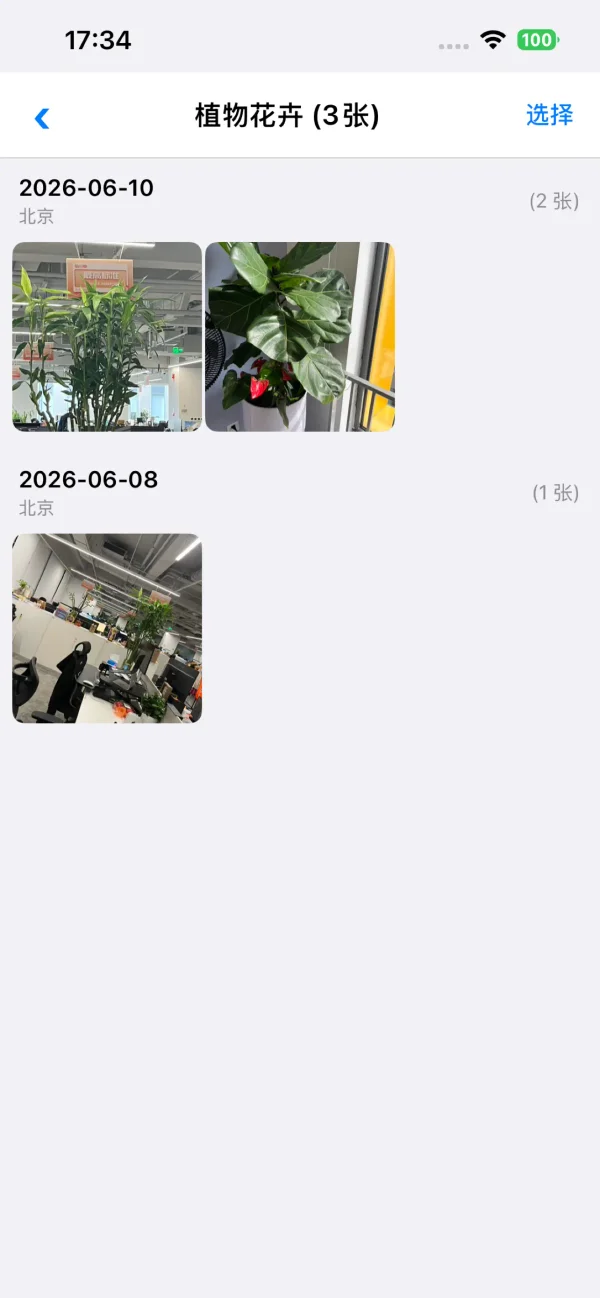
Use built-in categories for people, pets, food, scenery, buildings, plants, documents, and more, or create custom categories. Edit built-in rules, add visual scenarios and exclusions, and restore defaults. Natural-language rules work with supported models, not fixed-label models. Editing a rule does not automatically change existing classifications; choose reclassification to apply it.
BROWSE AND ORGANIZE
Browse by content, city, color, and file information. Find similar photos and select consecutive items with a long press and drag. Collect items in the staging box for review before confirming deletion or archiving.
MANAGE PHOTOS AND VIDEOS
Classify videos as well as photos. Videos initially classified as Other can be retried with additional frames. View matching details and export text diagnostics when reporting a problem.
MEMORIES, REPORTS AND EDITING
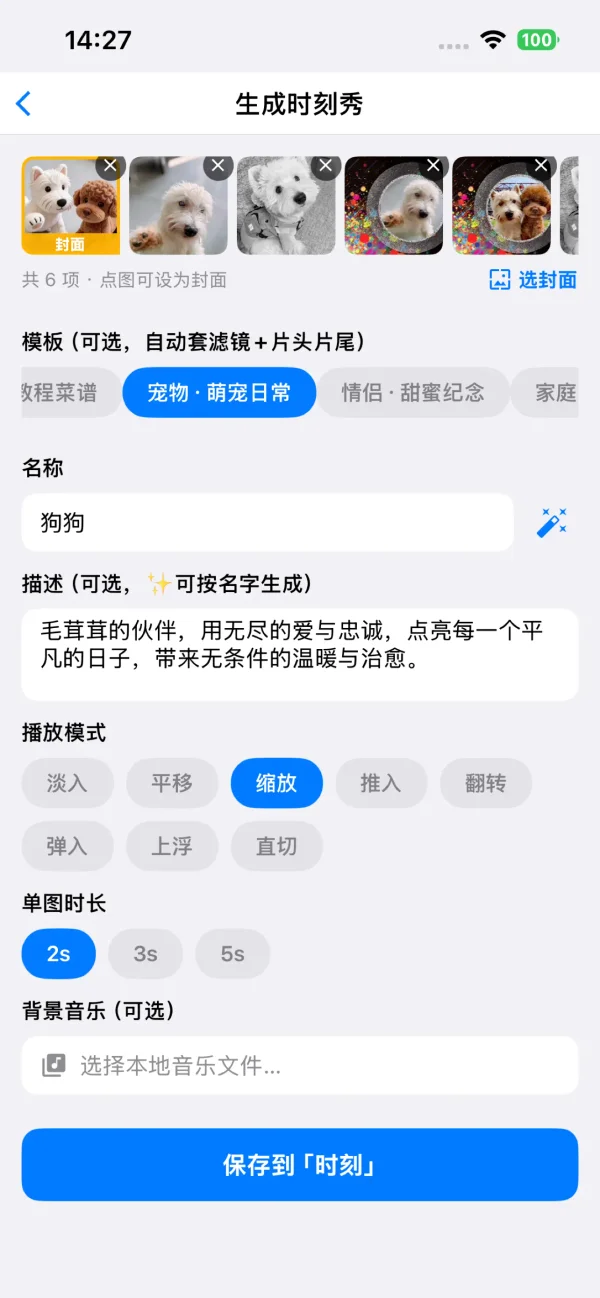
Revisit moments and memories, create Showtime reels and album reports, and use photo-editing tools and filters.
MANAGE YOUR DATA
Back up and restore your classification index. Local-model inference runs on your device. When you choose your configured online service, the relevant images are transmitted for processing by that service. Model downloads and online features require a network connection.
AI classification may be incorrect. You can adjust category rules or change a classification manually.
What’s new
Version 1.6.6 · Nov 8, 2026
• Fixed the photo list jumping to the top and drag selection being interrupted after a long press.
• Improved range selection and edge scrolling, with fewer layout shifts and thumbnail redraws.
This update brings more flexible on-device AI classification and a clearer photo-organizing experience.
• Gemma 2 fast classification: a new local model option processes photos on your device after the model download, without uploading photos for classification.
• Improved category matching: choose the highest-scoring eligible category and use Other when matching is insufficient. Refined scenery, people, plants, products and other built-in rules to reduce background distractions.
• Editable category rules: customize built-in rules, create categories, add scenarios and exclusions, or restore built-in defaults. Improved how custom scenarios work with the original rule.
• Refined Sports & Fitness rules: removed default swimming matches to improve classification of lakes, rivers and rapids.
• Easier troubleshooting: inspect matching details and export complete diagnostics as a TXT file.
• Improved video classification: videos initially assigned to Other can be retried using frames from additional positions.
• Easier library management: long-press and drag to select consecutive items, plus improved compatibility for classification-index and rule backups.
• Clearer settings: reorganized feature groups, consistent icons and expand/collapse arrows, explicit Edit buttons for editing presets, and improved touch targets and accessibility labels. Photo access, similarity thresholds and the AI search index are expanded by default on iOS.
• Existing classifications are preserved. Updating the app or editing rules does not automatically reclassify your photos; reclassify them when you want to apply the new rules.
AI results may be incorrect and can be adjusted manually.
App privacy
What 静 常 declares on the App Store about how this app handles data.
-
Data not collected
The developer does not collect any data from this app.
Privacy practices may vary, for example with the features you use or your age.
Information
- Seller
- 静 常
- Category
- Photo & Video
- Version
- 1.6.6
- Updated
- Nov 8, 2026
- Released
- Jul 8, 2026
- Size
- 126.4 MB
- Requires
- iOS 15.0 or later
- Age rating
- 4+
- Price
- Free
- Languages
- English
- Copyright
- © 2026 Chunguang Wei
You might also like
-
 EyeSay: AI Photo OrganizerAuto-sort photos into albums
-
 ClassiPic - AI Photo OrganizerAuto-sort: Moments & Records
-
 GalleryID DesktopYour photo archive, offline
-
 MemoryPlaces AppPhoto & Video
-
 Hatıram - Family Photo AlbumPrivate Family Photo Album
-
 FotoAI:Photo Gallery OrganizerAI Photo Cleaner & Organizer
-
 ReCatalog: Fast Photo SearchAI, EXIF & Metadata Organizer
-
 CraftiveFrames, Collages & Color Match
-
 Catchlight Portrait EditorPrivate, on-device retouching
-
 Pixdex: Find Your InspirationTag, organize, search photos