
Imaya: To-Do & Task Planner
GTD: only what you can do now
Designed for iPhone, iPad, Mac
In-app purchases
- Age rating4+
- CategoryProductivity
- DeveloperKenichirou Shiki
- LanguagesJapanese+ 9 more
- Size24.8 MB
Links to the official App Store page
Download.org hosts no file of Imaya: To-Do & Task Planner. The button opens its official App Store page, published by Kenichirou Shiki. Listing last checked on Nov 8, 2026.
Screenshots



About
You know GTD. You just couldn't keep it going.
This is for you.
What stops it is the effort. Sort everything into lists, name it, review every week... and you are back to a plain to-do list.
Imaya is the GTD loop itself, with the heavy parts made light.
■ Capturing is not deciding
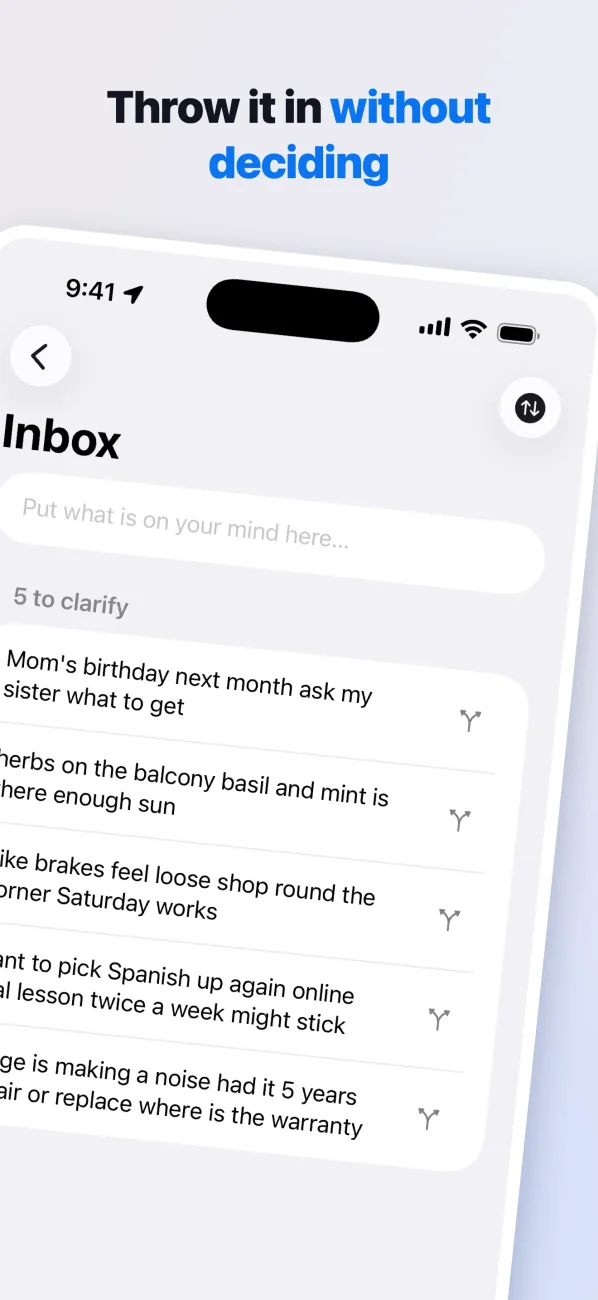
Whatever comes to mind goes into the Inbox with no name and no place. The field returns to you, so you can throw the next one in straight after.
You can capture without opening the app:
- A Home Screen widget (with the count waiting to be clarified)
- A button on the Lock Screen or in Control Centre
- The share sheet in other apps
- Siri and Shortcuts, out loud, while walking
■ Clarify one at a time
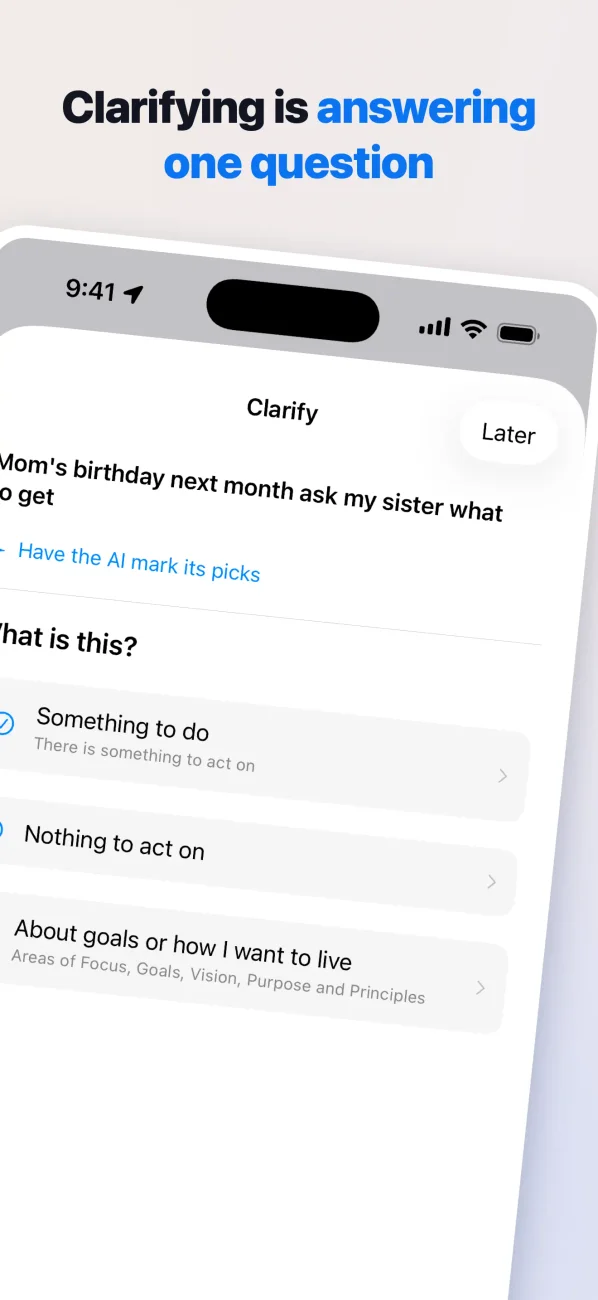
Imaya asks one question at a time. What is this? What kind of action? Is it yours to do? Once there is an answer, the questions stop.
The name is built from what you wrote, so you are never handed a blank field. When no name comes, ask the AI for a draft (Premium). It moves only when you ask, and marks drafts as drafts.
■ See only what you can do now
Next Actions has two views.
- Available now — only what passes where you are, the tools and time you have, and the energy you have left
- All — the whole list, with what you cannot start yet faded and the reason beside it
At @Home, nothing from @Work appears. Away from your desk, switch @Computer off. Place and time are judged by your phone; the rest is yours to say.
■ It tells you when you can act
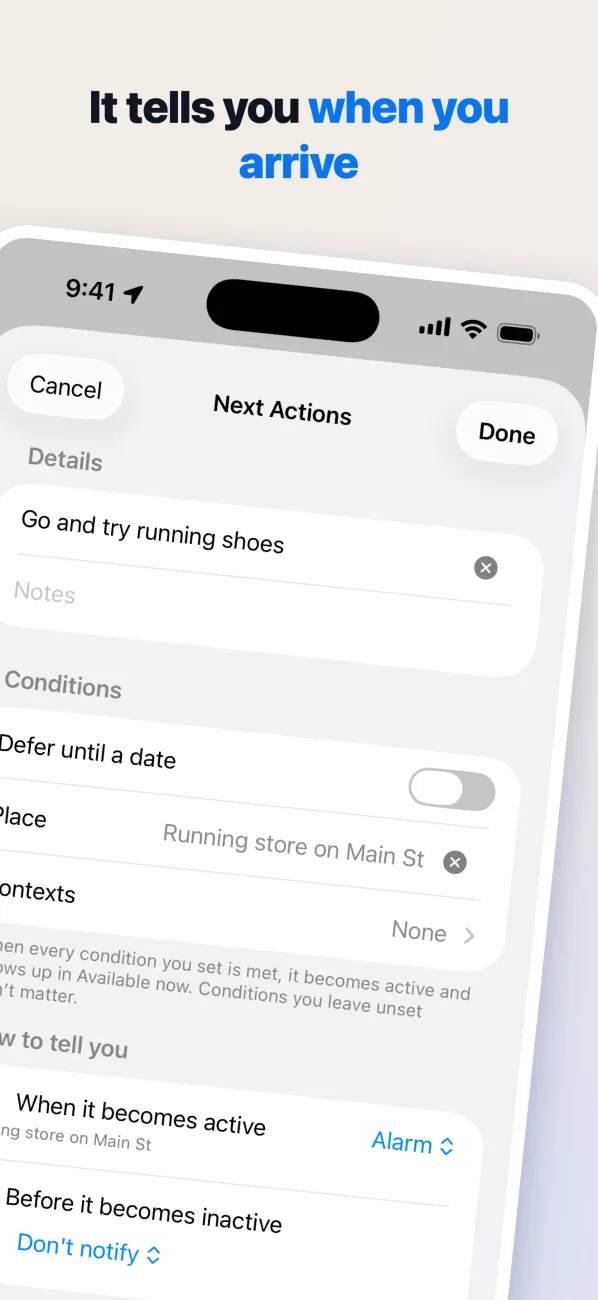
Set a defer date, a place and contexts as conditions. When all are met, the action appears in Available now and can alert you: when the date arrives, when you reach the place (pick a one-off place on the map), or when the action ahead of it is done. Arriving can sound an alarm until you stop it, even with the app closed (iOS 26 and later).
■ A stalled project does not stay stalled
Finish an action and Imaya asks: what is the next move on this project? When nothing comes to mind, pick from the action ideas you jotted down.
■ Delegate it, then stop remembering it
Send a link. If they use Imaya, the task lands in their Inbox, and accepted, declined and done come back to your Waiting For list on their own — so you never have to ask "how's that going?" Anything waiting more than seven days gets a flag on Home.
■ Above your projects
"I want to live more healthily" becomes a project that never ends, and gets forgotten in Someday/Maybe. Four horizons sit above: Areas of Focus, Goals, Vision, Purpose and Principles. Nothing here holds actions — they are for reading back over.
■ Once a week, trust the system again
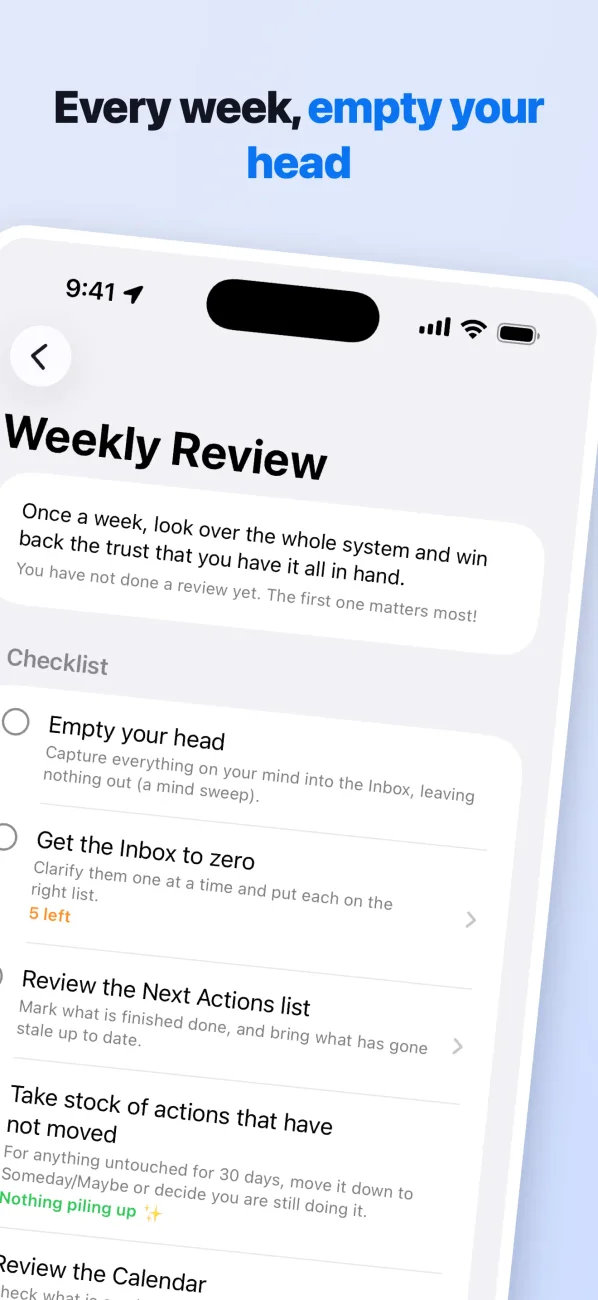
The Weekly Review looks past the lists. It names the actions untouched for 30 days, shows what you finished this week, then asks: what would you change about how you work?
■ You can always turn back
Everything you make can be deleted. Anything that cannot be undone asks first, and shows exactly what happens, in numbers. What you delete waits in the Trash.
Export any time, free: readable (Markdown) or a copy with nothing missing (JSON).
- - - - - - - - - - - - - - -
■ Pricing
The app is free and shows ads. Imaya Premium (auto-renewing) gives you:
- AI drafts for names (projects, routines, actions)
- No ads
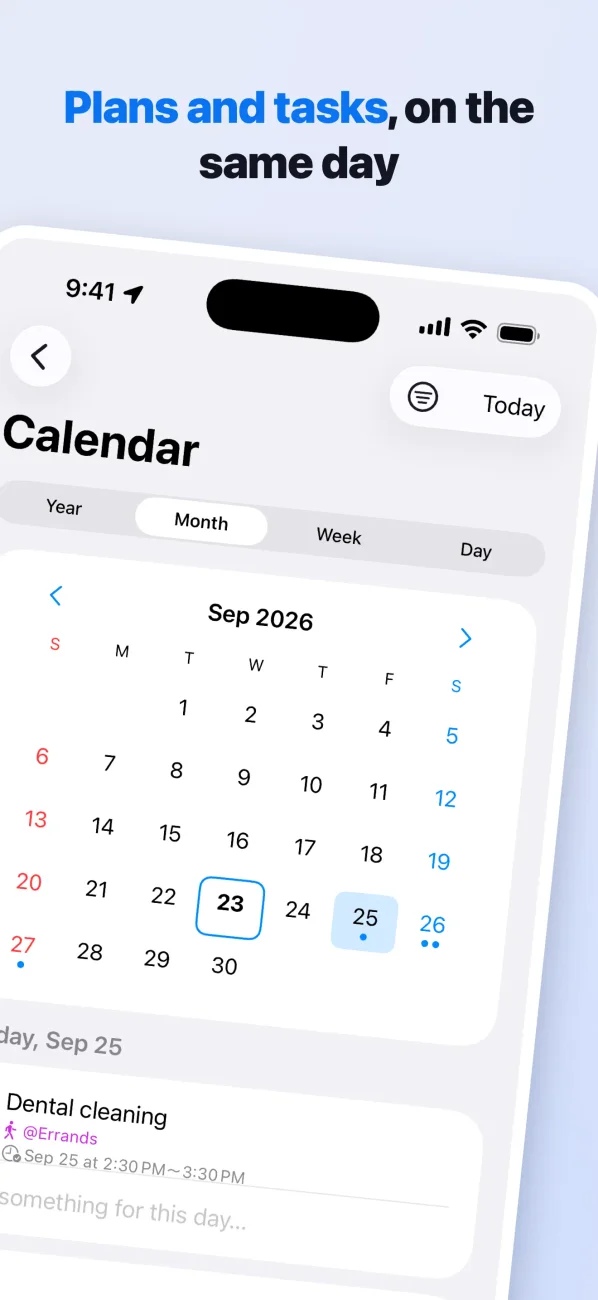
- Apple Calendar events in Next Actions and the Calendar
- The same data on your Mac
- Filter by how long things take ("I have ten minutes")
- Filter by energy (on a tired day, only the light ones)
Premium (monthly) $2.99 / month
Premium (yearly) $29.99 / year
First month free (new subscribers)
The subscription renews at the end of the period unless you cancel at least 24 hours before it ends, and your Apple Account is charged. Cancel any time in Settings > your name > Subscriptions.
Terms of Use: https://www.apple.com/legal/internet-services/itunes/dev/stdeula/
Privacy Policy: https://taska-5.web.app/privacy_policy_en.html
- Your data lives on the device and on the server. Sign in with Apple and it comes with you to a new phone.
- Available in 11 languages.
What’s new
Version 3.4.0 · Nov 1, 2026
Taska is now Imaya. Your data and subscription stay just as they are (with Siri, say Imaya instead of Taska).
- Capture with a photo. Share a photo to Imaya from Photos or another app and it lands in your Inbox, photo and all. You can also add one in a task's details (Premium)
- When you delegate something with a photo, send the photo along through Messages, LINE and more. The other person can see it without Imaya
- Photos stay on this device and are never sent to our servers. They are resized when saved, which also strips details such as where they were taken
App privacy
What Kenichirou Shiki declares on the App Store about how this app handles data.
-
Data used to track you
May be used to track you across apps and websites owned by other companies.
- Identifiers
-
Data linked to you
May be collected and linked to your identity.
- Location
- Contact info
- User content
-
Data not linked to you
May be collected but is not linked to your identity.
- Identifiers
- Diagnostics
Privacy practices may vary, for example with the features you use or your age.
Information
- Seller
- Kenichirou Shiki
- Category
- Productivity
- Version
- 3.4.0
- Updated
- Nov 1, 2026
- Released
- Aug 16, 2026
- Size
- 24.8 MB
- Requires
- iOS 18.0 or later
- Age rating
- 4+
- In-app purchases
- Yes
- Languages
- Japanese, Italian, Spanish, German, French, Portuguese, Simplified Chinese, Traditional Chinese, English, Korean
- Copyright
- © Copyright (c) 2026 Passive Technologies
You might also like
-
 Clairo - AI Plan & List MakerJust talk, everything's sorted
-
 TaskBit: Gamified To-Do ListBuild Habits, Grow Your Room
-
 作業時間記録/勉強時間記録アプリ&ポモドーロ:つづろくProductivity
-
 MindMapToDo: Planner & IdeasBrainstorm, outline & organize
-
 HW JournalProductivity
-
 Mind2Plan:Actionable Mind MapIdeas into WBS & Gantt Charts
-
 WeeklyToDo: The Weekly GardenWeekly routines, daily wins
-
 Ravel: ADHD Task BreakdownSplit tasks into 5-min steps
-
 OrdinalProductivity
-
 Relay: Next Actions & ReviewsA complete GTD system