
Impulse: App Blocker & Focus
Limit screen time & stay focus
Designed for iPhone
Free
- Age rating4+
- CategoryProductivity
- DeveloperPablo Granados
- LanguagesEnglish
- Size27.9 MB
Links to the official App Store page
Download.org hosts no file of Impulse: App Blocker & Focus. The button opens its official App Store page, published by Pablo Granados. Listing last checked on Nov 23, 2026.
Screenshots


About
Curb your impulses.
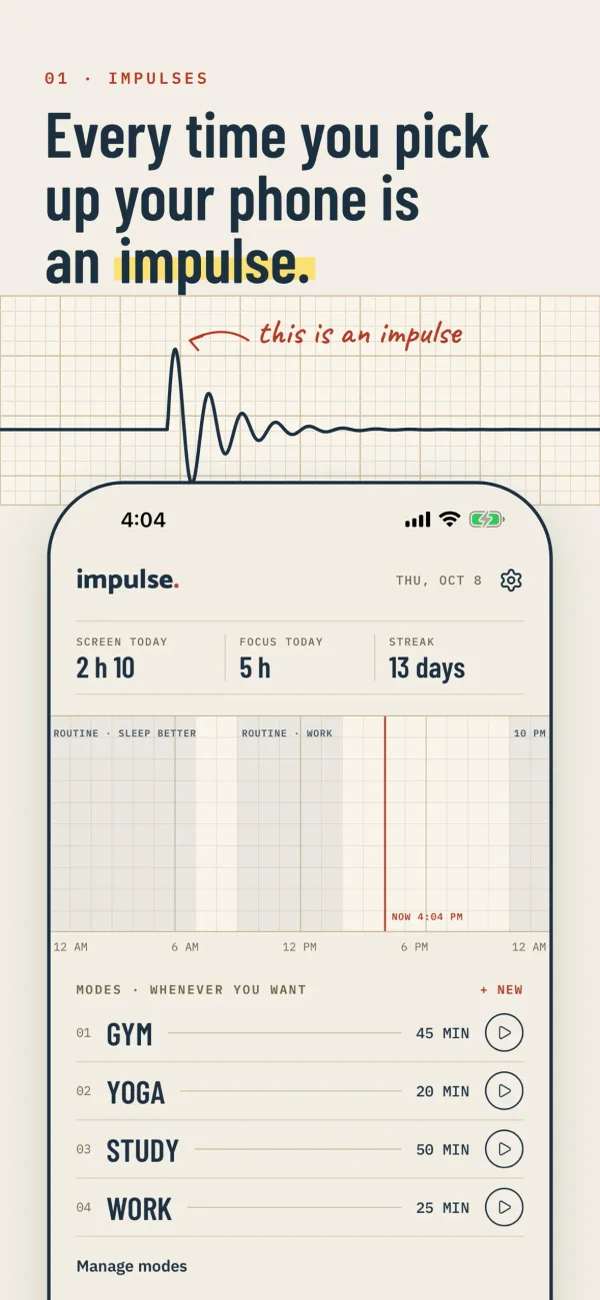
Every time you pick up your phone without thinking is an impulse. Impulse shows you how many you have each day and helps you have fewer: it blocks the apps and sites that eat your time, when you decide.
ROUTINES
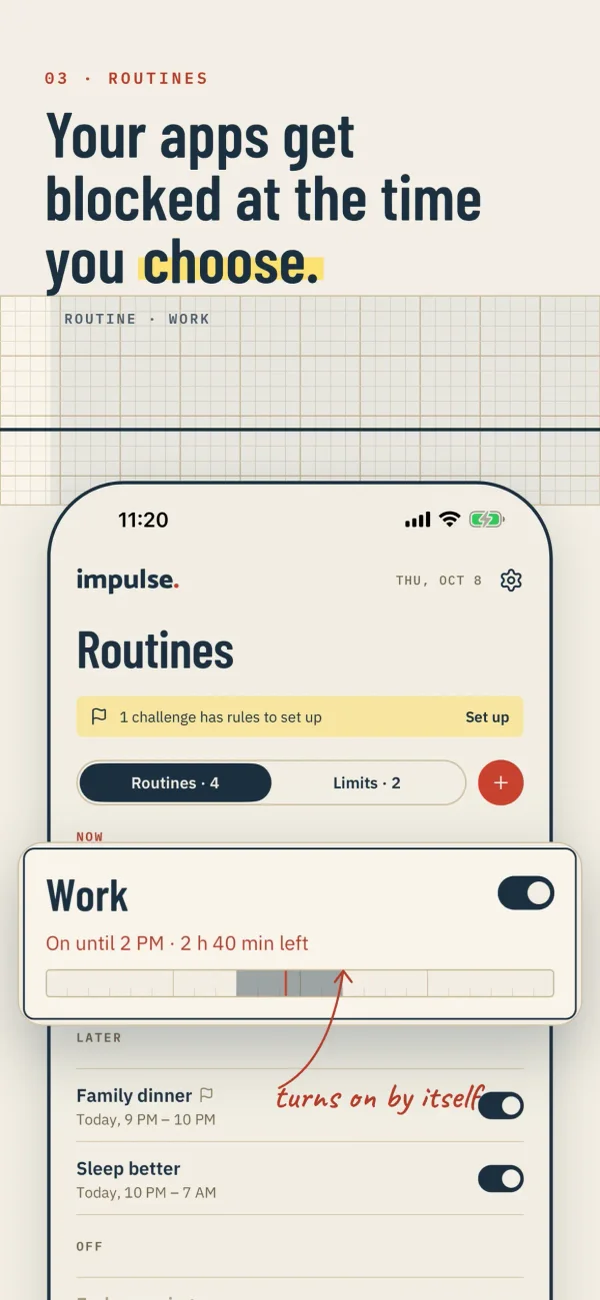
Your apps get blocked on their own at the time you choose, at work or before bed. You pick the days, the apps and the sites.
LIMITS
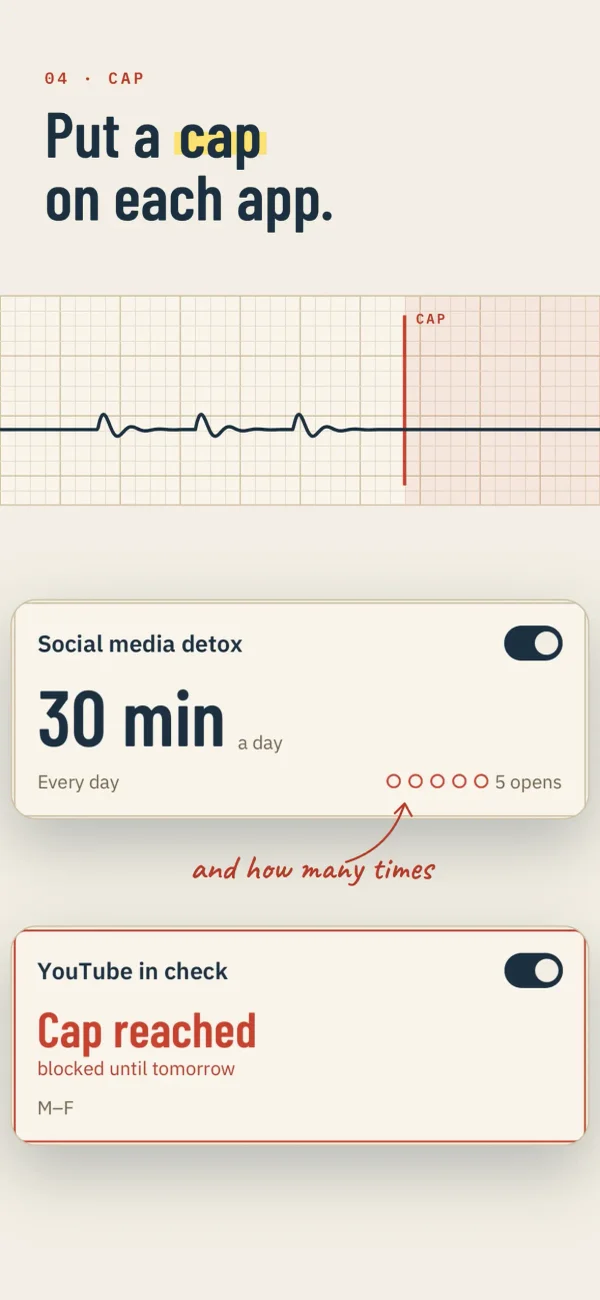
Put a cap on each app: minutes a day, times you open it, or both. Before it opens, Impulse asks if you need it right now and makes you wait a few seconds. If you open it, it blocks again a few minutes later.
MODES
Focus whenever you want. Create a mode with its apps and how long it lasts, and turn it on with one tap. If you like, it turns on by itself every day.
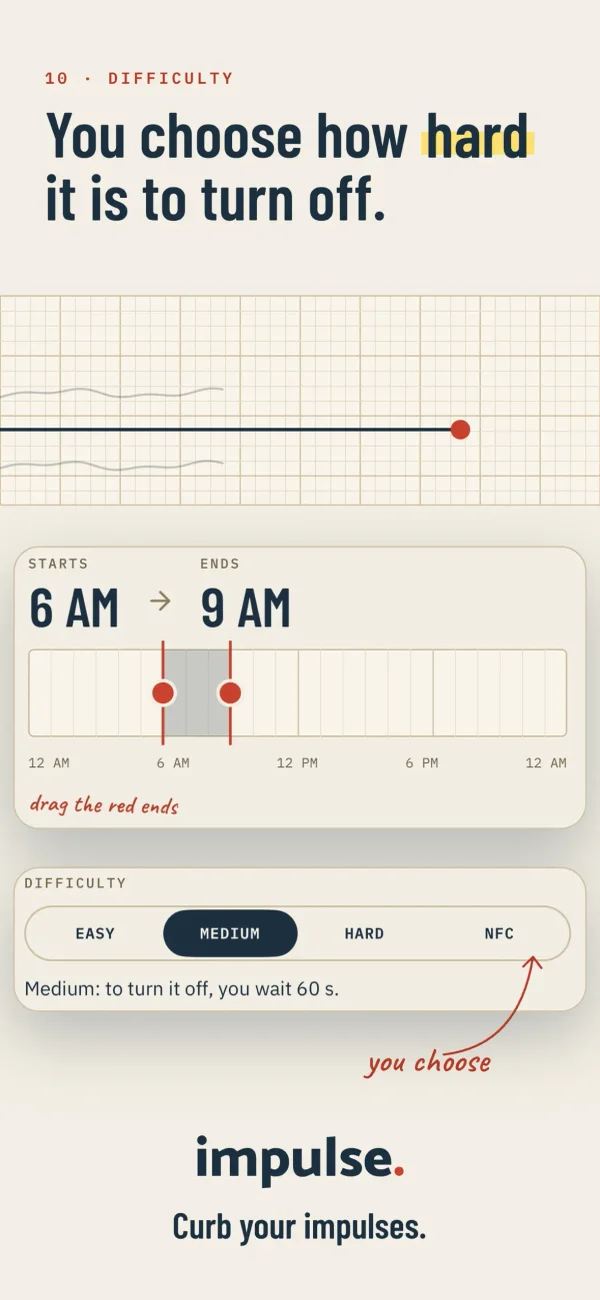
YOU CHOOSE HOW HARD IT IS TO TURN OFF
Easy: turn it off whenever you want.
Medium: wait 60 seconds to turn it off.
Hard: you need a code sent to someone else's email.
NFC: you need to tap your NFC card. Any card works, even the cheap ones.
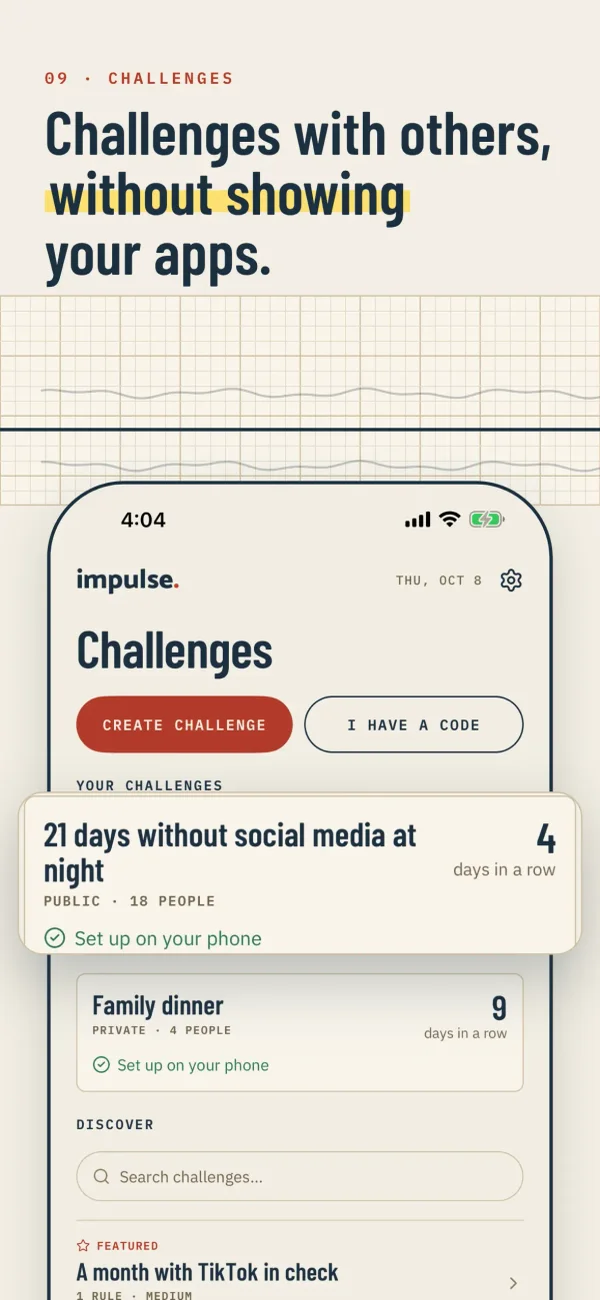
CHALLENGES
Join a challenge with friends or with people after the same thing, or create your own. Everyone follows the rules on their own phone, and the ranking shows who keeps their streak. No one sees which apps you use, only whether you stick to it.
STREAK AND METRICS
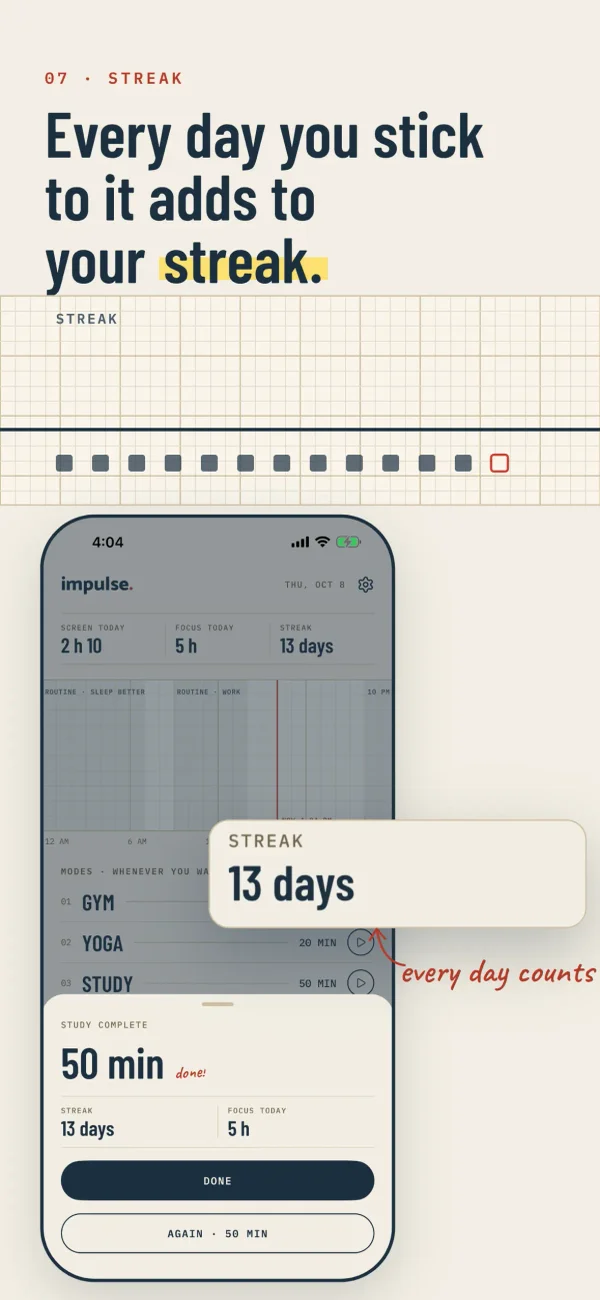
Every day you stick to it adds to your streak. In Metrics you see how your impulses and your screen time change over time.
SO YOU DON'T SKIP IT
Trusted person: removing or changing a rule needs a code sent to them.
PIN to open Impulse.
Prevent deleting apps while a rule is blocking.
ALSO ON YOUR COMPUTER
Impulse has a Chrome extension to block sites on your computer. To skip a computer block, you scan your NFC card with your phone.
PRIVACY
Impulse uses Apple's Screen Time: the apps you choose and what you do in them stay on your iPhone. You only need an account for challenges.
What’s new
Version 4.0 · Nov 19, 2026
Impulse 4.0 is our biggest update yet.
• A brand new design from top to bottom, with a new logo.
• Impulses: see how many times a day you pick up your phone, and how that changes in Metrics.
• Limits with a cap on minutes and opens for each app, and one question before it opens: “Do you need it right now?”.
• Modes to focus with one tap, which can also turn on by themselves every day.
• Challenges (formerly Groups): now also public, with a ranking.
• Choose the difficulty: Easy, Medium, Hard or NFC.
• Trusted person: removing or changing a rule needs a code sent to them.
• Lots of fixes so blocks and limits always work, on websites too.
A tip: if you add websites to a limit, pick a single address for each one, the one that starts with www. or m.
App privacy
What Pablo Granados declares on the App Store about how this app handles data.
-
Data not collected
The developer does not collect any data from this app.
Privacy practices may vary, for example with the features you use or your age.
Information
- Seller
- Pablo Granados
- Category
- Productivity
- Version
- 4.0
- Updated
- Nov 19, 2026
- Released
- Jan 6, 2025
- Size
- 27.9 MB
- Requires
- iOS 17.0 or later
- Age rating
- 4+
- Price
- Free
- Languages
- English
- Copyright
- © .Impulse
You might also like
-
 Screenless: Screen Time, FocusMinimalistic App Blocker
-
 Screen Time Control - Stay OffFocus,App Blocker,Timer
-
 Bx Website Blocker,Block SitesBlock Websites, URLs & Apps
-
 BlockerX Pro: Content BlockerBlock Unwanted Content & Apps
-
 Jomo - App Blocker & FocusScreen Time Control & Limits
-
 AppBlock: Block Apps, WebsitesApp Blocker. Limit Screen Time
-
 Screen Time Limit: App BlockerBlock Games & Social Media
-
 Stay Focused App/Site BlockerWebsite & Screen Time Limit
-
 Freedom: Screen Time ControlBlock Apps. Stay Focused.
-
 one sec | screen time + focusApp Blocker & Website Limits