
InfoSaver: Expense Tracker
Spending & Subscriptions
Designed for iPhone, iPad
In-app purchases
- Age rating4+
- CategoryFinance
- DeveloperPavel Nesterets
- LanguagesEnglish+ 1 more
- Size18.2 MB
Links to the official App Store page
Download.org hosts no file of InfoSaver: Expense Tracker. The button opens its official App Store page, published by Pavel Nesterets. Listing last checked on Nov 12, 2026.
Screenshots

About
Know where your money goes - without linking a bank or creating an account.
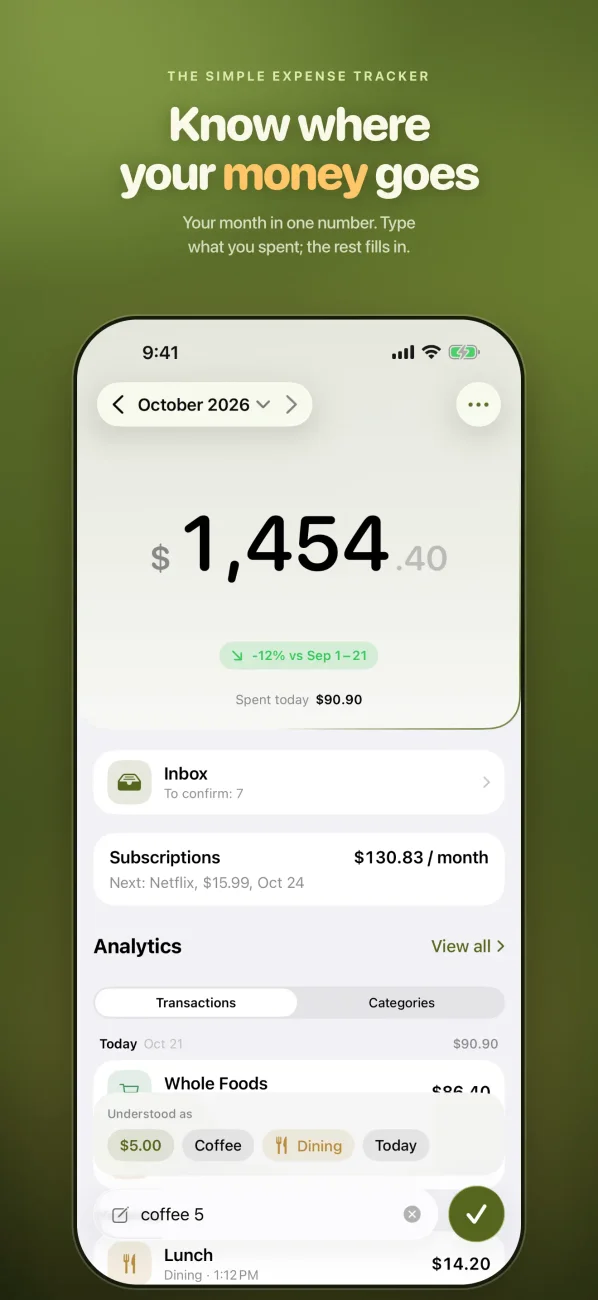
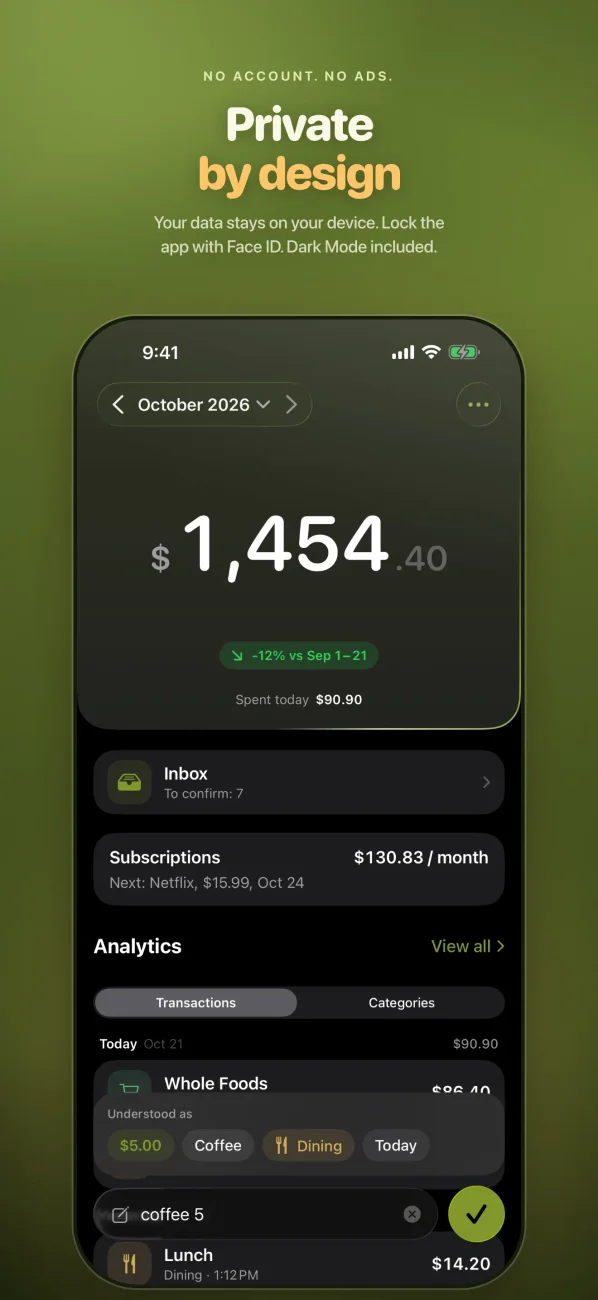
InfoSaver is a fast, private expense tracker. Type “coffee 5” and the amount, category and date are filled in for you. See the month at a glance, keep subscriptions under control and let Apple Pay purchases add themselves.
ADD AN EXPENSE IN SECONDS
• Quick add: write it the way you say it - “lunch 12”, “uber 18” - and InfoSaver understands the amount and the category.
• One-tap buttons for the things you buy every day, like your morning coffee.
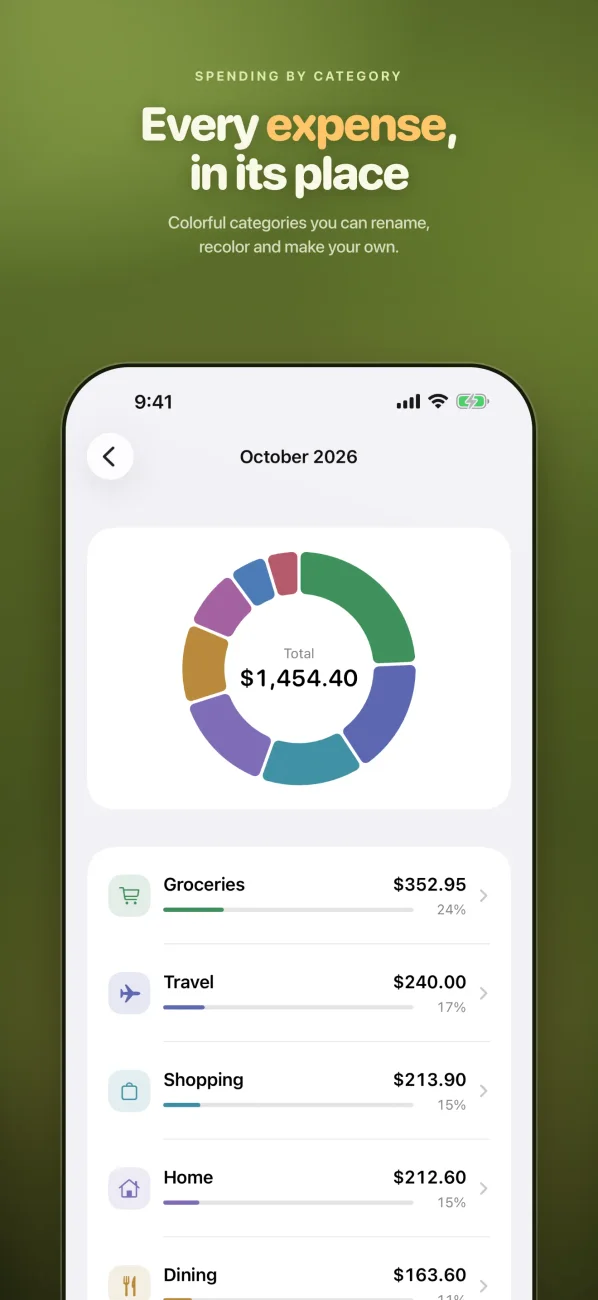
• Your own categories, with your own colors and icons.
• Pick any currency; change it later with your own exchange rate.
SEE WHERE IT GOES
• One clear number: what you spent this month, and how it compares with last month.
• A category chart that opens down to every single expense.
• Analytics by day, week and month, with search and a filter by category.
• Export your expenses to CSV.
SUBSCRIPTIONS, UNDER CONTROL
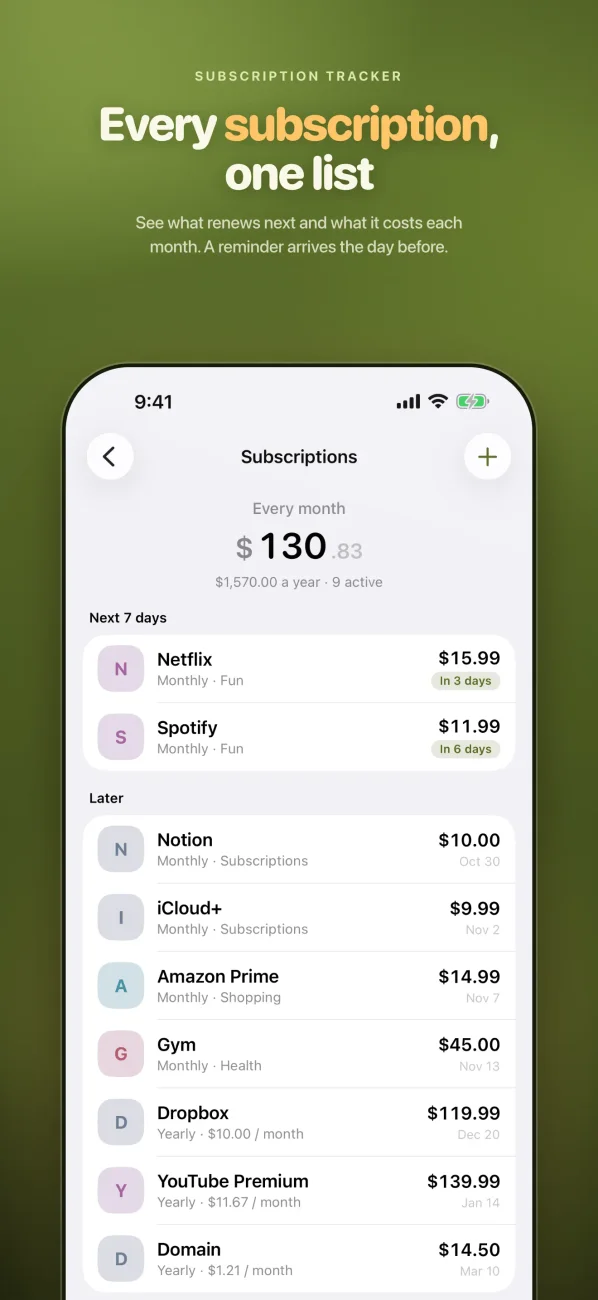
• Monthly and yearly subscriptions in one place, with what each costs you per month.
• See what renews next. A reminder arrives the day before.
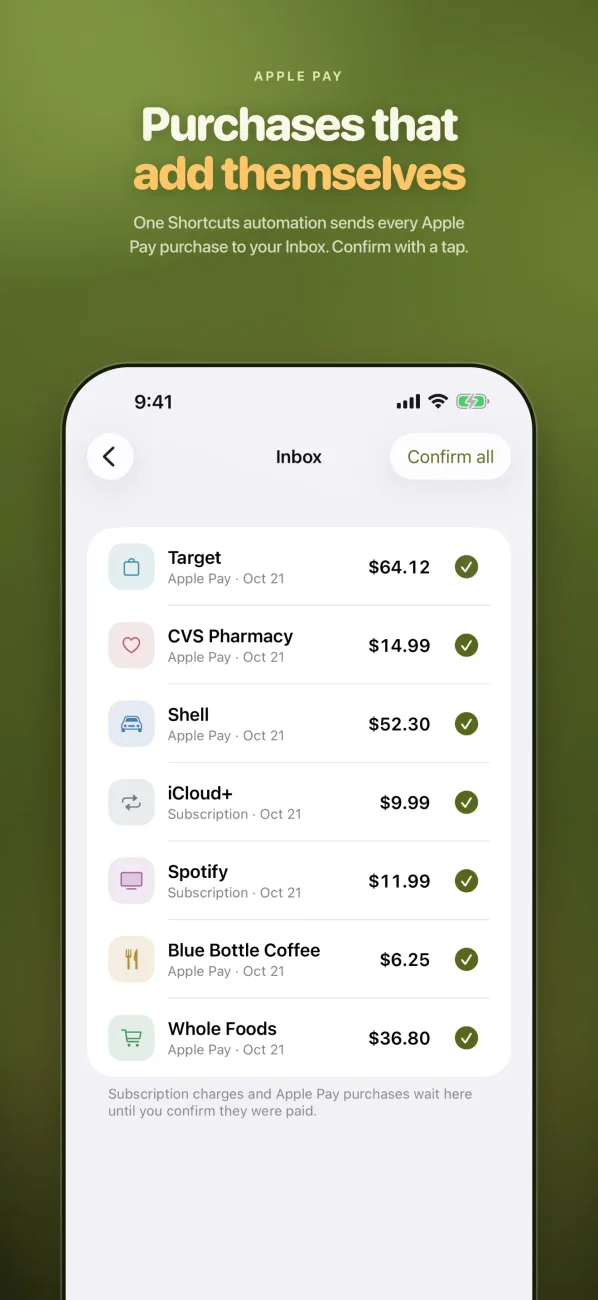
• Renewals can land in your expenses automatically — each one waits in your Inbox until you confirm it.
APPLE PAY, AUTOMATICALLY
• Set up one Shortcuts automation and every Apple Pay purchase arrives in your Inbox, ready to confirm with a tap. A short guide in Settings walks you through it.
WIDGETS, SIRI AND SHORTCUTS
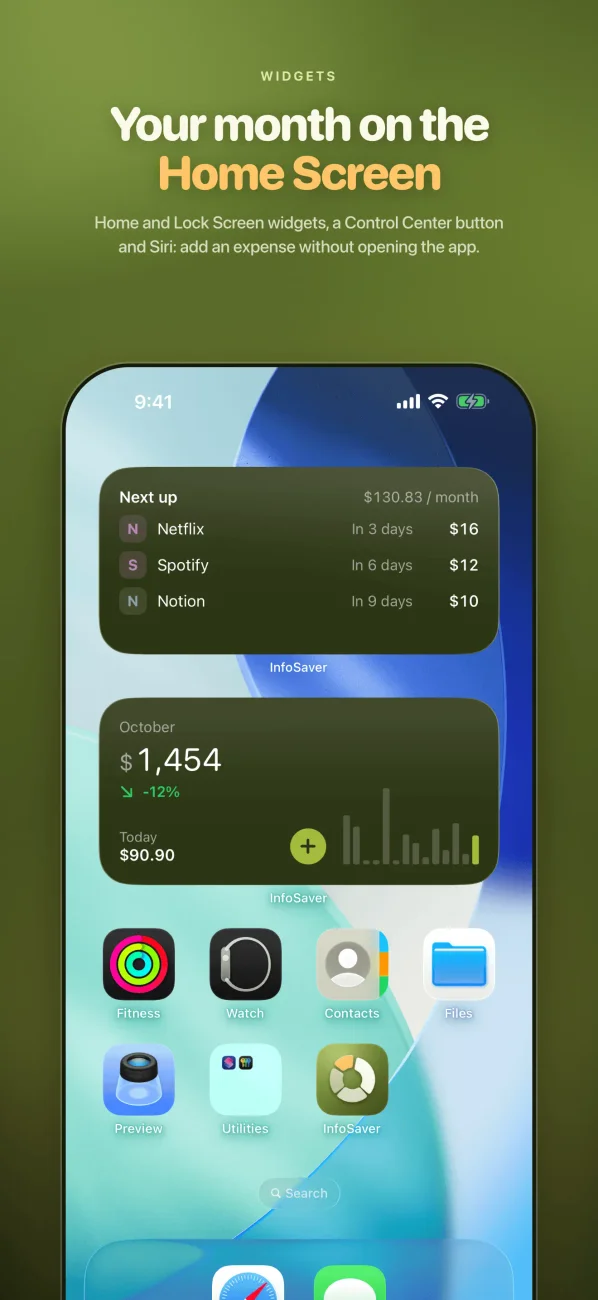
• Home Screen widgets: this month, today, and upcoming subscriptions - with a “+” to add an expense.
• Lock Screen widgets and a Control Center button.
• Siri and Shortcuts: add an expense without opening the app.
PRIVATE BY DESIGN
• No account. No ads. No tracking.
• Your data stays on your device. Turn on iCloud sync only if you want it on your iPad too.
• Lock the app with Face ID, Touch ID or your passcode.
ALSO IN THE MENU
• Cards: scan a QR, Aztec, PDF417 or Code 128 code and show it at the checkout at full brightness.
• Links: save any page from the Share button in Safari or any other app.
• Lists: nested expense lists with automatic totals.
MADE FOR iOS
• iPhone and iPad, Dark Mode, Dynamic Type, Liquid Glass on the newest iOS.
INFOSAVER PREMIUM
• iCloud sync across iPhone and iPad.
• App Lock with Face ID, Touch ID or passcode.
• Card widget for the Home Screen.
• CSV export.
Tracking expenses and subscriptions is free, with no limits.
Premium is a subscription (monthly or yearly, with a free trial) or a one-time purchase. Subscriptions renew automatically unless canceled at least 24 hours before the end of the current period; manage or cancel them in your Apple Account settings.
Terms of Use: https://www.nestor.studio/terms-of-use
Privacy Policy: https://www.nestor.studio/privacy-policy
What’s new
Version 4.1.1 · Nov 3, 2026
InfoSaver is now, first of all, an expense tracker.
• New home screen: this month's spending, subscriptions and a category chart
• Quick add: type “coffee 5” and you are done
• Apple Pay purchases and subscription renewals arrive in a new Inbox for you to confirm
• Analytics by day, week and month, with search and a category filter
• Subscriptions with reminders
• New Home and Lock Screen widgets, and a Control Center button
• New app icon
• Cards, Links and Lists are in the “…” menu
App privacy
What Pavel Nesterets declares on the App Store about how this app handles data.
-
Data used to track you
May be used to track you across apps and websites owned by other companies.
- Identifiers
-
Data linked to you
May be collected and linked to your identity.
- Purchases
- Identifiers
Privacy practices may vary, for example with the features you use or your age.
Information
- Seller
- Pavel Nesterets
- Category
- Finance
- Version
- 4.1.1
- Updated
- Nov 3, 2026
- Released
- Aug 16, 2023
- Size
- 18.2 MB
- Requires
- iOS 18.0 or later
- Age rating
- 4+
- In-app purchases
- Yes
- Languages
- English, Ukrainian
- Copyright
- © 2023 Pavel Nesterets
You might also like
-
 Spending Tracker - FinProBudget, Expense, Bill Manager
-
 Ease ExpenseFinance
-
 Spelio: Budget Planner & GoalsExpense Tracker & Money Plan
-
 Costly: Renovation TrackerKnow where the money went
-
 Analysis BudgetIncome & Expense Tracker
-
 SubLook: Subscription TrackerManage your subscriptions
-
 Money Manager : Track ExpenseManage Expense, Save Wealth
-
 Spending Tracker: Cash CompassVoice & Photo Expense Logs
-
 BuyCycleSpending Management App
-
 Daily Expense & Budget TrackerManage Spending & Finances