Inkcho: Fountain Pen & Ink
Ink Tracker & Refill Journal
Designed for iPhone, iPad, iPod touch
Free · In-app purchases
- Age rating4+
- CategoryLifestyle
- Developerkazuki korenori
- LanguagesEnglish+ 8 more
- Size54.7 MB
Links to the official App Store page
Download.org hosts no file of Inkcho: Fountain Pen & Ink. The button opens its official App Store page, published by kazuki korenori. Listing last checked on Nov 26, 2026.
Screenshots

About
Never forget which ink is in which pen.
Inkcho is a fountain pen ink tracker built for collectors who rotate multiple pens and juggle too many bottles.
Whatever the brand, see every pen's current ink at a glance. Log changes, track history, and never refill the wrong color again.
【What you can do】
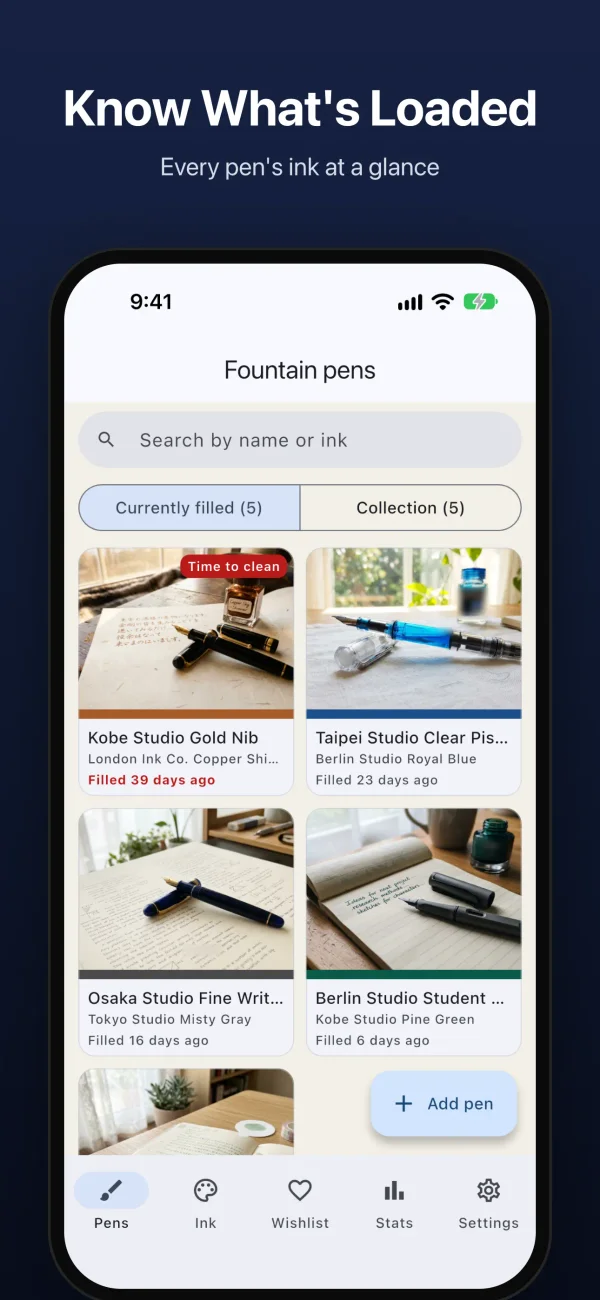
▷ See what's loaded at a glance
Photo cards for every inked pen and its current ink, with pens due for cleaning first.
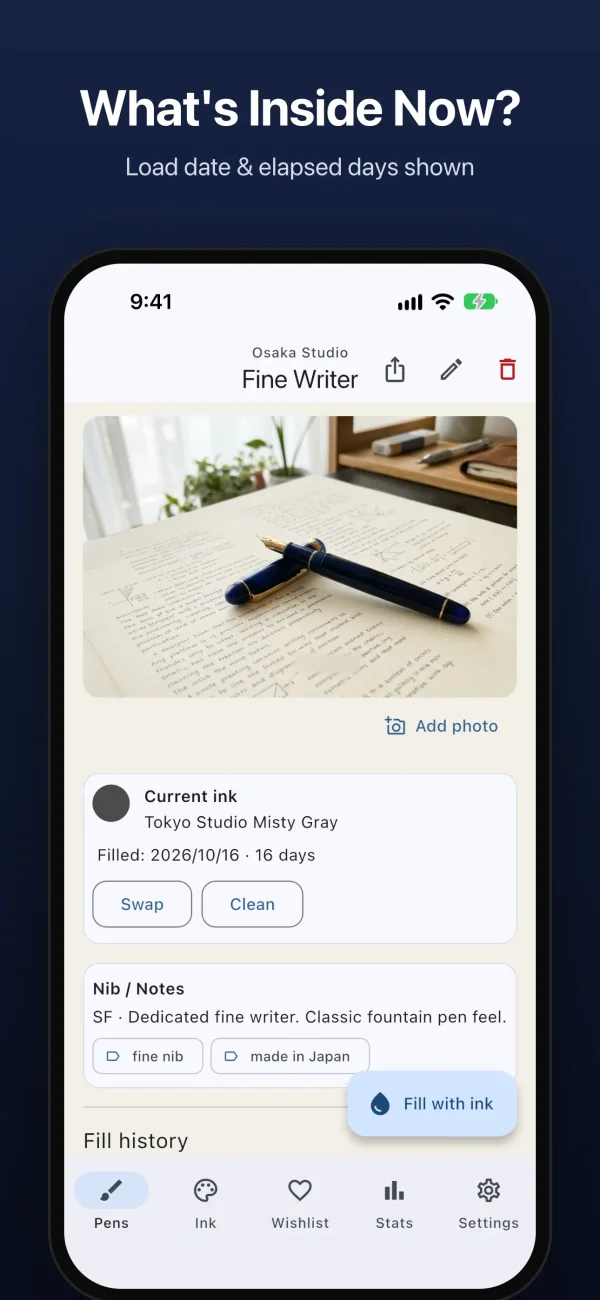
▷ Log ink changes & cleaning
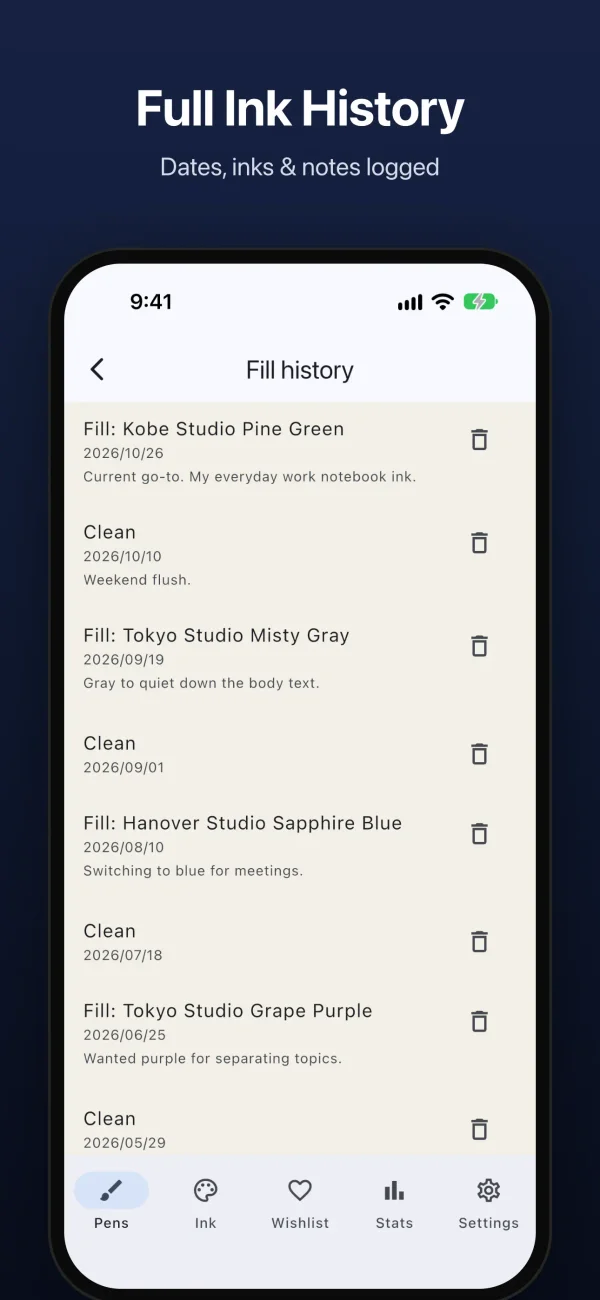
Record the date, ink name, and notes every time you refill or flush a pen.
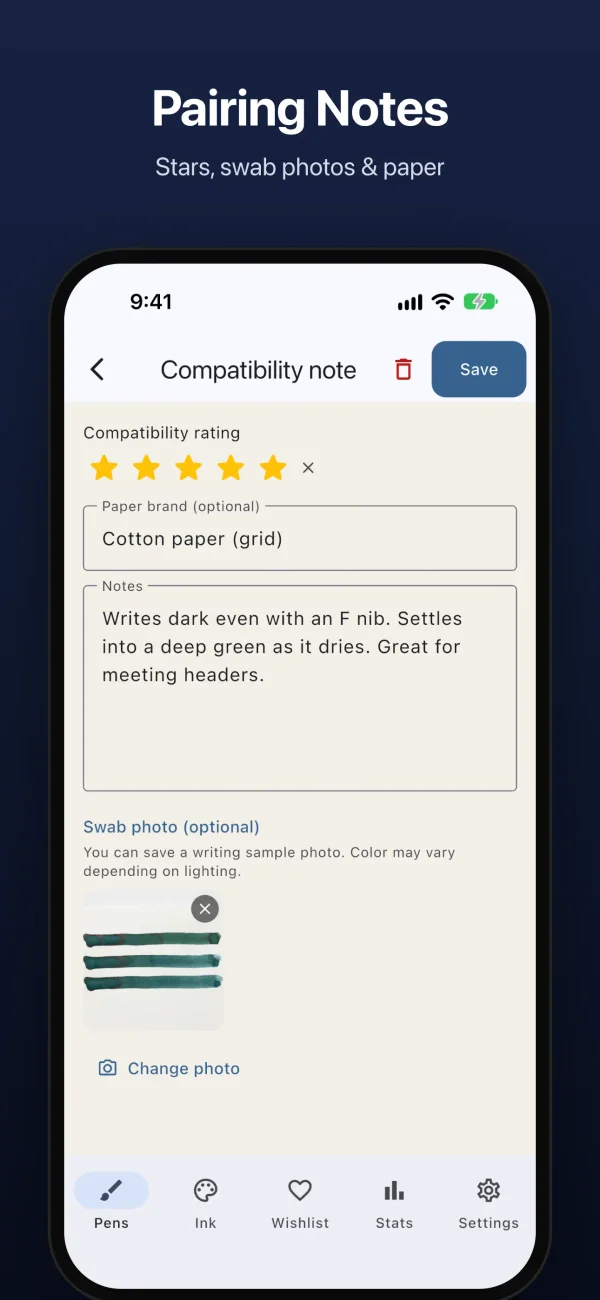
▷ Compatibility notes
Rate pen × ink × paper combinations with text, star ratings (1–5), and swab photos. Pick the paper from your Paper & notebooks, or type a new one.
▷ Paper & notebooks
Save the papers and notebooks you write on, with the maker and notes. Open one to see every compatibility note on that paper. Find it at the top right of the Ink list — no limit on how many.
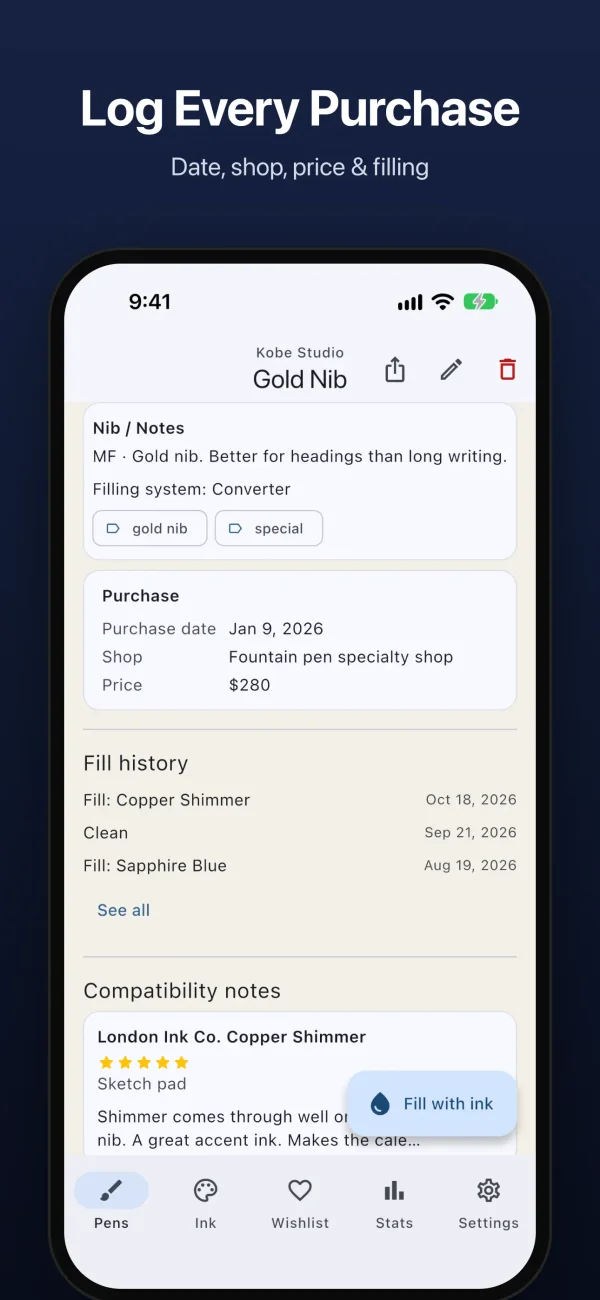
▷ Purchase records & filling systems
Record the purchase date, shop, and price for pens and inks. Note each pen's filling system, too: cartridge, converter, piston, and more.
▷ Detailed ink management
Record sheen, shimmer, water resistance, drying time, feathering, and bottle level (5 stages). Add custom tags for easy filtering.
▷ Wishlist
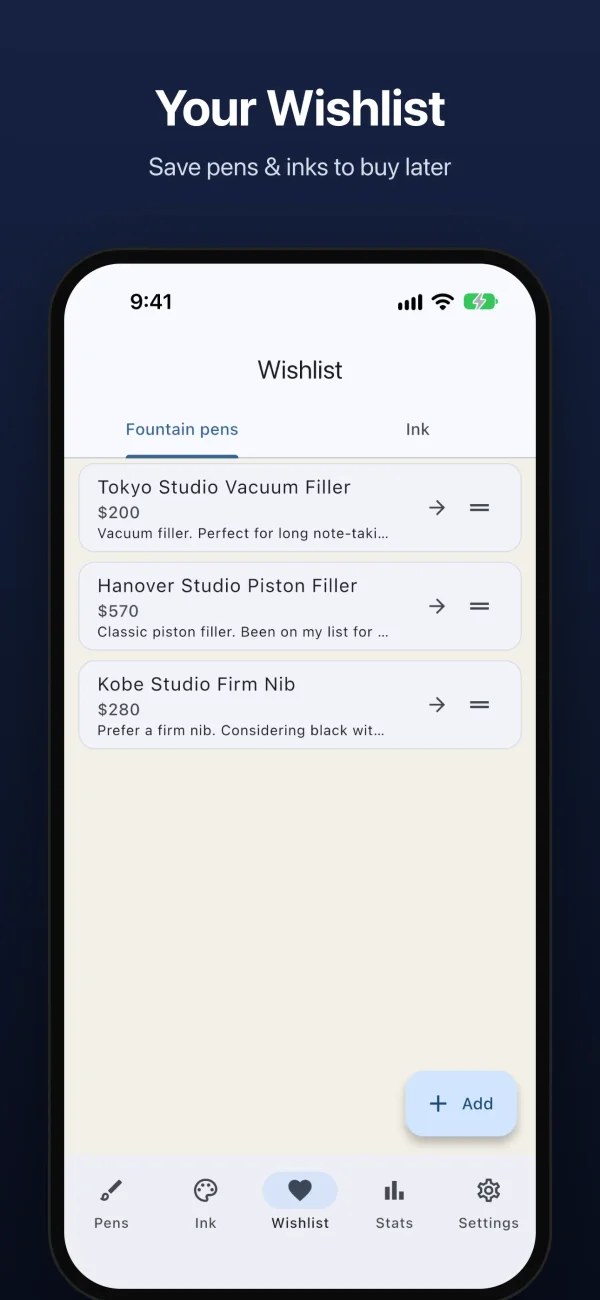
Save pens and inks you want to buy — add them to your collection in one tap when you do.
▷ Statistics
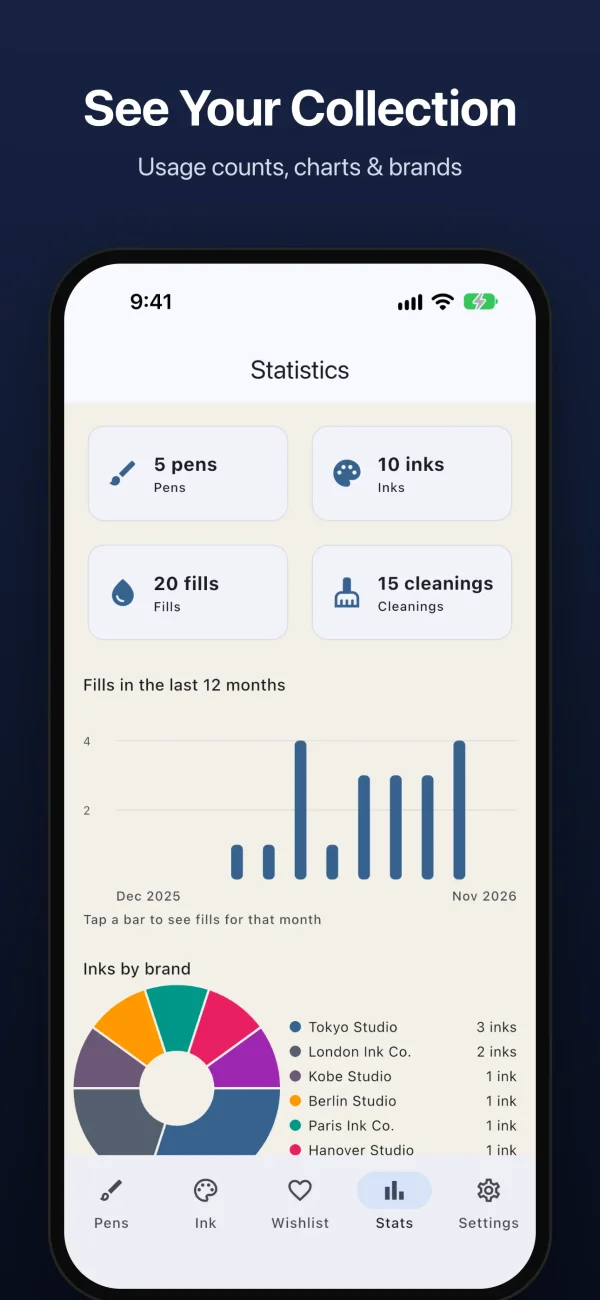
See your top 5 pens & inks, monthly loading chart, and brand breakdown.
▷ Color comparison
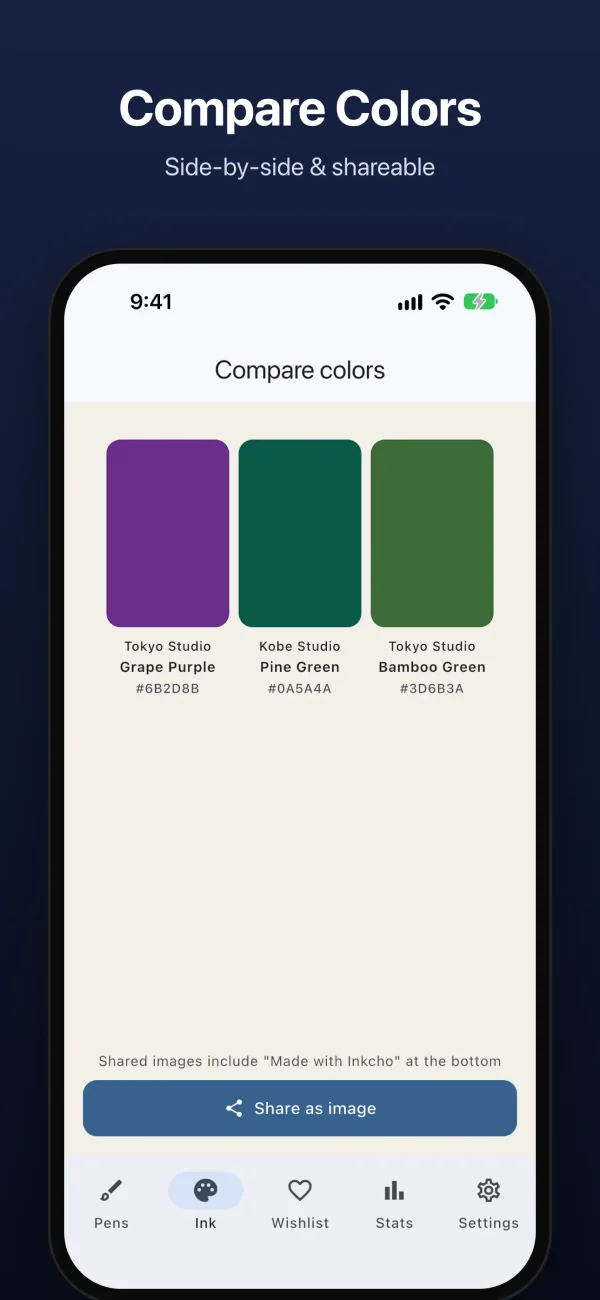
Compare up to 8 inks side by side. Share the result as an image.
▷ Usage alerts
Get a push notification when an ink has been loaded beyond your set number of days.
▷ Photo attachments
Attach photos to pens, inks, and compatibility notes — from camera or your photo library. Pens can have up to 4, like the cap top or the nib.
▷ Color management
Register any color with the built-in picker. Sort inks by hue or brand, or browse them in the Swatch book view.
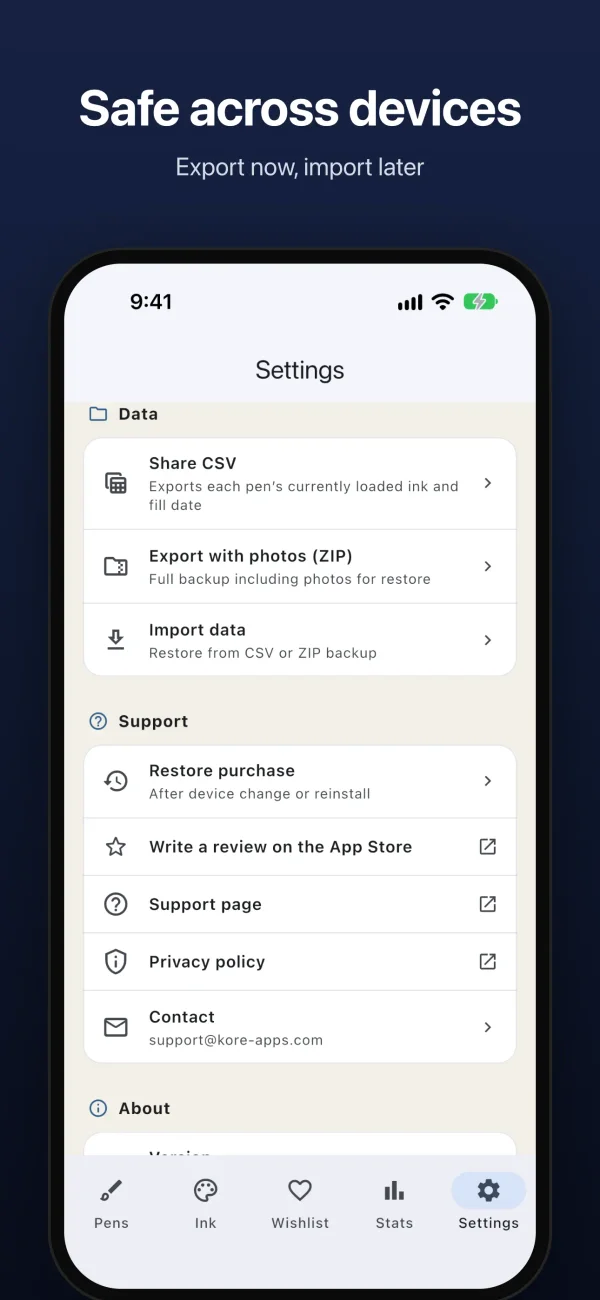
▷ Data export & import (free)
Share a CSV for spreadsheet apps, export a ZIP with photos for full backup, or import from CSV / ZIP. The ZIP includes your purchase records and papers, too.
【Great for】
· Collectors who rotate multiple pens and lose track of what's loaded
· Ink enthusiasts with more bottles than they can remember
· Anyone who wants to capture what works for a specific pen × ink × paper combo
· Anyone with inks from many different makers
【Your data stays on your device】
Everything is stored locally on your iPhone / iPad. Nothing you enter is sent to external servers. No account required.
【Pricing】
· Free: up to 5 pens & 10 inks. Every feature beyond the entry limit is free — stats, color compare, usage alerts, purchase records, papers & notebooks (no limit), sorting, export, and more
· Pro (one-time): unlimited pens & inks, and share cards without the watermark
One payment. No subscription. Yours forever.
---
Kore Apps
support@kore-apps.com
What’s new
Version 1.6.0 · Nov 25, 2026
• Record the purchase date, shop, and price for your pens and inks
• Choose each pen's filling system (cartridge, converter, piston, and more)
• Add the papers and notebooks you use from the top of the Ink list
• Pick a saved paper when you write a compatibility note
• See every compatibility note for a paper in one place
• ZIP export and import now include purchases and your papers
• Send ideas or problems anytime from Settings → Send Feedback
• Minor bug fixes and stability improvements
App privacy
What kazuki korenori declares on the App Store about how this app handles data.
-
Data linked to you
May be collected and linked to your identity.
- Purchases
- Identifiers
- Usage data
Privacy practices may vary, for example with the features you use or your age.
Information
- Seller
- kazuki korenori
- Category
- Lifestyle
- Version
- 1.6.0
- Updated
- Nov 25, 2026
- Released
- Apr 23, 2026
- Size
- 54.7 MB
- Requires
- iOS 15.0 or later
- Age rating
- 4+
- Price
- Free
- In-app purchases
- Yes
- Languages
- English, French, German, Italian, Japanese, Korean, Portuguese, Spanish, Traditional Chinese
- Copyright
- © KoreApps
You might also like
-
 機材沼Lifestyle
-
 インク沼ノート - 万年筆インク台帳Lifestyle
-
 PenKeep: Fountain Pen CareFlush & ink care reminders
-
 PencilDB: Fountain & BallpointPen database & market prices
-
 InkSwatch: Pen JournalInk journal & swatch library
-
 Inpentory万年筆・インク・手帳/ノートのコレクションを管理するアプリ
-
 LetterNest: Pen Pal TrackerLetters, replies & stationery
-
 Hoshiato MapYour memories on one planet
-
 InkSpot – For Fountain PensPen & Ink Collection Tracker
-
 Life Tyde: Life TimelineQuiet chronicle of your years