
InkFill Sign – PDF Filler
Scan, explain & sign forms
Designed for iPhone, iPad, Mac
Free · In-app purchases
- Age rating4+
- CategoryProductivity
- DeveloperThomas PIQUEPAILLE
- LanguagesEnglish+ 11 more
- Size4.1 MB
Links to the official App Store page
Download.org hosts no file of InkFill Sign – PDF Filler. The button opens its official App Store page, published by Thomas PIQUEPAILLE. Listing last checked on Nov 23, 2026.
Screenshots



About
NEW IN VERSION 1.2
• Key points pinned on the page: what to check before you sign.
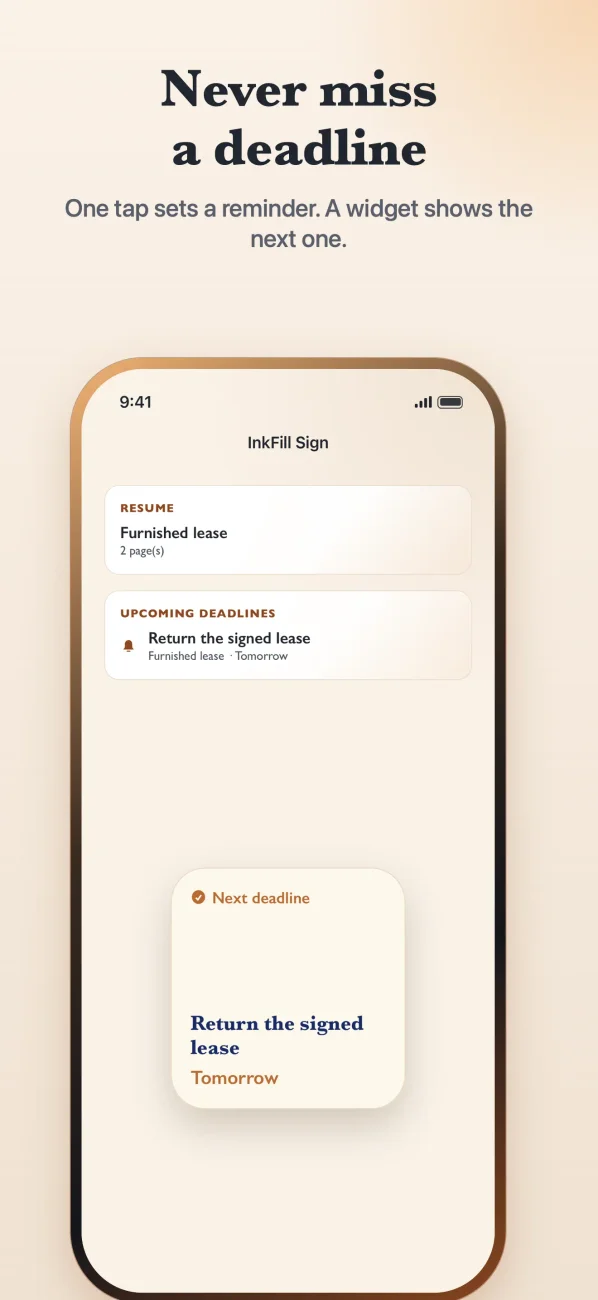
• Deadlines: one tap sets a reminder, and a widget shows the next one.
• Folder: merge several papers into one PDF under 5 MB.
• Lifetime option, and now on Mac with a single purchase.
• Your signature ink now stays black while you draw.
Fill in paperwork, sign it and send it back, without a printer. InkFill Sign turns a scan, a PDF or a photo into a finished document you can share in minutes.
FILL
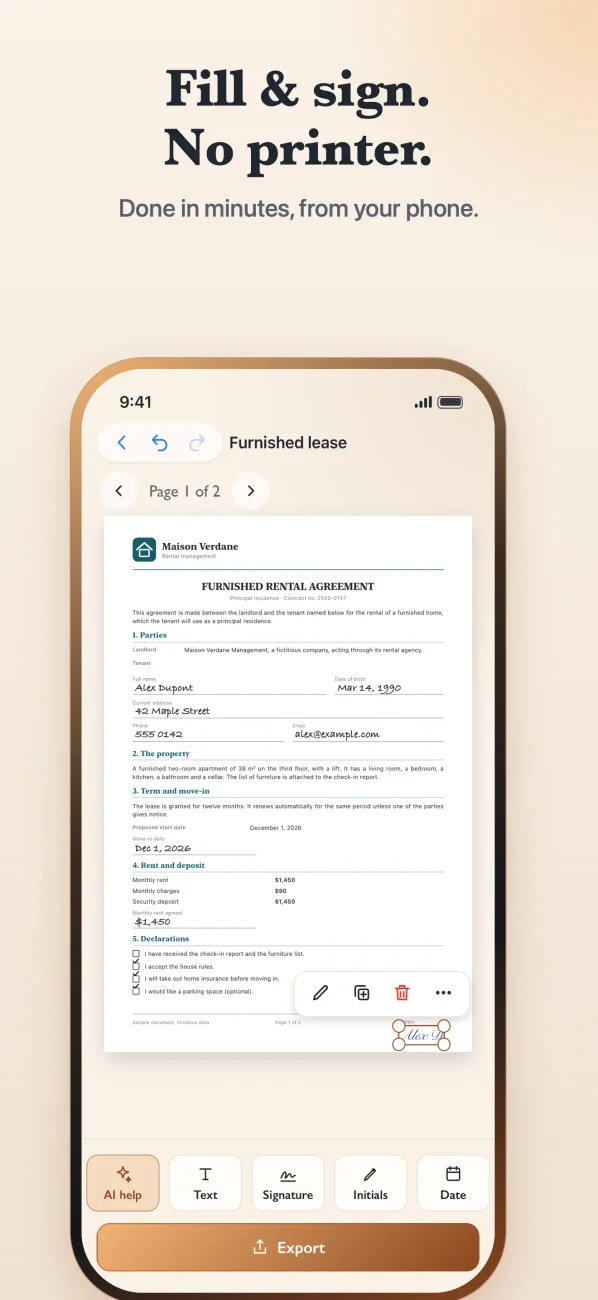
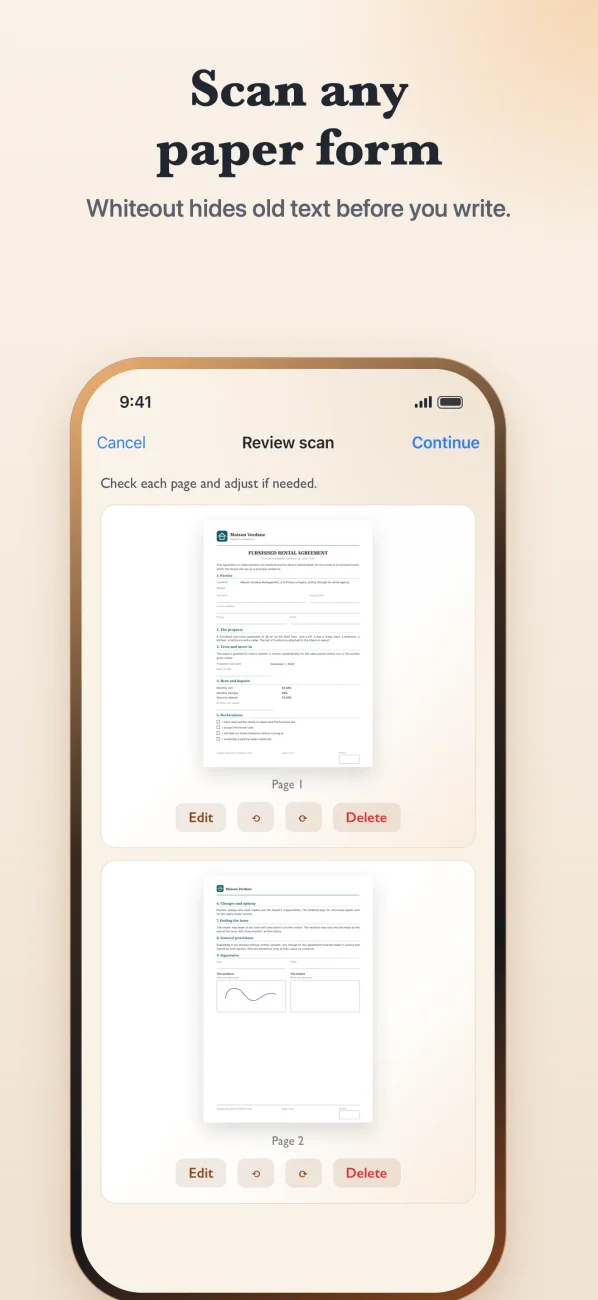
• Scan a paper form or import a PDF or a photo.
• Type text that looks handwritten, tick boxes, add today's date.
• Hide old text with whiteout before you write.
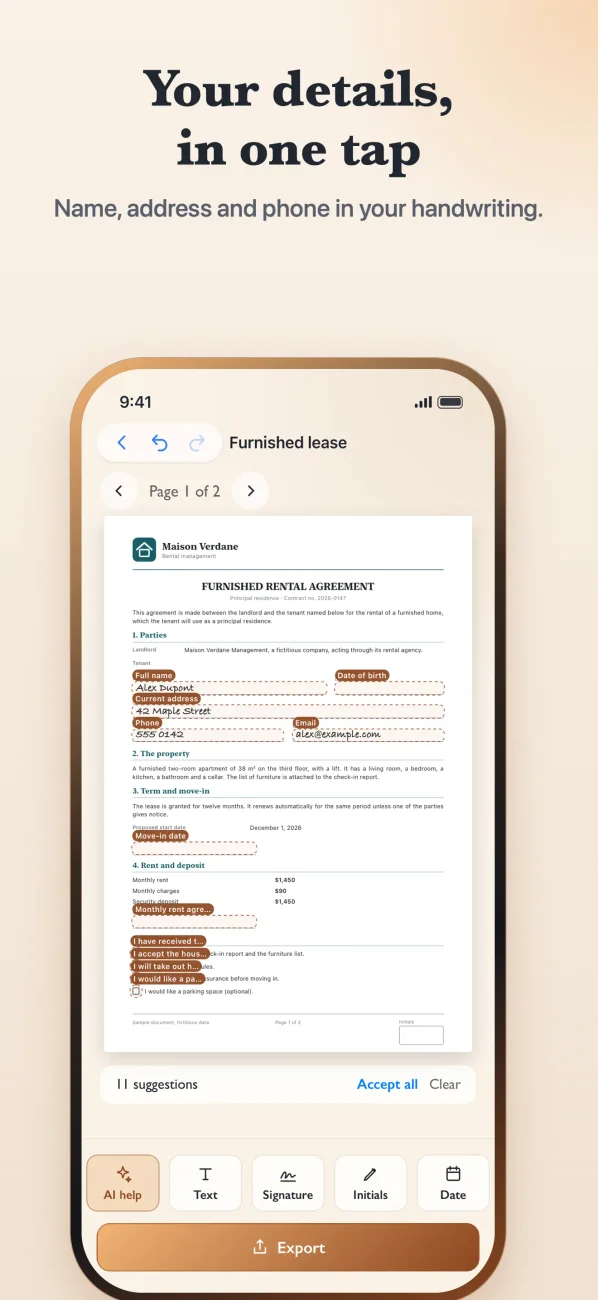
• Save your name and address once in your profile.
SIGN
• Draw your signature and initials, or import them from a photo of your ink.
• Save reusable handwritten snippets: your name, address, phone.
AI HELP (OPTIONAL)
• Spot the fields: every blank to fill is found and named.
• Fill with my profile: your details are placed in the right fields and you validate each one.
• Explain this document: what it is, key figures and dates, what you commit to, points to check and where to sign.
AI help analyzes the pages you choose, only after you agree. It suggests, you decide. The summary can be wrong and is not legal advice.
EXPORT
Share a clean PDF or images. Your documents are saved on your phone; the optional AI help analyzes a page at your request.
FREE AND PRO
Free: full editor, 3 exports and 3 AI documents a month. Pro: unlimited exports, signatures and snippets, 50 AI documents a month. The subscription renews automatically and can be cancelled at any time in your account settings.
Terms of Use (EULA): https://www.apple.com/legal/internet-services/itunes/dev/stdeula/
Privacy Policy: https://asupriifg-hash.github.io/inkfillsignlegal/?lang=en-US#privacy
Terms of Use (EULA): https://www.apple.com/legal/internet-services/itunes/dev/stdeula/
Privacy Policy: https://asupriifg-hash.github.io/inkfillsignlegal/?lang=en-US#privacy
What’s new
Version 1.2.0 · Nov 11, 2026
• Key points pinned on the page: what to check before you sign.
• Deadlines: one tap sets a reminder, and a widget shows the next one.
• Folder: merge several papers into one PDF under 5 MB.
• Lifetime option, and now on Mac with a single purchase.
• Your signature ink now stays black while you draw.
App privacy
What Thomas PIQUEPAILLE declares on the App Store about how this app handles data.
-
Data not collected
The developer does not collect any data from this app.
Privacy practices may vary, for example with the features you use or your age.
Information
- Seller
- Thomas PIQUEPAILLE
- Category
- Productivity
- Version
- 1.2.0
- Updated
- Nov 11, 2026
- Released
- Feb 3, 2026
- Size
- 4.1 MB
- Requires
- iOS 16.0 or later
- Age rating
- 4+
- Price
- Free
- In-app purchases
- Yes
- Languages
- English, Arabic, French, German, Indonesian, Italian, Japanese, Korean, Portuguese, Russian, Simplified Chinese, Spanish
- Copyright
- © InkFillSign2026
You might also like
-
 CV Maker AIProfesyonel CV
-
 ChatAIOfflineChatAIOffline
-
 CI VerifIDProductivity
-
 Fill and Sign PDF - SignFillFill, Sign, and Edit PDF Forms
-
 Receipt2go - Quittances LoyerProductivity
-
 EditPDF | PDF Editor & SignEdit & E-Sign PDF Files
-
 eSignly: Fill and Sign AppEdit, fill and eSign Documents
-
 AI Keyboard Copilot: TypeAITranslator, Rewrite, Corrector
-
 FormSign: Fill & Sign PDFContracts, leases & waivers
-
 PDF Editor and Scanner ProDoc Scanner PDF Converter